Allow viewport scaling (zooming) of frontend#7180
Allow viewport scaling (zooming) of frontend#7180bramkragten merged 1 commit intohome-assistant:devfrom
Conversation


The inclusion of the `user-scalable=no` value in the viewport meta tag
prevented viewport scaling, disabling the ability to zoom the webpage.
This most typically affects mobile devices, given the nature of the
`<meta name="viewport">` tag.

Removing the restriction allows a user to zoom in to see small and fine
detail in the UI -- such as zooming in on particular areas of a home
security camera streams or other images, inspecting detail in state and
other graphs, and so on.

For users with accessibility requirements, such as low vision
conditions, being able to zoom the frontend means they can enlarge UI
elements to suit them (MDN explains several accessibility concerns at
https://developer.mozilla.org/en-US/docs/Web/HTML/Element/meta/name#Accessibility_concerns_with_viewport_scaling)

This change has no effect on users that choose not to use it (for
example, only those that engage zooming such as via pinch-to-zoom on
mobile devices will see the change) -- the frontend remains the same
otherwise.  Elements of the frontend that do use pinch-to-zoom (e.g. the
Map) continue to work as expected, with pinches on that screen area
being captured by the map.


|
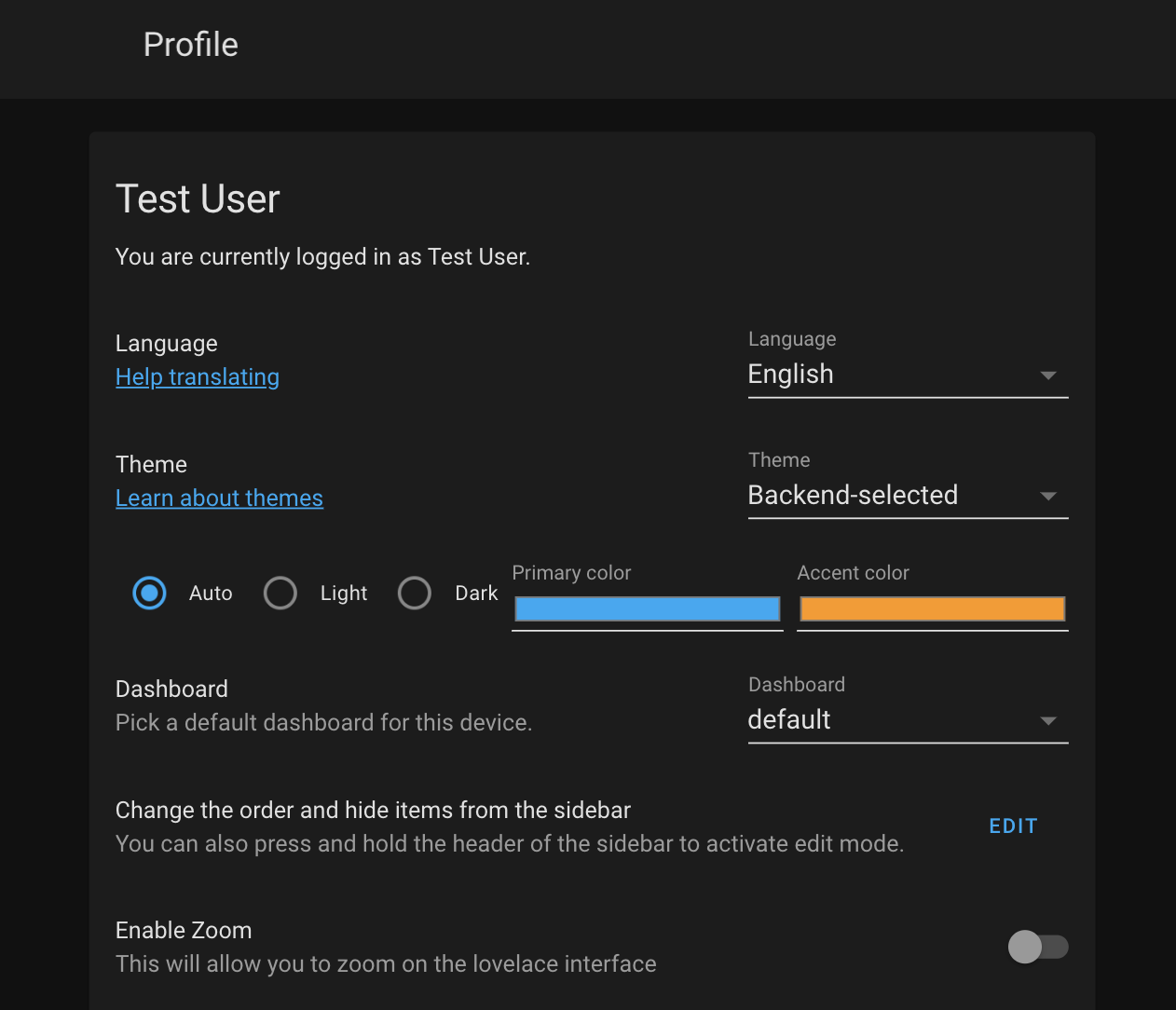
I don't believe such a change is a great idea. It causes unusual bugs and worsens the user experience (especially on mobile). If you are really keen on adding such functionality, maybe contribute to a project such as Custom Header or develop an option in the user profile page that enables zooming. Maybe @balloob can further tune into the decision. Bad 1min Mockup: |
|
@Brahmah On mobile iOS Safari at least - support for this tag was removed in iOS10 (ref). This doesn't currently affect embedded web views, though, which includes the iOS app. As for making the user experience worse, having the tag present affects accessibility (my personal use case) and usability. The HTML 5.2 spec covers why
On this last use case, Home Assistant does have a map embedded but the map zoom still works as expected with In any case, because the tag is non-standard, support on different platforms will already be mixed: apparently certain versions of Android require the value set as A user profile or app option could be a solution, but the HTML spec highlights the risk with doing this because "[it] may however not be immediately apparent to users". If an option were to be provided, the most accessible option would be to have zooming enabled by default - and then if a user would prefer to zooming be disabled, they could. |

|
Sorry for intruding on this, but if this isn't pulled I will have Custom Header remove the tag by default with an option to disable. I'm even willing to make another project who's sole purpose is disabling this tag. That way all a user needs to do is install it. That being said, I shouldn't need to do either of those things. Accessibility should always be a top priority and accessibility options should never be removed. I see no reason for this not to be pulled as the setting has already been ignored in multiple mainstream browsers. If this causes any issues then those issues need to be addressed anyhow as they are currently a problem for any browser that doesn't support this tag. |
|
I created a project on the custom-cards repository in case this isn't pulled, or while waiting for it to be pulled and released, or for testing this change easily: https://github.com/custom-cards/viewport-accessibility |

|
I think this PR is a good idea. We just got 5 new cameras, and we would like to zoom into them. And yes, blocking zooming on a webpage is a bad idea I think. If somebody doesn't want to zoom into, they won't. Or if they zoom into it accidentally, they can turn of this feature. But who really needs this, can't do this without this PR. |

|
The issue is that HA is not really a webpage. its a webapp. You cant zoom on Twitter... |
|
The Twitter app offers the ability to increase text size and in most cases will follow the text size when set in the mobile device's accessibility settings. You can also tap photos in twitter to enlarge them, zoom, etc. So, okay, HA is a webapp, but without accessibility settings. Being a webapp doesn't just exempt it from such things. Edit: Also, if using Chrome on Android to access Twitter's webapp you can absolutely pinch to zoom. |
|
I cannot pinch zoom on the chrome twitter page. |
|
That just reinforces the whole, non-standard support argument:
|


|
Only thing I'm worried about is double tap actions, will they make the page zoom? |
|
@davidjb Answered that in his previous PR #6157 (comment) I haven't given it a thorough testing myself though. Happy to do so when I'm able to. |

|
@bramkragten I've re-tested with HA 0.115.6 and companion app v2020.6 (11) on iOS 14.0.1, testing as much of the UI as I can:
For reference, from my previous testing , the behaviour is the same with the one difference that double-tapping a history graph now does nothing at all in the current HA / iOS 14.0.1, in the main UI or in a model (it previously zoomed the UI in iOS 13 / whichever was the Release version of the app on 28 Aug 2020). So, in short, all double-tap situations work as expected and the only place that double-tapping zooms the UI is in the empty space in paper-tabs. |
|
I can confirm, have tested on Android and on a Microsoft Surface touchscreen with multiple browsers. Everything works as expected although, contrary to @davidjb, I do not see zooming when double tapping empty space, near paper-tabs, or anywhere in the header. Running 0.116.0b2. The zooming action itself causes no strange artifacts or glitches that I have found. |


This reverts commit da9facc.
Refs home-assistant/frontend#8192. ## Summary When enabled, pinch to zoom is allowed in the frontend. When disabled, which is the default, it is not allowed. This does not respect what the frontend sends for the values of `minimum-scale`, `maximum-scale` and `user-scalable` and instead overrides them. ## Screenshots 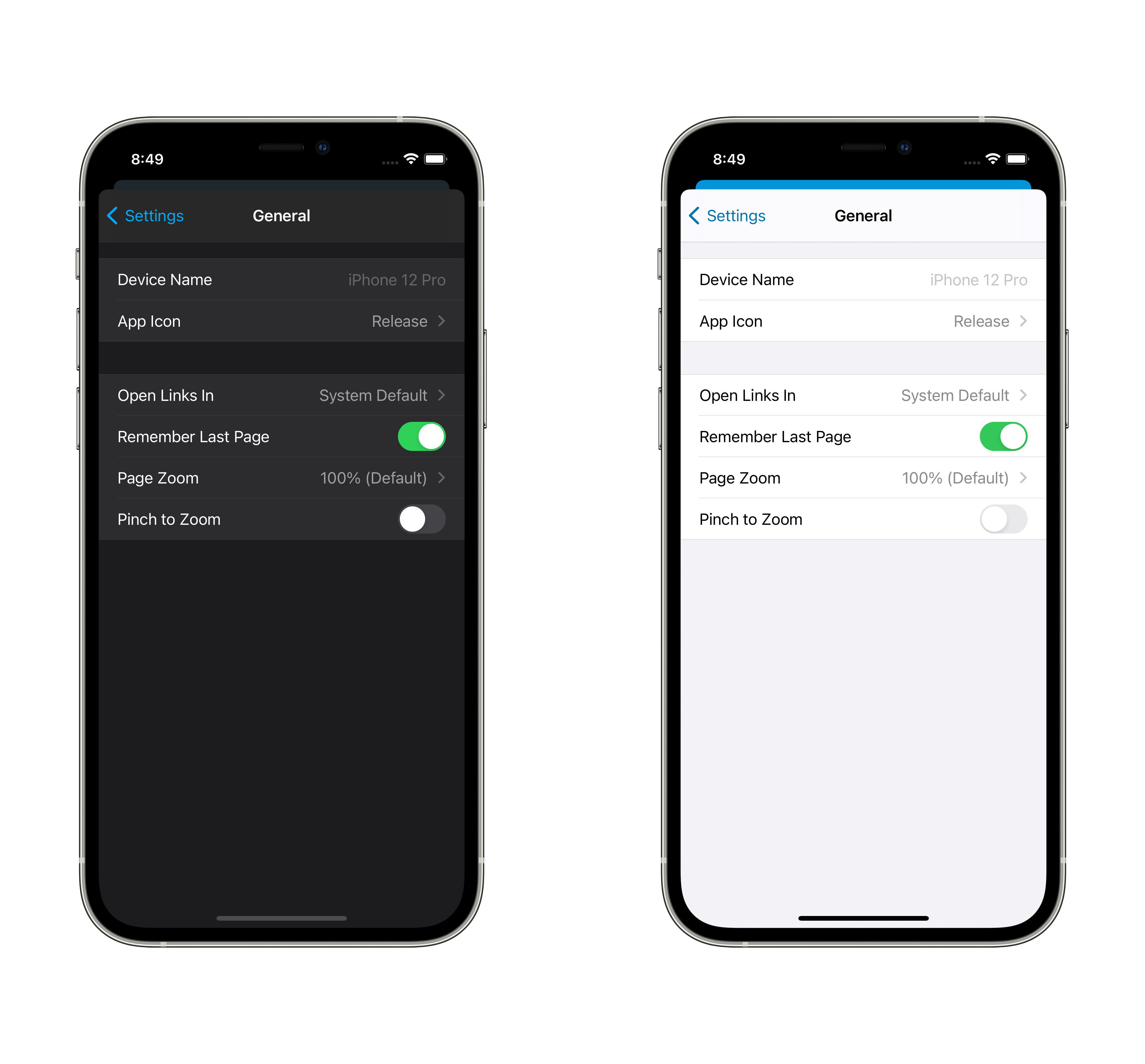 ## Any other notes In home-assistant/frontend#7180, the frontend was changed to enable pinch to zoom in the app by removing the `user-scalable` flag. Browsers ignore this flag, but our UI is meant to feel like an app, not like a webpage. The accessibility part of the argument doesn't mirror iOS accessibility: dynamic type is how the system behaves and it doesn't scale elements like navigation or tab bars. To achieve an iOS-like accessibility experience, we have a setting to adjust only the text size in the frontend. But we are not in total control over the contents of the users' dashboards or pages. There's layout and design choices that users may make which inherently don't work well on mobile without zooming on non-text elements, including other webapps. I believe this is a rare enough that disabled as a default is acceptable, but also common enough that the preference itself existing is worthwhile. This works in all versions of iOS that we support, iOS 12 and above.


7 participants


Breaking change
I don't believe this is a breaking change but as
user-scalableis a defacto standard, there may be some device out there that behaves strangely. As mentioned below, it should only affect users who are zooming the UI, a new 'feature' since it wasn't possible before.Proposed change
Reopening #6157 as per discussion with @bramkragten
The inclusion of the
user-scalable=novalue in the viewport meta tagprevented viewport scaling, disabling the ability to zoom the webpage.
This most typically affects mobile devices, given the nature of the
<meta name="viewport">tag.Removing the restriction allows a user to zoom in to see small and fine
detail in the UI -- such as zooming in on particular areas of a home
security camera streams or other images, inspecting detail in state and
other graphs, and so on.
For users with accessibility requirements, such as low vision
conditions, being able to zoom the frontend means they can enlarge UI
elements to suit them (MDN explains several accessibility concerns at
https://developer.mozilla.org/en-US/docs/Web/HTML/Element/meta/name#Accessibility_concerns_with_viewport_scaling)
This change has no effect on users that choose not to use it (for
example, only those that engage zooming such as via pinch-to-zoom on
mobile devices will see the change) -- the frontend remains the same
otherwise. Elements of the frontend that do use pinch-to-zoom (e.g. the
Map) continue to work as expected, with pinches on that screen area
being captured by the map.
Type of change
Example configuration
N/A
Additional information
Checklist
If user exposed functionality or configuration variables are added/changed: