Use solid color for table row border to fix Safari rendering issue#25682
Use solid color for table row border to fix Safari rendering issue#25682
Conversation


There was a problem hiding this comment.
Any opinions on hardcoding the final values here? I'm a little worried that calculating it with every render may cause some perf issues when rendering a lot of rows.
There was a problem hiding this comment.
What do you mean by hardcoding them here?
I actually don't know how styled components work with these custom functions using props, are they going to compile the style only once and then extract it to a CSS file?
There was a problem hiding this comment.
What do you mean by hardcoding them here?
return "rgb(49,58,100)"; 🙈
But nvm, it doesn't make any sense, because:
- We create style for an entire table, not for each row separately.
- The style is probably re-complied only when the prop changes, I added
console.logtogetSolidRowBorderColorand it was only invoked again only when I changed the theme.
Btw, styled-components doesn't create a CSS file, but:
styled-components generates an actual stylesheet with classes, and attaches those classes to the DOM nodes of styled components via the className prop. It injects the generated stylesheet at the end of the head of the document during runtime.

 gzdunek
force-pushed
the
gzdunek/safari-border-color
branch
from
gzdunek
force-pushed
the
gzdunek/safari-border-color
branch
from
cc367af to
26ac912
Compare

| // the value of theme.colors.spotBackground[0] | ||
| function getSolidRowBorderColor(theme) { | ||
| const alpha = decomposeColor(theme.colors.spotBackground[0]).values[3]; | ||
| if (theme.name === 'dark') { |
There was a problem hiding this comment.
Regarding what I said on #dev-frontend about not using theme name conditionals, could you instead use the emphasize function from colorManipulator.js? I'm not sure if it achieves exactly what you want here, you might need to reimplement it reversing the logic if needed.
There was a problem hiding this comment.
This is awesome, thank you! empasize works without any changes.
There was a problem hiding this comment.
Usually it'd be better to add a new color to the theme but since this is just a workaround for a browser bug, I think we can get away with using emphasize.

 ravicious
left a comment
ravicious
left a comment
ravicious
left a comment
There was a problem hiding this comment.
Some reproduction steps would be useful since comparing the colors doesn't seem to be trivial, but I trust you that the issue was indeed present.
I think the only thing I personally need is a clarification as to how it affects non-Safari browsers and if we're okay with how this change affects them.
| // the value of theme.colors.spotBackground[0] | ||
| function getSolidRowBorderColor(theme) { | ||
| const alpha = decomposeColor(theme.colors.spotBackground[0]).values[3]; | ||
| if (theme.name === 'dark') { |
There was a problem hiding this comment.
Usually it'd be better to add a new color to the theme but since this is just a workaround for a browser bug, I think we can get away with using emphasize.
| // WebKit issue https://bugs.webkit.org/show_bug.cgi?id=35456. | ||
| // | ||
| // `getSolidRowBorderColor` is a workaround. The color is created by lightening or darkening the table background by | ||
| // the value of theme.colors.spotBackground[0]. |
There was a problem hiding this comment.
This comment explains what is being done but it doesn't explain how it fixes the problem, does it? Could we add an explanation here?
There was a problem hiding this comment.
Added, is it more clear now?
There was a problem hiding this comment.
Yes, it is!
The final color is created by lightening or darkening the table background color by the value of theme.colors.spotBackground[0].
Did you mean the value of the alpha channel of theme.colors.spotBackground[0]?
Also, I suppose this assumes that spotBackground is (more or less) a pure white or black color with an alpha channel. Which I think is one of the core assumption of the theme anyway. It should be fine as long as we communicate that to users. (cc @roraback @rudream)
There was a problem hiding this comment.
Did you mean the value of the alpha channel of theme.colors.spotBackground[0]?
Ah yes.
Also, I suppose this assumes that spotBackground is (more or less) a pure white or black color with an alpha channel. Which I think is one of the core assumption of the theme anyway. It should be fine as long as we communicate that to users.
👍
| // WebKit issue https://bugs.webkit.org/show_bug.cgi?id=35456. | ||
| // | ||
| // `getSolidRowBorderColor` is a workaround. The color is created by lightening or darkening the table background by | ||
| // the value of theme.colors.spotBackground[0]. |
There was a problem hiding this comment.
Also, does it mean that in browsers other than Safari the border colors will appear to be slightly different than what the user might expect?
There was a problem hiding this comment.
No, Firefox and Chrome render the same border color (visually) as before the fix.
You can try replacing
  tbody tr {
    border-bottom: 1px solid ${getSolidRowBorderColor(props.theme)};
  }
with
  tbody tr {
    border-bottom: 1px solid ${props.theme.colors.spotBackground[0]};
  }
there won't be any difference.
The only thing that has slightly changed is the visibly of borders on hover.
Previously, they were slightly visible:
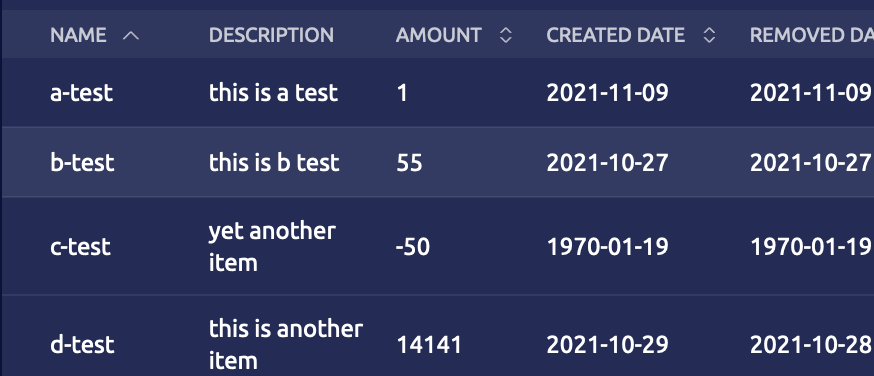
Now, they are mixed with the hover color:
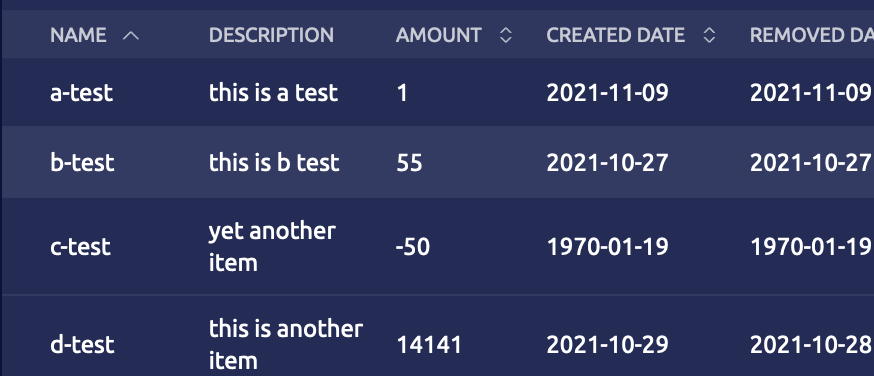
I guess that's because previously we had an alpha from border + alpha from hover and they were mixed differently than alpha from hover + solid border color.
But I don't think it is a problem, they look fine either way.


 public-teleport-github-review-bot
Bot
removed the request for review
from ibeckermayer
public-teleport-github-review-bot
Bot
removed the request for review
from ibeckermayer

…sue (#25711)

* Use solid color for table row border to fix Safari rendering issue (#25682)

* Use solid color for table row border to fix Safari rendering issue

* Use `emphasize` function

* Improve comment

* Add fallback value to alpha

* Clarify comment

(cherry picked from commit 17394c2)

* Update Sessions snapshot
4 participants


e counterpart https://github.com/gravitational/teleport.e/pull/1310
When

border-collapse: collapseis set on a table element, Safari incorrectly renders row border with alpha channel.It looks like the collapsed border was rendered twice, that is, opacity 0.07 looks like opacity 0.14 (this is more visible on dark theme). Sometimes, there is also an artifact visible after hovering the rows - some of them have correct border color, some not. Here you can see it - the first two rows have too bright border:
This PR redo the changes I made in #25333, but in a different way. I realized that adding a border to

tdelements is risky, because these elements don't necessarily have the same height astr(this caused a bug for the status cell inRequestList.tsx):The updated workaround is to use a solid color for the borders.