lightbox: Fix SafeAreaInsets padding is not applied.#3292
lightbox: Fix SafeAreaInsets padding is not applied.#3292jainkuniya wants to merge 1 commit intozulip:masterfrom
SafeAreaInsets padding is not applied.#3292Conversation


 jainkuniya
left a comment
jainkuniya
left a comment
jainkuniya
left a comment
There was a problem hiding this comment.
@gnprice @borisyankov Let's take this small fix too!

|
Very interesting, thanks! Is the lightbox the only screen this is applicable to? What's the reason for that? The linked docs say this only applies on iOS. There are Android devices with a notch in the screen -- what about them? We already have a |
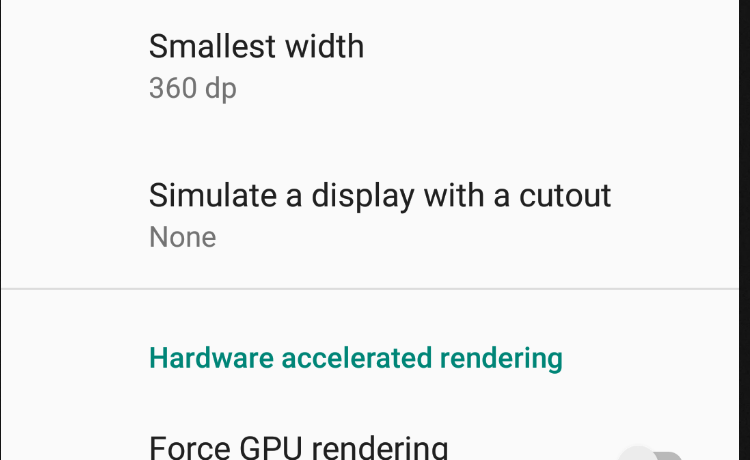
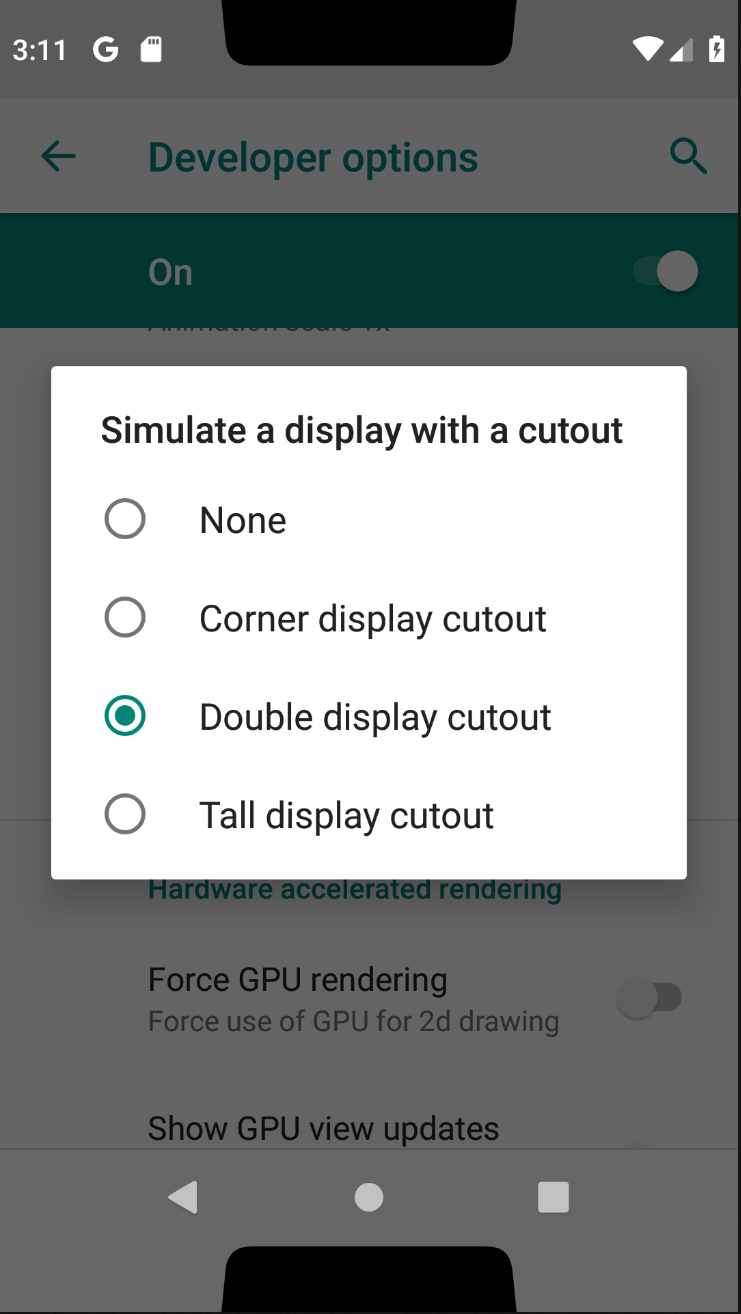
BTW, for investigating this kind of question: on Android P, the developer settings have an option to simulate a notch (or two!):
|

|
I have a notch in my phone, so I can test without any simulator 😅.
Actually on Android, we can't paint/overlap app on status bar by default so
it works fine. But on iOS by default we can.
Other screen uses Screen component, so it is taken care by it :)
…On Tue, Feb 26, 2019, 4:41 AM Greg Price ***@***.*** wrote:
There are Android devices with a notch in the screen -- what about them?
BTW, for investigating this kind of question: on Android P, the developer
settings have an option to simulate a notch (or two!):
[image: image]
<https://user-images.githubusercontent.com/28173/53374943-ba557980-390e-11e9-8ad6-dd7bc4678125.png>
[image: image]
<https://user-images.githubusercontent.com/28173/53375274-a65e4780-390f-11e9-849b-19debe6fdfd0.png>
—
You are receiving this because you authored the thread.
Reply to this email directly, view it on GitHub
<#3292 (comment)>,
or mute the thread
<https://github.com/notifications/unsubscribe-auth/ARp1SY_QlPUTqbRRl_q6F3_Z8APtvAuSks5vRG22gaJpZM4aGctP>
.
|

|
Thanks for the reply! Just to copy to this thread from our PM discussion yesterday:
|

|
Related: #3067
The extra-messy thing is that iPhones do not have physical keys anymore, so they not only need offset for the notch (optionally) but for the UI element at the bottom that acts as Home button. Android does have this: The Andoird story is simpler and we barely care about the notch. |
In my phone too there are are no physical buttons at bottom, edges are curved little bit (one plus six).
We don't really need to set because by default we are only allowed to paint in safe areas. |
|
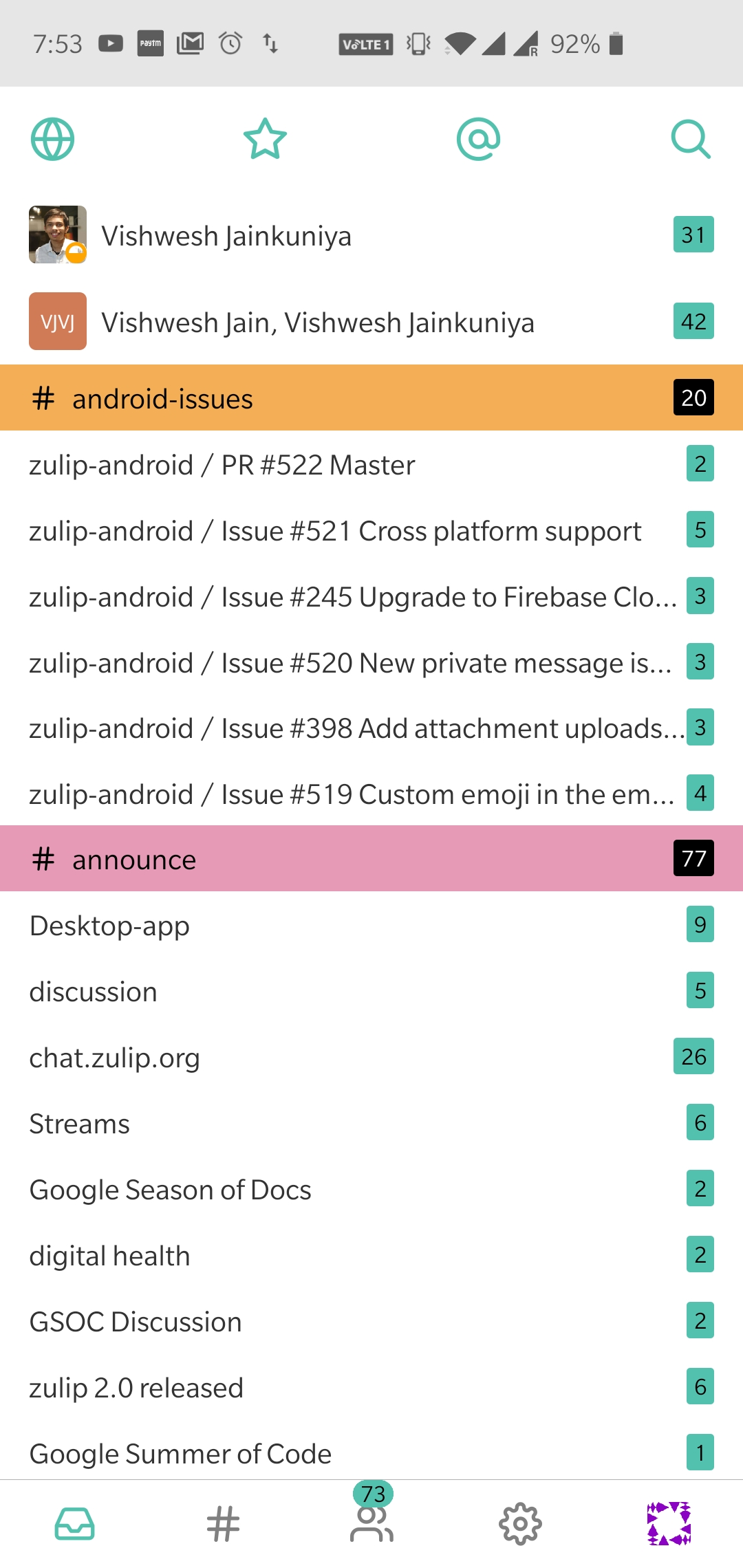
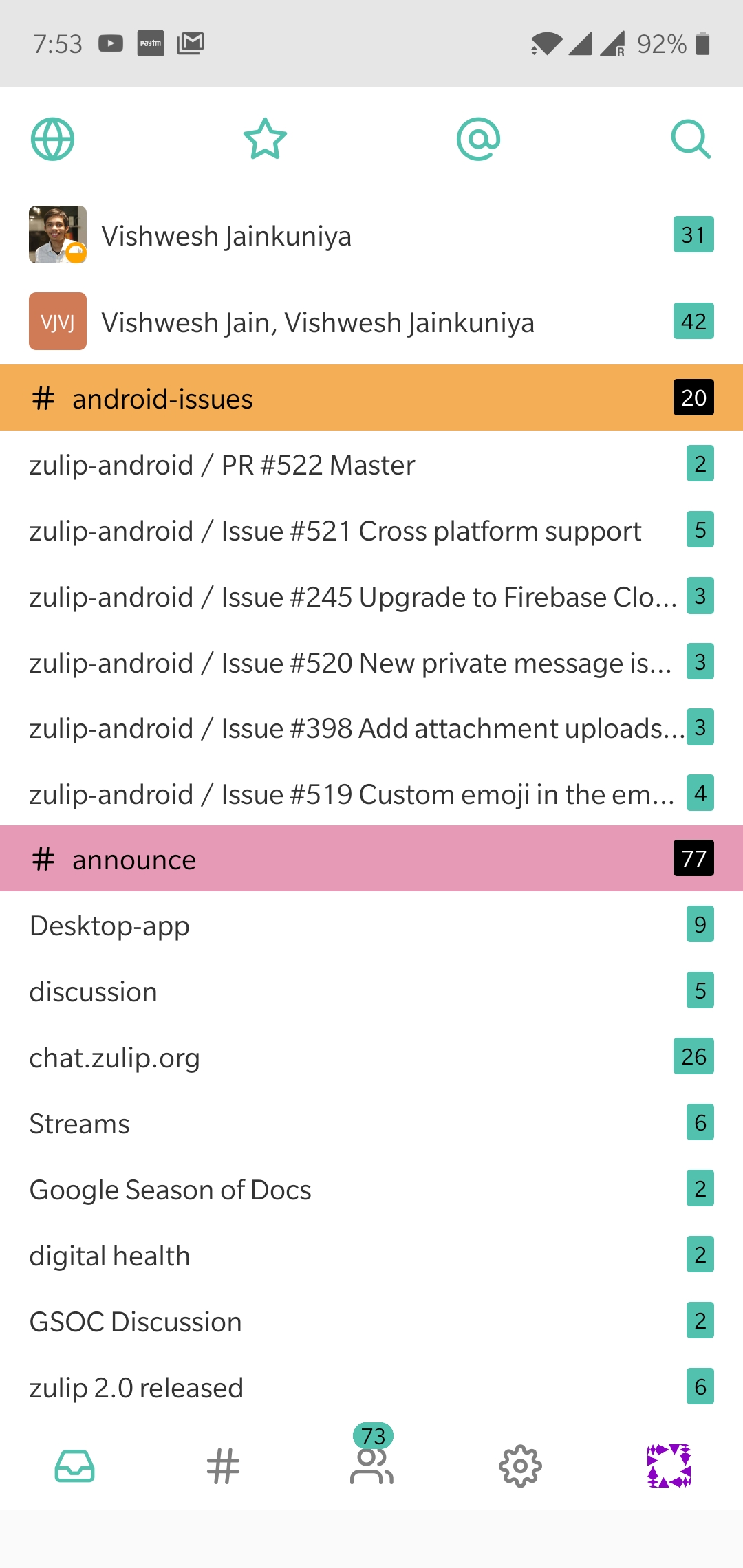
Android screenshots: (in order)
|

There was a problem hiding this comment.
@gnprice Updated 👍
commit 6b26ab6 (HEAD -> issue-3291, origin/issue-3291)
Author: Vishwesh Jainkuniya gitvishwesh@gmail.com
Date: Thu Jan 17 23:34:36 2019 +0530
ios, lightbox: Fix `SafeAreaInsets` padding is not applied.

Wrap screen content with `SafeAreaView` from `react-native` instead of
`View`.

In all other screens we are manually handeling safe area by applying
margins/padding. This custom handeling is dependent on third party
dependency to calculate offsets. Now RN also comes up with this new
component `SafeAreaView`. Plan is to use it instead of handeling
manually across the app, and remove external dependency.

This issue of safe area is only for iOS, becuase by defualt it allows us
to paint whole screen including notch area and bottom.

On Android by defualt we are not allowed to paint statusbar (notch area)
so this is not a issue there.

I have tested on Android by simulating all types of display cutout
present in the developer option, and works fine even without this
change.

References: https://facebook.github.io/react-native/docs/safeareaview
https://developer.android.com/guide/topics/display-cutout#default_behavior

Fixes: #3291
|
Cool, that Android docs link is very helpful. I agree that the default behavior on Android is good for us, and we don't need
which sounds bad... but then later they say
which sounds perfectly fine, and matches @jainkuniya 's screenshots above that show our current behavior (under that default). I think what's happening is that in the earlier quotation, "content" includes the status bar (which after all we do have some control over). We don't want our actual content rendering into the cutout area, but it's fine that the status bar is there. |
|
(In those screenshots, is there a duplicate? I see two that both look like double cutouts, and none that look like a tall cutout.) |

Wrap screen content with `SafeAreaView` from `react-native` instead of
`View`.

In all other screens we are manually handeling safe area by applying
margins/padding as we are using `Screen`. In 4 screens we aren't
using `Screen`:

$ git ls-files src/ | grep Screen | xargs grep -wL Screen
- src/chat/ChatScreen.js
We have custom handeling here, see ComposeBox and ChatScreen.

- src/lightbox/LightboxScreen.js
This change will take care for this as well.

- src/main/MainScreenWithTabs.js
`TabBarBottom` is taking care for this
see https://github.com/react-navigation/react-navigation/blob/v1.5.11/src/views/TabView/TabBarBottom.js#L234

- src/start/CompatibilityScreen.js
- src/start/LoadingScreen.js
For both the above screens, content is very less and aligned vertically
 center, so no scope for content touching top/bottom.

All This custom handeling is dependent on third party
dependency to calculate offsets. Now RN also comes up with this new
component `SafeAreaView`. Plan is to use it instead of handeling
manually across the app, and remove external dependency.

This issue of safe area is only for iOS, becuase by defualt it allows us
to paint whole screen including notch area and bottom.

On Android by defualt we are not allowed to paint statusbar (notch area)
so this is not a issue there.

I have tested on Android by simulating all types of display cutout
present in the developer option, and works fine even without this
change.

References: https://facebook.github.io/react-native/docs/safeareaview
https://developer.android.com/guide/topics/display-cutout#default_behavior

Fixes: zulip#3291
|
This is for tall display cut (there was issue while uploading files :() |
|
Copying from a question I asked @jainkuniya in chat the other day: You wrote
and earlier you wrote
But it takes some work to go and confirm that that's really true. After all, there are a lot of screens in the app! Do we really use It turns out in fact this is not 100% true. 😛 You replied in chat with some more details to help explain why this is nevertheless the right change -- please reply here with those details, and then we can discuss. |
|
Hey, I have updated in the commit message. |
|
Thanks @jainkuniya for all your work on this! After reading this explanation, and then rereading recently #3067, I've determined the plan I want to take is to merge #3067. That will move us systematically onto |
Based in part on a series of comments I made on #2993, and on:
  #3292 (comment)
3 participants


Wrap screen content with
SafeAreaViewfromreact-nativeinstead ofView.References: https://facebook.github.io/react-native/docs/safeareaview
Fixes: #3291