Skip to content

Batch media upload#12947

Merged
Zeegaan merged 8 commits intoumbraco:v11/contribfrom
matthewcare:batch-media-upload
Nov 14, 2022
Merged

Batch media upload#12947
Zeegaan merged 8 commits intoumbraco:v11/contribfrom
matthewcare:batch-media-upload

Conversation

@matthewcare
Copy link
Copy Markdown
Contributor

Prerequisites

  • I have added steps to test this contribution in the description below

When uploading a whole folder of media, you have to wait for them to process one by one.
This PR adds functionality to allow multiple file uploads concurrently.
With the media I was testing with, this resulted in the folder uploading 30% faster, though results may vary depending on filesize / upload speed.

Whilst testing this functionality I found that if multiple requests hit the server at the same time, there can be concurrency issues resulting in duplicate folders being created, and in some instances, the application would throw SQL exceptions, and hang.
I imagine this issue is also present when multiple content editors upload things at the same time as well, though probably isn't a common bug.

Adding Semaphore to restrict the execution to a single thread and resolve the concurrency issues. I'm not 100% if this is a preferred approach, so please correct me / the code if you think there is a better way, or if there is already something in the codebase to handle this.

I'm not sure if I should make the batch size configurable in the appsettings, or if leaving it at a constant number is acceptable. Let me know the preference here.

Testing

Upload a folder of media, and they will upload in batches of 10. Uploading large files, or many files on a slow connection will better demonstrate this.

Upload files in batches for faster uploading
Many requests to add files coming at the same time can cause duplicate folders to be created.
In some cases, SQL exceptions can throw, and cause the application to hang.
Add Semaphore to process files on a single thread.
@github-actions
Copy link
Copy Markdown

github-actions bot commented Sep 4, 2022

Hi there @matthewcare, thank you for this contribution! 👍

While we wait for one of the Core Collaborators team to have a look at your work, we wanted to let you know about that we have a checklist for some of the things we will consider during review:

  • It's clear what problem this is solving, there's a connected issue or a description of what the changes do and how to test them
  • The automated tests all pass (see "Checks" tab on this PR)
  • The level of security for this contribution is the same or improved
  • The level of performance for this contribution is the same or improved
  • Avoids creating breaking changes; note that behavioral changes might also be perceived as breaking
  • If this is a new feature, Umbraco HQ provided guidance on the implementation beforehand
  • 💡 The contribution looks original and the contributor is presumably allowed to share it

Don't worry if you got something wrong. We like to think of a pull request as the start of a conversation, we're happy to provide guidance on improving your contribution.

If you realize that you might want to make some changes then you can do that by adding new commits to the branch you created for this work and pushing new commits. They should then automatically show up as updates to this pull request.

Thanks, from your friendly Umbraco GitHub bot 🤖 🙂

@mikecp
Copy link
Copy Markdown
Contributor

mikecp commented Sep 4, 2022

H @matthewcare , thanks for this PR, it's a nice feature/fix 👍

Let me check with HQ with your questions and I'll get back to you asap.

Cheers!

@matthewcare
Copy link
Copy Markdown
Contributor Author

@mikecp
Did you get a response at all?

@mikecp
Copy link
Copy Markdown
Contributor

mikecp commented Oct 21, 2022

Hi @matthewcare ,

Woops, no, and I kind of lost track on this one, sorry 😬

I'll ping them again but promise to come back to you much quickly!

Cheers and thanks for your patience!

@Zeegaan
Copy link
Copy Markdown
Member

Zeegaan commented Oct 24, 2022

@matthewcare We ended up deciding that locking was not the way to go on this, instead we wrapped the whole Transaction in a scope instead 👍 Can you try this approach out ? 🙏

@nul800sebastiaan nul800sebastiaan changed the base branch from v10/contrib to v11/contrib October 25, 2022 12:48
@nul800sebastiaan
Copy link
Copy Markdown
Member

@matthewcare when you do make updates, please note that I've changed the base branch to v11/contrib since v10 is basically done now (only adding Block Grid Editor to 10.4.0 but nothing else). So if you push new changes from the v10 branch it might end up messy.

You should be able to delete your local branch and pull it down from your fork to get the updated version.

As suggested in the PR comments, replaced Semaphore with ICoreScopeProvider
@matthewcare
Copy link
Copy Markdown
Contributor Author

@nul800sebastiaan @Zeegaan
I've implemented ScopeProvider as instructed however it doesn't really have the intended effect. In fact it completely breaks when there are multiple concurrent requests.
Uploading a single media item works fine, but when you try to do two at the same time, the whole backend locks up and you can't do anything without restarting the application.

I've pushed the code so you can have a look yourself to see if I did something wrong?
I'm not convinced that the scope provider is the correct thing to use in this case, as it still allows for processing multiple requests concurrently, unless I've implemented something incorrectly.

@Zeegaan
Copy link
Copy Markdown
Member

Zeegaan commented Nov 1, 2022

@matthewcare No I think you did it right.
Right now we have a general deadlocking problem with SQLite, and we suspect it has something to do with our implementation of distributed locks, we have allotted a bunch of time next sprint to investigate it 👍

@matthewcare
Copy link
Copy Markdown
Contributor Author

@Zeegaan
Ah right, if that's the case should I revert to my Semaphore approach to get this PR moving along with a TODO to update to the preferred approach at a later date, or just park this PR until the issue is resolved?

@Zeegaan
Copy link
Copy Markdown
Member

Zeegaan commented Nov 1, 2022

@matthewcare I think the semaphore approach with a TODO is just fine, so we finally can get this in💪

@matthewcare
Copy link
Copy Markdown
Contributor Author

@Zeegaan
Okay, I'll take a look sometime today.
Did you have any feedback for the default batch size?

I'm not sure if I should make the batch size configurable in the appsettings, or if leaving it at a constant number is acceptable. Let me know the preference here.

@Zeegaan
Copy link
Copy Markdown
Member

Zeegaan commented Nov 1, 2022

@matthewcare No sorry, that totally slipped my mind 😅
I do think a constant number is fine for now, as we can always make it configurable down the road without breaking anything (hopefully 🤣)

Out of scope of the PR, but this should be configurable in appsettings
@Zeegaan
Copy link
Copy Markdown
Member

Zeegaan commented Nov 2, 2022

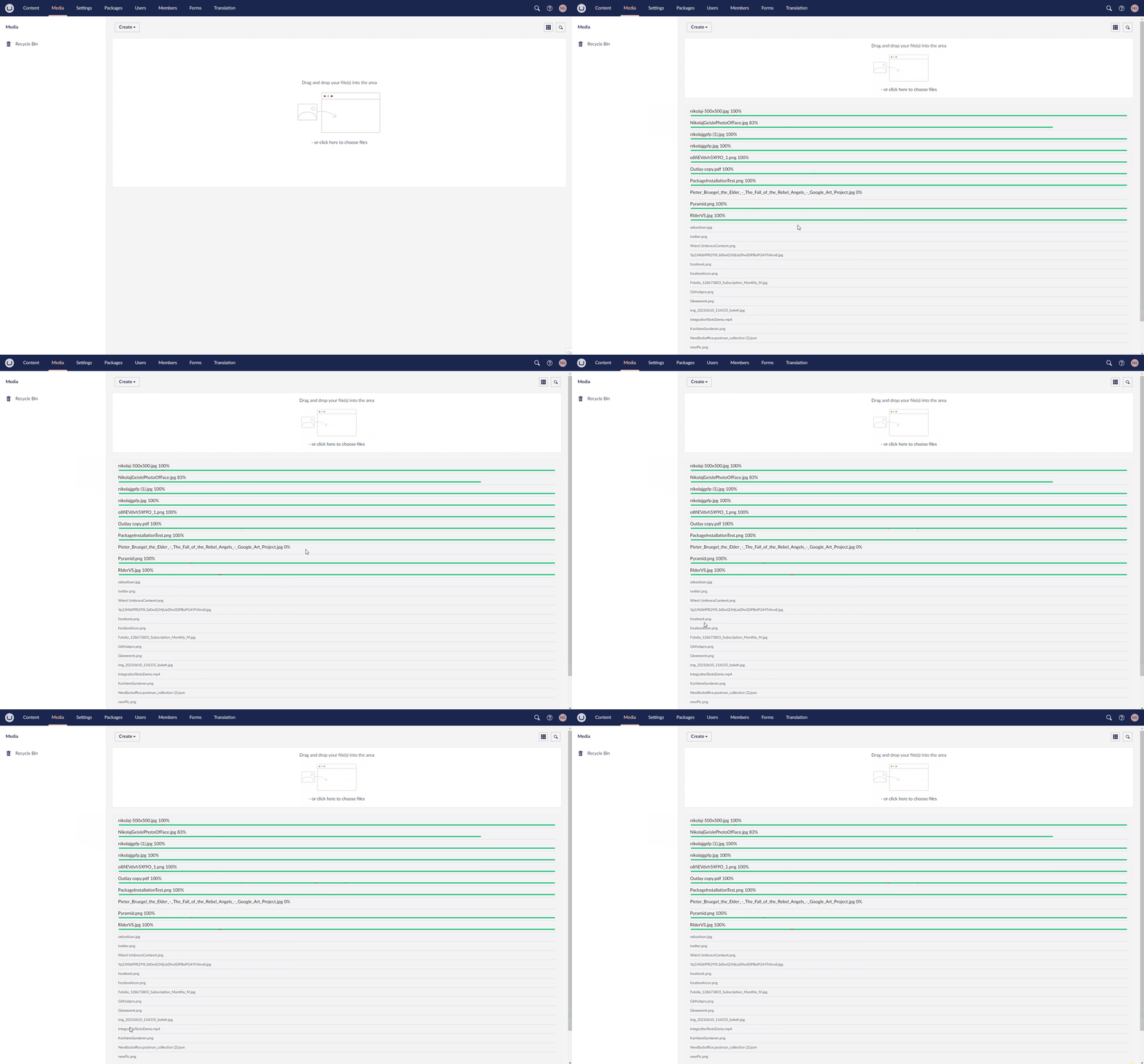
@matthewcare When testing, my images just get stuck at 100% 🤔
BatchMediaStuck

@matthewcare
Copy link
Copy Markdown
Contributor Author

@Zeegaan
That's the error I was getting before I added Semaphore.
I've just double checked and it's working as it should here.
Could you send me a zip of the media you're testing with so I can see if I can replicate?

@Zeegaan
Copy link
Copy Markdown
Member

Zeegaan commented Nov 2, 2022

@matthewcare
Copy link
Copy Markdown
Contributor Author

@Zeegaan
Works fine with your test media as well, though it has highlighted a separate issue regarding max content length throwing a javascript error for Pieter_Bruegel_the_Elder_-_The_Fall_of_the_Rebel_Angels_-_Google_Art_Project.jpg which is a problem. Kind of out of scope of this PR, so I'll open a new one for that.

@Zeegaan
Copy link
Copy Markdown
Member

Zeegaan commented Nov 2, 2022

Hmmm still happens for me, even after clearing npm caches and everything, I'll try with a fresh clone to be 100% sure 🤔

@matthewcare
Copy link
Copy Markdown
Contributor Author

You definitely rebuilt the solution right?

@Zeegaan
Copy link
Copy Markdown
Member

Zeegaan commented Nov 2, 2022

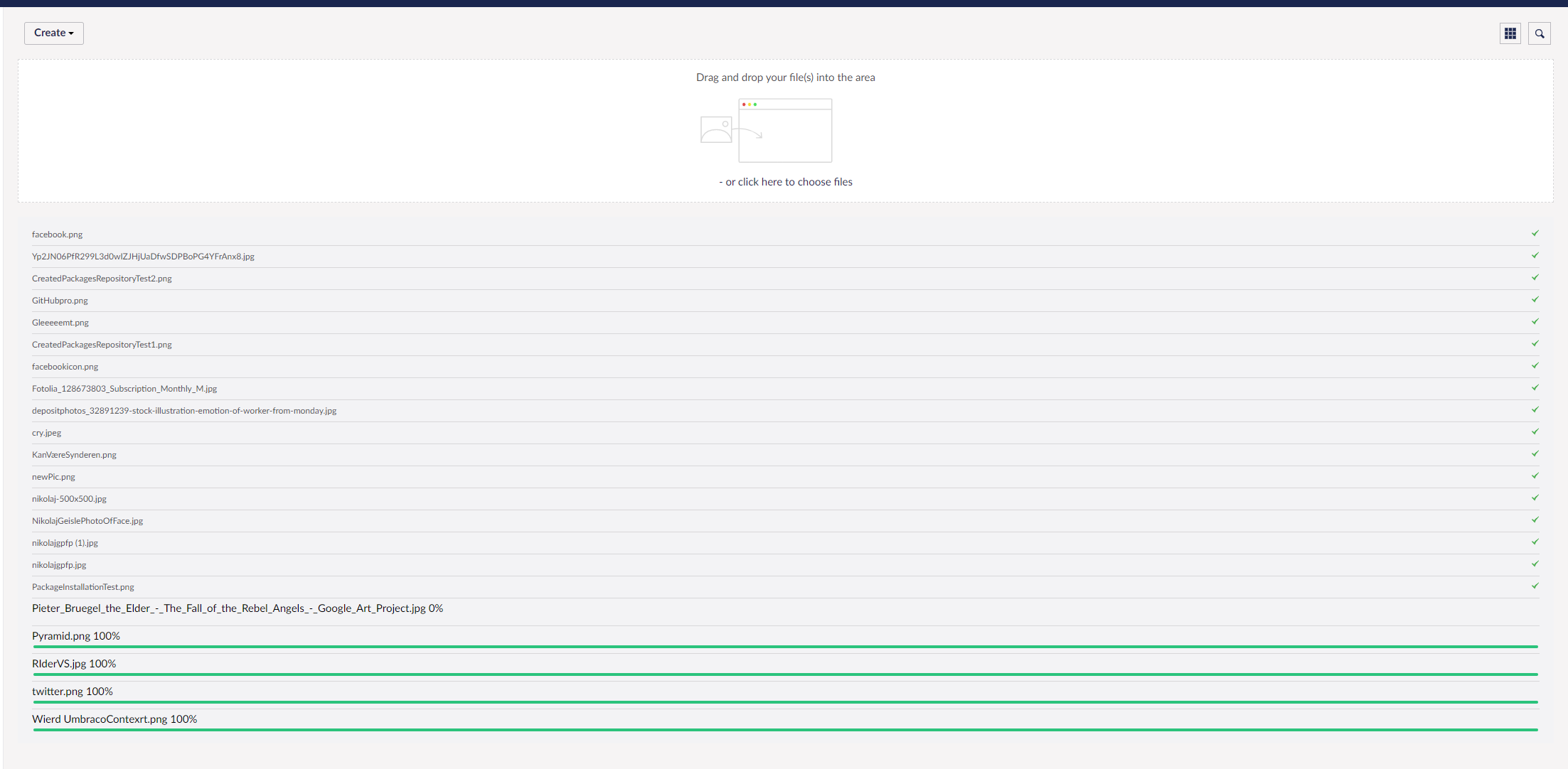
@matthewcare Yup, this is me on a fresh clone, fresh npm install & npm run build etc.
image
It uploads some of the files, but gets stuck later in the process 😕

@matthewcare
Copy link
Copy Markdown
Contributor Author

@Zeegaan
Any console errors?
Does the CMS continue to function after it stops uploading? When I had the DB locking issue this is what would happen.

Can you try without the Pieter_Bruegel_the_Elder_-_The_Fall_of_the_Rebel_Angels_-_Google_Art_Project.jpg file because that causes a javascript error due to a separate issue which I'm fixing now and could be breaking things.

@Zeegaan
Copy link
Copy Markdown
Member

Zeegaan commented Nov 2, 2022

@matthewcare Yea backoffice continues to work, so I can just navigate away from the page 👍 Same result without the huge image aswell 🤔 No console errors either 😅

@matthewcare
Copy link
Copy Markdown
Contributor Author

@Zeegaan
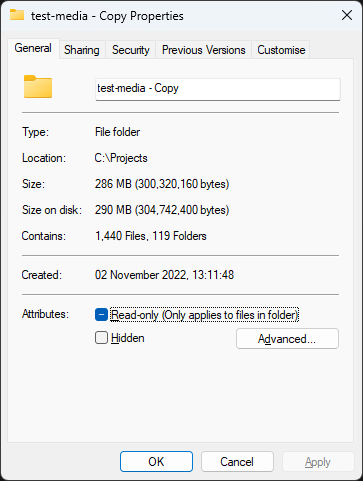
I've tried many things, and have even gone as far as to increase the batch size to 1000 and upload this folder
image

and I can't get it to break.
I guess we're now into testing obscure things so...
What browser are you using, and are you using a fresh SQLite DB?

@Zeegaan
Copy link
Copy Markdown
Member

Zeegaan commented Nov 2, 2022

@matthewcare I will test when i get home later this afternoon on my personal computer 👍
But yea totally fresh clone, fresh SQLite etc. 🤔
Using chrome

@Zeegaan
Copy link
Copy Markdown
Member

Zeegaan commented Nov 3, 2022

@matthewcare I can also reproduce at home, so that's at least two machines 😅
Maybe @mikecp can give us a sanity check on this one 🤔

@matthewcare
Copy link
Copy Markdown
Contributor Author

@Zeegaan
Reproduce the issue, or reproduce not having the issue? haha

@Zeegaan
Copy link
Copy Markdown
Member

Zeegaan commented Nov 3, 2022

@matthewcare Ah yea that was a bit vague LOL.
I am running into the locking issue on both my computers unfortunately 😅

@matthewcare
Copy link
Copy Markdown
Contributor Author

matthewcare commented Nov 3, 2022

@Zeegaan
I wonder if it's a difference with my environment - I have a pending update for VS Preview, currently running 17.4.0 Preview 5.0, and I notice there is a 6.0 update available.
I'll update VS, ensure I'm on the latest release candidate of .NET7, and try again with a fresh checkout.

@matthewcare
Copy link
Copy Markdown
Contributor Author

matthewcare commented Nov 4, 2022

@Zeegaan
I've updated to the latest VS Preview (6.0)
I'm also running dotnet 7.0.100-rc.2.22477.23

I've done a completely fresh checkout, and tried running in a variety of configurations
Both release and debug in Visual Studio
After running fastdev and build in the task runner, and in multiple browsers.

I cannot replicate the issue you're having, though you having the issue on two computers is definitely concerning. I'll try and get this set up on a second computer also and give it another go there.

EDIT:
I've also tried with the Umbraco:Cms:Hosting:Debug option set to false and true to rule out Smidge playing games

@Zeegaan
Copy link
Copy Markdown
Member

Zeegaan commented Nov 4, 2022

@mikecp Can you help us out here 🙈 It might be me mocking things up

@matthewcare
Copy link
Copy Markdown
Contributor Author

I've also now installed VS on a new laptop, and ran the project as a "this project has never even been run on the laptop before" check, and still couldn't replicate your issue @Zeegaan. Something strange is definitely happening for you (or me).

@nul800sebastiaan
Copy link
Copy Markdown
Member

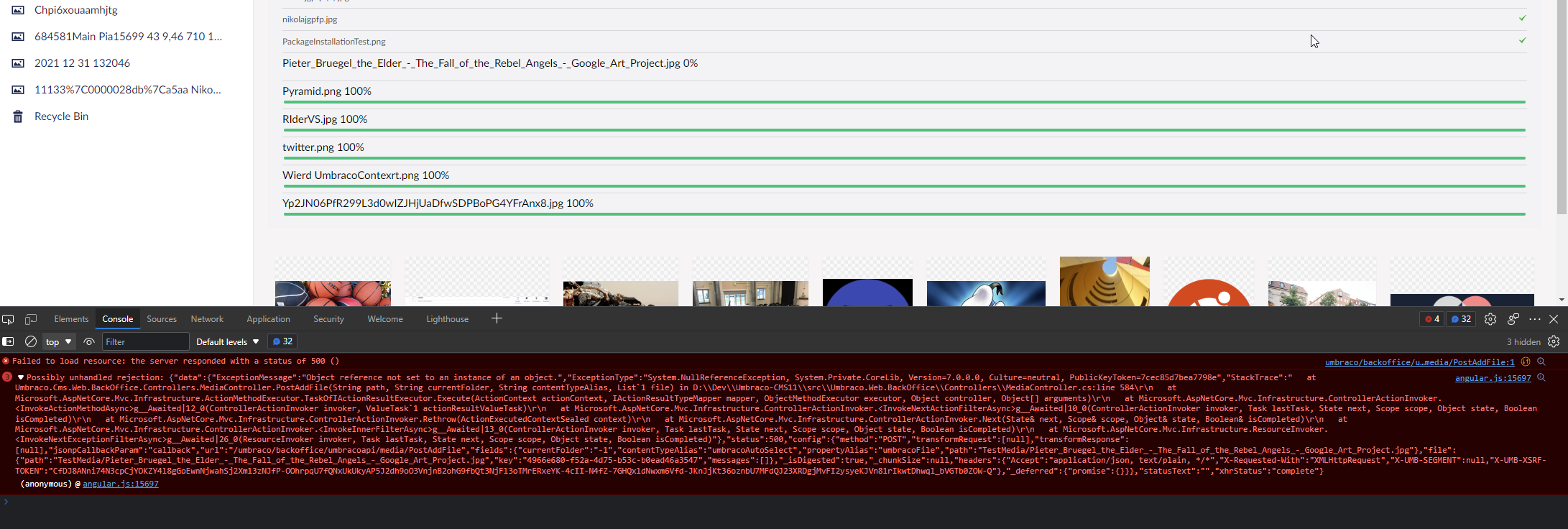
In the current state of this PR I have taken @Zeegaan's zip file and uploaded it as a full folder. I also get stuck at 100% for a few files and I have a console error that might help:

Possibly unhandled rejection: {"data":{"ExceptionMessage":"Object reference not set to an instance of an object.","ExceptionType":"System.NullReferenceException, System.Private.CoreLib, Version=7.0.0.0, Culture=neutral, PublicKeyToken=7cec85d7bea7798e","StackTrace":"   at Umbraco.Cms.Web.BackOffice.Controllers.MediaController.PostAddFile(String path, String currentFolder, String contentTypeAlias, List`1 file) in D:\\Dev\\Umbraco-CMS11\\src\\Umbraco.Web.BackOffice\\Controllers\\MediaController.cs:line 584\r\n   at Microsoft.AspNetCore.Mvc.Infrastructure.ActionMethodExecutor.TaskOfIActionResultExecutor.Execute(ActionContext actionContext, IActionResultTypeMapper mapper, ObjectMethodExecutor executor, Object controller, Object[] arguments)\r\n   at Microsoft.AspNetCore.Mvc.Infrastructure.ControllerActionInvoker.<InvokeActionMethodAsync>g__Awaited|12_0(ControllerActionInvoker invoker, ValueTask`1 actionResultValueTask)\r\n   at Microsoft.AspNetCore.Mvc.Infrastructure.ControllerActionInvoker.<InvokeNextActionFilterAsync>g__Awaited|10_0(ControllerActionInvoker invoker, Task lastTask, State next, Scope scope, Object state, Boolean isCompleted)\r\n   at Microsoft.AspNetCore.Mvc.Infrastructure.ControllerActionInvoker.Rethrow(ActionExecutedContextSealed context)\r\n   at Microsoft.AspNetCore.Mvc.Infrastructure.ControllerActionInvoker.Next(State& next, Scope& scope, Object& state, Boolean& isCompleted)\r\n   at Microsoft.AspNetCore.Mvc.Infrastructure.ControllerActionInvoker.<InvokeInnerFilterAsync>g__Awaited|13_0(ControllerActionInvoker invoker, Task lastTask, State next, Scope scope, Object state, Boolean isCompleted)\r\n   at Microsoft.AspNetCore.Mvc.Infrastructure.ResourceInvoker.<InvokeNextExceptionFilterAsync>g__Awaited|26_0(ResourceInvoker invoker, Task lastTask, State next, Scope scope, Object state, Boolean isCompleted)"},"status":500,"config":{"method":"POST","transformRequest":[null],"transformResponse":[null],"jsonpCallbackParam":"callback","url":"/umbraco/backoffice/umbracoapi/media/PostAddFile","fields":{"currentFolder":"-1","contentTypeAlias":"umbracoAutoSelect","propertyAlias":"umbracoFile","path":"TestMedia/Pieter_Bruegel_the_Elder_-_The_Fall_of_the_Rebel_Angels_-_Google_Art_Project.jpg"},"file":{"path":"TestMedia/Pieter_Bruegel_the_Elder_-_The_Fall_of_the_Rebel_Angels_-_Google_Art_Project.jpg","key":"4966e680-f52a-4d75-b53c-b0ead46a3547","messages":[]},"_isDigested":true,"_chunkSize":null,"headers":{"Accept":"application/json, text/plain, */*","X-Requested-With":"XMLHttpRequest","X-UMB-SEGMENT":null,"X-UMB-XSRF-TOKEN":"CfDJ8ANni74N3cpCjYOKZY4l8gGoEwnNjwahSj2Xm13zNJfP-OOhrpqU7fQNxUkUkyAP5J2dh9oO3VnjnB2ohG9fbQt3NjFl3oTMrERxeYK-4cII-N4fZ-7GHQxldNwxm6Vfd-JKnJjKt36oznbU7MFdQJ23XRDgjMvFI2ysyeKJVn81rIkwtDhwql_bVGTb0ZOW-Q"},"_deferred":{"promise":{}}},"statusText":"","xhrStatus":"complete"}

image

@nul800sebastiaan
Copy link
Copy Markdown
Member

@matthewcare
Copy link
Copy Markdown
Contributor Author

@nul800sebastiaan

The console errors are related to PR #13345 (an issue with Angular 1.6+ and also a different issue regarding max file upload limits not working properly anymore).

Hmm, I wonder if it's because you have mega fast internet and the file size limit exception is breaking the rest of the files from running...

When I test the large image is always last to upload.

Though @Zeegaan confirmed that the uploads still got stuck with the large image omitted from the upload.

@matthewcare
Copy link
Copy Markdown
Contributor Author

Not sure why file would be null here though 🤔 https://github.com/umbraco/Umbraco-CMS/pull/12947/files#diff-0676715914d45cba3eddb2c24ed03a854f5e2e557731ff4f84c8e8814dd7e2b9R584

I think it's because the file is rejected for being too large, but for some reason still gets through to the controller somehow

Apply PR 13345 to resolve "freezing" issue caused by unhandled errors
@matthewcare
Copy link
Copy Markdown
Contributor Author

matthewcare commented Nov 7, 2022

@Zeegaan @nul800sebastiaan
I have replicated your issue. It was the fact that your internet faster than mine (localhost shouldn't have made a difference, but I'm getting a different upload order with the same folder so I guess there is a different)
I tried uploading with multiple files that were too large and faced the same "freezing".

I've applied the fix to errors not being handled correctly (ported from PR #13345) and that should resolve the issue!

Could you try again?

@Zeegaan
Copy link
Copy Markdown
Member

Zeegaan commented Nov 8, 2022

@matthewcare I did manage to get it to work now 🎉
I still have an issue though, If I now upload a huge image (like the Pieter_Bruegel one from my zip. It then errors out, and now I can reproduce the images getting stuck again 😁
Not sure why that domino effect happens 🤔

@matthewcare
Copy link
Copy Markdown
Contributor Author

@Zeegaan
I have a suspicion that this is going to be a bit of a pain to fix.
Who knew that enabling batch uploads would unveil so many hidden issues. I think I've found 4 issues with media uploading since trying to get this feature approved.

I'll take another look and see if it might be related to the error Seb mentioned, though if that's the issue then there might be a few more PRs to open before this feature can be added :(

@Zeegaan
Copy link
Copy Markdown
Member

Zeegaan commented Nov 8, 2022

@matthewcare I love it, there more issues we can find and know about, the better! 💪

If you drag files into the dropzone whilst other files are uploading then the "total" count is incorrect.
@matthewcare
Copy link
Copy Markdown
Contributor Author

@Zeegaan
I've just tried a bunch of use cases and found a case which might be what you experienced.
If you dragged a folder / file into the dropzone whilst there was an ongoing upload then there was an issue.

Hopefully that's what you did, and there shouldn't be any further issues :)

@Zeegaan
Copy link
Copy Markdown
Member

Zeegaan commented Nov 14, 2022

@matthewcare Yep that did it! 🎉
I have tried my best, but can no longer break it 🙈 !
Thanks for the patience here 🤣

@Zeegaan Zeegaan merged commit 7785971 into umbraco:v11/contrib Nov 14, 2022
@Zeegaan Zeegaan added release/11.1.0 category/performance Fixes for performance (generally cpu or memory) fixes labels Nov 14, 2022
@matthewcare
Copy link
Copy Markdown
Contributor Author

@Zeegaan
Haha, glad we finally got there!

@mikecp
Copy link
Copy Markdown
Contributor

mikecp commented Nov 15, 2022

Woops, sorry I missed you ping 2 weeks ago @Zeegaan ...
But glad to see it got sorted out. Must be a record breaking PR thread length, isn't it? 😁

Sign up for free to join this conversation on GitHub. Already have an account? Sign in to comment

Labels

category/performance Fixes for performance (generally cpu or memory) fixes community/pr release/11.1.0 type/feature

Projects

None yet

Development

Successfully merging this pull request may close these issues.

4 participants