Support SVG icon in action menu#12063
Conversation


 bjarnef
changed the title
bjarnef
changed the title

|
Hi there @bjarnef, thank you for this contribution! 👍 While we wait for one of the Core Collaborators team to have a look at your work, we wanted to let you know about that we have a checklist for some of the things we will consider during review:
Don't worry if you got something wrong. We like to think of a pull request as the start of a conversation, we're happy to provide guidance on improving your contribution. If you realize that you might want to make some changes then you can do that by adding new commits to the branch you created for this work and pushing new commits. They should then automatically show up as updates to this pull request. Thanks, from your friendly Umbraco GitHub bot 🤖 🙂 |

|
Hi @bjarnef just to clarify - do these changes introduce a breaking change? Probably not one for this PR, but I'd love to see all those icon string served from |

|
Yes, this PR instroduce a breaking change as previous you could just specify Previous it did only work for font icons. If we should avoid a breaking change we could introduce a property like Checking for psysical file with same name isn't enough, så font icons are combined in a one or multiple files.. and regarding SVG icons it would probably require to search directories again including folders in Besides that custom font icons wouldn't have worked either unless you use the |
|
Ah, ok. Personally, I'd avoid adding the UseLegacyIcon and wait for v10 with a breaking change. Adding support for legacy just feels a bit dirty IMO - keep moving forward, not looking too far backwards 😄 |
|
Yea, that was what I was hoping for in v9 release, but unfortunely that didn't happen 😅 Hopefully in v10 then. It's a similar issue solved in #12062 @nul800sebastiaan @bergmania could we make these breaking changes in v10 and make these few missing parts consistent and possible to use SVG icons like in rest of the UI 👍 |
|
@nathanwoulfe anything I need to adjust regarding this? It would be great if we can resolve the last bits of the UI to support custom icons as well. |
…nto v9/feature/umb-content-menu-svg-icon
|
@nul800sebastiaan I have also updated this, so core menu actions no longer use the legacy icon, but specify full icon name.
|
|
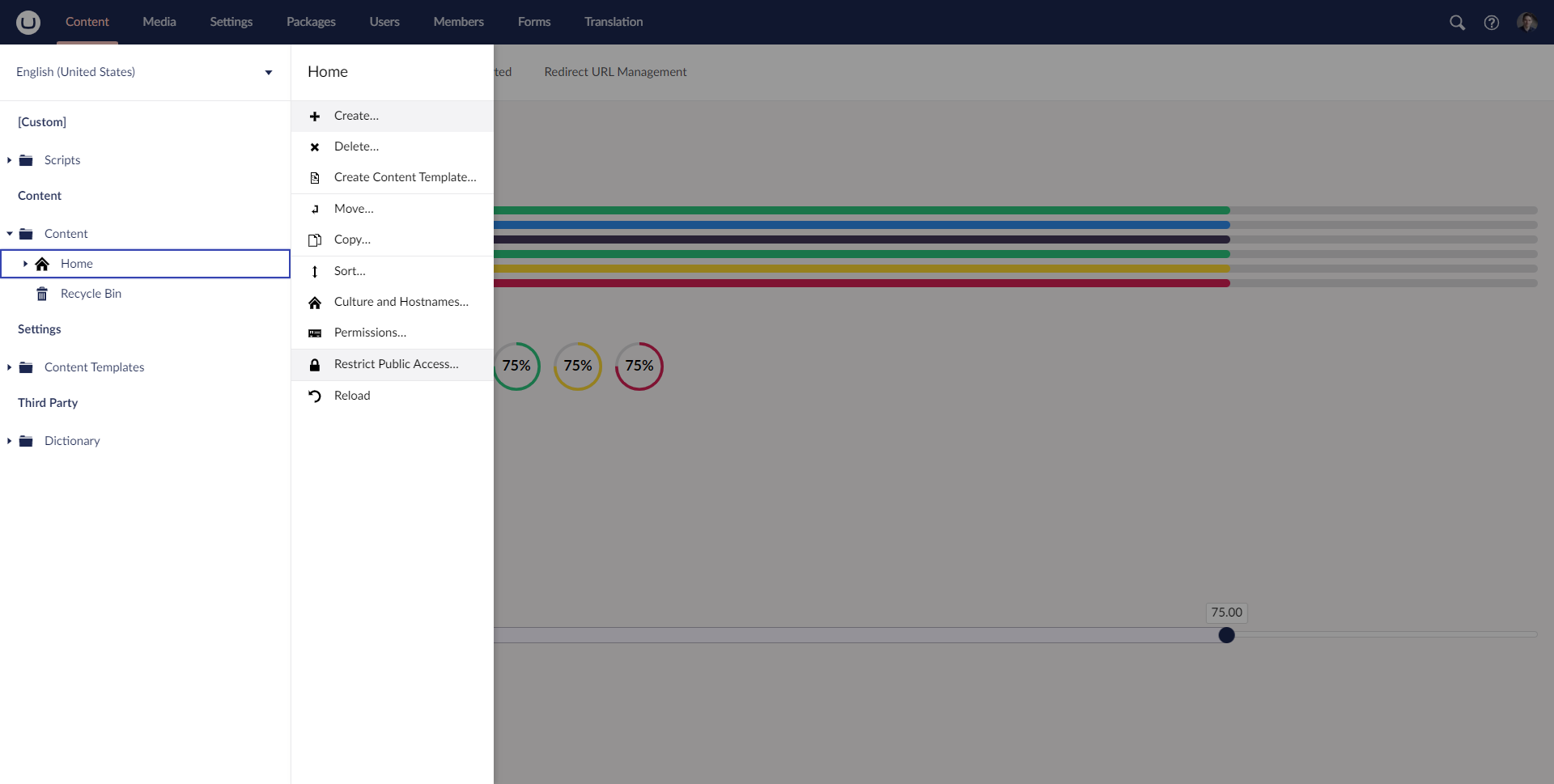
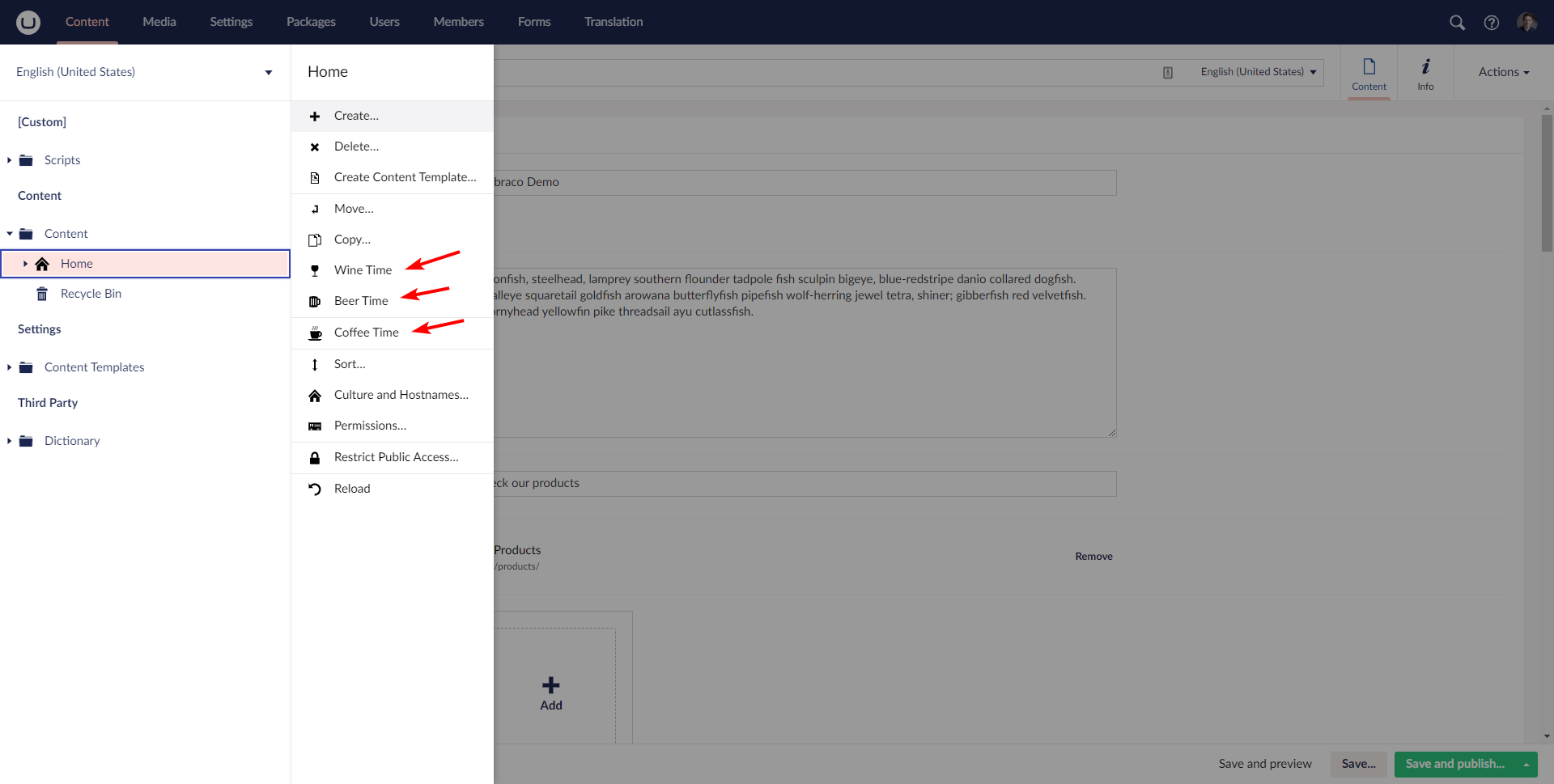
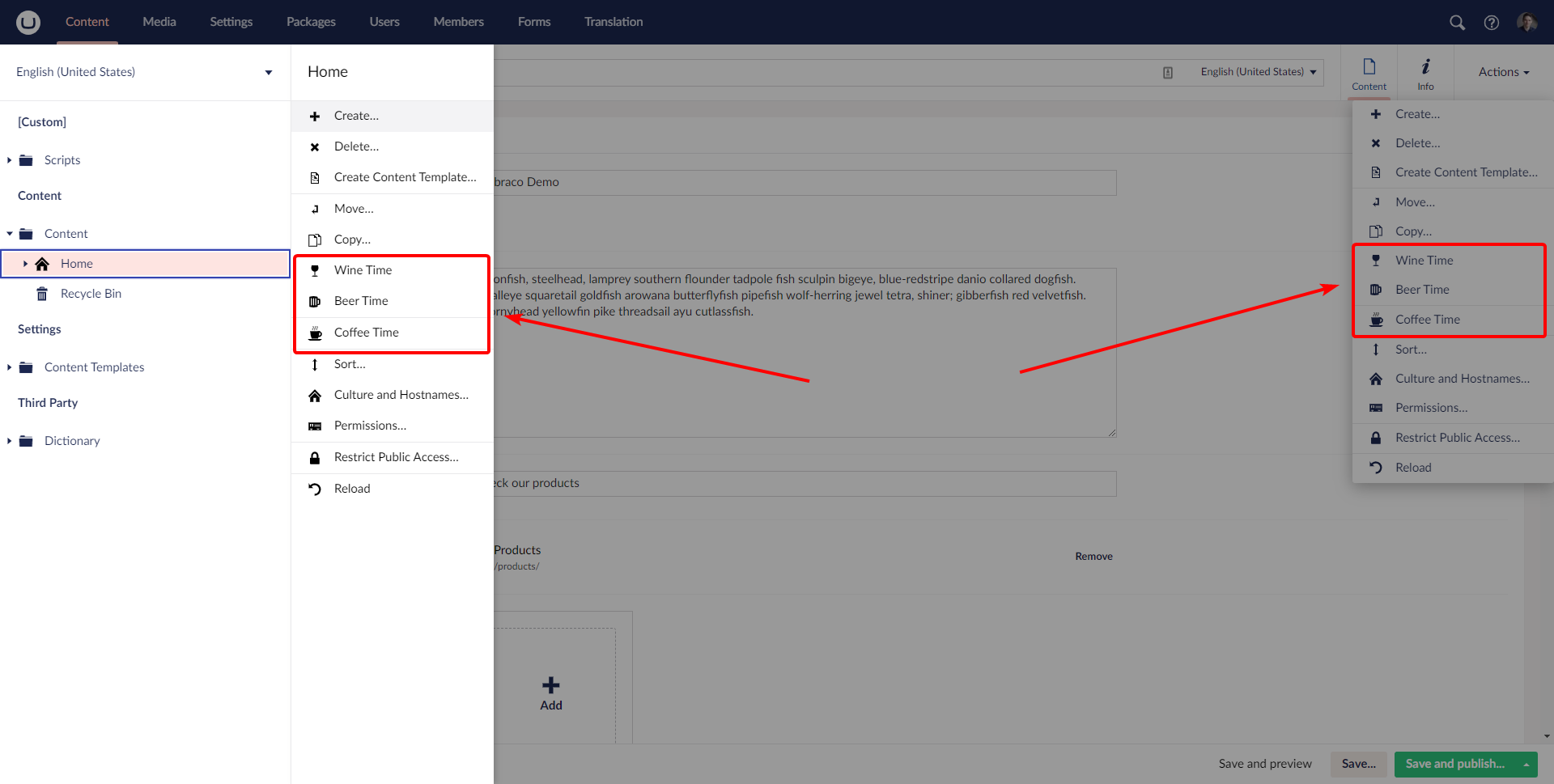
Example for v9 with/without
|

|
Updated base to 10/contrib, will let tests run, review and merge. Can then be cherry-picked back to 9 if appropriate (I'd expect not, I'd like to think the book is closed for 9, outside of bugs/regressions) |
|
I'll even deal with the conflicts since I introduced them by changing the base branch 😄 |
|
@bjarnef I think I need to hold off pushing anything - given the base is now v10, if I push changes I think it will cause issues in your repo as the original branch was v9-based... Not sure the best way to progress this, other than you retargeting the PR from a fresh v10-based branch? |
|
@nathanwoulfe I think we can resolve the merge conflicts, so it is in sync with |
…into v9/feature/umb-content-menu-svg-icon

# Conflicts:
#	src/Umbraco.Core/Actions/ActionAssignDomain.cs
#	src/Umbraco.Core/Actions/ActionChangeDocType.cs
#	src/Umbraco.Core/Actions/ActionCopy.cs
#	src/Umbraco.Core/Actions/ActionCreateBlueprintFromContent.cs
#	src/Umbraco.Core/Actions/ActionDelete.cs
#	src/Umbraco.Core/Actions/ActionMove.cs
#	src/Umbraco.Core/Actions/ActionNew.cs
#	src/Umbraco.Core/Actions/ActionNotify.cs
#	src/Umbraco.Core/Actions/ActionProtect.cs
#	src/Umbraco.Core/Actions/ActionPublish.cs
#	src/Umbraco.Core/Actions/ActionRestore.cs
#	src/Umbraco.Core/Actions/ActionRights.cs
#	src/Umbraco.Core/Actions/ActionRollback.cs
#	src/Umbraco.Core/Actions/ActionSort.cs
#	src/Umbraco.Core/Actions/ActionToPublish.cs
#	src/Umbraco.Core/Actions/ActionUnpublish.cs
#	src/Umbraco.Core/Actions/ActionUpdate.cs
#	src/Umbraco.Core/Trees/MenuItemList.cs
#	src/Umbraco.Web.BackOffice/Trees/ContentBlueprintTreeController.cs
#	src/Umbraco.Web.BackOffice/Trees/MediaTreeController.cs
#	src/Umbraco.Web.BackOffice/Trees/MediaTypeTreeController.cs
#	src/Umbraco.Web.BackOffice/Trees/TemplatesTreeController.cs
|
@nathanwoulfe I have now resolved this merge conflicts and should be in sync with latest v10 changes. The changes in the actions mainly updates the icon to use full icon name and sometime later in a later major version we can remove the |
|
Hey @bjarnef this all looks fine, works nicely with v10 (updated the test case to use I'm a little confused by the test failures. Tests are failing because |
|
And for reference, my test code: public class ApplicationComposer : IComposer
{
public void Compose(IUmbracoBuilder builder)
{
builder.AddNotificationHandler<MenuRenderingNotification, MenuRenderingNotificationHandler>();
}
}
public class MenuRenderingNotificationHandler : INotificationHandler<MenuRenderingNotification>
{
public void Handle(MenuRenderingNotification notification)
{
if (notification.TreeAlias == "content")
{
var coffeeMenuItem = new MenuItem("coffee", "Coffee Time")
{
Icon = "coffee-cup",
SeparatorBefore = true,
UseLegacyIcon = false, // default value is true
};
notification.Menu.Items.Insert(notification.Menu.Items.Count - 1, coffeeMenuItem);
}
}
} |
|
@nathanwoulfe oh, it seems something gone wrong in the merge as it has reverted the changes in v10 where e.g. |
…into v9/feature/umb-content-menu-svg-icon
|
Maybe a new feature branch from v10/contrib, then cherry pick your changes into that branch and push a fresh PR... I think merging 10 into 9 causes hiccups, probably take as long to sort that out as it would to cut a new branch |
|
@nathanwoulfe closing this and starting moving stuff to a new branch from latest changes in |
3 participants


Prerequisites
Description
This is a new PR of closed #10757 to v9.
Currently this introduce a breaking change to specify full icon name (like in most other part of UI). Alternatively we could use the approach in #10757 with a UseLegacyIcon property to make it work with current icons and full icon name.
At the moment it is assumed the icon (font icon or SVG icon) always is prefixed with icon- which is not always the case and not a requirement in other part of the UI).
Before
After
I have attached the folder with the custom
coffee-cup.svgicon here, so extract this folder to App_Plugins:CustomIcons.zip