Skip to content

Image Modal CMS HTML Block subtype - #2362

Merged
caesar2164 merged 1 commit into
masterfrom
giulio/image-modal-squash
Feb 7, 2014
Merged

Image Modal CMS HTML Block subtype#2362
caesar2164 merged 1 commit into
masterfrom
giulio/image-modal-squash

Conversation

@caesar2164

Copy link
Copy Markdown
Contributor
  • Added YAML file for the HTML template code for the modal to work
  • Added CSS and JS code for modal to look and function properly
  • Updated code to take comments into account.
  • Simplified HTML template and expanded JS to set up image modal on load.
  • Added preliminary drag script.
  • Converted jQuery UI draggable to Draggabilly

@frrrances - here's the image modal branch! with Draggabilly and everything!

Here are some screenshots of how imageModal works. (This is using the Stanford theme, but would work equally well with the default courseware theme.)

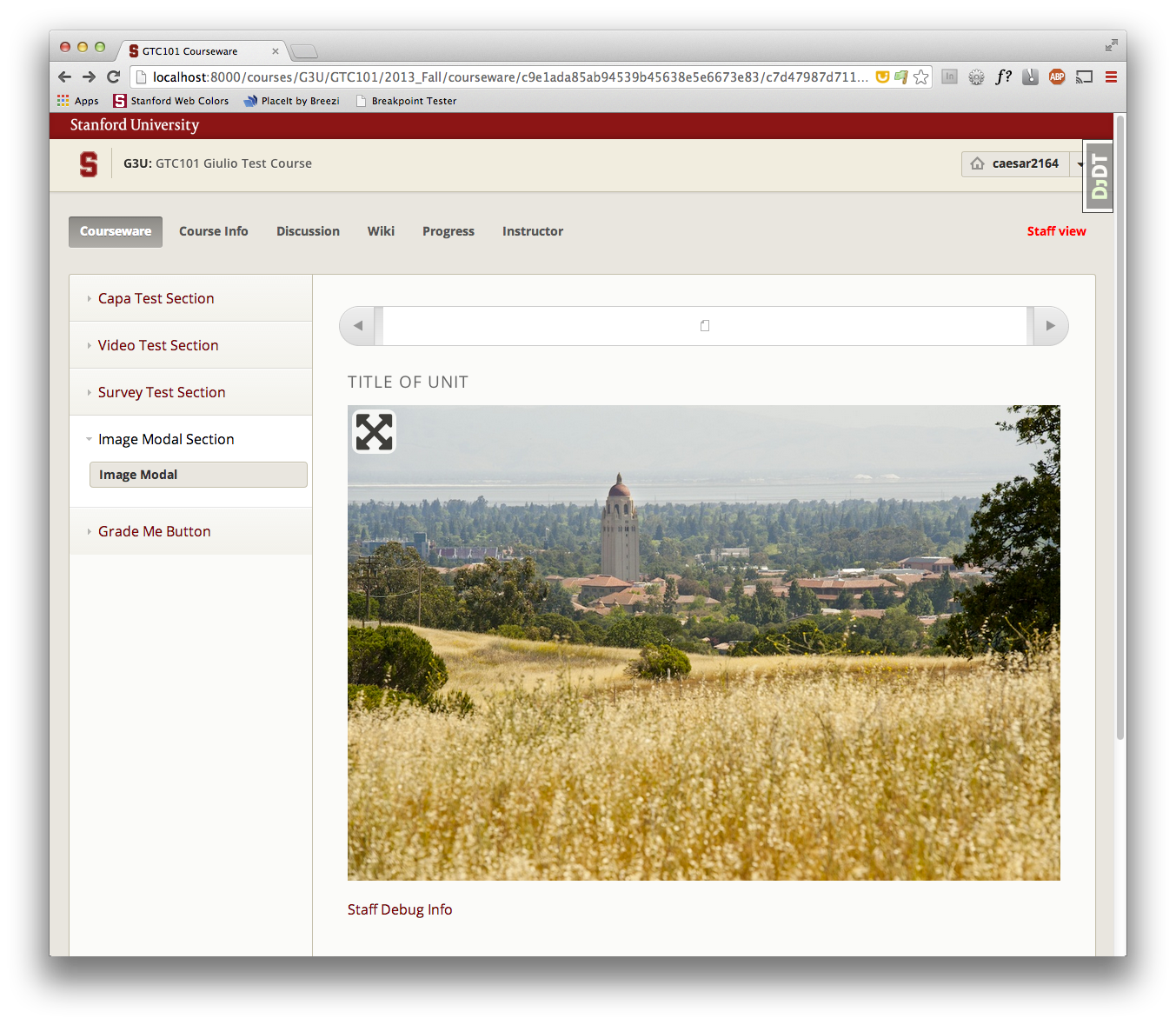
When you first load an image modal it presents like this:
screen shot 2014-01-30 at 9 43 56 am

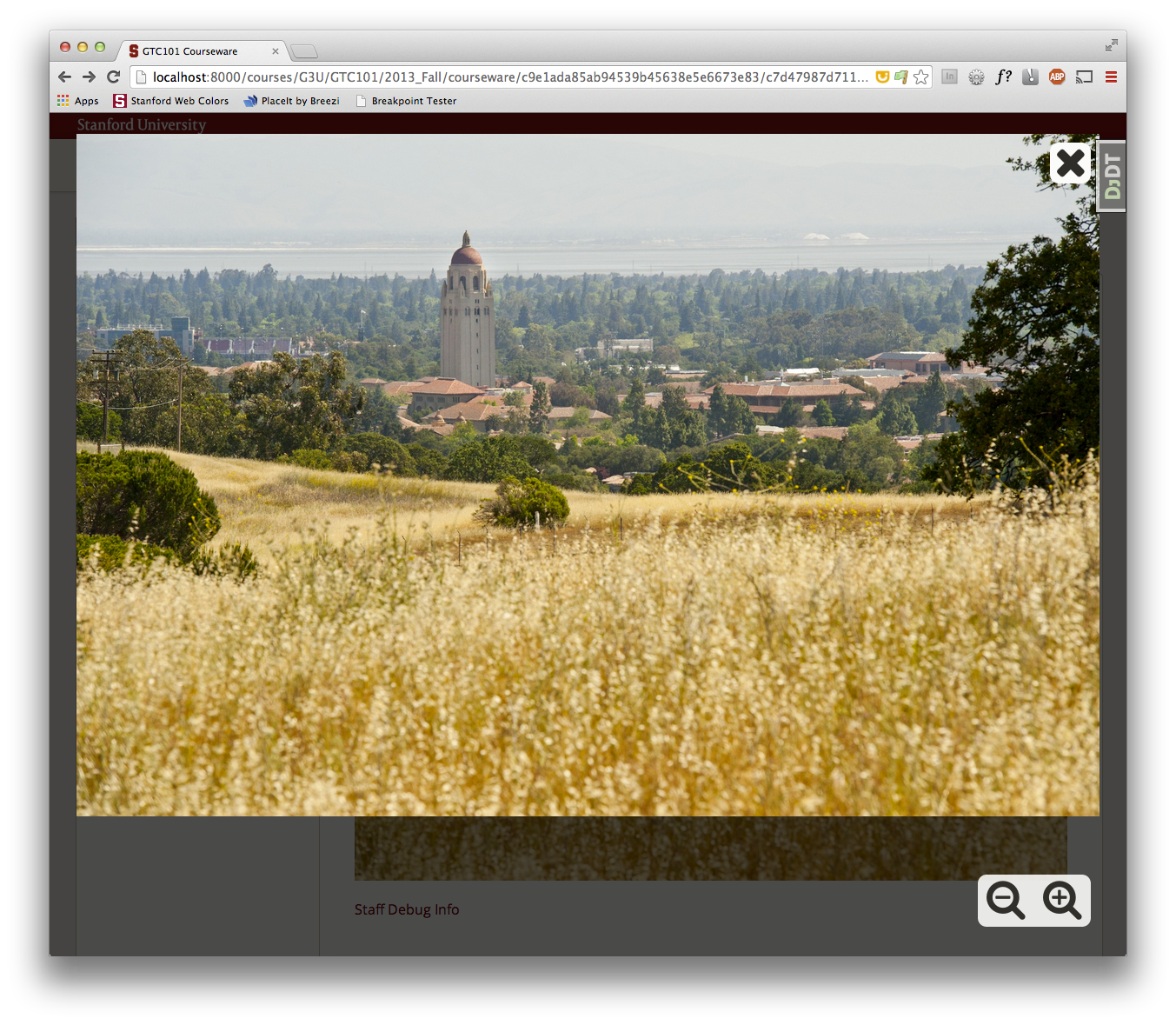
When you click on the image, it goes into the modal interface (starting in "fit to screen"):
screen shot 2014-01-30 at 9 44 17 am

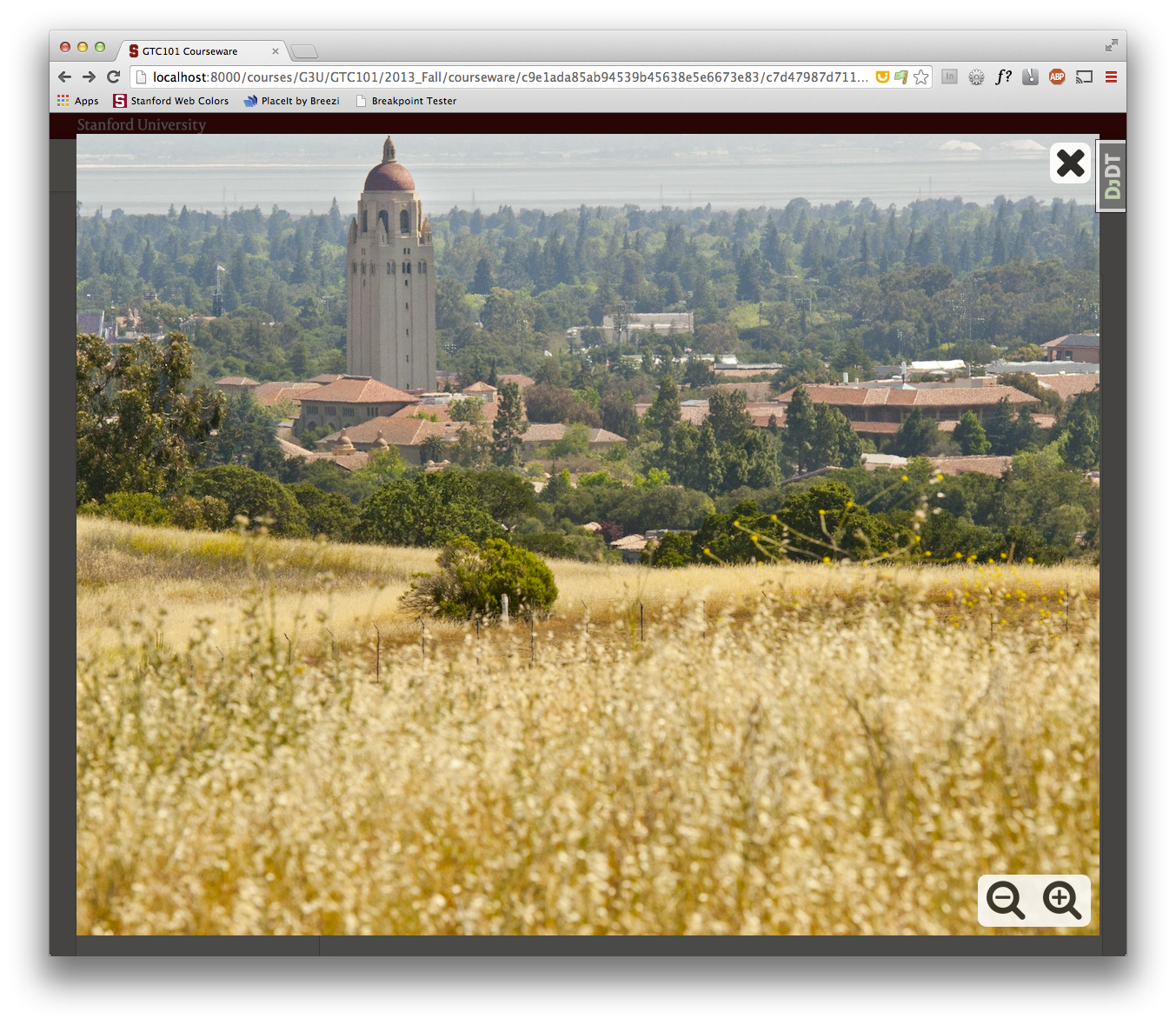
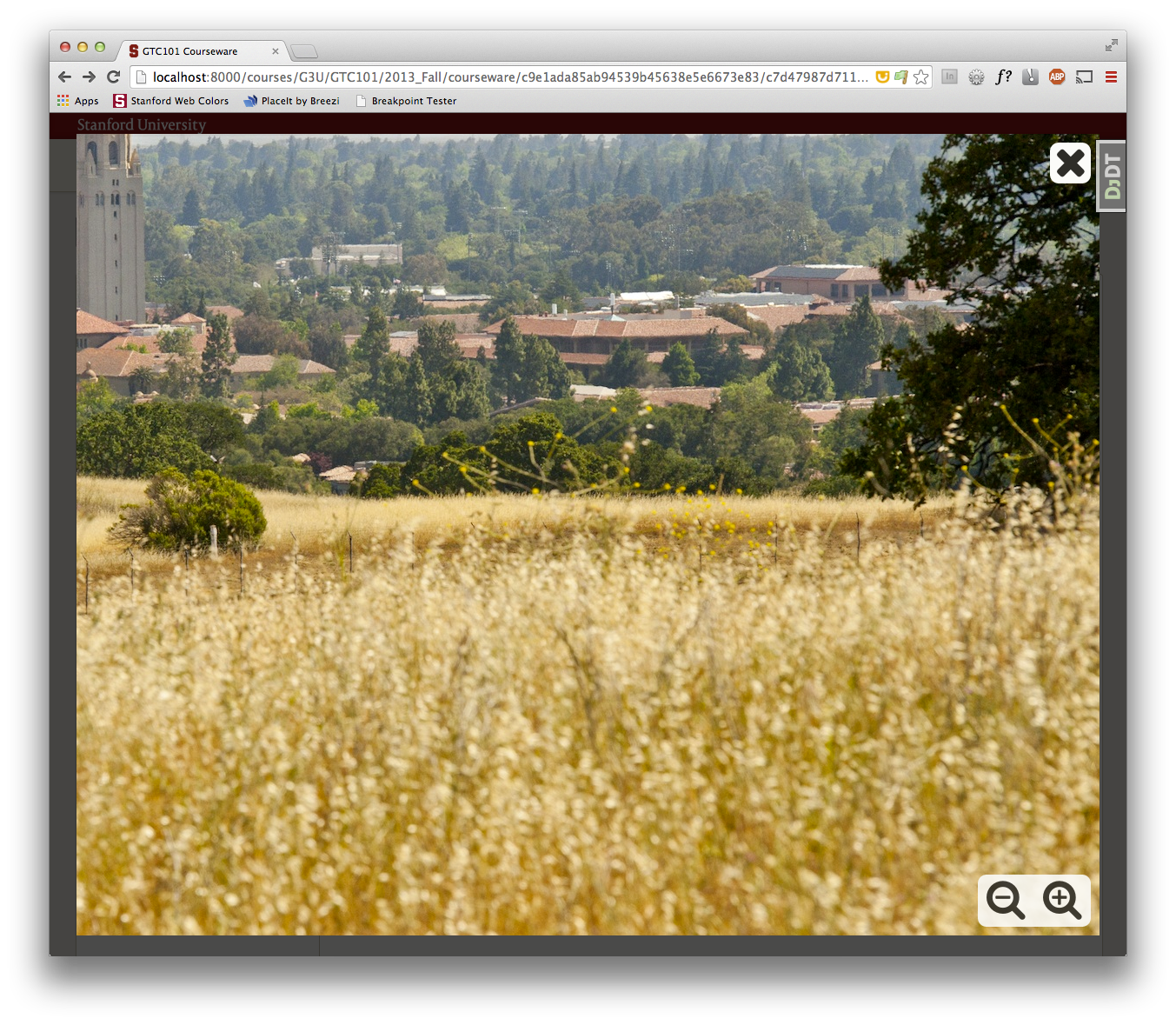
Clicking the + magnifying glass makes the image full size and draggable (via draggabilly):
screen shot 2014-01-30 at 9 44 28 am
screen shot 2014-01-30 at 9 44 43 am

You can click the - magnifying glass to go back to the "fit to screen", or click the X to exit the modal.

@ghost ghost assigned adampalay Jan 29, 2014
@cahrens

cahrens commented Jan 30, 2014

Copy link
Copy Markdown

Studio team has a story for reviewing this PR (STUD-1256). I recommended to Giulio that he start writing a Jasmine test for imageModal.js. Giulio will also provide documentation on how the feature should work.

@mhoeber Adding you so you are aware of this PR.

@cahrens

cahrens commented Jan 31, 2014

Copy link
Copy Markdown

At today's planning, Studio thought it made more sense for LMS to review this PR (so @singingwolfboy will not be reviewing). I have moved the Issue, and it is now LMS-2146.

@frrrances

Copy link
Copy Markdown
Contributor

@caesar2164 I haven't had a chance to check out the new draggabilly version yet, but I wanted to check with you about the other image zoom that was merged to master: will that cover this use case as well? It seems like having two image zoom components might be confusing for course authors. If the other one won't serve, can you outline the reasons why it won't work for your use cases? (I'll be out for a few days next week, but will review this as soon as I'm back.)

@caesar2164

Copy link
Copy Markdown
Contributor Author

@frrrances - unfortunately, the zooming image won't work for our use case. Also, I think mine is a better starting point for a general "breakout" system to allow users to use their full browser window area, while the zooming image has very limited uses.

Here's a quote from @gbruhns (Stanford courseops) explaining why we need image modal, and can't use "zooming image":

I have a test course with the VPUE Adventures in Writing course content to show why the new "zooming image" HTML component won't work for their course and why it would be good to have Giulio's image modal option. Just to refresh everyone on the VPUE course, they have created animated story boards to present their content. These are large files that get text heavy and shrinking the image down to fit in the courseware pane makes the text hard to read on certain images.

The zooming image component gives the user a magnifying glass and you move your cursor over the image to see that part of the image magnified. I have included a screenshot below. I can see how this would work for certain images, but in the case of a story board where the entire image tells the story, what you really want (and what the VPUE asked for and what Giulio provided) was a way for the image to fill the entire screen and not be bound to the small courseware pane.

Greg

zoomingimage

Copy link
Copy Markdown
Contributor

Choose a reason for hiding this comment

The reason will be displayed to describe this comment to others. Learn more.

I'm not sure how I feel about some of this duplication. Is there any way to split out this logic to a common function where we just pass in a single jQuery object (this or this.closest('.imageModal'), presumably) and do all of the operations on that object?

Copy link
Copy Markdown
Contributor

Choose a reason for hiding this comment

The reason will be displayed to describe this comment to others. Learn more.

+1

@dianakhuang

Copy link
Copy Markdown
Contributor

@frrrances is out, so @talbs volunteered to help step in and take a look.

Copy link
Copy Markdown
Contributor

Choose a reason for hiding this comment

The reason will be displayed to describe this comment to others. Learn more.

Why is the alt being deliberately left blank here? Why doesn't use the same alt-text as the small image?

Sign up for free to join this conversation on GitHub. Already have an account? Sign in to comment

Labels

open-source-contribution PR author is not from Axim or 2U

Projects

None yet

Development

Successfully merging this pull request may close these issues.

7 participants