Skip to content

Deere 2.1 knobs & faders redesign#1399

Merged
daschuer merged 14 commits intomixxxdj:masterfrom
ronso0:deere_2.1_knobs-faders-redesign
Dec 13, 2017
Merged

Deere 2.1 knobs & faders redesign#1399
daschuer merged 14 commits intomixxxdj:masterfrom
ronso0:deere_2.1_knobs-faders-redesign

Conversation

@ronso0
Copy link
Copy Markdown
Member

@ronso0 ronso0 commented Nov 29, 2017

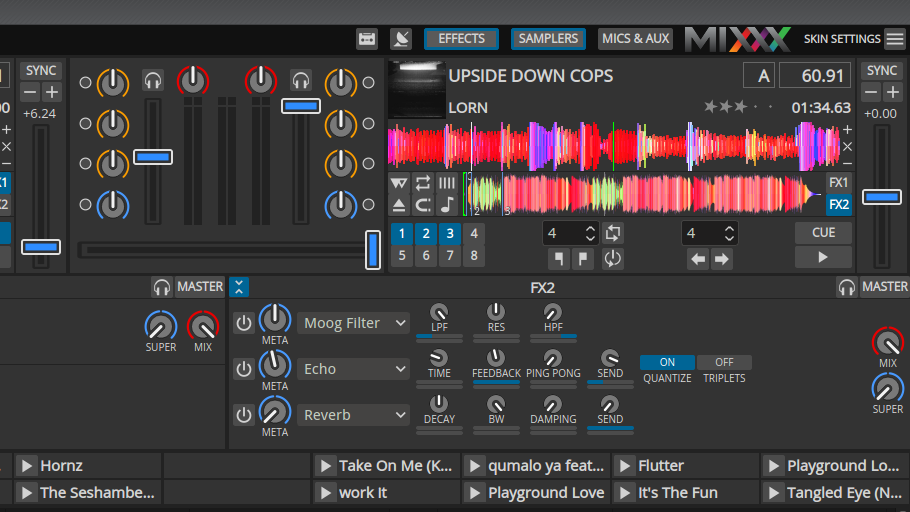
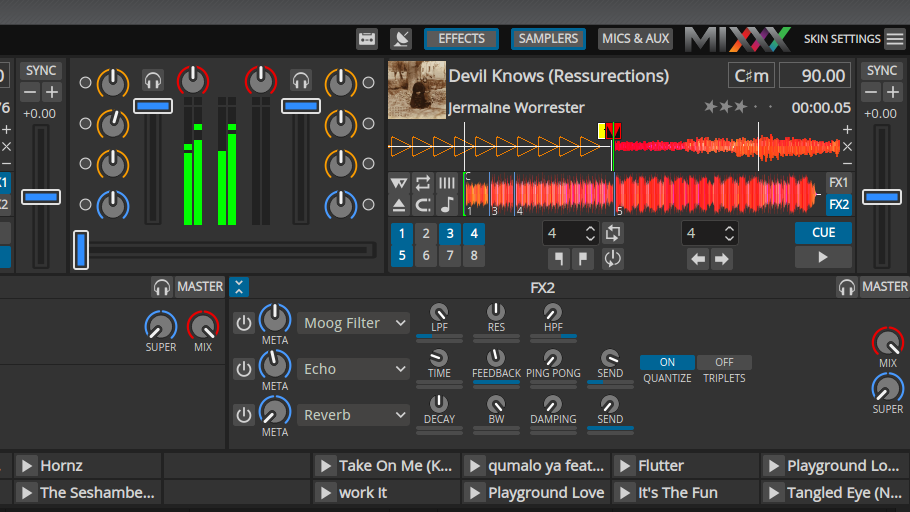
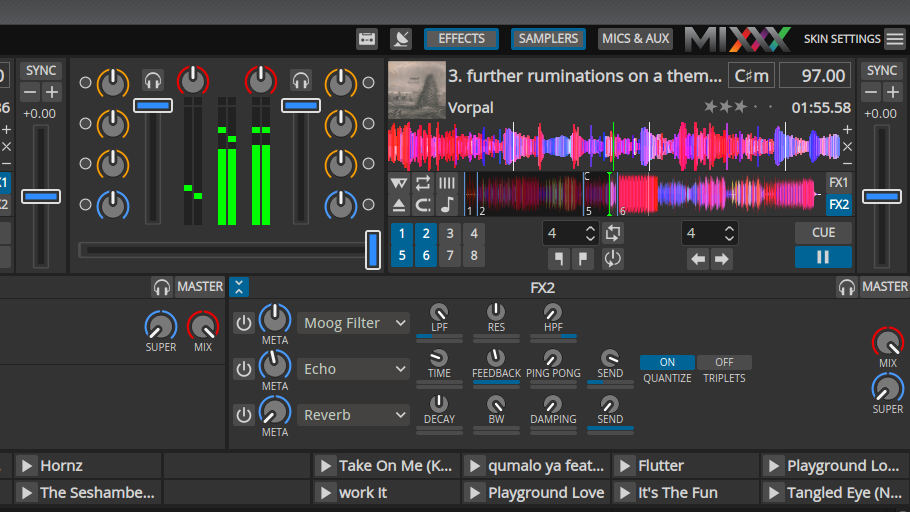
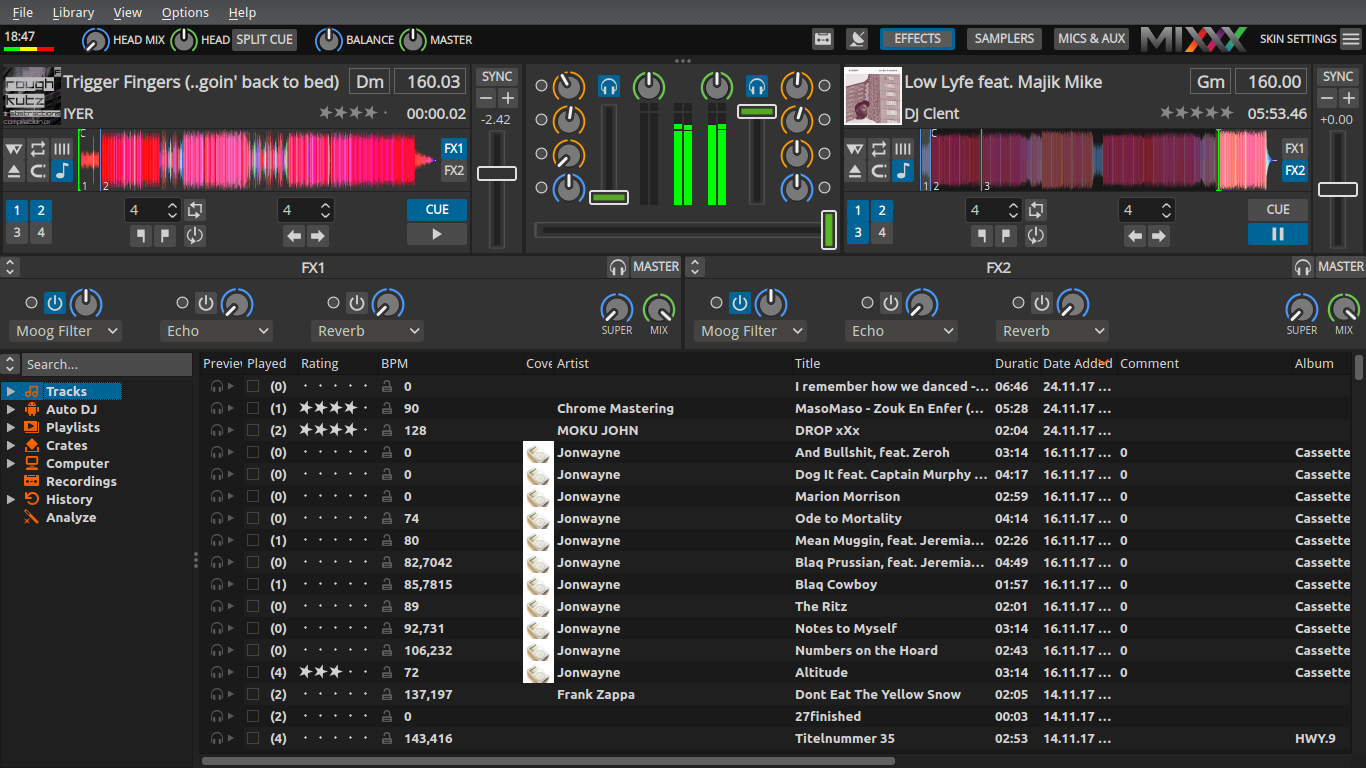
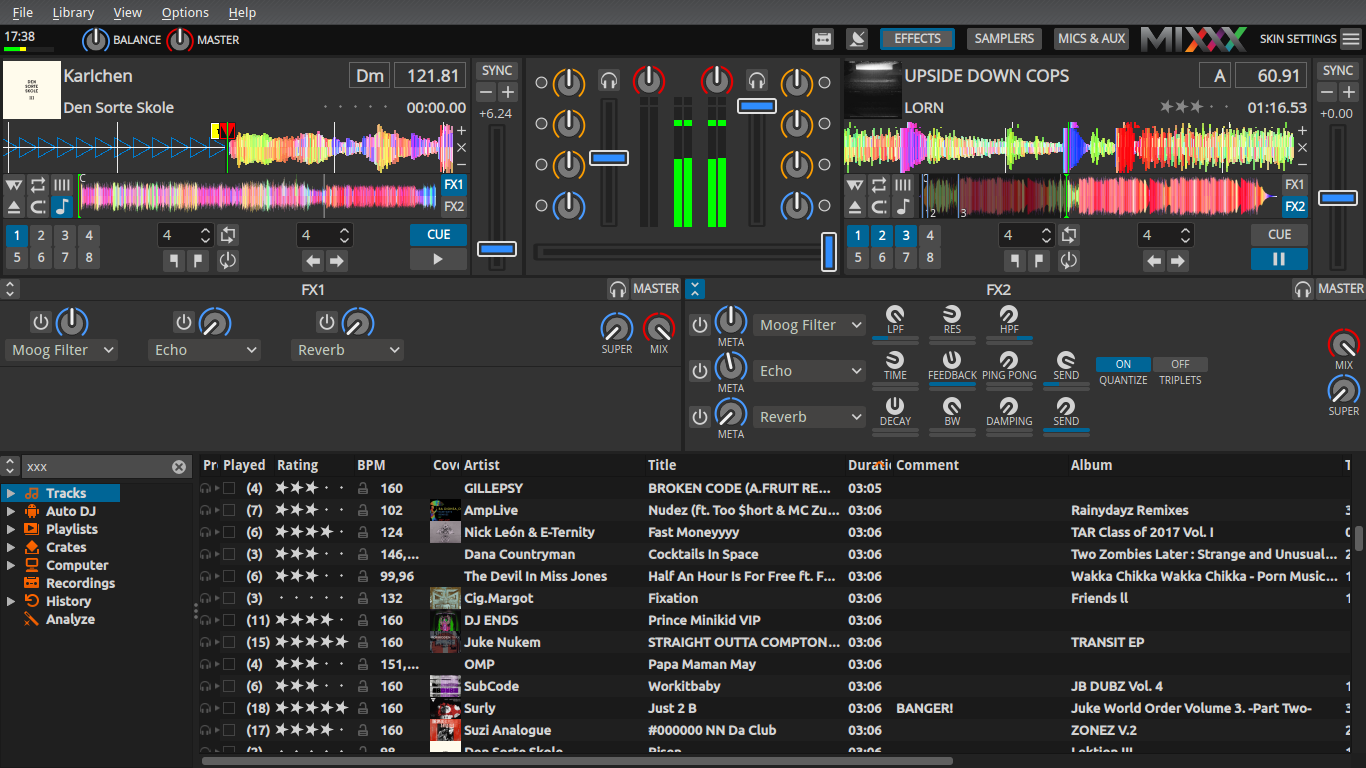
Here I propose a new design for the knobs and faders in Deere as discussed here.
It drastically improves visibility of knob position and applies color coding to the rings rather than the pointers.
Faders are reduced in complexity to match the overall Deere design and can IMO be scaled down a bit if we agree on the shape.

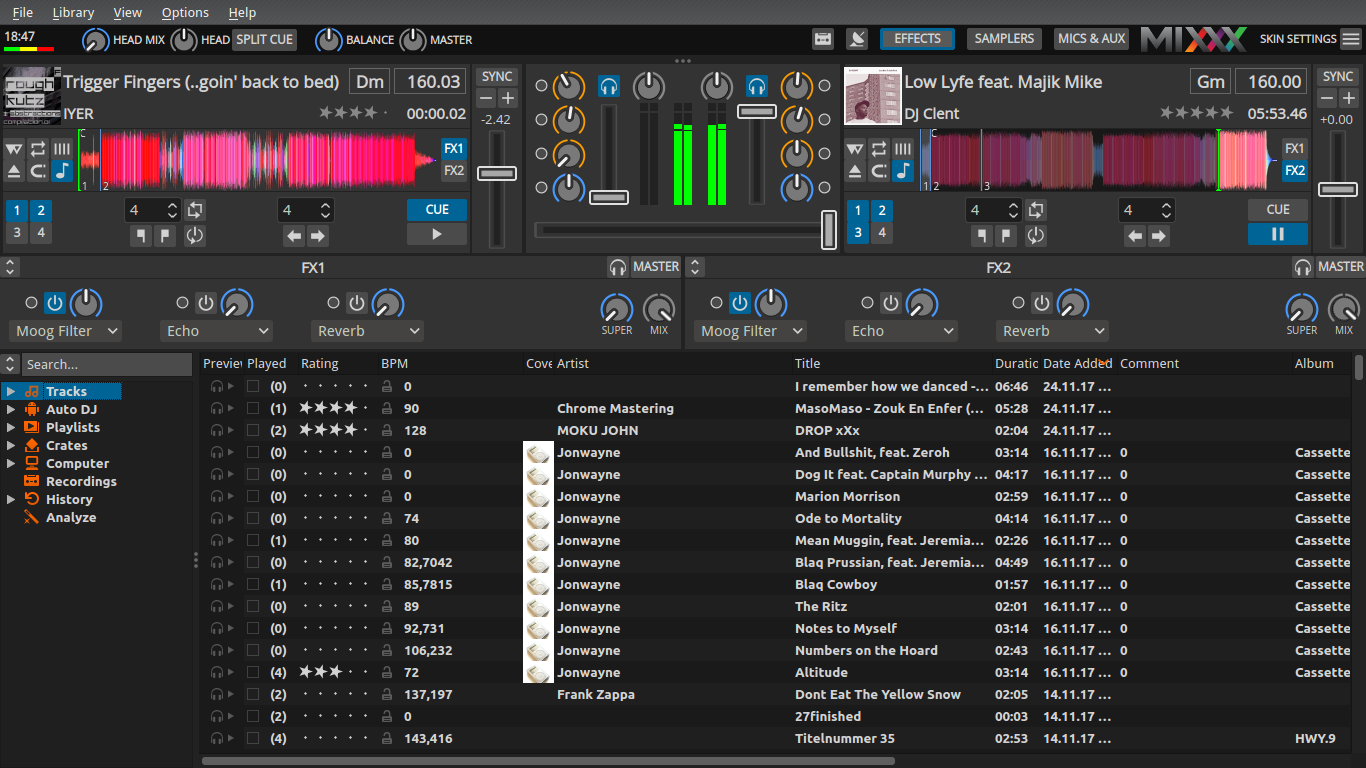
Current design
deere-knobs-redesign_current

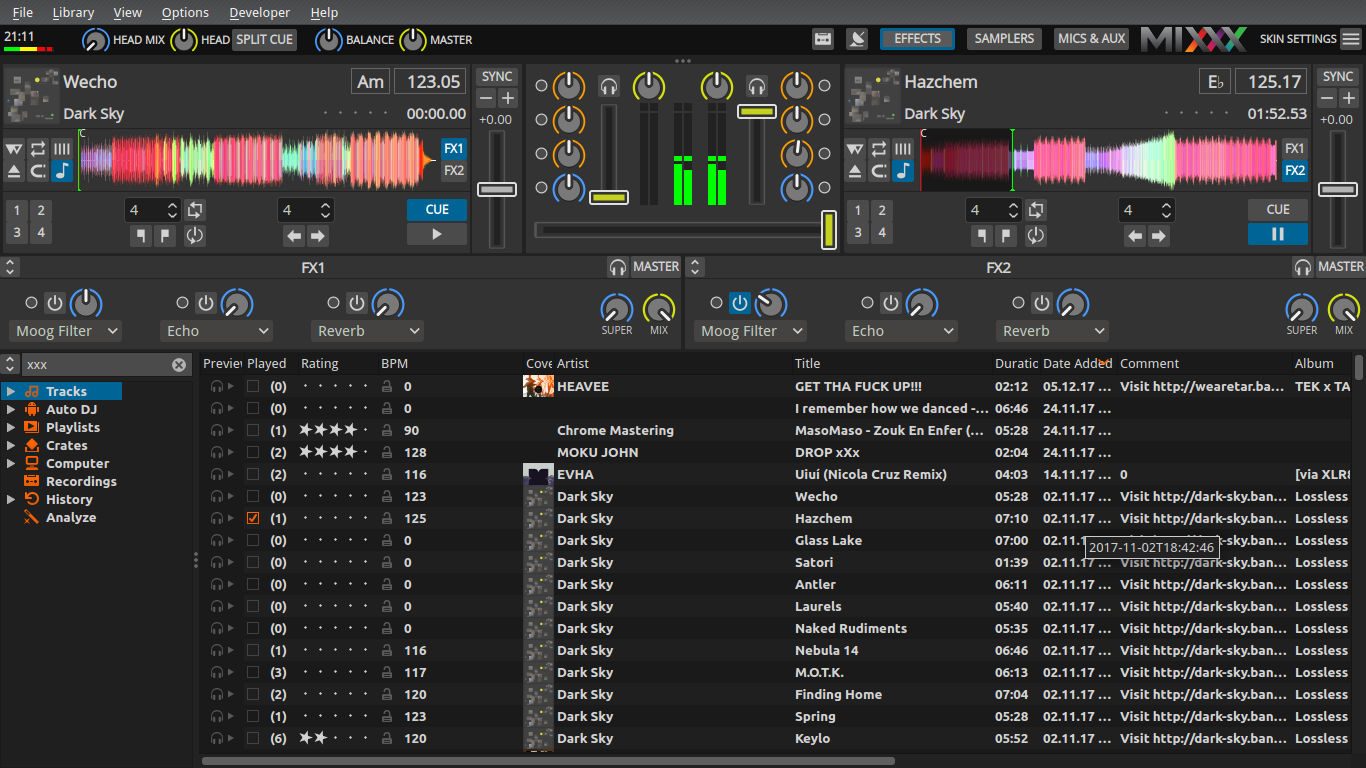
New design
deere-knobs-redesign_new

To enable testing with a fresh design, this is based on Be's Deere PR #1343

What do you think?
Any ideas for further improvement, i.e. the small knobs?

ronso0 added 3 commits November 29, 2017 17:19
Improved visibility for various big knobs (EQ, effect Dry/Wet, Meta knobs etc.)
by applying the color coding to the knob ring rather than its pointer.
Increased contrast for small effect parameter knob.
@Be-ing
Copy link
Copy Markdown
Contributor

Be-ing commented Nov 29, 2017

I like it! I think there could be a bit more contrast between the center of the knobs and the notches though.

This may be a good solution to the colorblindness issues.

Do you have any ideas for improving the small effect parameter knobs?

@Pegasus-RPG
Copy link
Copy Markdown
Member

Pegasus-RPG commented Nov 29, 2017

I like the change. It makes things easier to see at a glance. I noticed that some of the ring colors don't match the previous pointer colors though. Was that intentional?

@ronso0
Copy link
Copy Markdown
Member Author

ronso0 commented Nov 29, 2017

I think there could be a bit more contrast between the center of the knobs and the notches though.

Even more? I'm afraid they'd blend too much with the mixer background and the pointers would seem to float.

I noticed that some of the ring colors don't match the previous pointer colors though. Was that intentional?

Yes! I think it's an improvement to assign the ring colors to certain control categories:
blue 'special control' like Balance, Quick Effect & Super/Meta knobs (matches Meta link buttons)
red any kind of 'volume': Gain, Wet/Dry knob (& Sampler volume if will be implemented)
orange just EQs

@ronso0
Copy link
Copy Markdown
Member Author

ronso0 commented Nov 29, 2017

The small knobs could look like this
deere-knobs-redesign_new_small4

Edit Don't know if we should add a scale here, like the big knobs have it.
Small knobs already fill the widget, so they'd need to be smaller to make space for a scale or end markers. Doubt this is worth it.

@ronso0
Copy link
Copy Markdown
Member Author

ronso0 commented Nov 29, 2017

I made the pointer a little shorter
deere-knobs-redesign_new2

@Be-ing
Copy link
Copy Markdown
Contributor

Be-ing commented Nov 29, 2017

Even more? I'm afraid they'd blend too much with the mixer background and the pointers would seem to float.

Hmm, you might be right. I think it's worth trying though. Have you thought about changing the color of the insides of the knobs? I don't know if that's a good idea, but it might be worth experimenting with too.

@Pegasus-RPG
Copy link
Copy Markdown
Member

Don't know if we should add a scale here, like the big knobs have it.
Small knobs already fill the widget, so they'd need to be smaller to make space for a scale or end markers. Doubt this is worth it.

I agree, and there are bars below them already anyway that take up less room.

@ronso0
Copy link
Copy Markdown
Member Author

ronso0 commented Nov 29, 2017

Hmm, you might be right. I think it's worth trying though. Have you thought about changing the color of the insides of the knobs?

What do you have in mind? It should stay dark to contrast with the pointers, otherwise we're back to square one.

@ronso0
Copy link
Copy Markdown
Member Author

ronso0 commented Nov 29, 2017

@Be-ing I played around but didn't find a nice color.
Maybe you give it a try. Just use Colors > Colorize on 2nd layer in this Gimp file
deere-knobs-redesign.zip

@ronso0
Copy link
Copy Markdown
Member Author

ronso0 commented Nov 29, 2017

With grey outlines the slider grooves are now visible even with bright light.
deere-knobs-redesign_new3

@uklotzde
Copy link
Copy Markdown
Contributor

@ronso0 @Be-ing There are now 2 massive PRs for Deere which both seem to be (almost?) finished. I would like get this nice work merged ASAP! Which of those PRs should I consider first for merging? Or is #1343 superseded by this PR?

I will not do any XML code reviews, just some final testing. The most valuable feedback about functionality and usability will come from our alpha and beta testers, so let's get started.

@ronso0
Copy link
Copy Markdown
Member Author

ronso0 commented Nov 30, 2017

This PR is just for checking the design. #1343 should be merged first, I'll rebase in case of conflicts.

@uklotzde uklotzde mentioned this pull request Nov 30, 2017
8 tasks
@Be-ing
Copy link
Copy Markdown
Contributor

Be-ing commented Dec 1, 2017

@ronso0 can you rebase this on master?

@ronso0
Copy link
Copy Markdown
Member Author

ronso0 commented Dec 2, 2017

voilá.

Any ideas, objections?

@Be-ing
Copy link
Copy Markdown
Contributor

Be-ing commented Dec 2, 2017

In general, I like it, but I'm not sure about the color around the EQ knobs. I tried switching it to the yellow used by the EQ notches before but that is too bright so it makes the notch not stand out as much. How about making the orange a bit redder, like #fc9d00ff?

I also feel that the insides of the slider handles pop out slightly too much. How about desaturating them a tiny bit to #338dfbff?

@uklotzde
Copy link
Copy Markdown
Contributor

uklotzde commented Dec 2, 2017

The coloured indicators are a helpful addition! Just some ideas after my first impressions and without following your previous discussions very closely:

  • The center indicator in the ring around the knobs is very small and hard to see. I would prefer a slightly wider gap.
  • How about switching the colour of the gain and filter rings? The gain rings are currently coloured in red whereas other volume level controls like cross and channel fader are blue. On the other hand the filter rings are blue, which doesn't match the volume level association. After switching the colours orange/red stands for eq/filter and both are "colouring" the sound in a similar way by frequency manipulation.
  • Ever thought about using the common red/green colour scheme for the cue/play buttons?

@uklotzde
Copy link
Copy Markdown
Contributor

uklotzde commented Dec 2, 2017

The master is coloured in red, too. I still would prefer a more consistent scheme that matches the distinction between level and frequency controls.

@Be-ing
Copy link
Copy Markdown
Contributor

Be-ing commented Dec 2, 2017

How about switching the colour of the gain and filter rings? The gain rings are currently coloured in red whereas other volume level controls like cross and channel fader are blue. On the other hand the filter rings are blue, which doesn't match the volume level association. After switching the colours orange/red stands for eq/filter and both are "colouring" the sound in a similar way by frequency manipulation.

Alternatively, the handles of the sliders could be switched to red.

Ever thought about using the common red/green colour scheme for the cue/play buttons?

Yes, I think we should do this.

@ronso0
Copy link
Copy Markdown
Member Author

ronso0 commented Dec 2, 2017

On the other hand the filter rings are blue, which doesn't match the volume level association. After switching the colours orange/red stands for eq/filter and both are "colouring" the sound in a similar way by frequency manipulation.

Yes, good idea! Consequently all Meta/Super knob indicators would be red as well. Pitch sliders could be light grey to distinguish them from the Vol faders.
Because all indicators in Deere are blue I was hesitating to turn that color scheme upside-down, but if this can win a majority, I'll change it.
As I see it, red is not a good color in Deere context because with more ambient light the contrast on the skin background decreases. So we should probably change red to something like magenta or maybe purple. I'll test this in the next days.

@uklotzde
Copy link
Copy Markdown
Contributor

uklotzde commented Dec 4, 2017

The purple is too dark and also very saturated and heavy.

Maybe the lime colour that is used for the EQ knobs in the current version of the Deere skin could fit? It's a light colour that doesn't yell at you and is easily distinguishable from the light blue and light orange.

@ronso0
Copy link
Copy Markdown
Member Author

ronso0 commented Dec 5, 2017

check Lime. It looks okay, but IMO the whole skin is way to colorful now.
deere-knobs-redesign_lime

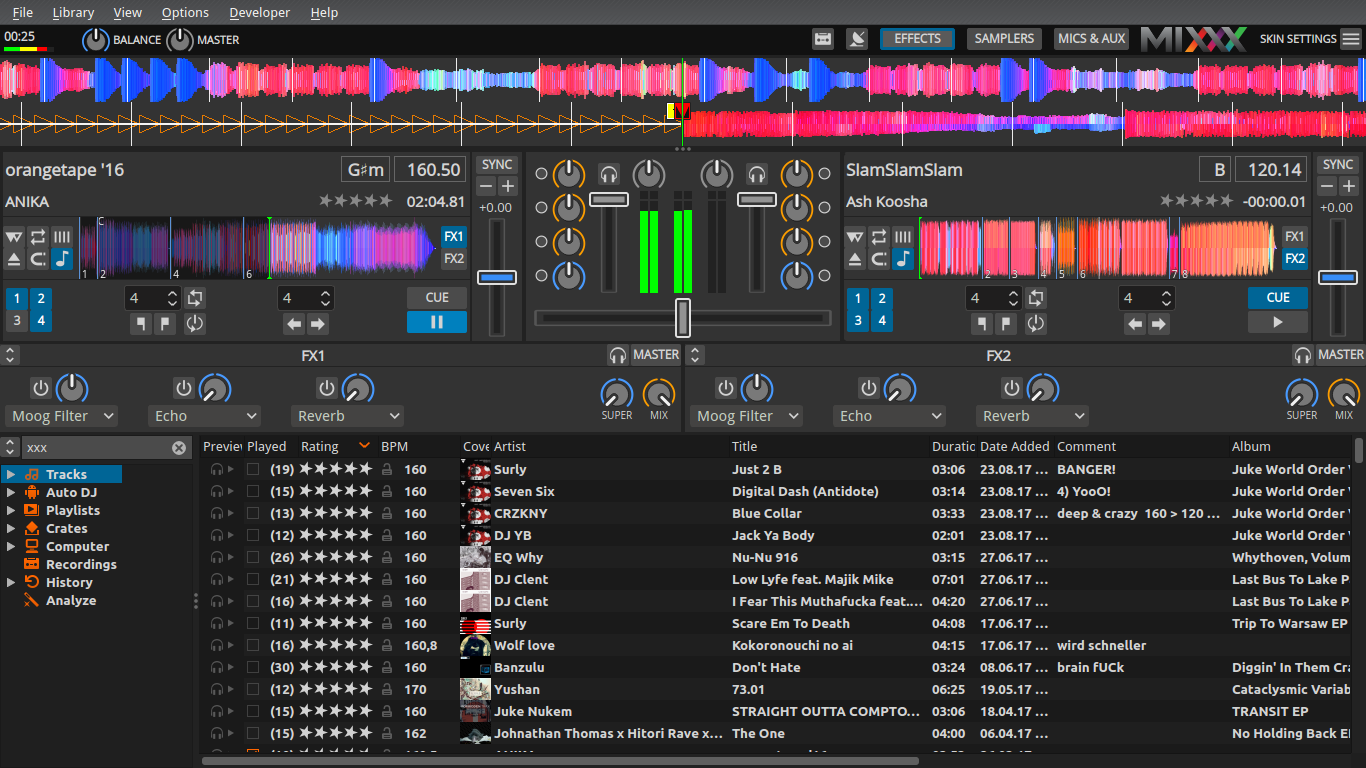
What about grey?
deere-knobs-redesign_grey

@nopeppermint
Copy link
Copy Markdown
Contributor

check Lime

I like Lime

@uklotzde
Copy link
Copy Markdown
Contributor

uklotzde commented Dec 5, 2017

I was thinking about this yellow/lime from the current Deere skin: #D6E20E
Less colourful, but good to distinguish from the orange and blue elements.

upload of sample image doesn't seem to work

@ronso0
Copy link
Copy Markdown
Member Author

ronso0 commented Dec 5, 2017

I was thinking about this yellow/lime from the current Deere skin: #D6E20E
Less colourful, but good to distinguish from the orange and blue elements.

Ah, I didn't perceive it as Lime.
I lowered the saturation and brightness a bit (#D6E20E really is to bright) and that's what it looks like:
deere-knobs-redesign_lime2

Everybody's happy now?

@Be-ing
Copy link
Copy Markdown
Contributor

Be-ing commented Dec 5, 2017

Ehh, I feel that the yellow slider handles look strange. Maybe yellow for the knobs and purple for the fader handles? Or is that too many colors?

@uklotzde
Copy link
Copy Markdown
Contributor

uklotzde commented Dec 5, 2017

👍 Great, I like that! Nicely fits into the colour scheme.

@uklotzde
Copy link
Copy Markdown
Contributor

uklotzde commented Dec 5, 2017

Do we actually need to color the slider handles? I would be fine with colored knob rings.

@ronso0
Copy link
Copy Markdown
Member Author

ronso0 commented Dec 5, 2017

Or is that too many colors?

Yes, this is too much IMO. So many colors trying to get attention...

Do we actually need to color the slider handles?

For me, light grey fader handles would be totally okay.

@Be-ing
Copy link
Copy Markdown
Contributor

Be-ing commented Dec 5, 2017

IMO fader handles are important and should be emphasized. Likewise for effect unit dry/wet knobs. On the other hand, gains shouldn't need frequent adjustment and I don't think they need to be emphasized.

@ronso0
Copy link
Copy Markdown
Member Author

ronso0 commented Dec 6, 2017

I really think colored rings and white/grey handles are sufficient to make knobs and faders easy to discover. IMO faders don't necessarily need colors, they already stand out because they're much brighter than their surrounding.

One very last option that comes to mind is to color the fader handles outline.

@ronso0 ronso0 mentioned this pull request Dec 11, 2017
@daschuer
Copy link
Copy Markdown
Member

What is left to do here?

Here are my two cents:

I have just tested it and from terms of my taste, I like the old one with white rings more, because the knobs are less eye catching. Especially the read color is the problem, it is the Alarm color which overrules all others. The channel volume slider should not be highlighted by red at all, because this is not the case on any hardware mixer. Can we use a shade of Bordeaux for instead of red for the gain knobs like on many hardware Mixers?

@daschuer
Copy link
Copy Markdown
Member

The pink version was also better. The xfader and the channel fader should have the same color. It is obvious what is what by the orientation. The rate slider should have a different color.
How about rate = blue (because it adds an effect to the sound) and xfader and volume = gray, because they are visible enough because of their shape.

@ronso0
Copy link
Copy Markdown
Member Author

ronso0 commented Dec 12, 2017

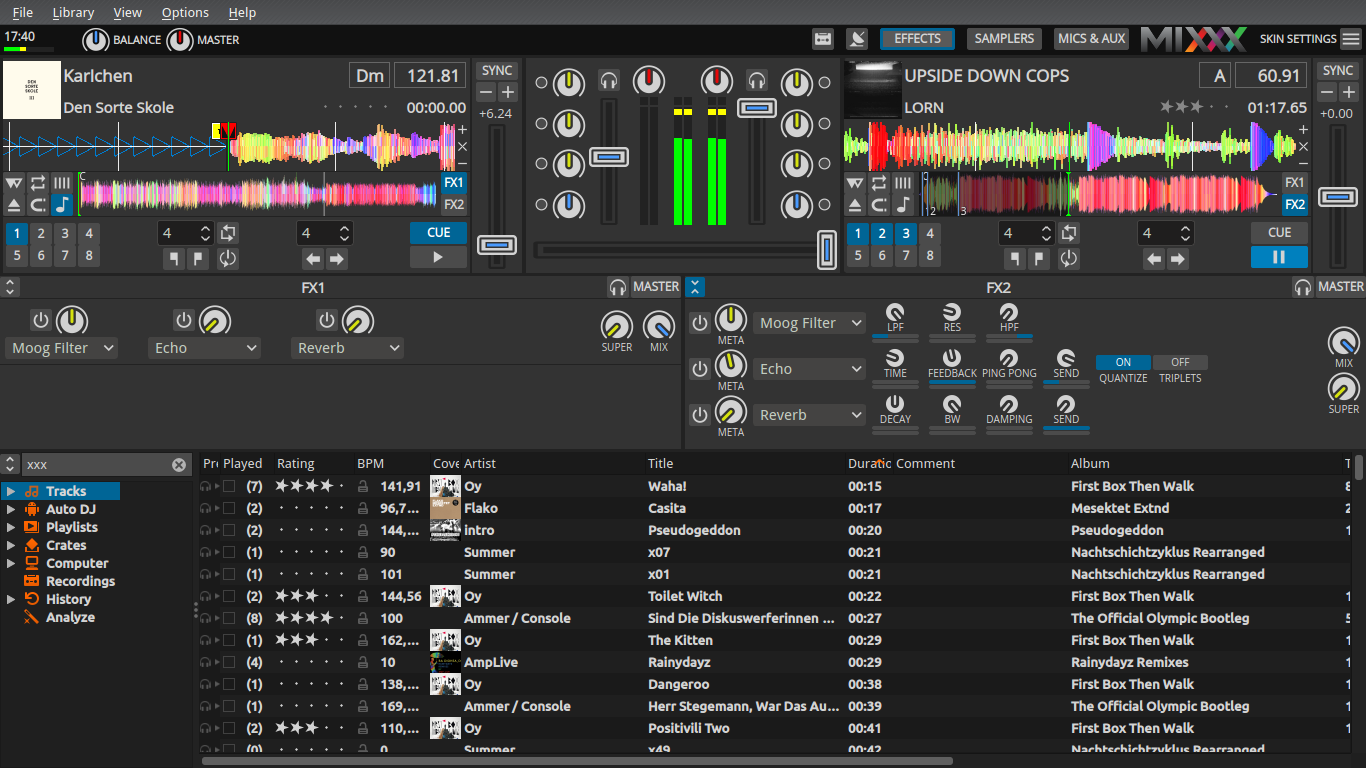
This is a color scheme I like to mixxx with
deere-knobs-redesign_2017-12-13-orange-grey-blue

@daschuer
Copy link
Copy Markdown
Member

Great, I like it as well. LGTM. Ready for merge?

@Be-ing
Copy link
Copy Markdown
Contributor

Be-ing commented Dec 13, 2017

No, I don't like the use of gray. IMO the volume faders and crossfader are the most important things to keep an eye on while mixing so they should pop out visually. I like the purple screenshots posted above the best but the purple color could use a little adjustment to not pop out quite as much.

@ronso0
Copy link
Copy Markdown
Member Author

ronso0 commented Dec 13, 2017

Great, I like it as well. LGTM. Ready for merge?

IMO yes.

To summarize:

  • Blue for all effect-related knobs and tempo
  • Orange for EQs and controls that 'mix something in' (Balance, Dry/Wet)
  • Grey for plain levels (also Master gain is not emphasized too much, maybe avoids abuse as Vol knob?)
  • Vol and Crossfader stand out enough and don't distract from other mixer controls

IMO it's a reasonable step from the previous ring design to this, not too many eye-catching colors.
Also, the orange EQs complement the dominating blue quite nicely IMO.

Before we merge: is the center gap looking okay on HD and netbook screens?

@ronso0
Copy link
Copy Markdown
Member Author

ronso0 commented Dec 13, 2017

No, I don't like the use of gray. IMO the volume faders and crossfader are the most important things to keep an eye on while mixing so they should pop out visually.

I really don't see a reason to color the Vol and crossfader handles. They are clearly visible, even in the minimized images in this thread. If you're having issues recogniznig them please try to make them brighter.

@daschuer
Copy link
Copy Markdown
Member

Ok, so let's merge this 14 commits PR. If there is still something to do, it can go to an other PR.
Thank you @ronso0 for taking care, and all others for reviewing.

@daschuer daschuer merged commit 24028f2 into mixxxdj:master Dec 13, 2017
@ronso0 ronso0 deleted the deere_2.1_knobs-faders-redesign branch December 16, 2017 15:13
@ferranlala
Copy link
Copy Markdown
Contributor

I've just realized that this design suffers from the same problem that my branch #645:
The design of the knobs implies that the 12 o'clock position is the default position for the knob. It is strange when I right click the SUPER or META knob the position jumps to 8 o'clock when the notch is at 12 o'clock.

@ronso0 Could you remove the notch on the META and the SUPER knobs?

@daschuer This got me thinking: when you were reviewing my branch you noted that the correct "neutral position" for the superknob depends on how the effects parameters are tied to it. But this does not only apply to the position where the knob ring is not visible, but also to knob design items like the notch introduced in this PR and also to the position where the knob jumps when reset. So we have a more general problem here.

@ronso0
Copy link
Copy Markdown
Member Author

ronso0 commented Jan 13, 2018

@ferranpujolcamins
Sounds reasonable, I'll open a PR soon.
Related: lp:1698408 effect specific Meta knob/QuickEffect knob default position

Sign up for free to join this conversation on GitHub. Already have an account? Sign in to comment

Labels

None yet

Projects

None yet

Development

Successfully merging this pull request may close these issues.

7 participants