FocusZone: Add the ability for directional no wrapping #3962
Conversation


…y) when they get to the bounds of the zone
…c-react into jspurlin/FocusZoneAddWrapProps


|
I want to try to avoid adding a bunch of new properties to contextualmenu's overall. It seems like having a catch all I think the changes to the focus zone could be useful, but for now this same problem could be solved by custom rendering an item which contains a focus zone and then controlling which keypresses trigger an entry into the subfocuszone. I don't know if that's the right way to accomplish things either but it would allow users to do this without having a more complicated focuszone. |

|
Yeah, I thought about adding a I attempted the nested focus zone approach but it was overly complicated and didn't solve all of the issues I was running in to. I had chatted with @dzearing about approaches to solve this issue we landed on the approach I implemented. @joschect let's chat offline if you have an idea on how get the desired end result: where you can have an vertical outer focus zone with a bidirectional focus zone inside (for the 2d content) where focus flows between them as if they were one focus zone (especially when entering the bidirectional focus zone from top and bottom), the keyboarding doesn't move left when you press up at the top of a 2d set of controls (when you are also not the control in the left-most column. In the before gif (in the description) this happens starting when focus is on the airplane), and collapses submenus when focus is in the 1d portion and the appropriate left/right arrow key is presssed (which you should get for free with a vertical focus zone) |

| "changes": [ | ||
| { | ||
| "packageName": "@uifabric/utilities", | ||
| "comment": "Focus/DOM: add the ability to find if an element (or any ancestor) contians a given attribute; to the dom utility ; add a shouldrWapFocus function to the focus utility ", |

There was a problem hiding this comment.
These go into the release notes, and you have some extra spaces and typos
| getDistanceFromCenter: (activeRect: ClientRect, targetRect: ClientRect) => number, | ||
| ev?: Event): boolean { | ||
| ev?: Event, | ||
| shouldWrap: boolean = true): boolean { |
There was a problem hiding this comment.
it is weird to default this to true. it should default to false.
There was a problem hiding this comment.
I think the name is misleading, I'll update it to be useDefaultWrap so that it's more clear that when this is true it will do the default wrapping behavior
| distance = activeRect.right - targetRect.right; | ||
| } else { | ||
| if (!shouldWrap) { | ||
| distance = -2; |
There was a problem hiding this comment.
I don't quite understand the -2
There was a problem hiding this comment.
It's just one less than -1 :) I needed to use a more negative number (for the distance from center) to keep the loop going in. I pulled out a const for both the upper value (that already existed) and the lower value that I added. The large value picks the element as a potential element, while the negative number is for not picking that element
packages/utilities/src/dom.ts
Outdated
| * @param attribute - the attribute to search for | ||
| * @returns the value of the first instance found | ||
| */ | ||
| export function elementContainsAttribute(element: HTMLElement, attribute: string): string | undefined { |
There was a problem hiding this comment.
I feel like I've seen this code repeated elsewhere.
Could we just have one method to find a node which matches some criteria?
Maybe findElementRecursive(cb: (el) => boolean): HTMLElement or something:
// hmm better name?
findElementRecursive(el => el.hasAttribute(attr));
Then you could reuse the "go up the parents" logic elsewhere.
getElementAttributeRecursive(el, attr) {
const el = findElementRecursive(el => el.hasAttribute(attr));
return el && el.getAttribute(attr);
}
There was a problem hiding this comment.
Yeah, I'll look into this
updated the contents of the change file
add missing comma
packages/utilities/src/dom.ts
Outdated
| * @returns the value of the first instance found | ||
| */ | ||
| export function elementContainsAttribute(element: HTMLElement, attribute: string): string | null { | ||
| let elementMatch = findElementRecursive(element, element => element.hasAttribute(attribute)); |
There was a problem hiding this comment.
ERROR: 228:52 typedef expected arrow-parameter: 'element' to have a typedef
ERROR: 228:52 no-shadowed-variable Shadowed name: 'element'
There was a problem hiding this comment.
maybe I can inline fix it for you
packages/utilities/src/dom.ts
Outdated
| } | ||
|
|
||
| /** | ||
| * Finds the first parent element where the matchFunctionReturns true |

| * @returns the value of the first instance found | ||
| */ | ||
| export function elementContainsAttribute(element: HTMLElement, attribute: string): string | null { | ||
| let elementMatch = findElementRecursive(element, (testElement: HTMLElement) => testElement.hasAttribute(attribute)); |
There was a problem hiding this comment.
i fixed the lint errors here. Also fixed the comment typo above.
One other note: on 218, I changed element.parent to getParent(element). This allows for virtual parent chains to be respected.

|
@dzearing not sure why there's some screener changes, it's showing some slight changes for date pickers but I'm not changing any styling.... |


|
Large_Negative_DISTANCE_FROM_CENTER.... hmmmmmmmm |
|
yep, fixed the casing and am trying to push the update |
…spurlin/office-ui-fabric-react into jspurlin/FocusZoneAddWrapProps

3 participants


Pull request checklist
$ npm run changeDescription of changes
For FocusZones that contain multiple navigation models (especially when one is a super set of the other) the resulting navigation can muddy. For example, if a ContextualMenu contains a section with 2d layout and another section with 1d layout, the FocusZone is bidirectional to allow for the 2d navigation but this makes left/right naviagate the 1d section of the menu (and additionally breaks the submenu arrow collapse behavior). The change adds a check for data-no-horizontal-wrap and data-no-vertical-wrap on the element the FocusZone is acting on (it check the element itself as well and all ancestors until it finds a match or hits the body). Additionally this adds a checkForNoWrap prop to FocusZone and ContextualMenu so that we won't do the searching for the data attributes unless the creator specifies that we should be looking for it.
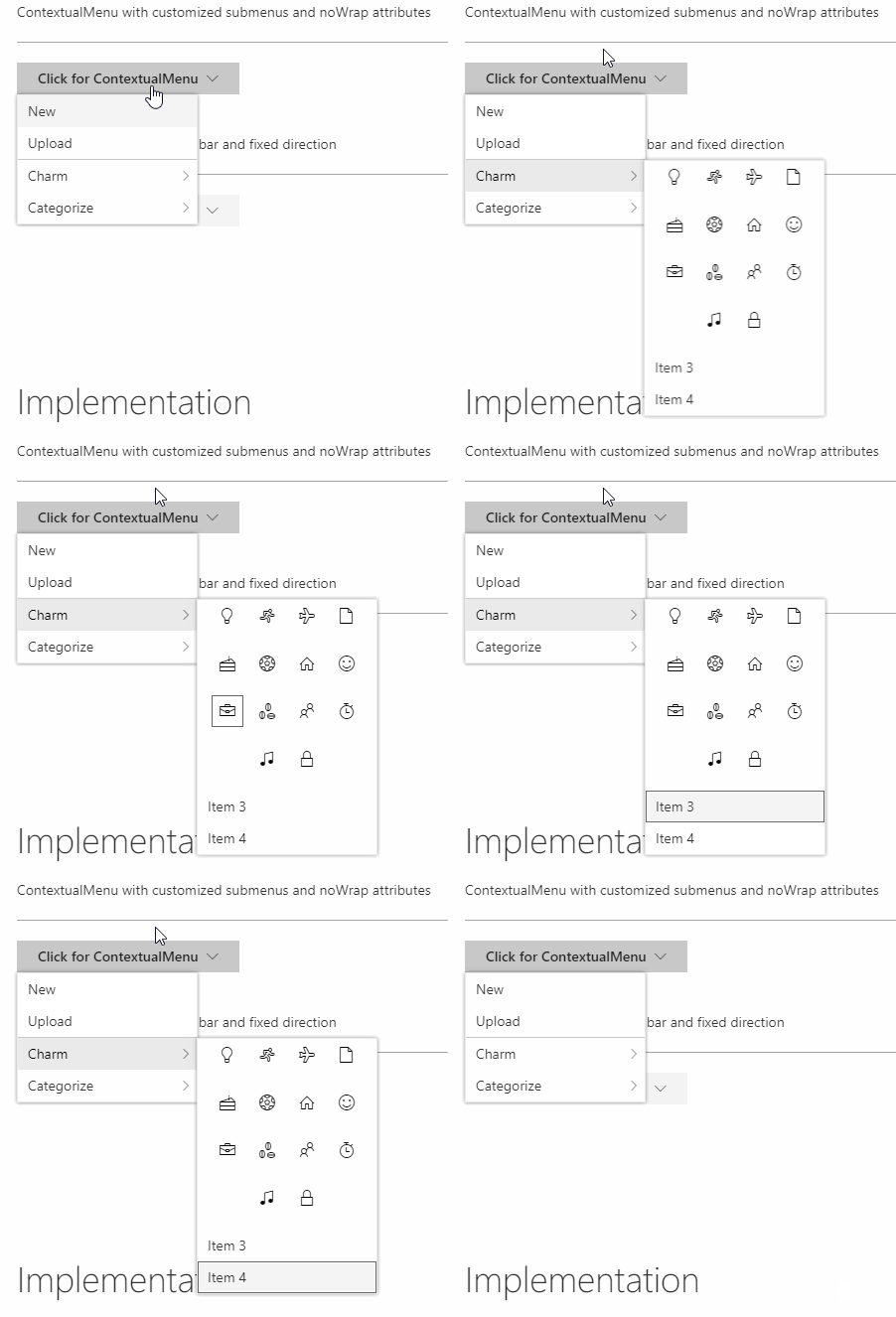
This is a before behavior: the vertical wrapping when the focus gets to the top of the 2d section (e.g. focus moves to the left instead of wrapping); also note that the navigation in the 1d layout is moving when left/right are pressed (and pressing left in the 1d layout does not collapse the submenu)
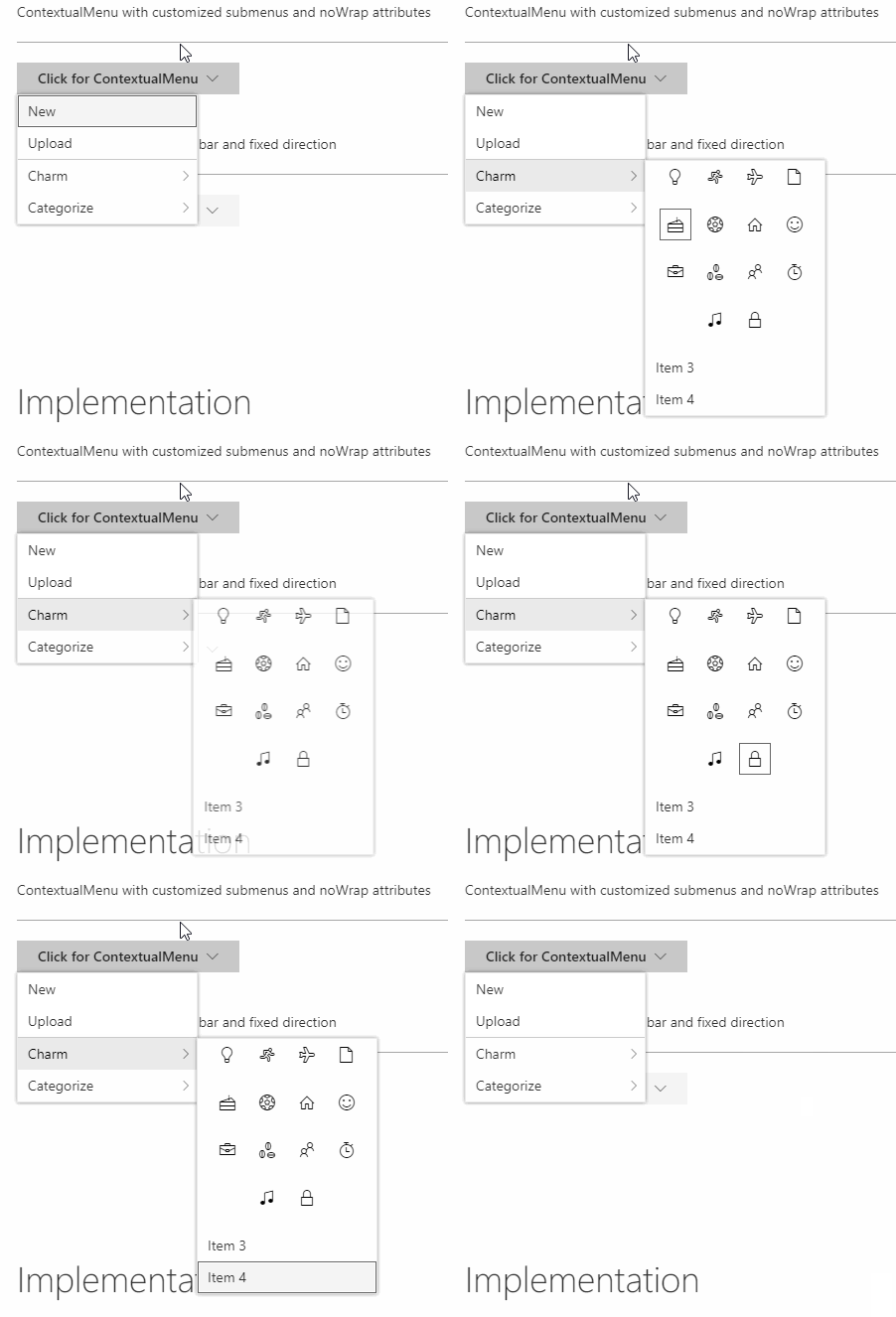
This is the after behavior: the vertical wrapping in the 2d layout, the horizontal wrapping in the 1d layout, and the ability for the submenu to collapse with the arrow keys are all working as expected now
Focus areas to test
Verified that existing behavior has not changed at all, and the new behavior is scoped to only when the user explicitly wants that behavior.