PR magento/magento2#35535: Magento 2.4.4 Mini cart item images not showing #36371
Conversation


- Cast resized image dimensions from floats to integers for GD and ImageMagick as imagecopy expects ints
…ints

magento#35535: Magento 2.4.4 Mini cart item images not showing

|
Hi @craig-bartlett. Thank you for your contribution
❗ Automated tests can be triggered manually with an appropriate comment:
You can find more information about the builds here ℹ️ Run only required test builds during development. Run all test builds before sending your pull request for review. For more details, review the Magento Contributor Guide documentation. 🕙 You can find the schedule on the Magento Community Calendar page. 📞 The triage of Pull Requests happens in the queue order. If you want to speed up the delivery of your contribution, join the Community Contributions Triage session to discuss the appropriate ticket. ✏️ Feel free to post questions/proposals/feedback related to the Community Contributions Triage process to the corresponding Slack Channel |
 ihor-sviziev
added
the
Priority: P2
ihor-sviziev
added
the
Priority: P2

|
@magento run all tests |

|
The requested builds are added to the queue. You should be able to see them here within a few minutes. Please re-request them if they don't show in a reasonable amount of time. |

 ishakhsuvarov
left a comment
ishakhsuvarov
left a comment
ishakhsuvarov
left a comment
There was a problem hiding this comment.
Would be nice to cover this with an automated test in case manual QA passes.

|
Hi @craig-bartlett , Thanks for your contribution and collaboration. I have tried to reproduce the issue but issue is not reproducible to me.
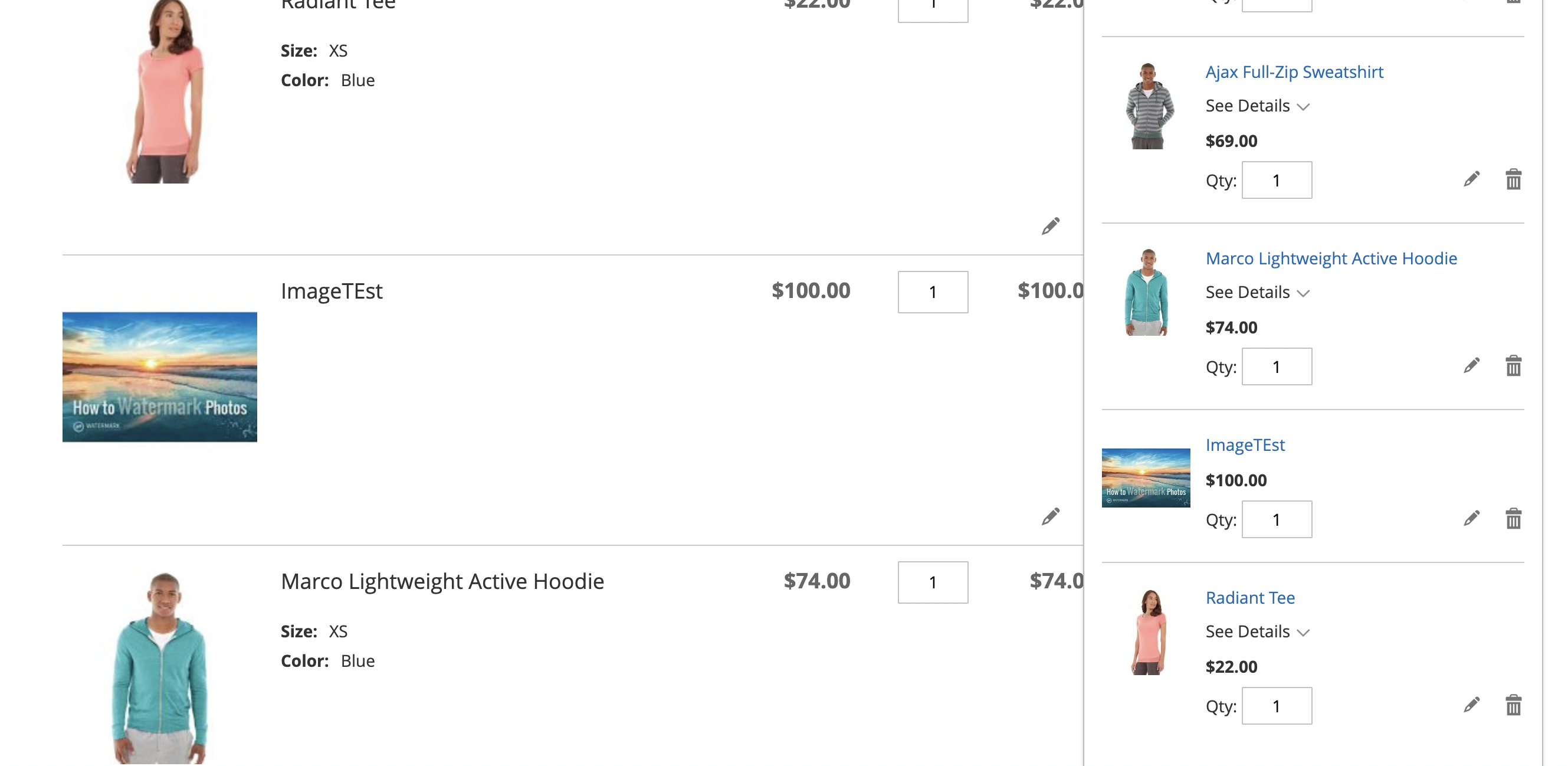
But I am image is displaying in the mini cart. Below is the screenshot for your reference: Please provide us more information in order to reproduce the issue. Thanks |
|
@engcom-Lima Hi, was the instance running PHP 8.1? The theme's image size width or height should be odd and the watermark position must be set to centred. I forgot to mention that last part - it must be set to centred to reach the code in question. |
|
@magento give me 2.4-develop instance |

|
Hi @engcom-Lima. Thank you for your request. I'm working on Magento instance for you. |
|
Hi @engcom-Lima, here is your Magento Instance: https://11e9c13494e8747f38fd6ea269b46e26.instances.magento-community.engineering |
|
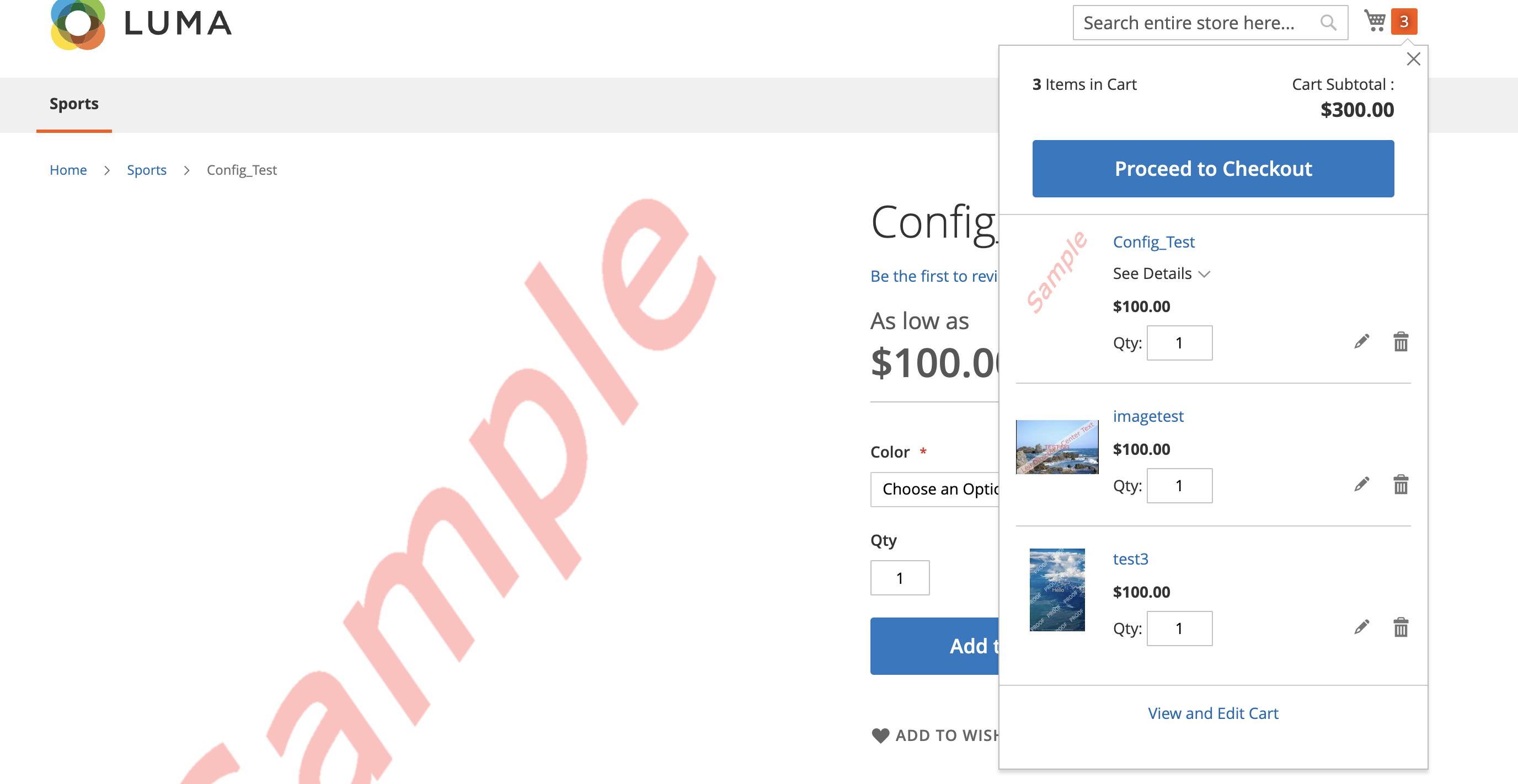
Hi @craig-bartlett , Thanks for your contribution and collaboration. I have tried to reproduce the issue but issue is not reproducible to me. I am testing it on 2.4-develop with PHP 8.1 . Also checked in Magento with and without sample data.
Below is the screenshot for your reference as images in mini cart is displaying properly:
As mentioned I have used image size in odd and I ran indexer as well as Thanks |



|
Hi @engcom-Lima Was the image size in the theme set to an odd dimension? It's not the physical image size but the theme's image size set in the theme file (etc/view.xml) for the particular image you are using (in this case mini_cart_product_thumbnail). |
|
@magento give me 2.4-develop instance |
|
Hi @engcom-Lima. Thank you for your request. I'm working on Magento instance for you. |
|
Hi @engcom-Lima, here is your Magento Instance: https://11e9c13494e8747f38fd6ea269b46e26.instances.magento-community.engineering |
|
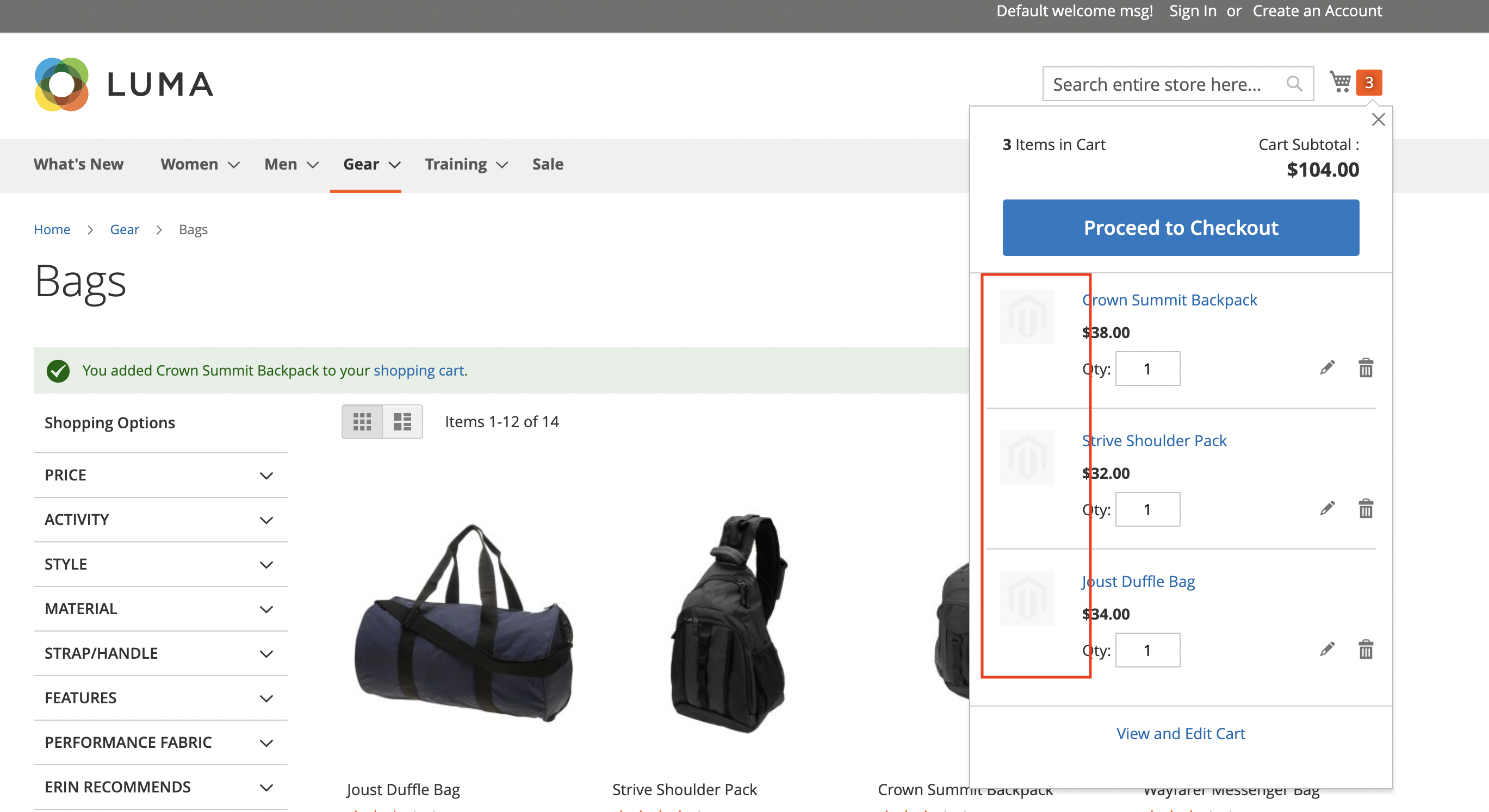
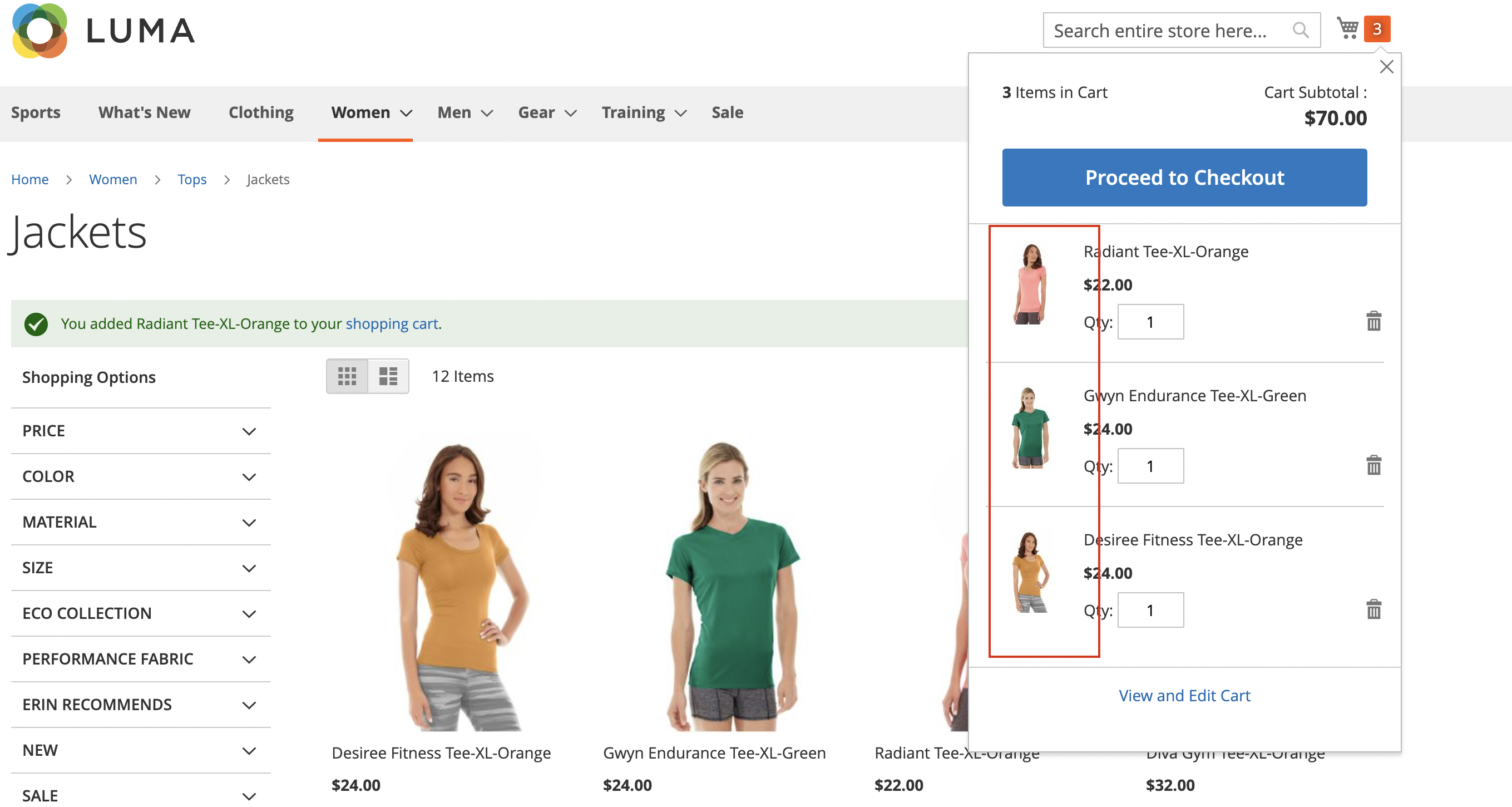
✔️ QA Passed Preconditions:
Manual testing scenario:
Before: ✖️ Mini cart image disappeared. Minicart: Terminal: After: ✔️ Now image is displaying in the mini cart. Minicart: Terminal: Additionally tested:
Added to regression scope. |


 engcom-Lima
added
the
QA: Added to Regression Scope
engcom-Lima
added
the
QA: Added to Regression Scope
 m2-community-project
bot
added
Progress: ready for testing
Progress: accept
and removed
Progress: testing in progress
Progress: ready for testing
labels
m2-community-project
bot
added
Progress: ready for testing
Progress: accept
and removed
Progress: testing in progress
Progress: ready for testing
labels

5 participants


Description (*)
If images have odd dimensions then when they are resized in the image adapters for GD and ImageMagick the resulting dimensions are stored as floats:
$positionX = $this->_imageSrcWidth / 2 - imagesx($watermark) / 2;These are later passed to PHP's imagecopy function which expects integers and so throws warnings. This results in the offending image size being missed when generating catalog images. Simply casting the results of the resizing lines to ints fixes this.
$positionX = (int) ($this->_imageSrcWidth / 2 - imagesx($watermark) / 2);Related Pull Requests
Fixed Issues (if relevant)
Manual testing scenarios (*)
Questions or comments
Contribution checklist (*)