Skip to content

Use MAUI system chrome fix packages - #1

Open
jfversluis wants to merge 9 commits into
mainfrom
update-for-maui-system-chrome
Open

Use MAUI system chrome fix packages#1
jfversluis wants to merge 9 commits into
mainfrom
update-for-maui-system-chrome

Conversation

@jfversluis

@jfversluis jfversluis commented May 15, 2026

Copy link
Copy Markdown
Owner

Summary

  • Removes the Android status/navigation bar workaround from the repro app.
  • Removes Android resource/style overrides that were only needed to force status bar coloring.
  • Adds nuget.config pointing at local-packages plus NuGet.org.
  • Adds the MAUI PR #35463 package artifacts under local-packages.
  • Updates Microsoft.Maui.Controls to 10.0.80-ci.pr35463.26265.21.

Validation

  • Built with .NET 10 SDK/MSBuild for net10.0-android.
  • Installed and launched on emulator-5554.
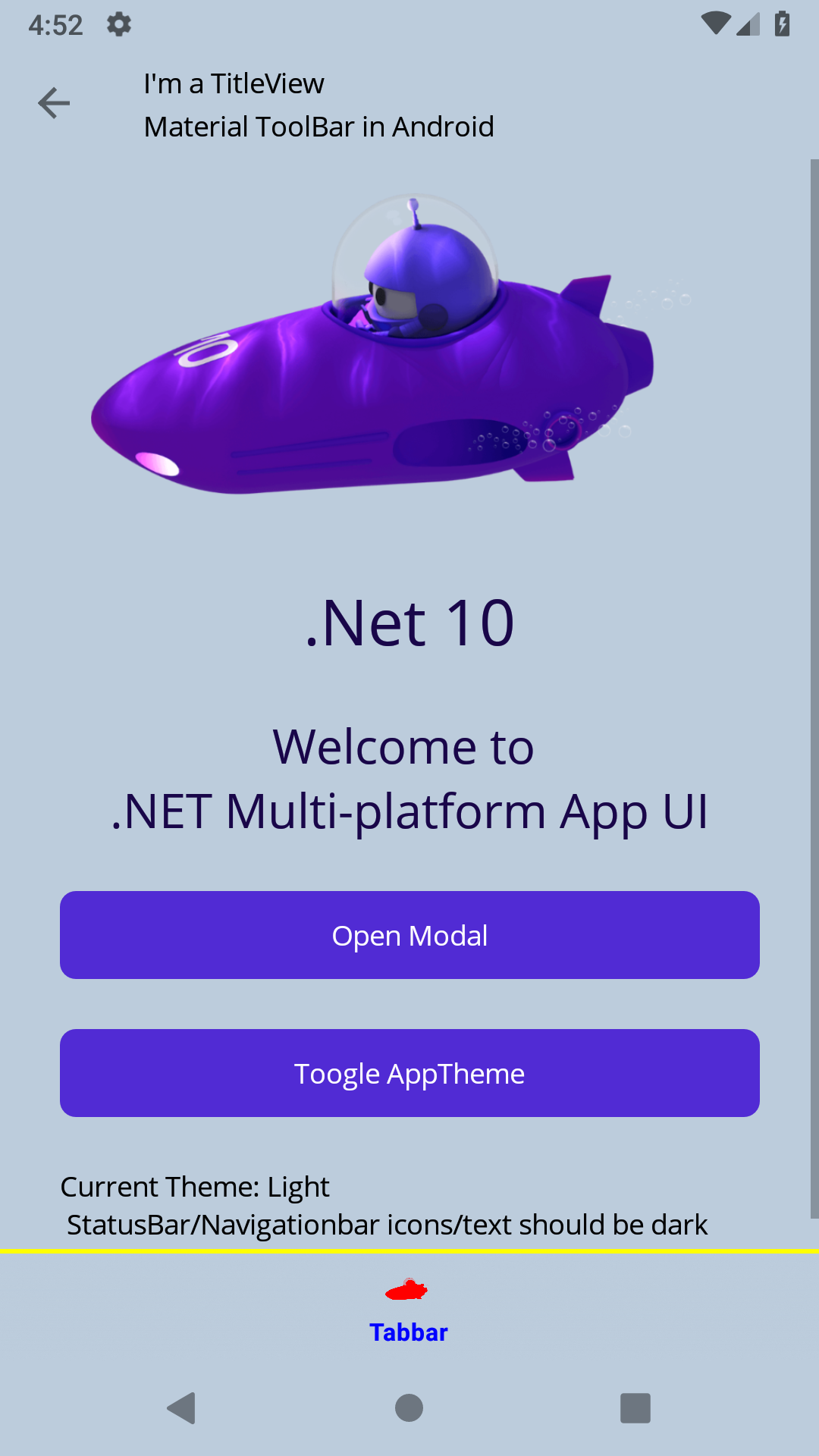
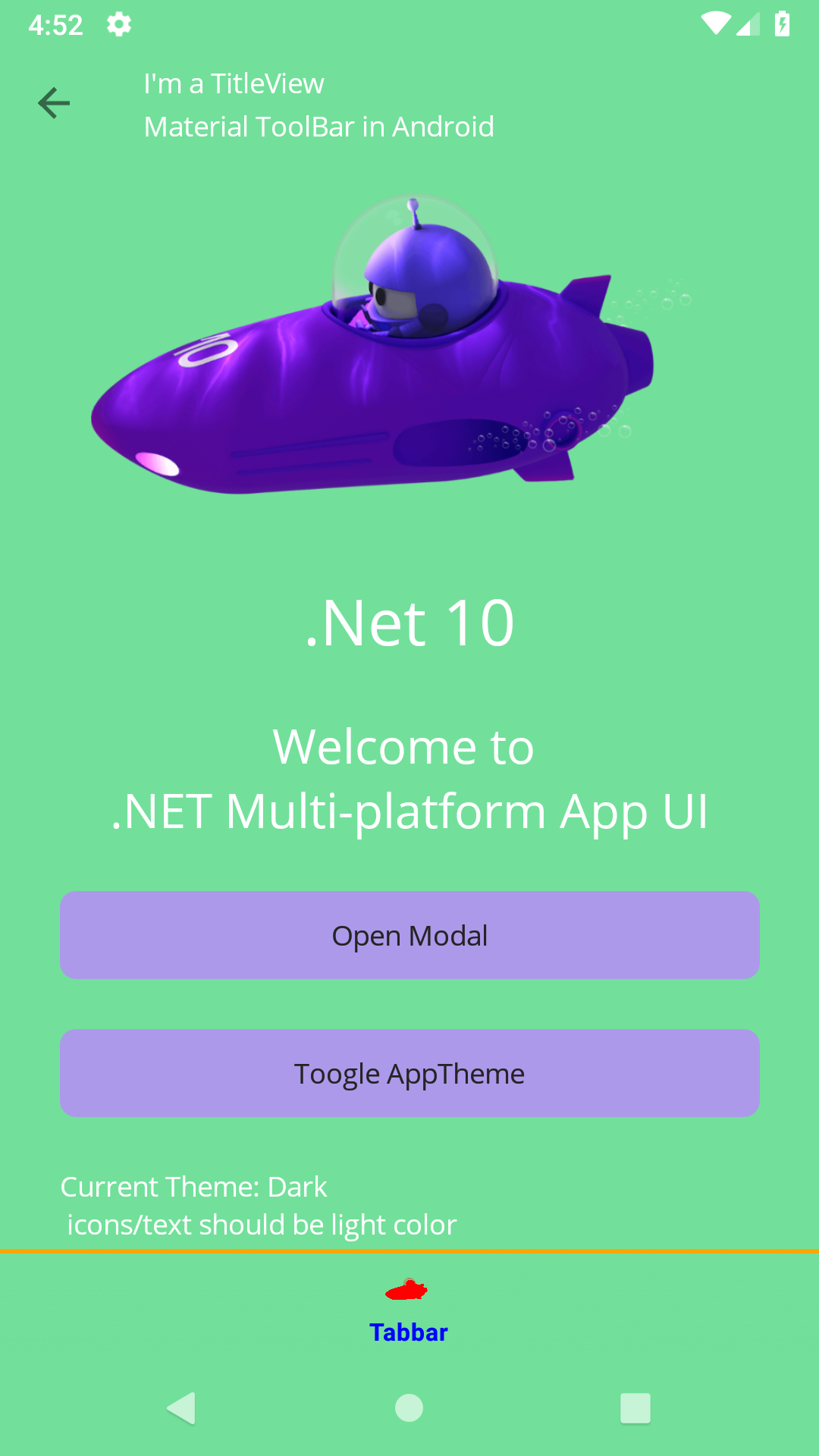
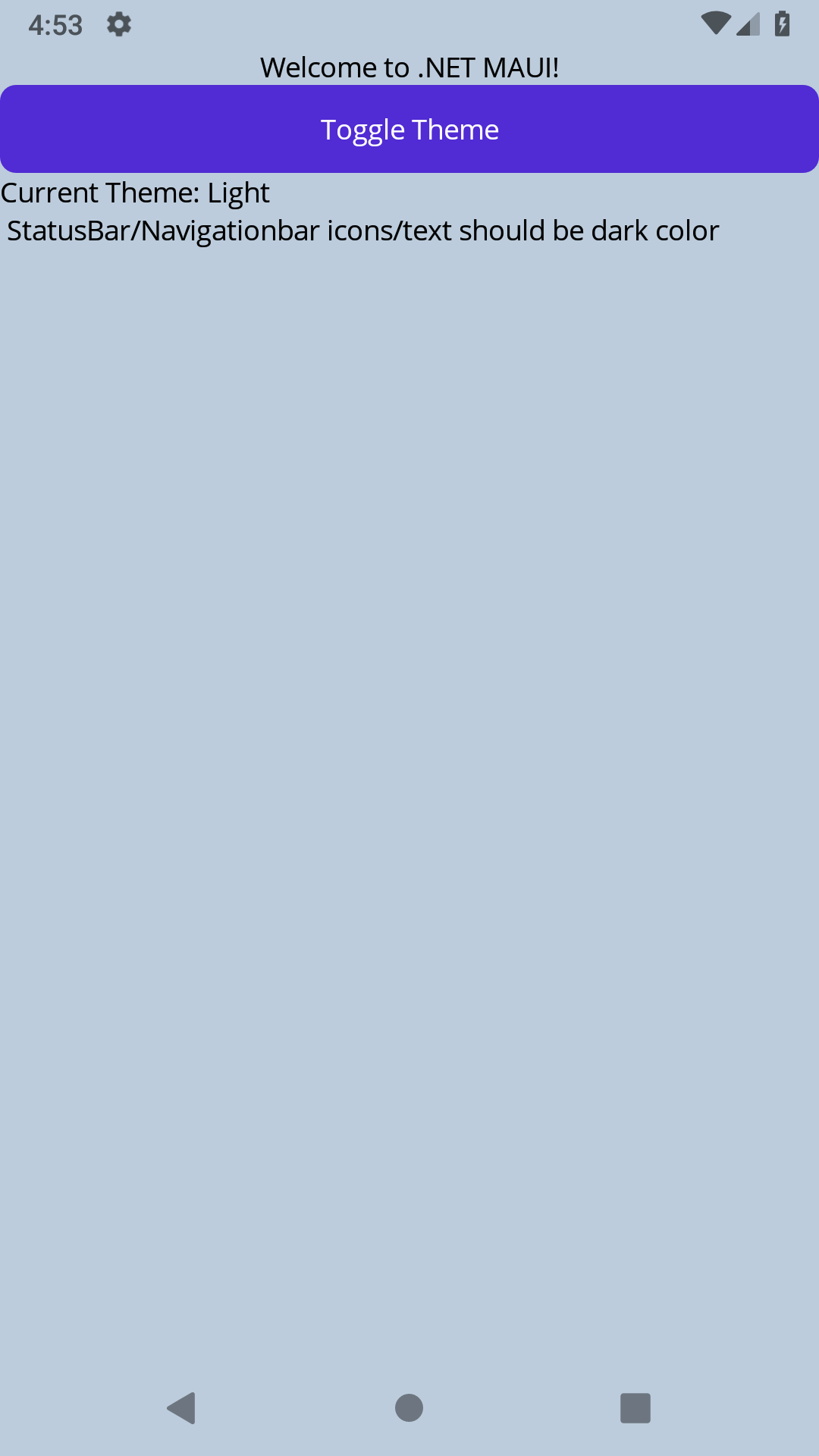
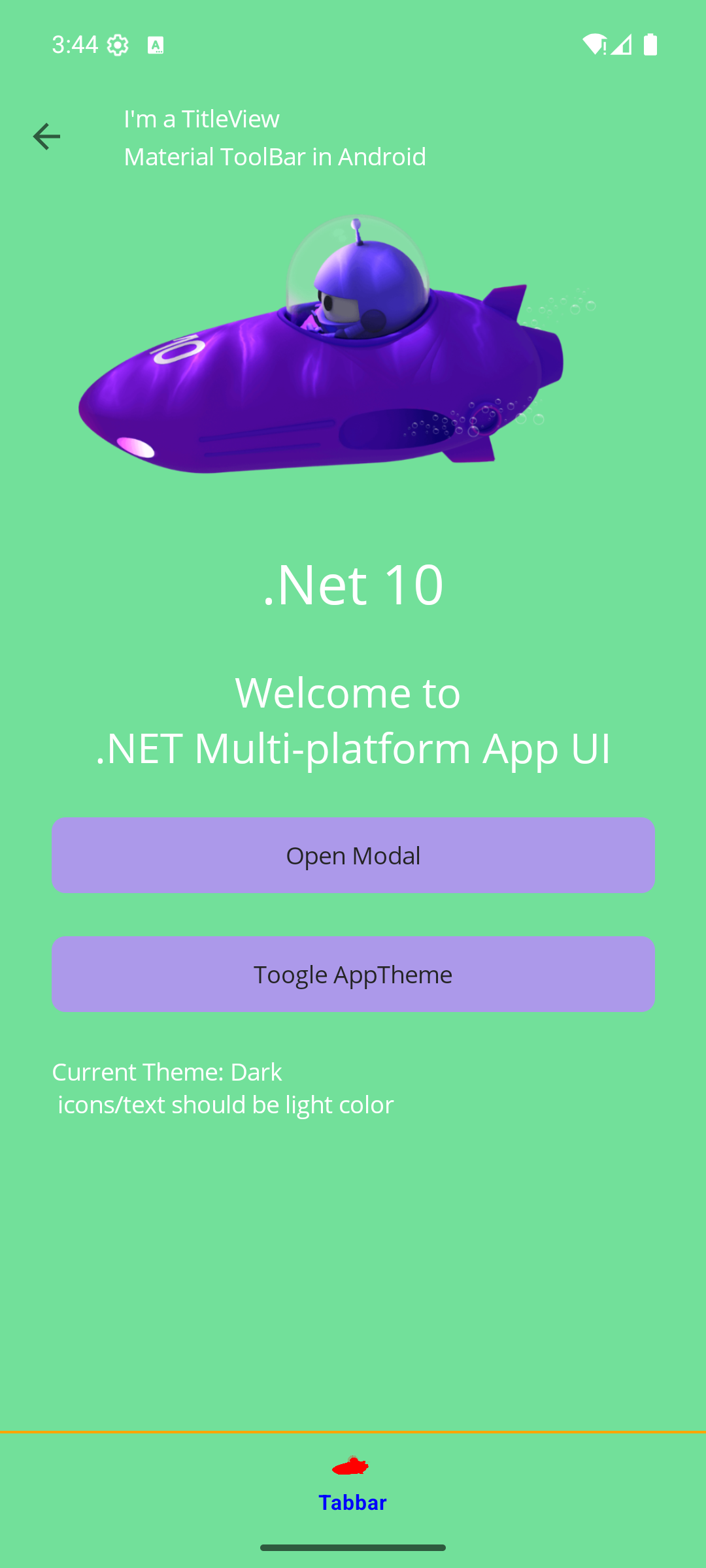
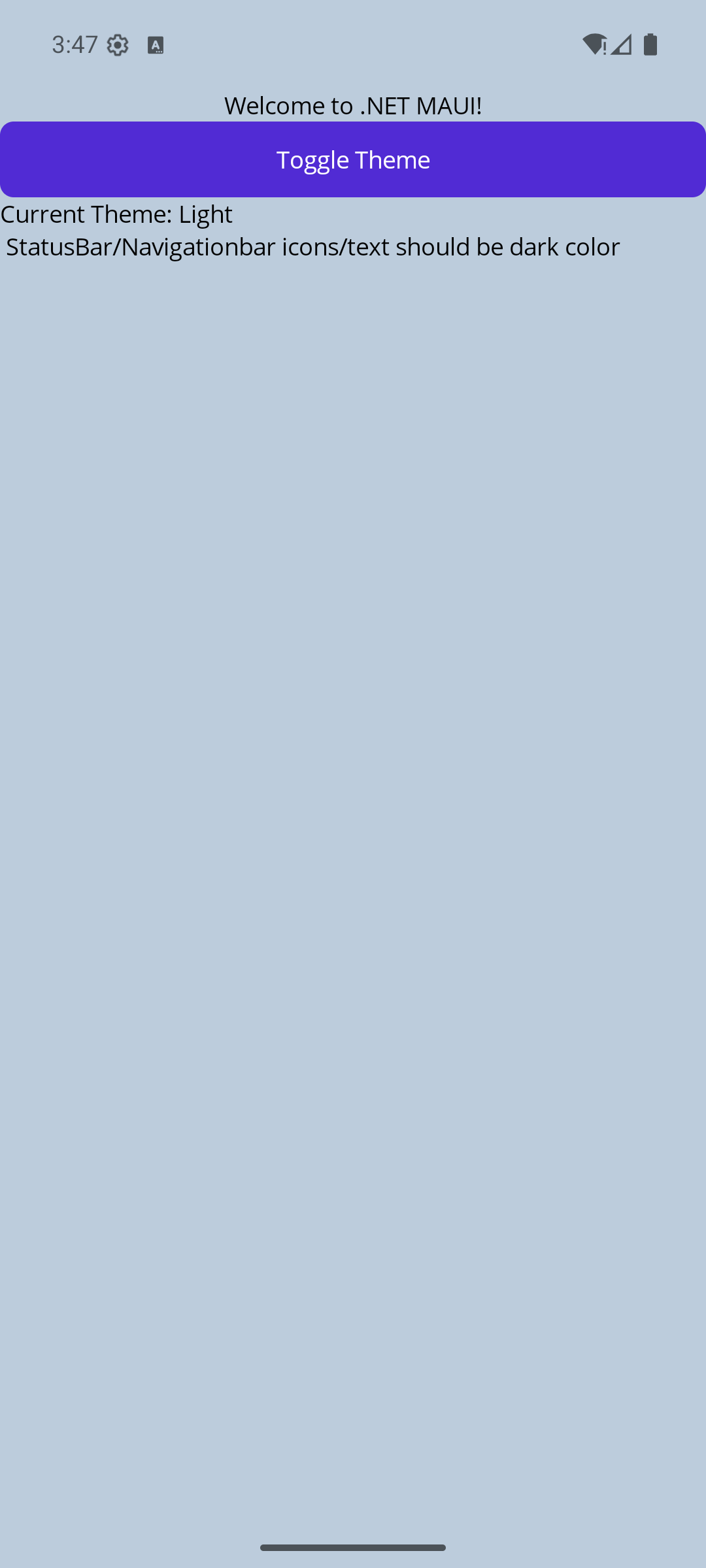
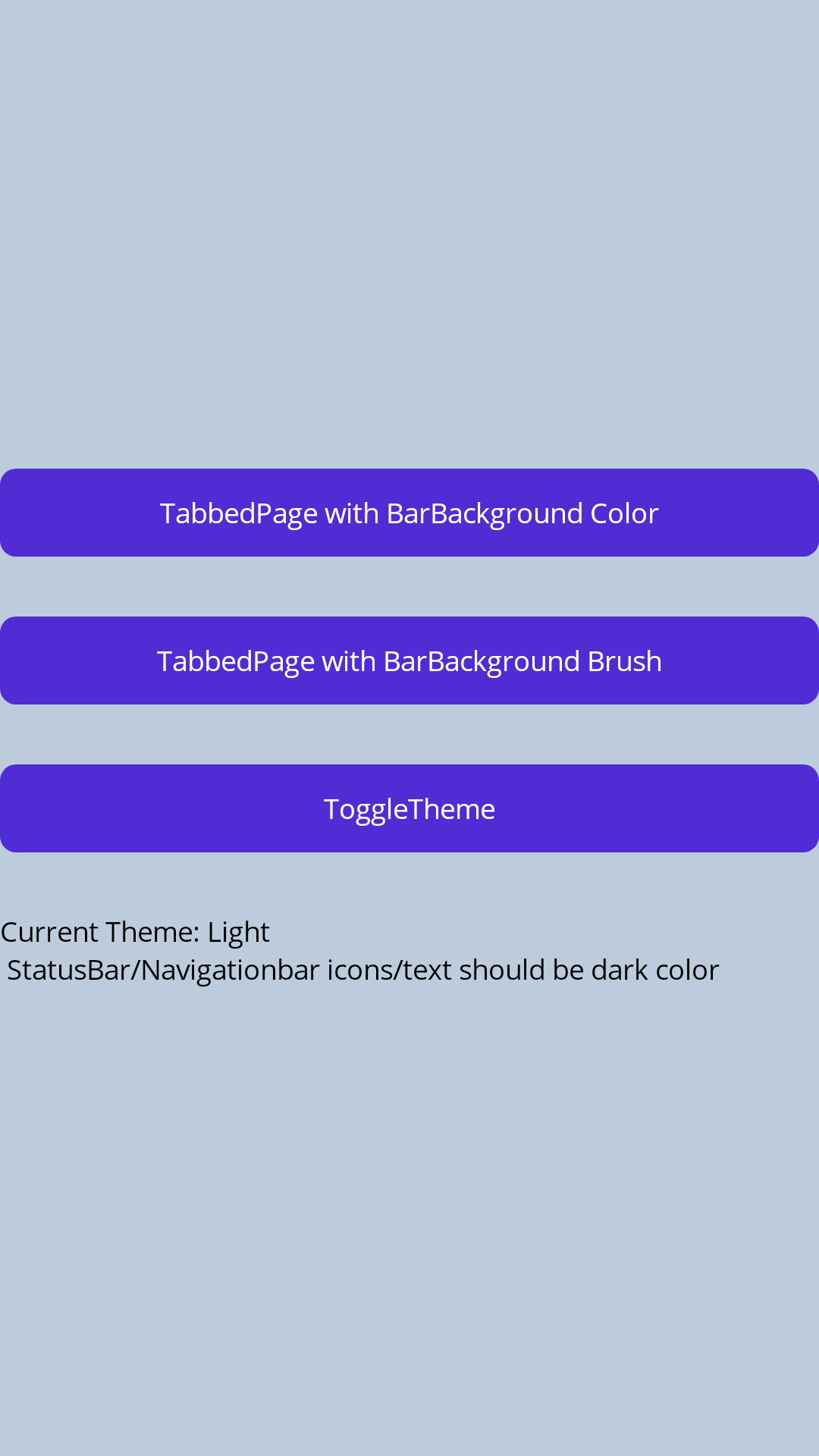
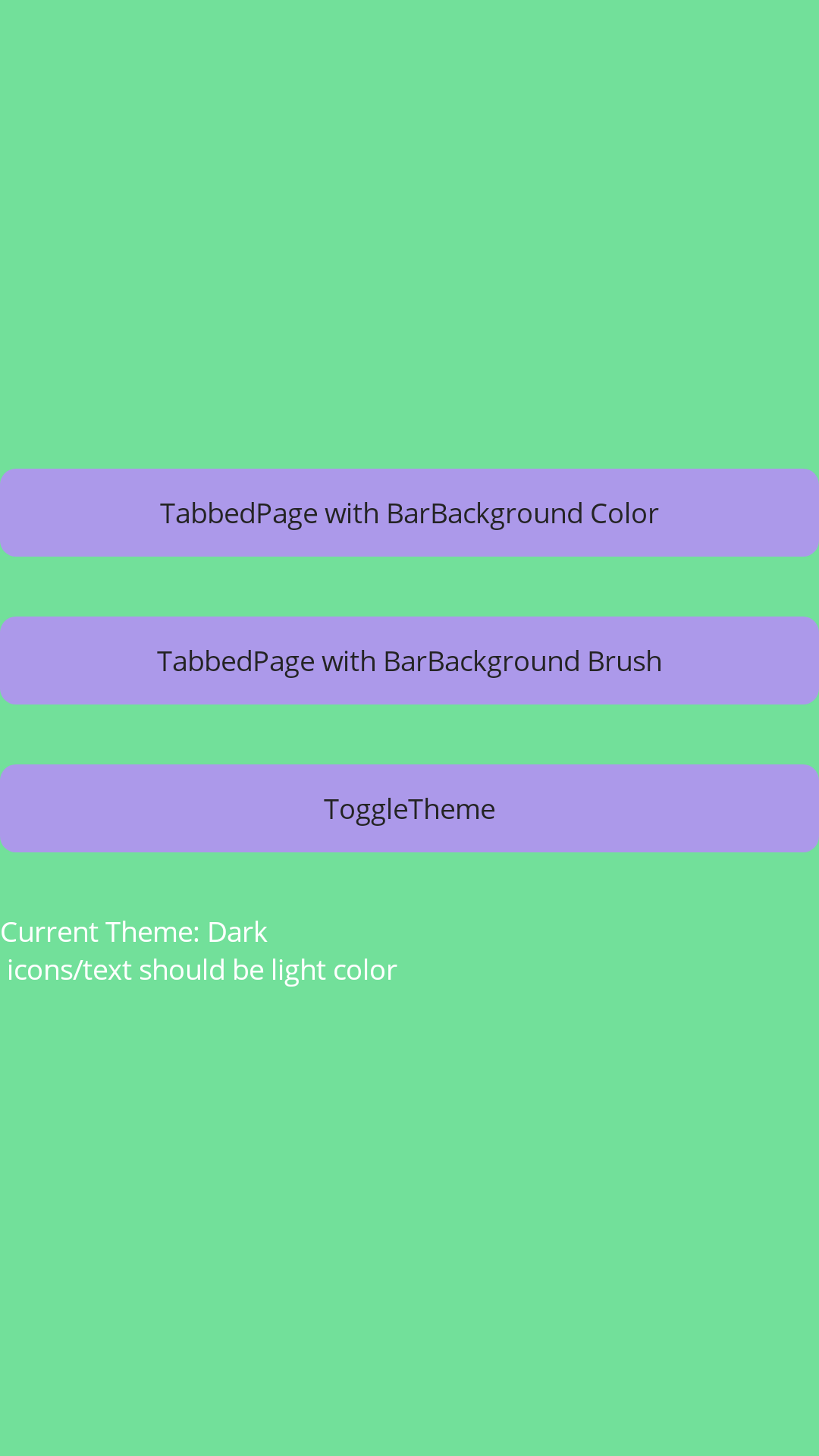
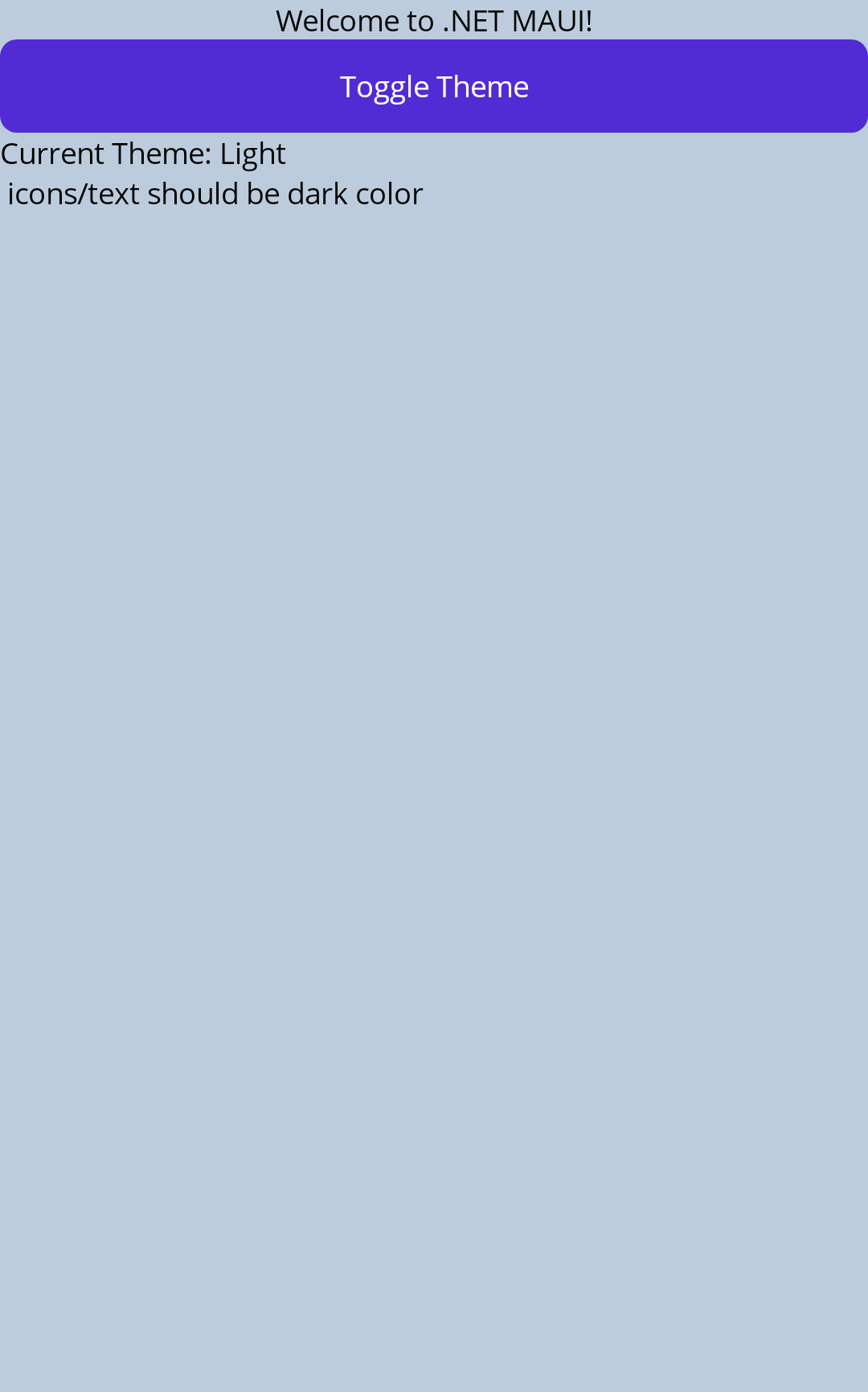
  • Verified screenshot samples: light status/app/nav bar #BCCCDC; dark status/app/nav bar #72E09A; modal top/app bar #72E09A.

Remove the Android status bar workaround and consume the PR package artifacts from a local package source.\n\nCo-authored-by: Copilot <223556219+Copilot@users.noreply.github.com>
@AlleSchonWeg

Copy link
Copy Markdown

Hi @jfversluis ,

i tested the update-for-maui-system-chrome branch.

If i click the "Toggle App Theme" button (API 36 simulator) on then main page multiple times (around 20 clicks) the app crash:

Android.Runtime.JavaProxyThrowable: '[System.ObjectDisposedException]: Cannot access disposed object with JniIdentityHashCode=54376700.
Object name: 'Google.Android.Material.Shape.MaterialShapeDrawable'.'

@AlleSchonWeg

Copy link
Copy Markdown

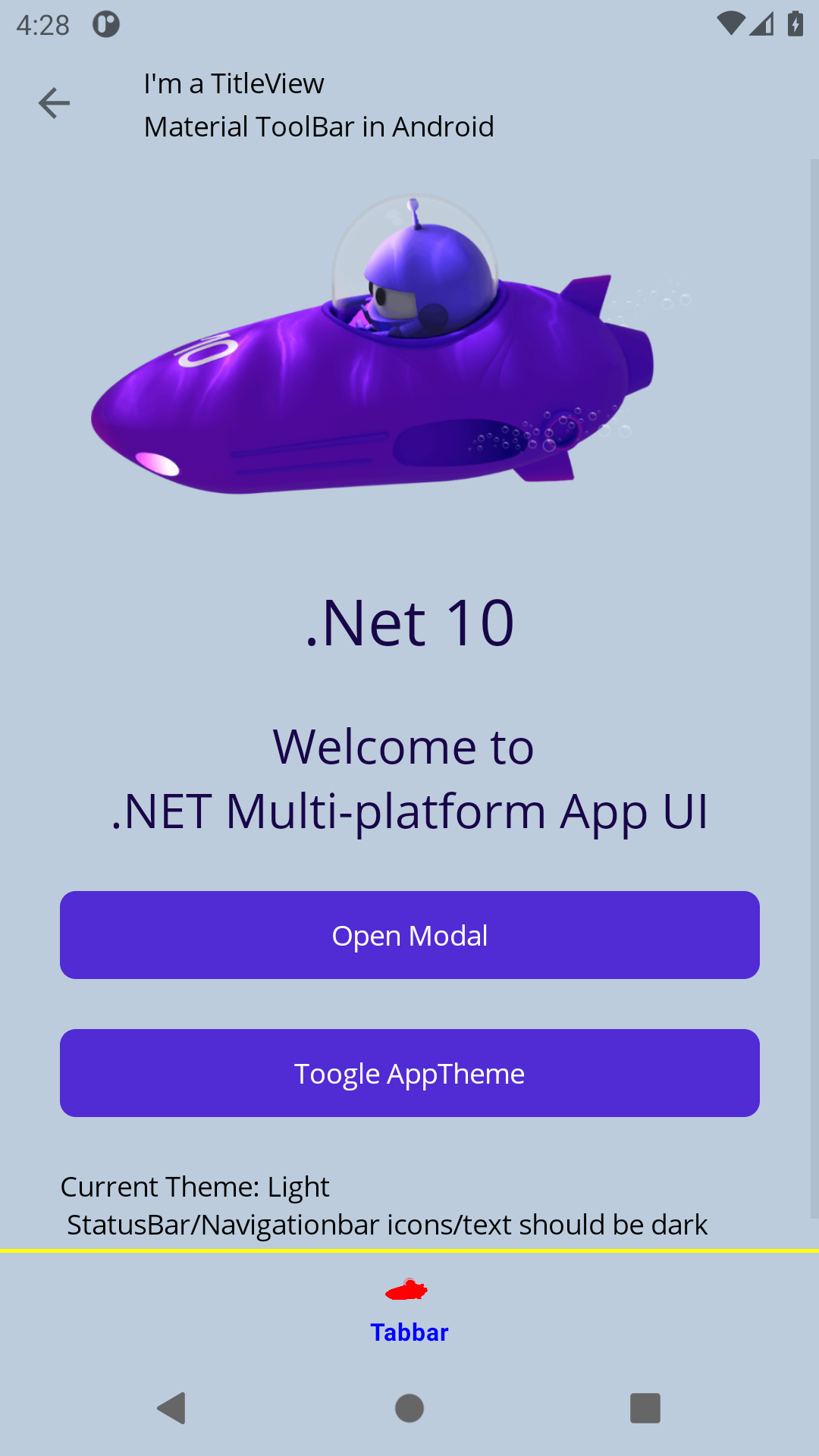
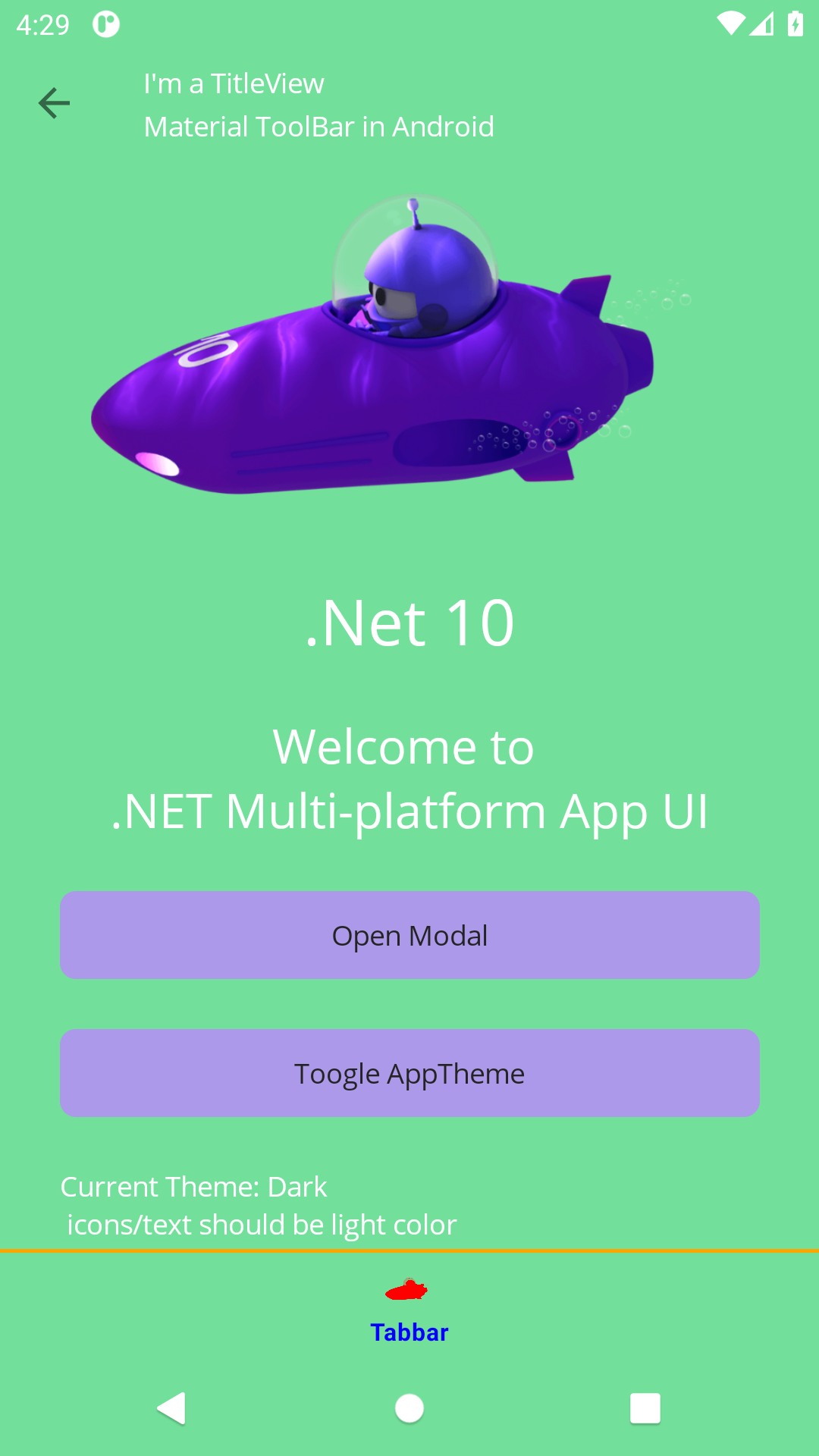
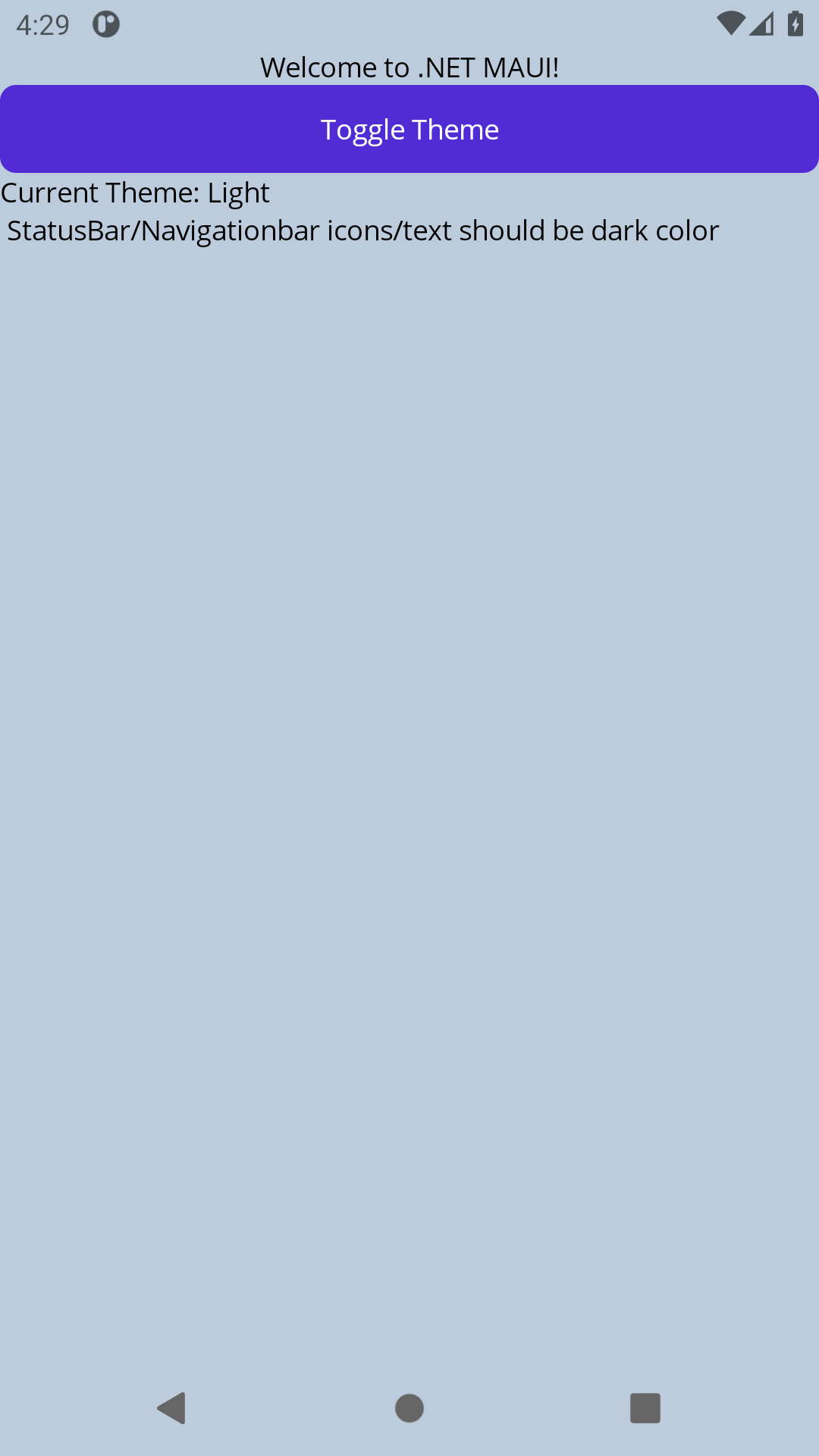
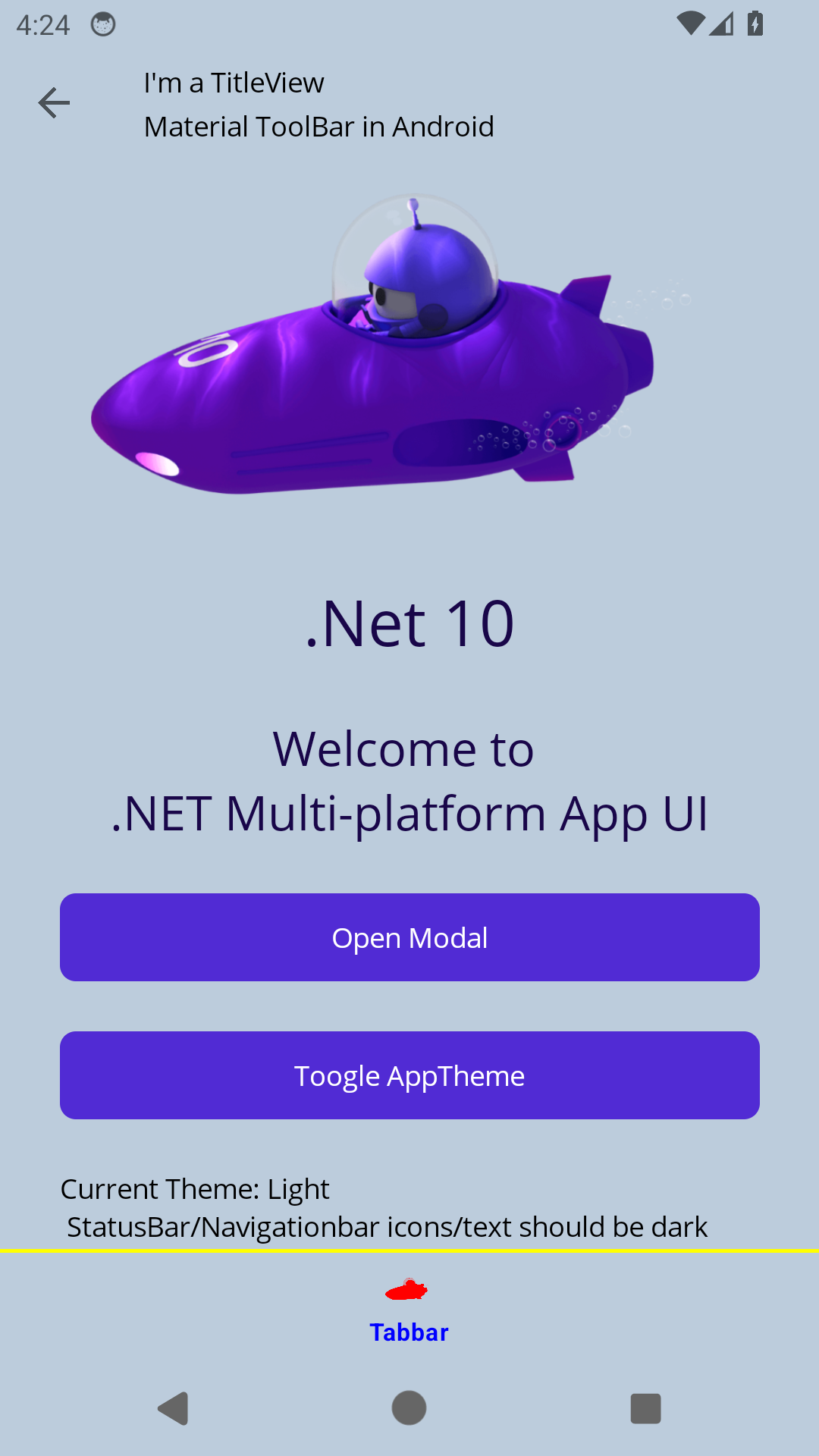
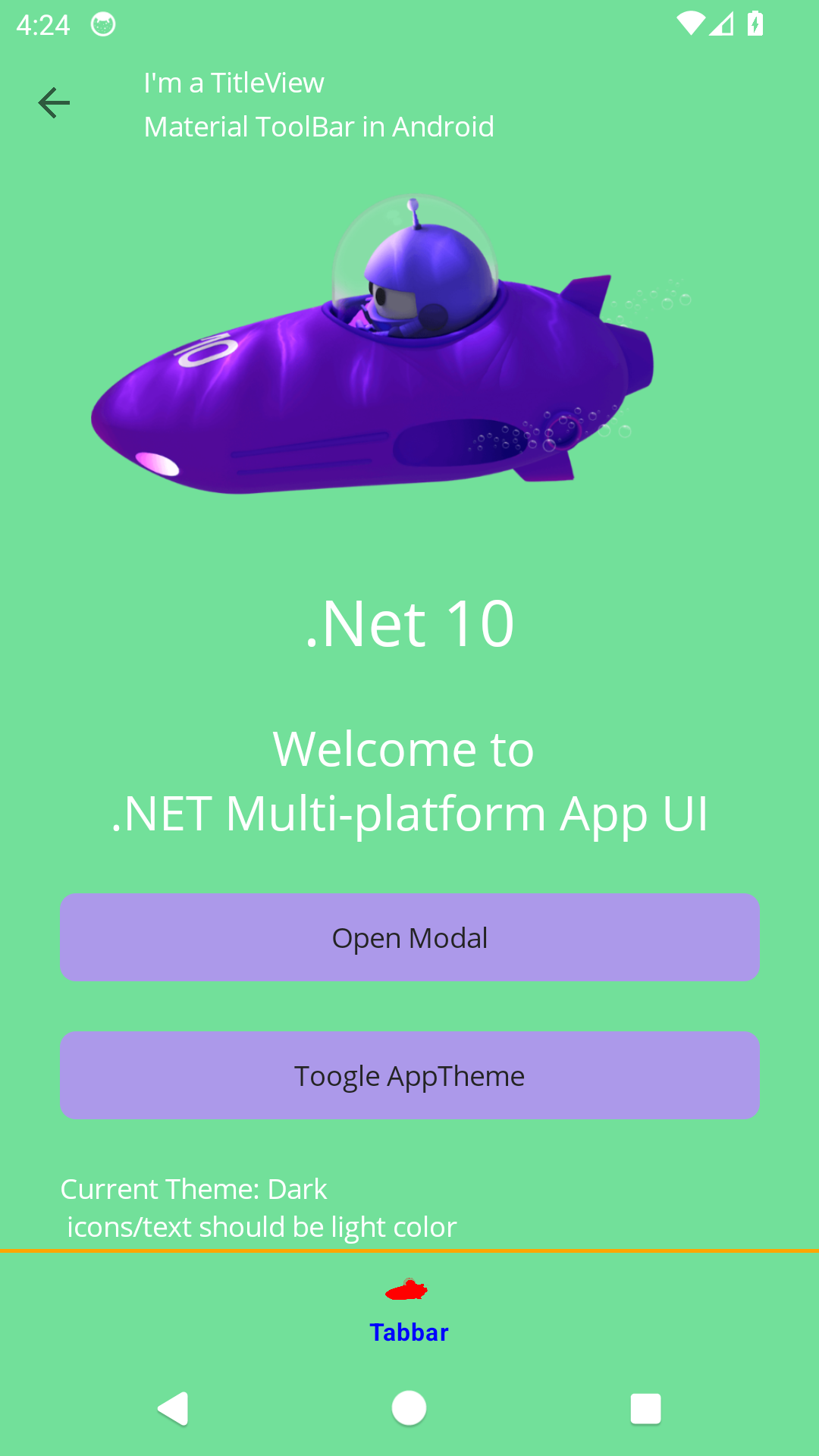
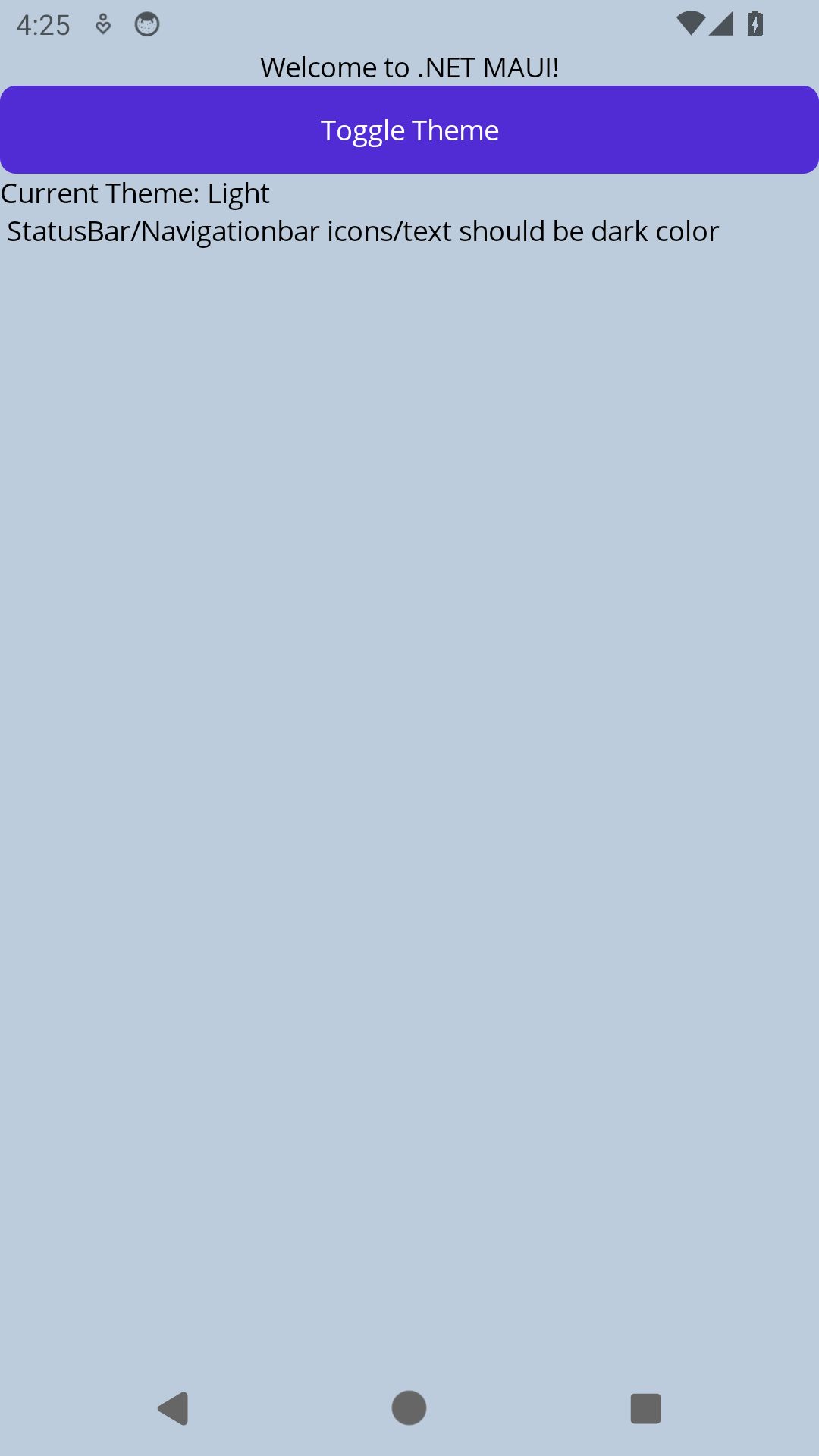
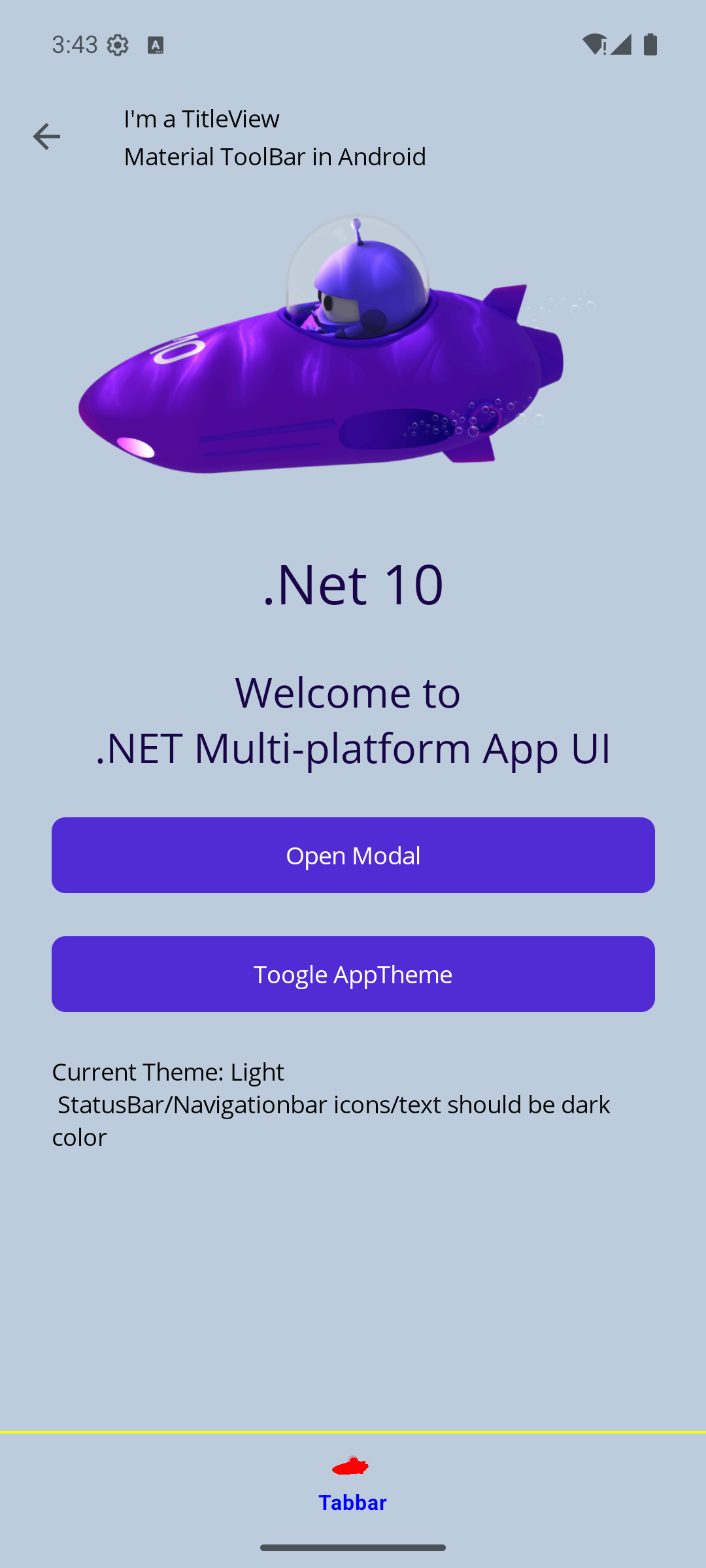
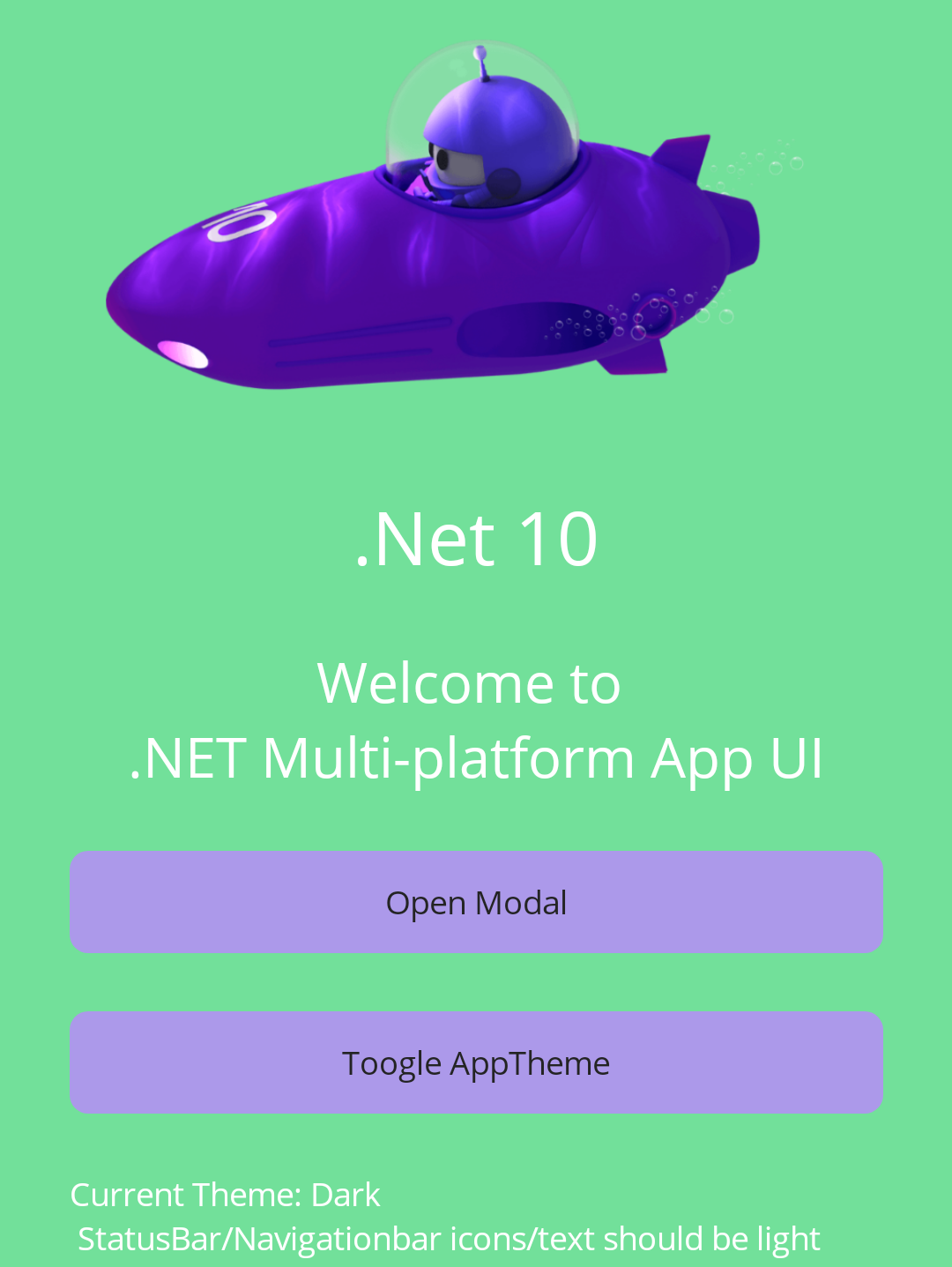
When the system is set to dark mode and the app starts the statusbar text has the wrong colours:
Wrong:
image
Correct:
image

@jfversluis

Copy link
Copy Markdown
Owner Author

@AlleSchonWeg OK, but, other than that, does it work? Does it work on the project you are looking at?

@AlleSchonWeg

Copy link
Copy Markdown

@AlleSchonWeg OK, but, other than that, does it work? Does it work on the project you are looking at?

I'm still testing. Give me some time ;)

Refresh the local MAUI package artifacts to the latest PR build and add a button that reapplies the reporter's Android system bar override for comparison.\n\nCo-authored-by: Copilot <223556219+Copilot@users.noreply.github.com>
@jfversluis

Copy link
Copy Markdown
Owner Author

Thanks for testing and reporting those two follow-up issues.

I updated the MAUI PR with fixes for both cases: dotnet/maui#35463

The repro PR has also been updated to consume the newer MAUI PR package artifacts:

  • Previous package version: 10.0.80-ci.pr35463.26265.21
  • Updated package version: 10.0.80-ci.pr35463.26268.5

What changed on the MAUI side:

  1. The repeated theme-toggle crash was addressed by changing how MAUI restores the Android AppBarLayout background. It no longer keeps/restores a retained drawable instance that can become disposed; it creates a fresh drawable from the original constant state instead.
  2. The cold-start status bar text/icon color issue was addressed by making system bar contrast prefer the actual bar background color when MAUI knows it.

About the status bar text/icon color: Android's API name is a little confusing. Setting AppearanceLightStatusBars = true means "the status bar background is light, so draw dark status bar icons/text." It does not mean "the app is in light theme."

With this repro, both configured bar colors are visually light:

  • Light theme: #BCCCDC
  • Dark theme: #72E09A

So the updated MAUI behavior intentionally keeps dark status bar icons/text in both themes because that gives better contrast against those backgrounds. If an app specifically wants "dark app theme always uses white status bar icons," it can still override that explicitly with Android-specific code.

To demonstrate that, I added an Apply Android Theme Override button to this repro. With the updated MAUI packages:

  • Before pressing the override button, dark theme uses #72E09A with dark status icons/text.
  • After pressing the override button, the background stays #72E09A, but status icons/text switch to white, matching the original workaround behavior.

I also re-tested locally on emulator-5554:

  • Cold-start dark mode uses the expected #72E09A bar background with dark status icons/text.
  • Pressing the override button switches the status icons/text to white.
  • 100 repeated theme toggles completed without the ObjectDisposedException / MaterialShapeDrawable crash.

@AlleSchonWeg

AlleSchonWeg commented May 18, 2026

Copy link
Copy Markdown

Two other things, which works with my original repro but not with this test branch. I don't know if this is releated:

  • .NET icon in SplashScreen is gone
image
  • Backbutton in modal page works only once. Open the modal again (2x) then you can't close the page.
image

Edit: Both works after commit: f3c0cb4 (this PR)

@jfversluis

Copy link
Copy Markdown
Owner Author

@AlleSchonWeg so just to be clear, with the latest version of this PR everything seems to work OK?

@AlleSchonWeg

Copy link
Copy Markdown
  1. The repeated theme-toggle crash was addressed by changing how MAUI restores the Android AppBarLayout background. It no longer keeps/restores a retained drawable instance that can become disposed; it creates a fresh drawable from the original constant state instead.

This is now fixed! 👍

About the status bar text/icon color: Android's API name is a little confusing. Setting AppearanceLightStatusBars = true means "the status bar background is light, so draw dark status bar icons/text." It does not mean "the app is in light theme."

I'm aware of this. In my prduction app i set AppearanceLightStatusBars and AppearanceLightNavigationBars in androids styles.xml and on theme change event.

So the updated MAUI behavior intentionally keeps dark status bar icons/text in both themes because that gives better contrast against those backgrounds. If an app specifically wants "dark app theme always uses white status bar icons," it can still override that explicitly with Android-specific code.

But this isn't working for modal page, when app starts with dark mode. Then the icons/text change colours:
untitled

Two other findings:

  • The icons/text become white when user change the theme via system settings from light to dark and a modal page is displayed.
  • Your ApplyReporterAndroidOverride function will not work with modal pages.

@AlleSchonWeg

Copy link
Copy Markdown

@AlleSchonWeg so just to be clear, with the latest version of this PR everything seems to work OK?

Yes

@jfversluis

Copy link
Copy Markdown
Owner Author

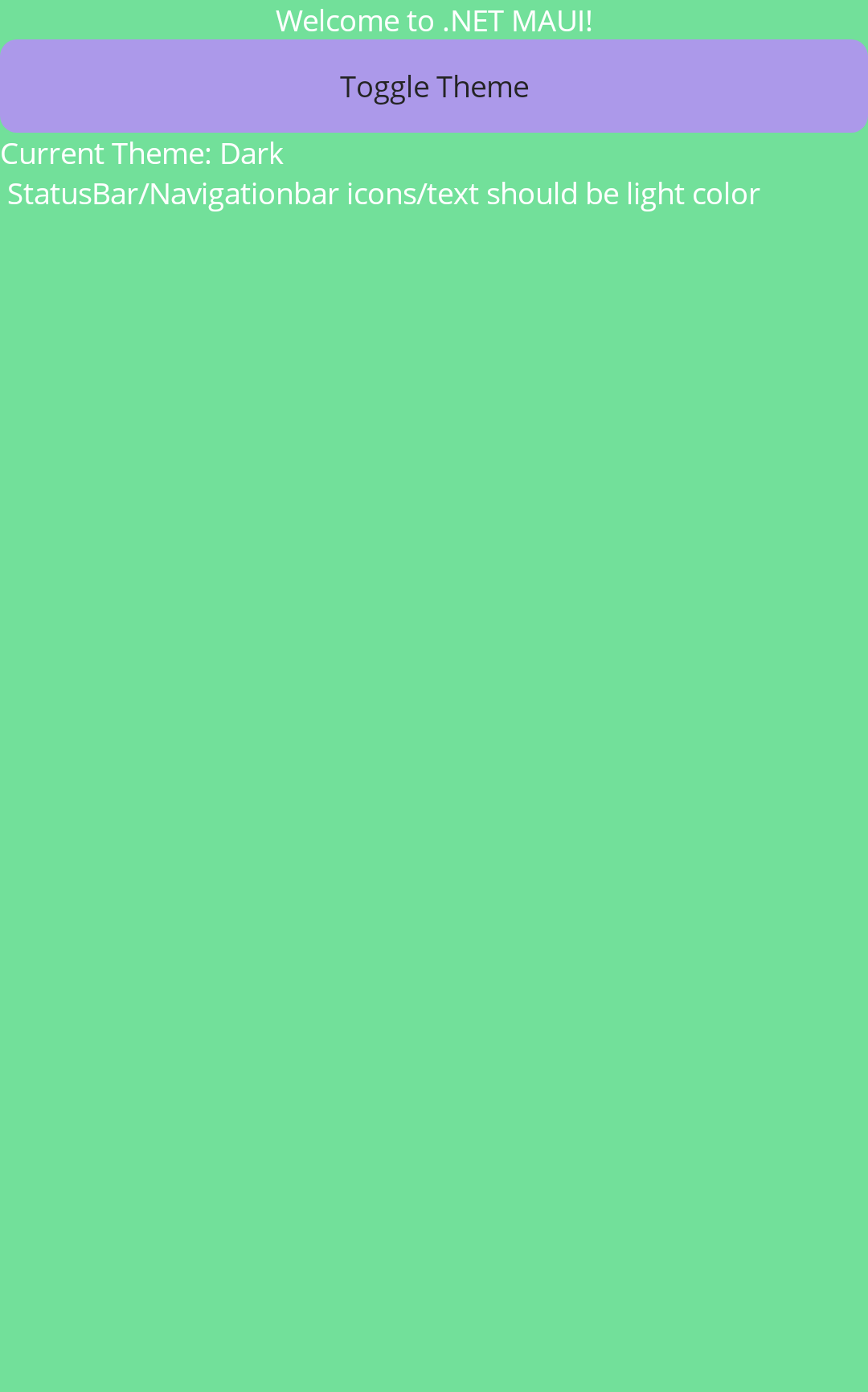
Thanks for the extra modal details. I was able to reproduce the modal-specific problem against the previous PR packages: when starting in dark mode, the modal NavigationPage uses a light status bar area but the status bar icons/text can stay white. That matches what you described.

I pushed an additional MAUI PR update for this: dotnet/maui#35463 now includes commit 9ee2075b (Fix Android modal system bar contrast). The fix treats Android modal pages as their own dialog window, and for modal NavigationPages it uses the MAUI navigation bar background/text color when deciding status bar contrast instead of falling back to the modal content/window background or app theme.

With that local patch applied to the repro package, I verified:

  • opening the modal from dark mode keeps dark status bar icons/text on the light green NavigationPage bar;
  • toggling the app theme while the modal is open keeps contrast correct;
  • changing Android system light/dark mode while the modal is open does not flip the modal status icons to white;
  • the original activity-window override sample still only affects the activity window. It does not affect modal dialog windows unless the same style of override is applied to the modal dialog window itself, because Android gives MAUI modals a separate Dialog.Window.

Once the updated MAUI PR build finishes, I’ll refresh this repro PR to consume the new packages so the modal behavior can be verified directly from this repo without the local patched package.

Co-authored-by: Copilot <223556219+Copilot@users.noreply.github.com>
@jfversluis

Copy link
Copy Markdown
Owner Author

Updated this repro PR to package build 10.0.80-ci.pr35463.26268.16, which includes the latest MAUI PR modal-window fix (dotnet/maui@9ee2075b). The repro branch commit is 4805e97.

I also re-tested the modal scenarios from this repo on the Android emulator with those packages installed:

  • modal opened from dark mode now has dark status bar icons/text on the light MAUI navigation bar;
  • toggling the app theme while the modal is open keeps the status bar contrast correct;
  • changing Android system light/dark mode while the modal is open does not flip the modal status icons/text to white.

For comparison, I reproduced the previous package behavior before this update: the modal could show white status icons/text on a light status bar area. This package refresh should make the repro PR reflect the current MAUI PR behavior.

@jfversluis

Copy link
Copy Markdown
Owner Author

Can you please try the latest MAUI PR artifacts now? This repro PR is updated to package build 10.0.80-ci.pr35463.26268.16, which includes the latest modal-window fix from dotnet/maui#35463.

For manual verification, this is what I expect you to see:

  1. Start the app in Android dark mode.
  2. On the main page, the status bar should be green (#72E09A) with dark status bar icons/text.
  3. Tap Open Modal.
  4. The modal should open with title My Title and a green top/status area.
  5. On the modal, the status bar icons/text should stay dark, not white.
  6. Tap Toggle Theme inside the modal.
  7. The modal top/status area changes to the light-theme bluish color (#BCCCDC), and the status bar icons/text should still be dark.
  8. While the modal is still open, switch Android system theme dark/light.
  9. The modal status bar icons/text should not flip to white unexpectedly.

The important bit is that both repro bar colors are visually light, so MAUI should choose dark status bar icons/text for both colors regardless of whether app/system theme is dark or light.

The Apply Android Theme Override button on the main page is intentionally activity-window-only. It can force the main activity status icon mode, but it should not be treated as a modal override because Android modals use a separate Dialog.Window.

@AlleSchonWeg

Copy link
Copy Markdown

With 10.0.80-ci.pr35463.26268.16 it works on API 35/36. But with API 27 it is not working (My demo code (main branch) also works with API 27).


I looked at your MAUI PR and i'm not sure if all these changes are needed.
The main problem is the AppBarlayout and the background to primaryColor:
https://github.com/dotnet/maui/blob/f8cb875eeec2dff76dd158e21634d3216ddc2edd/src/Core/src/Platform/Android/Resources/values/styles.xml#L22

I suggest remove the background color item from appBarLayout. Or what is the reason to set this value when edge to edge is enabled? This would eliminate my workaround in styles.xml:

<style name="MauiAppBarLayout" parent="ThemeOverlay.AppCompat.Dark.ActionBar">
	<item name="android:background">@android:color/transparent</item>
</style>

Setting android:background to primaryColor is ok for non edge to edge. But not when target API 35 (.Net 10) where edge to edge is forced.

Have you read this article: https://proandroiddev.com/how-to-support-edge-to-edge-display-in-android-apps-part-i-0ab1adf5986f ? This is almost the same problem. Look at Fig 3. Made app top bar sticky using system bars insets. When AppBarLayout has no backgroundColor we will see the windowBackgroundColor. In part 2 the author show how to set the styles for theming: https://proandroiddev.com/how-to-support-edge-to-edge-display-in-android-apps-part-ii-c0b9fdc001d7
for API 21-27 and another style for above 27.
I think this would fix most of the issues. Perhaps some issues remain with modal pages.

@AlleSchonWeg

Copy link
Copy Markdown

This is API 27-29 with 10.0.80-ci.pr35463.26268.16:
image

This is API 30-34 with 10.0.80-ci.pr35463.26268.16 (icon/text color is the difference):
image

This is API 35 with 10.0.80-ci.pr35463.26268.16 (working API):
image

This is working API 28 with my workarounds (modal works on API 27/28):
image

I think the differences are clear and i hope you are not frustrated. ;)

@jfversluis

Copy link
Copy Markdown
Owner Author

Thanks, this is helpful and not frustrating. The API split makes the remaining gap clear.

I agree that 10.0.80-ci.pr35463.26268.16 fixes the API 35/36 path, but API 27-29 were still taking MAUI's legacy system-bar path. That meant the new MAUI chrome helper was not setting the pre-API-30 status/navigation bar background or icon appearance, so those versions could keep the old colorPrimary/activity-window status bar result.

I pushed another MAUI PR update for that: dotnet/maui#35463 now includes commit e075a990 (Update Android legacy system bar chrome). The change makes MAUI apply the known bar background/icon appearance through the AndroidX compat path for older Android versions too, and it updates modal dialog windows through the same helper after the legacy fallback runs.

I don't want to remove the default MauiAppBarLayout background outright because that is a broader styling/back-compat change, especially for non-edge-to-edge and apps without explicit MAUI bar colors. The PR instead keeps the existing fallback and only overrides system/app bar chrome when MAUI has an explicit chrome color to apply.

The current repro PR packages still point to .16, so they do not include this new API 27-29 follow-up yet. Once the MAUI PR build publishes the next package artifacts, I will refresh this repro PR again so you can test API 27-29 directly from this branch.

Co-authored-by: Copilot <223556219+Copilot@users.noreply.github.com>
@jfversluis

Copy link
Copy Markdown
Owner Author

I refreshed this repro PR to the latest MAUI PR artifacts: 10.0.80-ci.pr35463.26269.2.

This package build includes the API 27-29 follow-up from dotnet/maui#35463 (e075a990), so it should be the one to test for the older Android screenshots you posted. The repro PR branch commit is 4f20972.

I verified the refreshed packages on the emulator I have running here, which is API 35: modal opened from dark mode, modal theme toggle, and Android system theme changes all keep the expected dark status bar icons/text on the light bar colors. I do not currently have an API 27-29 emulator available locally, so your API 27/28/29 retest will be the important confirmation for that legacy path.

@AlleSchonWeg

AlleSchonWeg commented May 19, 2026

Copy link
Copy Markdown

Thanks for your explanation!
I tested API 27-29. It looks better, but the Navigationbar (3 dot navigation) in the modal page is not coloured. The other page is ok.

Current Expected
image image

API 30,31 shows the same behaviour.

@AlleSchonWeg

AlleSchonWeg commented May 22, 2026

Copy link
Copy Markdown

Hi,
i tested 10.0.80-ci.pr35463.26269.2 with my real world app on API 27/28 and my app uses a brush as TabbedPage.BarBackground, because i need a small line above the icons(yellow and orange in repro). BarBackgroundColor is not set.

    <TabbedPage.BarBackground>
        <OnPlatform x:TypeArguments="Brush">
            <On Platform="Android">
                <LinearGradientBrush StartPoint="0,0"
									 EndPoint="0,1">
                    <GradientStop Color="{AppThemeBinding Light=Yellow, Dark=Orange}"
								  Offset="0.0" />
                    <GradientStop Color="{AppThemeBinding Light=Yellow, Dark=Orange}"
								  Offset="0.02" />
                    <GradientStop Color="{AppThemeBinding Light=#BCCCDC, Dark=#72e09a}"
								  Offset="0.02" />
                    <GradientStop Color="{AppThemeBinding Light=#BCCCDC, Dark=#72e09a}"
								  Offset="1.0" />
                </LinearGradientBrush>
            </On>
            <On Platform="iOS">
                <!--unter iOS auch einen LinearGradientBrush nutzen. Solidbrush geht bei Themeänderungen nicht-->
                <LinearGradientBrush StartPoint="0,0"
									 EndPoint="0,1">
                    <GradientStop Color="{AppThemeBinding Light=#BCCCDC, Dark=#72e09a}"
								  Offset="0.00" />
                    <GradientStop Color="{AppThemeBinding Light=#BCCCDC, Dark=#72e09a}"
								  Offset="1.0" />
                </LinearGradientBrush>
            </On>
        </OnPlatform>
    </TabbedPage.BarBackground>

Now the 3 dot navgation is black:
image

The same happens if nothing is set (BarBackgroundColor and BarBackground).

Repro.zip

I think i can workaround this by setting some values in android styles.xml to make this work with 3 dot navigation and gesture navigation.
It is very complicated that all combinations are working and almost impossible without custom styles.xml.

  • API 27-36
  • Themes (dark / light)
  • Modal pages
  • 3 dot and gesture navigation
  • Brush BarBackground and BarBackgroundColor
  • Custom Splashscreen (for dark / light theme) => ATM not possible with MAUI build in splash screen
  • ContentPage with NavigationPage.HasNavigationBar="False"

@AlleSchonWeg

Copy link
Copy Markdown

Hi,
i have modified the sample to create a more "real world" app. I added a custom splash screen (because MAUI can't generate one for light and one for dark theme). I also add:

  • A start page. (like a login page for business apps)
  • A page with a brush as TabbedPage background
  • A page with a fixed color as TabbedPage background
  • The ability to navigate back
  • ModalPages

I think the sample includes almost everything, like a real world app.
Just click back and forth, start with dark mode, toggle theme and you i'm sure you will see the inconsistent behaviour.
CustomSplashScreenAndStyles.zip

@jfversluis

jfversluis commented Jun 2, 2026

Copy link
Copy Markdown
Owner Author

@AlleSchonWeg I pushed an update to dotnet/maui#35463 and left the MAUI PR as draft while we wait for artifact verification.

I tested your sample with MAUI DevFlow against the updated PR build/local patched Microsoft.Maui.Controls.dll. The expected result I verified is that the status bar and Android navigation/gesture bar use the correct effective chrome color for the current page/theme:

  • light brush / modal light: #BCCCDC
  • dark brush: #72E09A

I also created temporary x86_64 AVDs for the older API buckets mentioned in the issue/PR discussion (API 28, 30, and 34), verified the same scenarios, and deleted those AVDs afterward.

Android API Brush light Brush dark Modal light Sampled colors
28 API 28 brush light API 28 brush dark API 28 modal light #BCCCDC / #72E09A / #BCCCDC
30 API 30 brush light API 30 brush dark API 30 modal light #BCCCDC / #72E09A / #BCCCDC
34 API 34 brush light API 34 brush dark API 34 modal light #BCCCDC / #72E09A / #BCCCDC
36 API 36 brush light API 36 brush dark API 36 modal light #BCCCDC / #72E09A / #BCCCDC

Could you please try the artifacts from the latest dotnet/maui#35463 build once they are available and confirm whether this now fixes the sample on your devices/emulators too?

@AlleSchonWeg

AlleSchonWeg commented Jun 2, 2026

Copy link
Copy Markdown

Hi @jfversluis ,
regarding Android status/navigation bar color it works with API 35, 36.

I tested also API 29 to 31 with 3 dot navigation. If CreateWindow is set to a NavigationPage with a normal ContentPage as root the 3 dot NavigationBar is black (dark system theme) or white (light system theme). When i navigate in the app and go back the colour changes:
untitled

Init code:

protected override Window CreateWindow(IActivationState? activationState)
{
    var navigationPage = new NavigationPage(new StartPage());
    navigationPage.SetAppThemeColor(NavigationPage.BackgroundColorProperty, Color.FromArgb("#BCCCDC"), Color.FromArgb("#72e09a"));
    navigationPage.SetAppThemeColor(NavigationPage.BarBackgroundColorProperty, Color.FromArgb("#BCCCDC"), Color.FromArgb("#72e09a"));
    return new Window(navigationPage);
}

@AlleSchonWeg

Copy link
Copy Markdown

Another issue is about the AppearanceLightStatusBars and AppearanceLightNavigationBars. I think all API's are affected. You have implemented that these values are set automatically, depending on contrast. This causing some problems:

  • When using Androids Splashscreen API, developers can set these values in styles.xml for the Splashscreen. If these values are not match your contrast calculation the colour changes after the splashscreen.
  • When user toggles the theme the actual statusbar/navigationbar appearance can be changed by the developer, but if a new page is created the developers change are ignored.

The gif shows the issue (emulator API 35 and light theme). Toggle theme change button change the AppearanceLightStatusBars to false and the text/icons becomes white, but after open the modal page the AppearanceLightStatusBars is true.

untitled

Please remove the contrast detection and let the developer decide.

@AlleSchonWeg

Copy link
Copy Markdown

@AlleSchonWeg I pushed an update to dotnet/maui#35463 and left the MAUI PR as draft while we wait for artifact verification.

I tested your sample with MAUI DevFlow against the updated PR build/local patched Microsoft.Maui.Controls.dll. The expected result I verified is that the status bar and Android navigation/gesture bar use the correct effective chrome color for the current page/theme:

  • light brush / modal light: #BCCCDC
  • dark brush: #72E09A

I also created temporary x86_64 AVDs for the older API buckets mentioned in the issue/PR discussion (API 28, 30, and 34), verified the same scenarios, and deleted those AVDs afterward.

The "brush problem" is fixed! Thanks great work!

We will also fix the remaining problems 💪

@jfversluis

Copy link
Copy Markdown
Owner Author

@AlleSchonWeg I pushed another update to dotnet/maui#35463 (27646a426c) and kept the MAUI PR as draft while waiting for artifact verification.

This update does two things based on your latest comments:

  1. Removes MAUI's automatic AppearanceLightStatusBars / AppearanceLightNavigationBars contrast decision from this system chrome path. MAUI now updates the bar background colors without changing the developer-controlled system bar icon/text appearance.
  2. Fixes the API 29-31 three-button navigation case where a root NavigationPage(new StartPage()) initially left the Android navigation bar black/white until navigating away and back.

I verified the updated local MAUI assemblies in your sample with MAUI DevFlow on a temporary Android API 30 x86_64 emulator with three-button navigation enabled, then deleted that emulator/SDK afterward. Sampled colors from the full-device screenshots:

Scenario Sampled result Screenshot
API 30 root NavigationPage, light system theme, initial launch status/nav #BCCCDC image
API 30 root NavigationPage, dark system theme, initial launch status/nav #72E09A image
API 30 brush TabbedPage, dark theme nav/tab #72E09A image
API 30 modal after app/developer switches to dark appearance status/nav #72E09A; MAUI did not reset appearance flags image

Once the new PR artifacts are available, could you try this version against your repro/real app and confirm whether these two remaining issues are resolved?

Use MAUI PR 35463 package artifacts from build 1446179 so the repro PR exercises the latest Android system chrome fixes.

Co-authored-by: Copilot <223556219+Copilot@users.noreply.github.com>
@jfversluis

Copy link
Copy Markdown
Owner Author

@AlleSchonWeg I refreshed this PR to use the latest MAUI PR 35463 package artifacts: 10.0.80-ci.pr35463.26302.52 from build 1446179.

The latest MAUI changes address the two follow-up points you raised:

  • MAUI no longer makes automatic AppearanceLightStatusBars / AppearanceLightNavigationBars luminosity decisions. Those flags stay under the app/developer's control.
  • API 29-31 three-button navigation gets the root NavigationPage(new StartPage()) Android navigation bar color on initial load, not only after navigating.

I verified the refreshed packages with DevFlow on an API 30 x86_64 emulator using three-button navigation. The sampled status/navigation chrome colors matched the sample's expected values: light #BCCCDC, dark #72E09A.

Scenario Screenshot
Root NavigationPage light API 30 root light
Root NavigationPage dark API 30 root dark
Gradient tab brush dark API 30 brush dark
Modal dark API 30 modal dark
Modal after developer toggle back to light API 30 modal light after developer toggle

MAUI PR 35463 is still draft while this is being verified.

@AlleSchonWeg

AlleSchonWeg commented Jun 3, 2026

Copy link
Copy Markdown

Hi,
starting app in DarkMode and then switching to light the ModalPage has the wrong text/icon color and also the 3 dots have the wrong color. Here are videos for API 29 (with 3 dot nav) and 35.

API 35 API 29
API.35.ModalPage.mp4
API.29.ModalPage.mp4

@AlleSchonWeg

AlleSchonWeg commented Jun 3, 2026

Copy link
Copy Markdown

I'm not sure if this is another issue, but the navigation arrow:
image
sometimes not changes colour. You need to navigate back.

Pfeil.mp4

@AlleSchonWeg

Copy link
Copy Markdown

I tested more. Also with the custom splashscreen demo.
First, the issue described in this comment: #1 (comment) is not happening. I think it's because i set styles for the splashscreen. The demo app from the previous comment hast no custom splashscreen and no custom styles.


Ok. The new packages (10.0.80-ci.pr35463.26302.52) work 100 % from API 27 to 30. 👍

On API 31 and 34 to 36 the splashscreen has the wrong icon/text colour when system is in dark mode. I think it's because i need to set <item name="windowSplashScreenBackground">@color/BackgroundDark</item> for splashscreen style.

<?xml version="1.0" encoding="utf-8"?>
<resources>
	<color name="BackgroundDark">#72e09a</color>
	<!--SplashScreen Colors Ende-->
</resources>

I changed BackgroundDark to #72e and the icon/text are correct. Perhaps still some auto adjustment?!
Demo video:

API.31.Splash.mp4

With API 32 and 33 the behaviour is similar. Also when system is in dark mode. The icon/text colour are correct (white), then it flickers to dark and the white again.

Demo:

API.33.Splash.mp4

Here is the demo app with custom splashscreen.

StatusBar Custom Splashscreen.zip

@AlleSchonWeg

Copy link
Copy Markdown

Hi @jfversluis
Do you still working on the issue?
Thank you

@jfversluis

Copy link
Copy Markdown
Owner Author

Hi @AlleSchonWeg, yes, still working on it. Thanks for the additional videos/sample.

I pushed another update to dotnet/maui#35463: ec4f16e5 (Fix Android toolbar icon tint updates). This targets the remaining toolbar foreground issue you showed where the navigation arrow and/or three-dots overflow icon could keep the old color until navigating back. The fix clears stale native Android color filters when Toolbar.IconColor is unset, and uses the effective toolbar foreground consistently:

  • explicit Toolbar.IconColor still wins;
  • otherwise the back arrow and overflow icon follow Toolbar.BarTextColor;
  • when neither is set, MAUI restores/clears the native tint instead of leaving an old one behind.

New MAUI PR artifacts are pending from that latest commit. Once they are available, please try the newer artifacts instead of 10.0.80-ci.pr35463.26302.52 for the arrow/three-dots case.

For the custom splashscreen sample: I inspected the attached project. In values-night/styles.xml the splash theme uses a light green background (#72e09a) while also setting:

<item name="android:windowLightStatusBar">false</item>
<item name="android:windowLightNavigationBar">false</item>

That asks Android for light/white system bar icons during the splash/post-splash theme. On a light background such as #72e09a, white status-bar text/icons will have poor contrast. The current MAUI PR intentionally no longer overrides those AppearanceLightStatusBars / AppearanceLightNavigationBars flags, so the splashscreen icon/text appearance is controlled by the Android splash/post-splash theme, not by the MAUI chrome helper.

For that custom splash style, if you want dark icons on the light green splash background, try setting the night splash/post-splash theme to android:windowLightStatusBar=true (and android:windowLightNavigationBar=true if you need dark navigation-bar icons too). If you want white icons, use a darker splash background. The API 32/33 white → dark → white flicker looks like Android SplashScreen theme handoff behavior; if it still happens after the splash and post-splash themes request the same icon appearance, we should track that separately from this MAUI chrome-color PR.

jfversluis and others added 2 commits June 17, 2026 20:49
Co-authored-by: Copilot <223556219+Copilot@users.noreply.github.com>
@jfversluis

Copy link
Copy Markdown
Owner Author

Updated this repro PR to the latest official MAUI PR artifacts from dotnet/maui#35463:

  • Package version: 10.0.90-ci.pr35463.26317.39
  • Azure build: 1469261
  • Repro branch commit: 5ee0a41

I also retested locally on the API 35 emulator with those exact packages. The modal scenario now behaves as expected:

  • Dark start: modal status bar + toolbar use #72E09A, with white default title text.
  • Toggle the modal to light: modal status bar + toolbar update to #BCCCDC, and the default toolbar title changes to black instead of staying white.
  • The added “Apply Android Theme Override” button still runs the reporter-style Android override code without crashing; root dark/light screenshots showed the expected system chrome colors.

One clarification on the status bar icon/color part: the MAUI fix intentionally makes the status/navigation bar background follow the MAUI navigation/tab/modal chrome more predictably, but it does not take over Android’s windowLightStatusBar / windowLightNavigationBar icon flags. Those stay under app/theme/developer control for compatibility. The custom splash screen is still Android-theme-controlled as well, so if a light splash background is paired with windowLightStatusBar=false, Android will still draw light icons on that light splash background.

The latest MAUI CI pipelines are still running, but the official package artifact is available and this repro now uses it.

@AlleSchonWeg

AlleSchonWeg commented Jun 18, 2026

Copy link
Copy Markdown

Hi @jfversluis,
i tried to test the new version (10.0.90-ci.pr35463.26317.39) but the latest test app crashes.

06-18 08:44:04.181 E/AndroidRuntime(12426): FATAL EXCEPTION: main
06-18 08:44:04.181 E/AndroidRuntime(12426): Process: com.companyname.MauiApp1Net10, PID: 12426
06-18 08:44:04.181 E/AndroidRuntime(12426): android.runtime.JavaProxyThrowable: [System.ObjectDisposedException]: Cannot access disposed object with JniIdentityHashCode=151447806.
06-18 08:44:04.181 E/AndroidRuntime(12426): Object name: 'Google.Android.Material.Shape.MaterialShapeDrawable+MaterialShapeDrawableState'.
06-18 08:44:04.181 E/AndroidRuntime(12426): at Java.Interop.JniPeerMembers.AssertSelf + 0x1e(Unknown Source)
06-18 08:44:04.181 E/AndroidRuntime(12426): at Java.Interop.JniPeerMembers+JniInstanceMethods.InvokeVirtualObjectMethod + 0x0(Unknown Source)
06-18 08:44:04.181 E/AndroidRuntime(12426): at Google.Android.Material.Shape.MaterialShapeDrawable+MaterialShapeDrawableState.NewDrawable(C:\a_work\1\s\generated\com.google.android.material.material\obj\Release
et10.0-android\generated\src\Google.Android.Material.Shape.MaterialShapeDrawable.cs:366)
06-18 08:44:04.181 E/AndroidRuntime(12426): at Microsoft.Maui.Controls.Platform.AndroidSystemChrome+OriginalAppBarBackground.CreateDrawable(//src/Controls/src/Core/Platform/Android/AndroidSystemChrome.cs:340)
06-18 08:44:04.181 E/AndroidRuntime(12426): at Microsoft.Maui.Controls.Platform.AndroidSystemChrome.UpdateAppBarBackground(/
/src/Controls/src/Core/Platform/Android/AndroidSystemChrome.cs:138)
06-18 08:44:04.181 E/AndroidRuntime(12426): at Microsoft.Maui.Controls.Platform.AndroidSystemChrome.UpdateTopChrome(//src/Controls/src/Core/Platform/Android/AndroidSystemChrome.cs:31)
06-18 08:44:04.181 E/AndroidRuntime(12426): at Microsoft.Maui.Controls.Platform.ToolbarExtensions.UpdateSystemChrome(/
/src/Controls/src/Core/Platform/Android/Extensions/ToolbarExtensions.cs:305)
06-18 08:44:04.181 E/AndroidRuntime(12426): at Microsoft.Maui.Controls.Platform.ToolbarExtensions.UpdateBarTextColor(//src/Controls/src/Core/Platform/Android/Extensions/ToolbarExtensions.cs:217)
06-18 08:44:04.181 E/AndroidRuntime(12426): at Microsoft.Maui.Controls.Platform.ToolbarExtensions.UpdateBarBackground(/
/src/Controls/src/Core/Platform/Android/Extensions/ToolbarExtensions.cs:176)
06-18 08:44:04.181 E/AndroidRuntime(12426): at Microsoft.Maui.Controls.Toolbar.RefreshBarBackground(//src/Controls/src/Core/Toolbar/Toolbar.Android.cs:150)
06-18 08:44:04.181 E/AndroidRuntime(12426): at Microsoft.Maui.Controls.Toolbar.UpdateBarBackground(/
/src/Controls/src/Core/Toolbar/Toolbar.Android.cs:138)
06-18 08:44:04.181 E/AndroidRuntime(12426): at Microsoft.Maui.Controls.Toolbar.MapBarBackground(//src/Controls/src/Core/Toolbar/Toolbar.Android.cs:199)
06-18 08:44:04.181 E/AndroidRuntime(12426): at Microsoft.Maui.PropertyMapperExtensions+<>c__DisplayClass2_02[[Microsoft.Maui.Controls.Toolbar, Microsoft.Maui.Controls, Version=10.0.0.0, Culture=neutral, PublicKeyToken=null],[Microsoft.Maui.Handlers.IToolbarHandler, Microsoft.Maui, Version=10.0.0.0, Culture=neutral, PublicKeyToken=null]].<ReplaceMapping>b__0(/_/src/Core/src/PropertyMapperExtensions.cs:66) 06-18 08:44:04.181 E/AndroidRuntime(12426): at Microsoft.Maui.PropertyMapperExtensions+<>c__DisplayClass1_02[[Microsoft.Maui.Controls.Toolbar, Microsoft.Maui.Controls, Version=10.0.0.0, Culture=neutral, PublicKeyToken=null],[Microsoft.Maui.Handlers.IToolbarHandler, Microsoft.Maui, Version=10.0.0.0, Culture=neutral, PublicKeyToken=null]].g__newMethod|0(/
/src/Core/src/PropertyMapperExtensions.cs:46)
06-18 08:44:04.181 E/AndroidRuntime(12426): at Microsoft.Maui.PropertyMapper2+<>c__DisplayClass5_0[[Microsoft.Maui.IToolbar, Microsoft.Maui, Version=10.0.0.0, Culture=neutral, PublicKeyToken=null],[Microsoft.Maui.Handlers.IToolbarHandler, Microsoft.Maui, Version=10.0.0.0, Culture=neutral, PublicKeyToken=null]].<Add>b__0(/_/src/Core/src/PropertyMapper.cs:239) 06-18 08:44:04.181 E/AndroidRuntime(12426): at Microsoft.Maui.PropertyMapper.TryUpdatePropertyCore(/_/src/Core/src/PropertyMapper.cs:63) 06-18 08:44:04.181 E/AndroidRuntime(12426): at Microsoft.Maui.PropertyMapper.UpdateProperty(/_/src/Core/src/PropertyMapper.cs:114) 06-18 08:44:04.181 E/AndroidRuntime(12426): at Microsoft.Maui.Handlers.ElementHandler.UpdateValue(/_/src/Core/src/Handlers/Element/ElementHandler.cs:106) 06-18 08:44:04.181 E/AndroidRuntime(12426): at Microsoft.Maui.Controls.Toolbar.SetProperty(/_/src/Controls/src/Core/Toolbar/Toolbar.cs:78) 06-18 08:44:04.181 E/AndroidRuntime(12426): at Microsoft.Maui.Controls.Toolbar.set_BarBackground(/_/src/Controls/src/Core/Toolbar/Toolbar.cs:39) 06-18 08:44:04.181 E/AndroidRuntime(12426): at Microsoft.Maui.Controls.NavigationPageToolbar.ApplyChanges(/_/src/Controls/src/Core/NavigationPage/NavigationPageToolbar.cs:258) 06-18 08:44:04.181 E/AndroidRuntime(12426): at Microsoft.Maui.Controls.NavigationPageToolbar.NavigationPageChildrenChanged(/_/src/Controls/src/Core/NavigationPage/NavigationPageToolbar.cs:136) 06-18 08:44:04.181 E/AndroidRuntime(12426): at Microsoft.Maui.Controls.Element.OnChildAdded(/_/src/Controls/src/Core/Element/Element.cs:640) 06-18 08:44:04.182 E/AndroidRuntime(12426): at Microsoft.Maui.Controls.VisualElement.OnChildAdded(/_/src/Controls/src/Core/VisualElement/VisualElement.cs:1379) 06-18 08:44:04.182 E/AndroidRuntime(12426): at Microsoft.Maui.Controls.Element.InsertLogicalChild(/_/src/Controls/src/Core/Element/Element.cs:208) 06-18 08:44:04.182 E/AndroidRuntime(12426): at Microsoft.Maui.Controls.Page.InternalChildrenOnCollectionChanged(/_/src/Controls/src/Core/Page/Page.cs:765) 06-18 08:44:04.182 E/AndroidRuntime(12426): at System.Collections.ObjectModel.ObservableCollection1[[Microsoft.Maui.Controls.Element, Microsoft.Maui.Controls, Version=10.0.0.0, Culture=neutral, PublicKeyToken=null]].OnCollectionChanged + 0x18(Unknown Source)
06-18 08:44:04.182 E/AndroidRuntime(12426): at System.Collections.ObjectModel.ObservableCollection1[[Microsoft.Maui.Controls.Element, Microsoft.Maui.Controls, Version=10.0.0.0, Culture=neutral, PublicKeyToken=null]].OnCollectionChanged + 0x0(Unknown Source) 06-18 08:44:04.182 E/AndroidRuntime(12426): at System.Collections.ObjectModel.ObservableCollection1[[Microsoft.Maui.Controls.Element, Microsoft.Maui.Controls, Version=10.0.0.0, Culture=neutral, PublicKeyToken=null]].InsertItem + 0x1a(Unknown Source)
06-18 08:44:04.182 E/AndroidRuntime(12426): at System.Collections.ObjectModel.Collection`1[[Microsoft.Maui.Controls.Element, Microsoft.Maui.Controls, Version=10.0.0.0, Culture=neutral, PublicKeyToken=null]].Add + 0x1f(Unknown Source)
06-18 08:44:04.182 E/AndroidRuntime(12426): at Microsoft.Maui.Controls.NavigationPage.PushPage(//src/Controls/src/Core/NavigationPage/NavigationPage.Legacy.cs:228)
06-18 08:44:04.182 E/AndroidRuntime(12426): at Microsoft.Maui.Controls.NavigationPage+MauiNavigationImpl+<>c__DisplayClass9_0.b__0(/
/src/Controls/src/Core/NavigationPage/NavigationPage.cs:909)
06-18 08:44:04.182 E/AndroidRuntime(12426): at Microsoft.Maui.Controls.NavigationPage+d__104.MoveNext(/_/src/Controls/src/Core/NavigationPage/NavigationPage.cs:659)
06-18 08:44:04.182 E/AndroidRuntime(12426): at System.Runtime.ExceptionServices.ExceptionDispatchInfo.Throw + 0x11(Unknown Source)
06-18 08:44:04.182 E/AndroidRuntime(12426): at System.Runtime.CompilerServices.TaskAwaiter.ThrowForNonSuccess + 0x37(Unknown Source)
06-18 08:44:04.182 E/AndroidRuntime(12426): at System.Runtime.CompilerServices.TaskAwaiter.HandleNonSuccessAndDebuggerNotification + 0x2d(Unknown Source)
06-18 08:44:04.182 E/AndroidRuntime(12426): at System.Runtime.CompilerServices.TaskAwaiter.ValidateEnd + 0x8(Unknown Source)
06-18 08:44:04.182 E/AndroidRuntime(12426): at System.Runtime.CompilerServices.TaskAwaiter.GetResult + 0x0(Unknown Source)
06-18 08:44:04.182 E/AndroidRuntime(12426): at MauiApp1Net10.StartPage+<Button_Clicked>d__2.MoveNext(C:\Users\moellers\source\repos\maui-android-statusbar-repro\StartPage.xaml.cs:23)
06-18 08:44:04.182 E/AndroidRuntime(12426): at System.Runtime.ExceptionServices.ExceptionDispatchInfo.Throw + 0x11(Unknown Source)
06-18 08:44:04.182 E/AndroidRuntime(12426): at System.Threading.Tasks.Task+<>c.b__124_0 + 0x0(Unknown Source)
06-18 08:44:04.182 E/AndroidRuntime(12426): at Android.App.SyncContext+<>c__DisplayClass2_0.b__0 + 0x0(Unknown Source)
06-18 08:44:04.182 E/AndroidRuntime(12426): at Java.Lang.Thread+RunnableImplementor.Run + 0x8(Unknown Source)
06-18 08:44:04.182 E/AndroidRuntime(12426): at Java.Lang.IRunnableInvoker.n_Run + 0xe(Unknown Source)
06-18 08:44:04.182 E/AndroidRuntime(12426): at mono.java.lang.RunnableImplementor.n_run(Native Method)
06-18 08:44:04.182 E/AndroidRuntime(12426): at mono.java.lang.RunnableImplementor.run(RunnableImplementor.java:29)
06-18 08:44:04.182 E/AndroidRuntime(12426): at android.os.Handler.handleCallback(Handler.java:959)
06-18 08:44:04.182 E/AndroidRuntime(12426): at android.os.Handler.dispatchMessage(Handler.java:100)
06-18 08:44:04.182 E/AndroidRuntime(12426): at android.os.Looper.loopOnce(Looper.java:232)
06-18 08:44:04.182 E/AndroidRuntime(12426): at android.os.Looper.loop(Looper.java:317)
06-18 08:44:04.182 E/AndroidRuntime(12426): at android.app.ActivityThread.main(ActivityThread.java:8705)
06-18 08:44:04.182 E/AndroidRuntime(12426): at java.lang.reflect.Method.invoke(Native Method)
06-18 08:44:04.182 E/AndroidRuntime(12426): at com.android.internal.os.RuntimeInit$MethodAndArgsCaller.run(RuntimeInit.java:580)
06-18 08:44:04.182 E/AndroidRuntime(12426): at com.android.internal.os.ZygoteInit.main(ZygoteInit.java:886)

It happens if you click "TabbedPage with BarBackground Color" (navigate back and forth) or "TabbedPage with BarBackground Brush" I tested only API 35. Not sure if other APIs also affected.

Edit: Same crash with API 29

@jfversluis

Copy link
Copy Markdown
Owner Author

Thanks for the crash log — I reproduced the disposed MaterialShapeDrawableState failure locally with the current 10.0.90-ci.pr35463.26317.39 bits by forcing the AppBar background state into the same disposed condition shown in your stack trace. The crash came from MAUI retaining the original AppBar background ConstantState and later calling NewDrawable() after that Java peer was disposed.\n\nI pushed a fix to dotnet/maui#35463 in commit 1900234b: MAUI now keeps a private drawable template for the original AppBar background, checks that Android peers are still alive before cloning, and uses a transparent fallback drawable when a solid BarBackground tint needs a base background. I also added a TabbedPage Android device-test regression that disposes the AppBar background state and then changes BarBackgroundColor.\n\nLocal validation before pushing: the old package crashes with the same ObjectDisposedException / MaterialShapeDrawableState.NewDrawable path; overlaying the fixed MAUI Controls assembly into the same repro install survives the same color path and the TabbedPage remains usable. The restored repro app still builds/installs normally. Please don’t retest .39 for this crash; I’ll update here again once a new official MAUI PR artifact is available.

Refresh the local NuGet feed from dotnet/maui#35463 Azure build 1472310 PackageArtifacts and update the repro to consume the official packages that include the disposed AppBar background-state fix.

Co-authored-by: Copilot <223556219+Copilot@users.noreply.github.com>
@jfversluis

Copy link
Copy Markdown
Owner Author

Updated this repro PR to the latest official dotnet/maui#35463 PackageArtifacts from Azure build 1472310:\n\n- Package version: 10.0.90-ci.pr35463.26319.7\n- Repro commit: b331985\n- This package includes the disposed MaterialShapeDrawableState / AppBar background-state fix from MAUI commit 1900234b.\n\nLocal validation on a clean API 35 emulator:\n\n- Rebuilt and installed the repro using the official .26319.7 packages.\n- Re-ran a focused disposed-AppBar-background-state stress path locally; unlike .39, the app stayed alive and the TabbedPage remained usable.\n- Verified the normal repro app still starts on the TabbedPage and opens the modal.\n- Sampled modal chrome colors after launch/toggle: light modal status + toolbar #BCCCDC, dark modal status + toolbar #72E09A.\n- No ObjectDisposedException, MaterialShapeDrawableState, or Android fatal crash entries appeared during the validation run.\n\nOn the MAUI CI side, the package-producing maui-pr pack jobs succeeded and published the artifacts. The Android device-test legs for the new MAUI commit also passed; the remaining device-test failure I saw is Windows-only, so it does not appear related to this Android AppBar/status-bar fix.

@AlleSchonWeg

AlleSchonWeg commented Jun 19, 2026

Copy link
Copy Markdown

Hi @jfversluis
i tested again. The disposed MaterialShapeDrawableState crash is fixed. 👍
My sample app with custom splash screen is also working (API 27-36) (https://github.com/user-attachments/files/28551857/StatusBar.Custom.Splashscreen.zip) 👍

In the original repro app the statusbar text/icon colour in modal pages are resetting to default (white) after clicking "Apply Android Theme Override". This is not happening in my custom splash screen app.

  • Start in dark mode
  • Click Toogle Theme
  • Click Apply Android Theme Override
  • Click Open Modal
Aufzeichnung.2026-06-19.154003.mp4

Edit: With older package version f3c0cb4 the problem doesn't happen

@AlleSchonWeg

Copy link
Copy Markdown

The custom splash screen demo app isn't working on my Pixel 9a.

[System.MissingMethodException]: Method not found: void AndroidX.Core.View.Accessibility.AccessibilityNodeInfoCompat.set_Checked(bool)

It happens after clicking the "TabbedPage with ..." buttons. Emulator works.

@jfversluis

Copy link
Copy Markdown
Owner Author

Thanks for retesting and for the video. I dug into this path with the current .26319.7 bits.

What I see is that the modal background chrome is still being set correctly (#BCCCDC in the light state), but the remaining issue is the Android system-bar foreground/icon lightness after using the repro's Apply Android Theme Override button. That button sets AppearanceLightStatusBars / AppearanceLightNavigationBars on the Activity window only; MAUI modals are separate Android Dialog.Windows, so they were falling back to the dialog window's default icon-lightness state when opened.

I pushed a follow-up MAUI fix to dotnet/maui#35463 in commit d6904de0: when MAUI creates a modal dialog window, it now copies the current Activity window's system-bar foreground appearance flags into the dialog window. This keeps the compatibility rule intact: MAUI still does not compute or take ownership of light/dark system-bar icons from the bar background color, but developer/theme overrides now carry into MAUI modals instead of being reset by the new dialog window.

I also added an Android regression test, ModalWindowInheritsActivitySystemBarForegroundAppearance, and it passed locally on the API 35 emulator in the Controls device-test app. New official PR artifacts are pending from the latest MAUI commit; once they are available I’ll update this repro to those bits for another end-to-end check.

Use the latest dotnet/maui#35463 PackageArtifacts from Azure build 1472685, including the modal system-bar foreground inheritance fix.

Co-authored-by: Copilot <223556219+Copilot@users.noreply.github.com>
@jfversluis

Copy link
Copy Markdown
Owner Author

Updated this repro PR to the latest official dotnet/maui#35463 PackageArtifacts from Azure build 1472685:

  • Package version: 10.0.90-ci.pr35463.26319.50
  • Repro commit: ae1fceb
  • This package includes the modal dialog system-bar foreground inheritance fix from MAUI commit d6904de0.

Local validation on the API 35 emulator with the exact sequence from the video:

  1. Start in dark mode.
  2. Click Toogle AppTheme.
  3. Click Apply Android Theme Override.
  4. Click Open Modal.

Result: the modal opened with status bar + toolbar background still #BCCCDC, and the system-bar foreground/icon sampling matched the Activity window after the Android override instead of reverting when the modal Dialog.Window was created. I also toggled the theme inside the modal afterward and status bar + toolbar updated to #72E09A without crashes.

No ObjectDisposedException, MaterialShapeDrawableState, or Android fatal crash entries appeared during this run.

CI note for the MAUI PR: the package-producing jobs for build 1472685 passed and published these artifacts. The overall maui-pr check is currently failed because Build .NET MAUI Build macOS (Debug) failed, but the package artifacts used here were produced successfully.

@AlleSchonWeg

Copy link
Copy Markdown

@jfversluis can you test on a physical device? On my physical pixel phone the test app crashes as described above.

@jfversluis

Copy link
Copy Markdown
Owner Author

I tested this on a physical Pixel 8 (Android 16 / API 36) as well.

For the current repro app on 10.0.90-ci.pr35463.26319.50 / commit ae1fceb:

  • Start in dark mode → Toogle AppThemeApply Android Theme OverrideOpen Modal works on the physical device.
  • The modal status bar + toolbar background stayed #BCCCDC in light mode, and the status-bar foreground/icon sampling matched the Activity override instead of reverting on the modal window.
  • Toggling the theme inside the modal updated status bar + toolbar to #72E09A.
  • No MissingMethodException, ObjectDisposedException, MaterialShapeDrawableState, or Android fatal crash appeared in logcat for this repro run.

For the custom splash screen sample you attached: yes, that physical-device crash is the same AndroidX.Core issue as dotnet/maui#35584. After moving the sample to the latest .26319.50 packages, it still resolved Xamarin.AndroidX.Core 1.17.0.2 because of Xamarin.AndroidX.Core.SplashScreen 1.2.0.2, and I reproduced the exact crash on the Pixel:

System.MissingMethodException: Method not found: void AndroidX.Core.View.Accessibility.AccessibilityNodeInfoCompat.set_Checked(bool)
    at Microsoft.Maui.Platform.MauiAccessibilityDelegateCompat.OnInitializeAccessibilityNodeInfo(...)

I applied the temporary workaround from dotnet/maui#35584 locally to that custom sample and retested both TabbedPage with BarBackground Color and TabbedPage with BarBackground Brush on the Pixel; both opened without the crash afterward.

The workaround I used was:

#if ANDROID
RadioButtonSemanticsPatch.Apply();
#endif
#if ANDROID
internal static class RadioButtonSemanticsPatch
{
    internal static void Apply()
    {
        // Temporary workaround for dotnet/maui#35584. This disables MAUI's
        // accessibility semantics mapper to avoid AndroidX.Core 1.17's
        // missing set_Checked(bool) method, but it also breaks accessibility
        // semantics while applied.
        ViewHandler.ViewMapper.Add(nameof(IView.Semantics), static (_, _) => { });
    }
}
#endif

I did not add that workaround to this repro repo because this repro currently resolves Xamarin.AndroidX.Core 1.16.0.3 and does not hit the crash; applying it here would unnecessarily disable accessibility semantics.

@jfversluis

Copy link
Copy Markdown
Owner Author

I cherry-picked the merged #35584 fix onto the MAUI system-chrome PR branch and pushed it as c7cf65432 (Revert "Fix TalkBack not correctly narrating RadioButtons with Content (#34521)").

I then built local overlay packages from that exact MAUI branch and tested on the physical Pixel 8 / Android 16 (API 36):

  • Custom splash sample still resolves Xamarin.AndroidX.Core 1.17.0.2. I removed the temporary ViewHandler.ViewMapper no-op workaround and both TabbedPage with BarBackground Color and TabbedPage with BarBackground Brush open without MissingMethodException, set_Checked, or fatal crash entries in logcat.
  • Current repro app still validates the system-chrome behavior: dark start samples #72E09A for status/AppBar/bottom tabs; after Toogle AppTheme + Apply Android Theme Override, root status/AppBar/bottom tabs sample #BCCCDC; opening the modal preserves #BCCCDC status/AppBar with dark system icons; tapping the modal Toggle Theme updates modal status/AppBar to #72E09A.

I have not pushed these locally built overlay packages into this repro PR as official artifacts. They were only used to verify the combined MAUI branch locally until CI produces fresh packages from the updated MAUI PR.

@AlleSchonWeg

Copy link
Copy Markdown

Hi @jfversluis ,
thanks you the detailed explainations!
I tested your latest changes and the workaround. The app doesn't crash on my Pixel 9a. I also compile the two apps in release configuration. Works as expected.

I'm happy with the implemenation. Everything works.
Do you plan a video or blog post to show how users can colour the statusbar/navigationbar? If you want you can take my demo app.
I hope we have these fixed in the next Maui SR. A lot of people will be happy 😊

Sign up for free to join this conversation on GitHub. Already have an account? Sign in to comment

Labels

None yet

Projects

None yet

Development

Successfully merging this pull request may close these issues.

2 participants