Expose comfort presets as HA presets#25491
Conversation


 probot-home-assistant
Bot
added
integration: ecobee
small-pr
probot-home-assistant
Bot
added
integration: ecobee
small-pr
 balloob
changed the title
balloob
changed the title
|
@geekofweek will you have time soon to help me address this PR ? |

|
I was attempting to test it earlier today but got side tracked. Going to try in a bit and see what I find. |
|
Initial test, and it's what I thought might happen since I ran into this each time I tried to go down this path before. I think it's solvable with some effort. The way it currently polls the API for the Climate / Preset it only pulls back the name value. However when trying to set holdClimateRef it is actually looking for the climateRef value. This has worked out for the defaults thus far because the name and climateRef value are the same, although lowercase which is the current problem with the default presets not working on this setup. It's passing back Home instead of home. As an example: Polling against name returns (which is what this integration does now for presets):
Home, Sleep, Away are defaults and translate to climateRef vales home, sleep, away However, the custom profiles translate to the autogenerated values, so if I polled climateRef the values would be: I solved this up until now by documenting the climateRef values and calling them directly Then I did a template sensor that translated the values to show in the UI. Scaleable, nope, but worked for my instance. Not super helpful for this problem, but how I knew about it from digging into this previously and just using a direct approach. All that said, I think we have two possible courses of action. Option 1:
Option 2:
Make any sense or did I confuse the matter even worse? Ecobee API Sources: |
|
Now that I got my head around what's happening if I get some more time I might try and do some trial and error tests and see what I get back. |
|
So in my current code, I just show the names as presets, and look up the climateRef when a name comes in for the preset. So you can send in "Away" or "GeekOfWeek Party Mode" and we set the correct climate ref. I think that we should check that if a hold mode is set, we should make sure we set the HVAC mode to be heat-cool, heat or cool (depending on the hold mode that is set). It's no longer auto. I also think that we should return "Hold" as current preset mode when a hold mode is active. |
|
Did you publish that code or are your referencing the last commit? I'd like to test if it's something different. Not sure I completely follow on setting the HVAC mode if a hold is set, presently it ignores it and just leaves it on whatever mode it is currently in, including being off. It will still set the hold, but the HVAC mode doesn't change. I guess that kind of makes sense requiring it to be set, but hold modes can be both used for both heat or cool, they include both settings. If you return "Hold" for any preset being hold you wouldn't know which one it was currently in, not that it's a big deal. I actually built a template sensor around what hold mode is currently active, so I personally find knowing the exact hold mode useful, but it's not a huge deal. Essentially I built what we're trying to do as part of the integration with various automations and sensors.
|
|
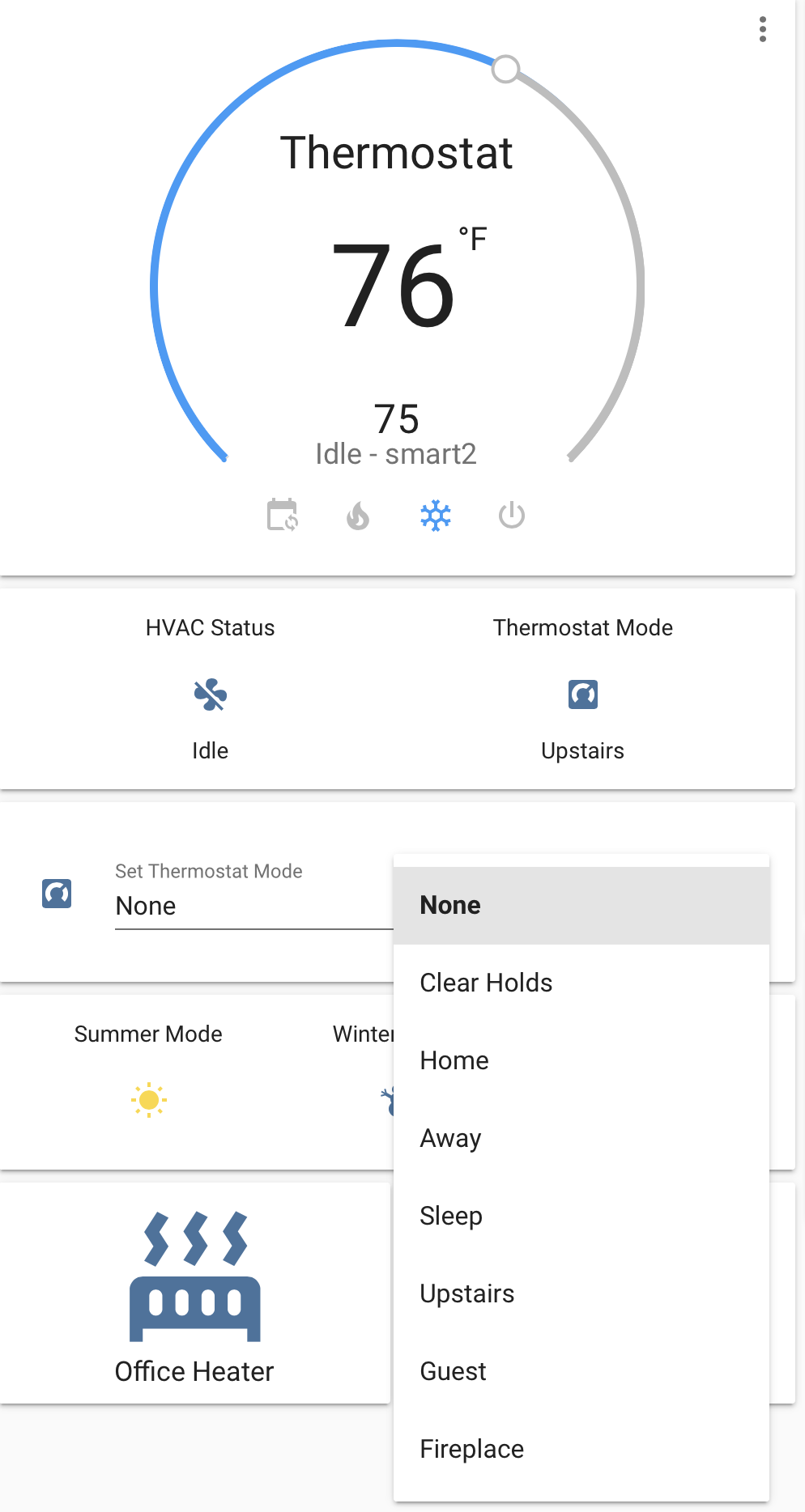
You're commenting on a pull request that includes those changes. Did you test this PR? The screenshot in the description is from this PR. |
|
Yeah I was testing it last night and today, or at least this version. Which I thought was the latest change to the climate.py file. That's what my write up was based on. I ran into an issue that when selecting a preset I would get back:
Which is what I was referring to when I said it was trying to send back the name value and not climateRef value. I could be wrong on that, but that's what looks like is happening to me. |
|
It is sending back the name, but I added code to convert name -> climateRef, maybe that needs more work . |
I've been attempting to solve that one testing some changes, but haven't had much luck yet. It seems like it still sends the name value back as that is what shows as the unknown preset mode value being logged. |
|
Ugh, it was a silly bug,
Also had to rebase branch due to dev branch migrating to Black. |
|
I stared at that for hours and didn't catch it. I think this is it though, seems to be working exactly as you would expect. I'll keep testing, but I ran it through its paces and it loads all the proper preset names, sets the preset properly, and am able to set a preset via automation climate.set_preset_mode. This is good stuff, nice work. |
|
Latest commits seem to test out ok. |
balloob
changed the title
|
Thanks for the testing. I will get it merged. |

* Expose comfort presets as HA presets

* Fix bugs

* Handle unavailable

* log level debug on update

* Lint

3 participants


Breaking Change:
climate_listandclimate_mode. That's now part of preset.Description:
Expose the Ecobee comfort settings as presets in Home Assistant.
CC @geekofweek
Related issue (if applicable): #25488
Checklist:
tox. Your PR cannot be merged unless tests passIf the code communicates with devices, web services, or third-party tools:
python3 -m script.hassfest.requirements_all.txtby runningpython3 -m script.gen_requirements_all..coveragerc.