Conversation


 homeassistant
added
cla-signed
platform: light.flux_led
small-pr
homeassistant
added
cla-signed
platform: light.flux_led
small-pr


|

|
|
||
| # white change only | ||
| elif white is not None: | ||
| if white is not None: |

There was a problem hiding this comment.
The changes from elifs to ifs will make it do four color change calls to the bulb if rgb, brightness, effect and white are all set. Even with just rgb and brightness, it'll still go through the whole "fetch rgb" block. This method should only ever call a single setRgb, from the looks of it.
Simply returning after each setRgb would be one way to go here.
There was a problem hiding this comment.
Wait, scratch that, as the first two ifs are mutually exclusive (I recommend switching that second block to elif to make that clearer.) It still seems like there's an issue if brightness and effect are both defined, as it'll make two .setRgb calls
There was a problem hiding this comment.
@OverloadUT I was able to simplify the conditionals even further by specifying fallback brightness value if argument not passed. This allowed the use of a single call to setRgb as you mentioned.
Setting white value requires a separate call, so I left that as a separate conditional.
Effects override rgb, brightness and white levels so no need to support simultaneous setting of values when an effect is used.
| self._bulb.setWarmWhite255(white) | ||
|
|
||
| # random color effect | ||
| elif effect == EFFECT_RANDOM: |
There was a problem hiding this comment.
Better! However, since effects override all other options, move it up as the first conditional so that an unnecessary setRgb call doesn't get made. This current code will always make two calls when there is an effect.
Also, if effect completely overrides brightness and rgb, I think you should fire off a warning if those conflicting parameters are passed in, to ease troubleshooting for users. Not a hard requirement here as the previous code didn't have that, but if you're making changes anyway and feel like it... ;)
There was a problem hiding this comment.
Updated effect conditionals for early return to prevent unnecessary call to setRgb. Also updated default value handling to support addition of the warning.
|
|
||
| # preserve color on brightness/white level change | ||
| if rgb is None: | ||
| rgb = self._bulb.getRgb() |
There was a problem hiding this comment.
Move the brightness and rgb assignment to after the effect conditionals to avoid this logic. (Not sure if getRgb requires I/O, so it'd be nice to avoid that in case it does).
After that, I think this is good to go
There was a problem hiding this comment.
Updated. Thanks for the suggestions.

|
Looks good to me! |


|
This does not work correct. When i put a flux light off and then i activate a scene with: light.zithoek_sfeer_verlichting: Nothing happens because the brightness is 0, When i toggle the brightness to any number and then activate the scene with the white_value it works. Really dont understand this PR, everything was working perfect and now so much issues... |
|
Also there is no toggle for the white value in the User interface, so how can we change the white brightness now from the UI? |

|
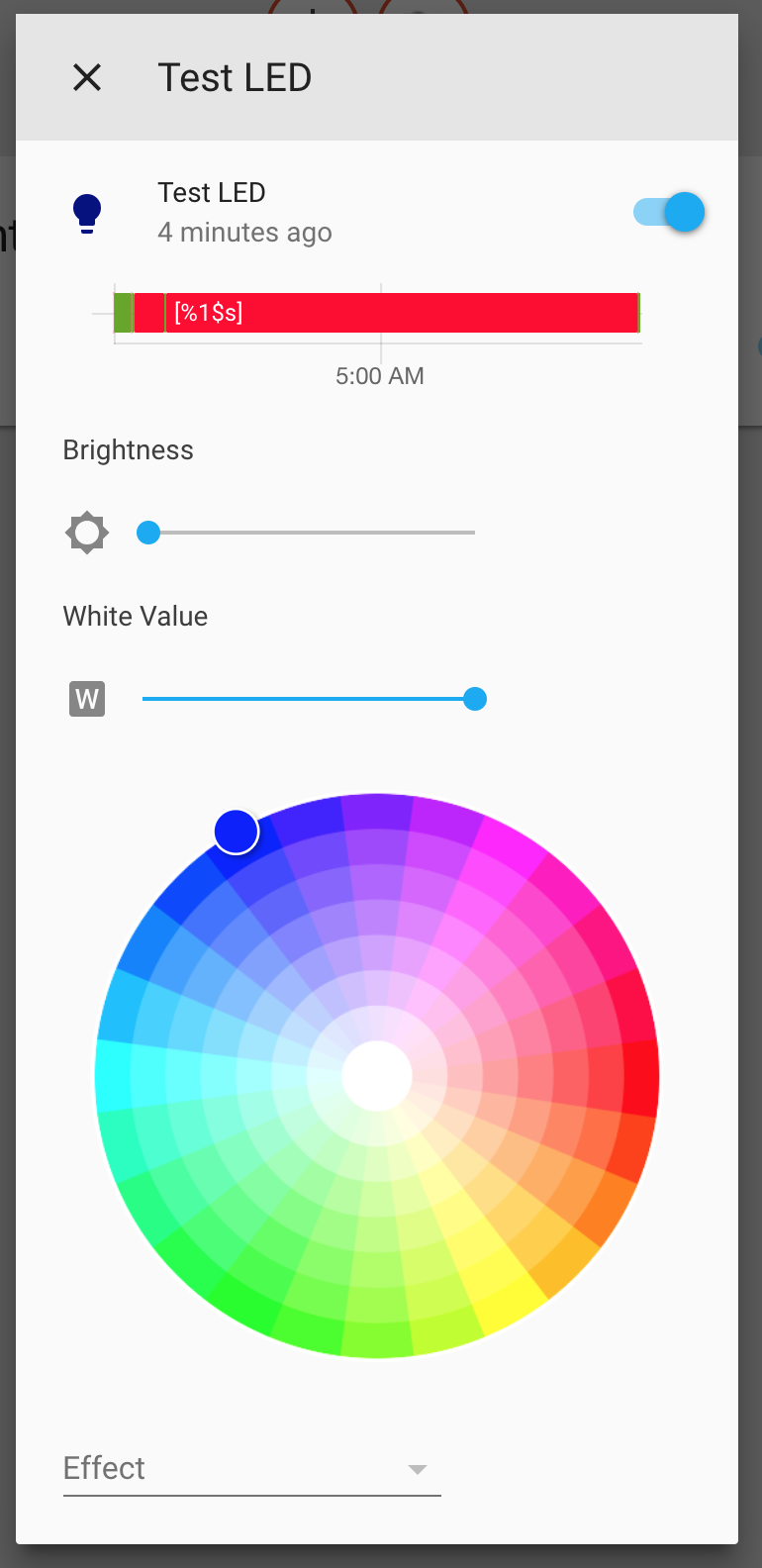
The issue that the original PR fixed was that the W channel on an RGBW capable controller used the brightness value alone. Setting I set brightness to 0 (which HA interprets as off because brightness is coupled to on/off state) and then tested a service call with the following payload: This resulted in W channel being set to full brightness as expected. Regarding the interface, if you have a RGBW controller, then you should see a slider on the interface like in the screenshot below.
If you can provide more information about which controller you have and the config you are using, I'll be glad to try and reproduce the issues you report. Maybe start a topic on the forums so we can discuss there? |
|
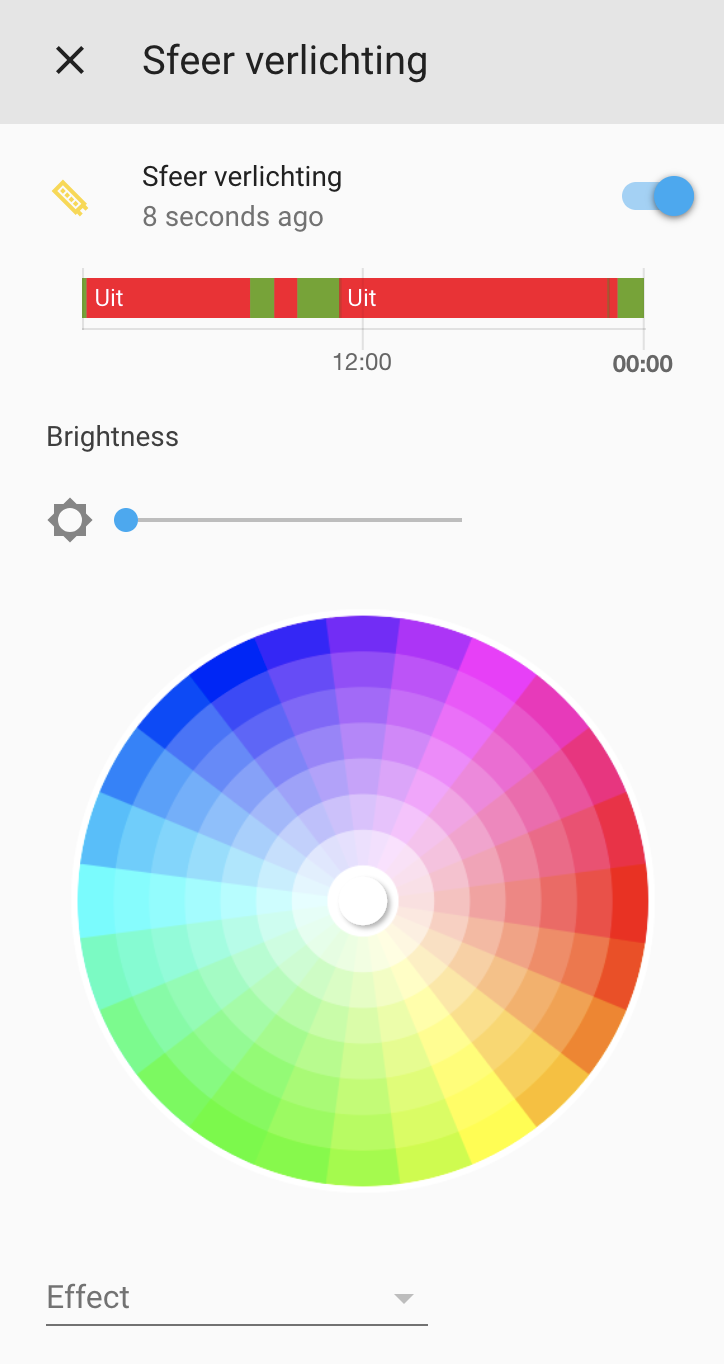
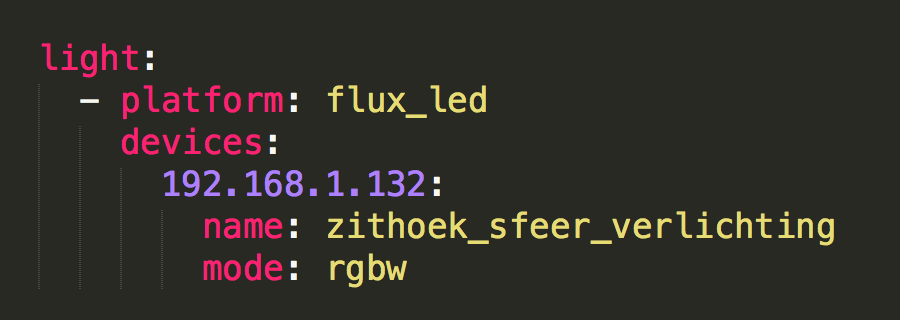
I am using this component: https://www.home-assistant.io/components/light.flux_led/ I have the magic light LED controller at home with a RGBW strip. See screens below for my UI and configs
Hopefully you can fix this soon. |
|
The first thing I see is that you manually specify RGBW for the mode. Does the system behave differently if you remove that and allow it to detect the mode automatically? Also, do you have a link to the specific controller you are using? |
|
Just removed the mode parameter. I have the white bar now, so guess this is an improvement already :) I will try to check if the error still persists. |
|
Definitely not the same controller I have so I just ordered one from Amazon. I should have it by May 30 and will figure out what the problem is shortly thereafter. Thanks for reporting the issue and for being patient. |
|
Np, in the meantime i will try to figure out of the bugs are still there or if they are gone with the automatic mode detection :) |
|
The bug is still there when the light is off and then i activate a scene withe white value. It gives a flash of white but then it stays off instead of on. The second time i hit the scene on it works like it should be |

|
@alexvandervegt I got my controller in today and I was able to reproduce the flash of light that you report. Will look into it more tonight, but wanted to provide an update. |
|
Thanks for the update! Hopefully we have a solution soon :) |
|
The PR below should correct the issues reported here. |
|
Great i will test it asap |

|
Yeah I have had the same issue with 0.70 - the brightness and RGB fix worked, but the RGB and W levels seem to be operating in an 'OR' scenario, toggling each other off. |
|
The issue is still present in 0.71.0. Hopefully this will be resolved soon :( |
|
@alexvandervegt #14713 did not make it into the 0.71 release. |
|
Is it included in 72? |
|
It hasn’t been merged yet. Hopefully it will be.
…On Mon, Jun 18, 2018 at 8:06 AM Alex van der Vegt ***@***.***> wrote:
Is it included in 72?
—
You are receiving this because you authored the thread.
Reply to this email directly, view it on GitHub
<#14476 (comment)>,
or mute the thread
<https://github.com/notifications/unsubscribe-auth/AAbs0KuOf2xgRpfVLvQy1JhqFMwW9Y-vks5t96XggaJpZM4UABx->
.
|
|
Any idea what's causing the 'snap-on' instead of fade-up with these controllers? Via the Magic Home app they fade up in the same way as they fade out on 'off'. With Hassio they snap on. |
|
@kineticscreen Just pushed a fix for this on #14713 Should be fixed when that PR is merged. |

|
any ideas when this will be released? Thanks! |
|
This went out on v0.70 |
|
If you look up the thread it wasn't in 0.72, so I'm not sure it's in yet? |

|
Thankyou for confirming, I better figure out why it still doesnt work for me then! Cheers. |
|
Still having the issue where when a 'scene' is called from an off state, the RGB values are ignored. The colours are correctly set if the scene is called again. |
|
Yeh I can't get any coloured scenes to work at all, only White.
…On Fri, 20 Jul 2018, 06:18 kineticscreen, ***@***.***> wrote:
Still having the issue where when a 'scene' is called from an off state,
the RGB values are ignored. The colours are correctly set if the scene is
called again.
—
You are receiving this because you commented.
Reply to this email directly, view it on GitHub
<#14476 (comment)>,
or mute the thread
<https://github.com/notifications/unsubscribe-auth/AeIQTyolUfxAz_vOrY_zijLlNDgGlXazks5uIWgSgaJpZM4UABx->
.
|

 ghost
added
integration: flux
integration: flux_led
and removed
platform: light.flux_led
labels
ghost
added
integration: flux
integration: flux_led
and removed
platform: light.flux_led
labels
8 participants


Description:
Fixes bugs introduced by changes on #13985
Specifically, this PR fixes issues with setting brightness and rgb values simultaneously (reported by kineticscreen on the original PR).
Also fixes issue (reported by tadly on original PR) with flux.switch component not setting white_value which is required after the orignal PR was merged.
Checklist:
tox. Your PR cannot be merged unless tests pass