Add a seperate battery_state sensor#530
Conversation


|
Hi @jeroenseegers, It seems you haven't yet signed a CLA. Please do so here. Once you do that we will be able to review and accept this pull request. Thanks! |


| percent, | ||
| percentage, | ||
| "sensor", | ||
| getBatteryIcon(batteryStep), |

There was a problem hiding this comment.
Why not display the fancy battery icon for both sensors?
There was a problem hiding this comment.
I figured since this sensor is now purely for the battery level, the icon should also represent just that.

|
It seems most people don't need this and for those who do, can't they just make a template sensor of the attribute and have the same effect? |

|
@quthla this will actually help bring iOS and Android closer in terms of features. iOS already splits up the 2 sensors for users. https://companion.home-assistant.io/docs/core/sensors/#battery-sensors |
|
Correct, I figured it'd be very nice from an architectural point of view to have the same sensors and their respective properties to be published from both the iOS and Android companion apps. The other option to achieve that would be to remove and combine sensors on the iOS side, ofcourse. |

Update the documentation according to the merged PR: home-assistant/android#530

* Update sensors.md

Update the documentation according to the merged PR: home-assistant/android#530

* Update docs/core/sensors.md

Prevent iOS battery sensor descriptions from being split up.

Co-Authored-By: Tom Brien <TomBrien@users.noreply.github.com>

* Update docs/core/sensors.md

iOS Battery Sensor description merged into top paragraph.

Co-Authored-By: Tom Brien <TomBrien@users.noreply.github.com>

Co-authored-by: Tom Brien <TomBrien@users.noreply.github.com>
5 participants


As proposed in #529, this PR adds a
battery_statesensor.The current

BatterySensorenables a singlebattery_levelsensor which contains different battery data, example:With this change, there's now two sensors,
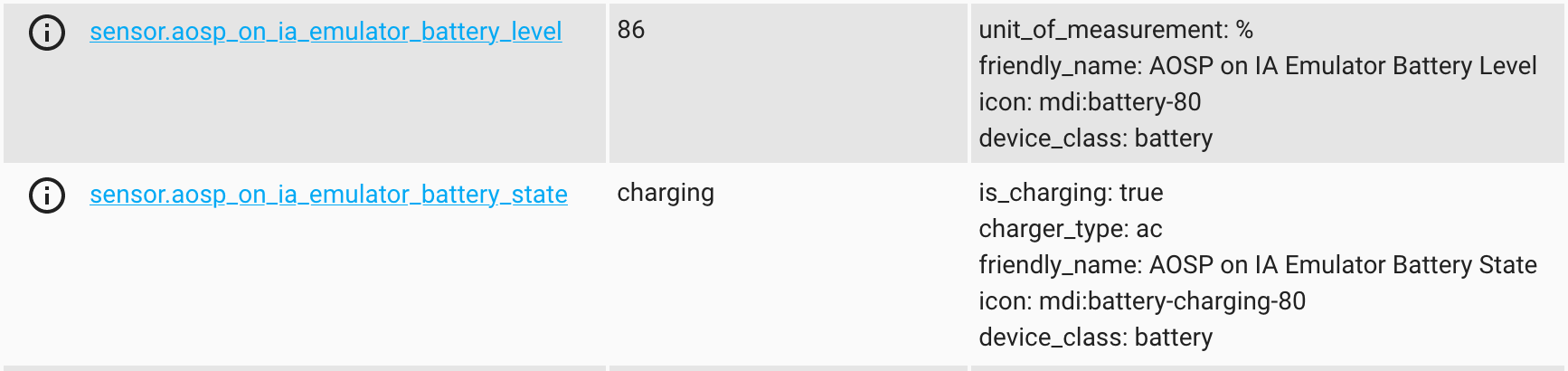
battery_levelandbattery_state, similar to the sensors available when using the iOS application, example: