Add Suggested Labels to Provision Tokens#15114
Conversation


 marcoandredinis
added
backport/branch/v10
discover
marcoandredinis
force-pushed
the
marco/discover_label_join_token
branch
2 times, most recently
from
marcoandredinis
added
backport/branch/v10
discover
marcoandredinis
force-pushed
the
marco/discover_label_join_token
branch
2 times, most recently
from
6fc0458 to
263846b
Compare
marcoandredinis
force-pushed
the
marco/discover_label_join_token
branch
4 times, most recently
from
751e7d2 to
155c16b
Compare


There was a problem hiding this comment.
Should this be teleport.dev/resource-id instead? Or are we deprecating teleport.dev and standardizing on teleport.internal instead?
There was a problem hiding this comment.
I think the idea is to keep both and filter out teleport.internal labels from the UI (not sure if that's the case now).
There was a problem hiding this comment.
So, the WebUI doesn't filter teleport.dev either
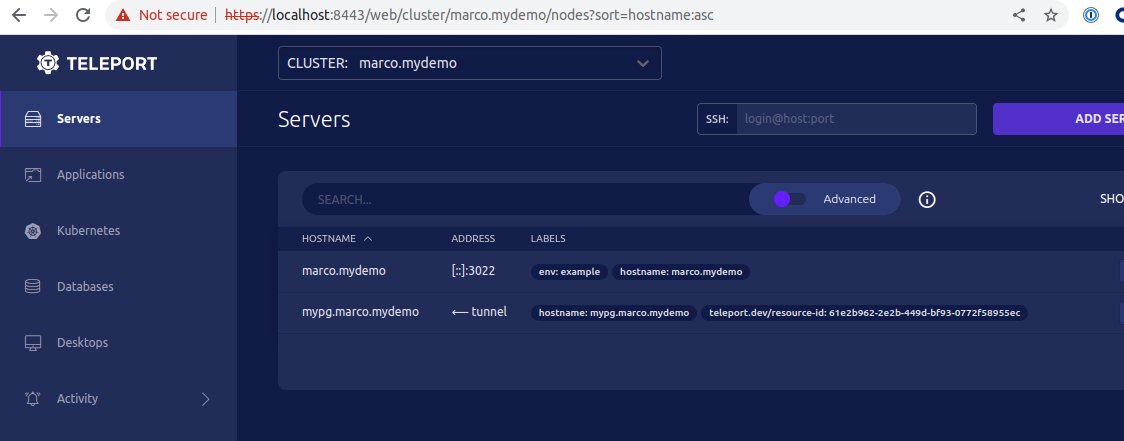
I'm not sure which one we should use, but after looking into this code
teleport/tool/tctl/common/collection.go
Line 804 in 54616ac
I would say we should use teleport.dev/ and create an issue to filter out these labels when displaying labels in the UI
There was a problem hiding this comment.
I'd say teleport.internal/ should be hidden, teleport.dev/ is also used for stuff like automatic labels from LDAP for desktop access - so I'm ok with teleport.internal/resource-id.
What I'm not ok with is that one bot label using teleport.internal/kebab-case while desktop access uses teleport.dev/snake_case, but that's not something that can be fixed here (or ever? 😭)
There was a problem hiding this comment.
I'll keep it as teleport.internal/ then.
As for case, it seems teleport.internal/ uses kebab case and teleport.dev/ uses snake case
At least they are consistent within the namespace 😂
Although the teleport.internal/ only has one occurrence, so we can't really say if that's the rule or the exception 😅
There was a problem hiding this comment.
Can we have a generic suggested_labels map field instead? It could be useful in the future, maybe to add labels from the web UI, to be embedded in the script ("suggested" or "initial" because they're not enforced and can be changed from the node's config file, as opposed to some hypothetical centrally managed and enforced labeling on the cluster side).
There was a problem hiding this comment.
Something like this?
bebe142
Can you please take a look?
There was a problem hiding this comment.
I wonder if we should do this in the backend or let the UI/client set the labels freely 🤔
IMO, I think we should do this in the backend as opposed to let the UI generate the ID and set the label
The ID and label would be used when generating the script, and I'm not sure we want to have that coming from a client
However, given the current flow I start to doubt if that's the correct approach

 r0mant
left a comment
r0mant
left a comment
r0mant
left a comment
There was a problem hiding this comment.
lgtm with @espadolini's comments
There was a problem hiding this comment.
I think the idea is to keep both and filter out teleport.internal labels from the UI (not sure if that's the case now).
marcoandredinis
force-pushed
the
marco/discover_label_join_token
branch
from
bebe142 to
6ebaf0b
Compare
 marcoandredinis
force-pushed
the
marco/discover_label_join_token
branch
from
marcoandredinis
force-pushed
the
marco/discover_label_join_token
branch
from
6ebaf0b to
c4fd961
Compare
marcoandredinis
force-pushed
the
marco/discover_label_join_token
branch
from
c4fd961 to
89055eb
Compare

|
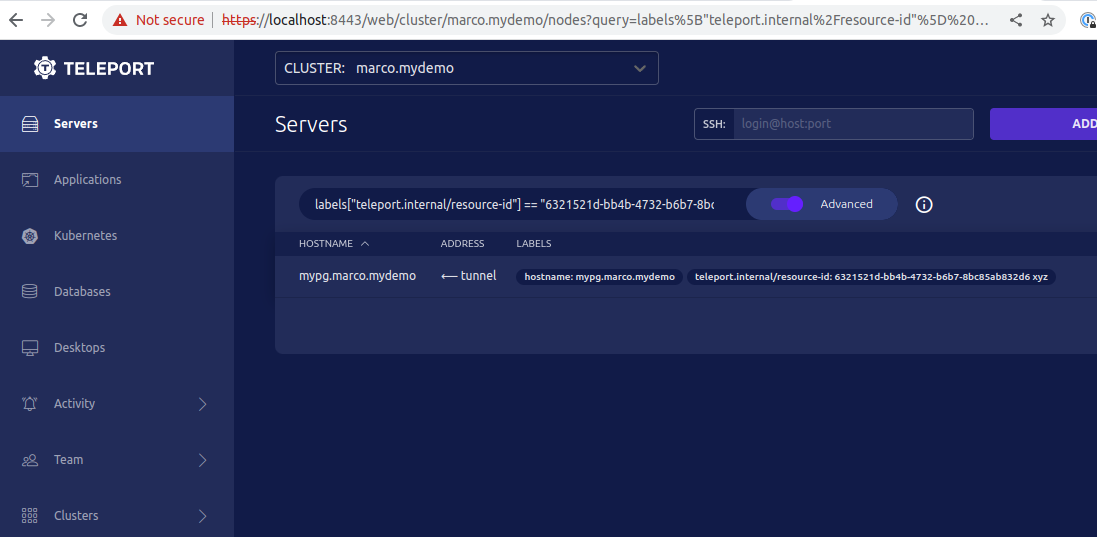
I had to change a couple of thing in the script to ensure we support multiple values in a single label and shellcheck does not report any issue For reference, here's the reports from shellcheck I tested again and it worked even with a space between the label values |
 marcoandredinis
changed the title
marcoandredinis
force-pushed
the
marco/discover_label_join_token
branch
from
marcoandredinis
changed the title
marcoandredinis
force-pushed
the
marco/discover_label_join_token
branch
from
bf3c955 to
39bce53
Compare

 github-actions
Bot
removed request for
capnspacehook,
fspmarshall and
ryanclark
github-actions
Bot
removed request for
capnspacehook,
fspmarshall and
ryanclark

For Teleport Discover, the user will be able to test connecting to a
resource right after adding it.

The flow should look like this:
- User selects the resource type - in this case Server/Nodes
- WebAPI generates a new Token
- WebAPI shows the `sudo bash .../<token>/install.sh` to the user
- When the user runs this command, and assuming everything works out,
  the WebAPI should be able to receive the Server/Node that was
  generated from that specific Token.

To achieve this, here's a more detailed flow:
- User selects the resource type - in this case Server/Nodes
- WebUI generates a new Token
  This generates a Provision Token which contains a RefResourceID
  WebUI receives that token and stores it
- WebUI shows the `sudo bash .../<token>/install.sh` to the user
  This generates a script which includes setting the labels as part of
  the `teleport configure` command:
  `$ teleport configure ... --labels teleport.internal/resource-id=abc ...`
- User runs the provided command on the target host
- WebAPI should be able to query the Servers/Nodes which contain that
  specific `<resource-id>` and allow the user to connect to it.
marcoandredinis
force-pushed
the
marco/discover_label_join_token
branch
from
39bce53 to
c3a7a37
Compare

|
@marcoandredinis See the table below for backport results.
|
Add Suggested Labels to Provision Tokens (#15114) For Teleport Discover, the user will be able to test connecting to a resource right after adding it. The flow should look like this: - User selects the resource type - in this case Server/Nodes - WebUI generates a new Token - WebUI shows the `sudo bash .../<token>/install.sh` to the user - When the user runs this command, and assuming everything works out, the WebUI should be able to receive the Server/Node that was generated from that specific Token. To achieve this, here's a more detailed flow, which this PR implements - User selects the resource type - in this case Server/Nodes - WebUI generates a new Token This generates a Provision Token which contains a RefResourceID WebUI receives back that ID - WebUI shows the `sudo bash .../<token>/install.sh` to the user This generates a script which includes setting the labels as part of the `teleport configure` command: `$ teleport configure ... --labels teleport.internal/resource-id=<refResourceID> ...` - User runs the provided command on the target host - WebUI should be able to query the Servers/Nodes which contain that specific `<resource-id>` and allow the user to connect to it. Demo: 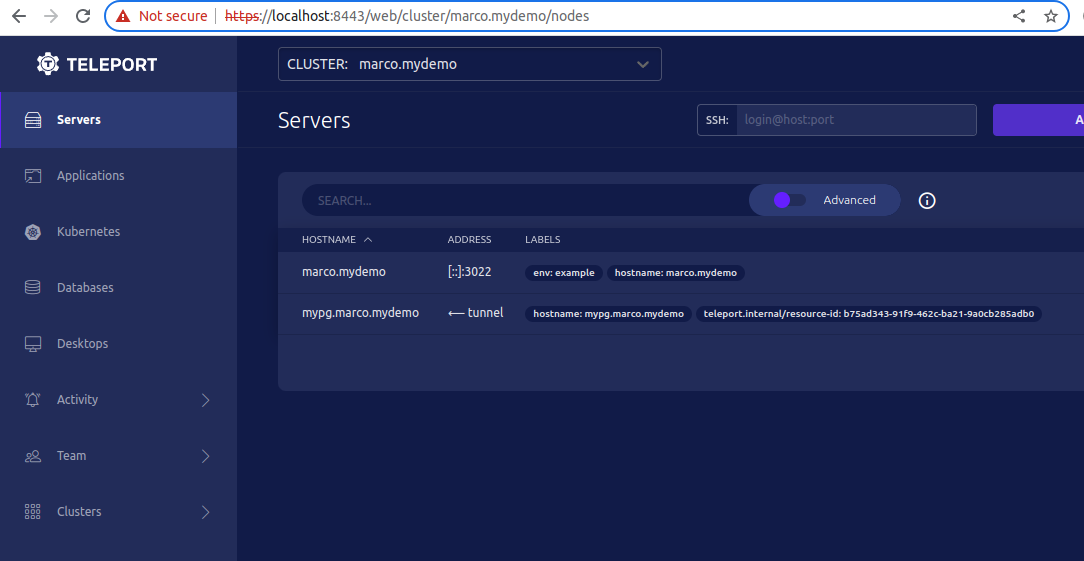
Recently we added a way to add labels on newly added nodes based on the
token.
#15114
Each token now has a list of SuggestedLabels, which are used to feed
that list.

However, if that list is empty, the generated script would trigger the
following error when running the `teleport node configure ...` command:
`teleport: error: unexpected`

This happens because the command is generating an empty argument `""`
when running the `teleport node configure ...` command.
So it looks like this:
```bash
${TELEPORT_BINARY_DIR}/teleport node configure \
      --token token \
      joinmethod \
      --ca-pin pin \
      --auth-server host:port \
      "" \
      --output someport
```
That empty argument breaks things.

So, in order to fix it, we are going to change the default value when no
labels are provided.
Instead of an empty string, we'll use an empty array.

Demo (teleport node configure message removed for brev
No label
```bash
$ LABELS_FLAG=(); f=$(mktemp -d)/node.yaml; teleport node configure --auth-server w:1 "${LABELS_FLAG[@]}" --output $f && yq .s
sh_service.labels $f

enabled: "yes"
commands:
  - name: hostname
    command: [hostname]
    period: 1m0s

```

Single label
```bash
$ LABELS_FLAG=(--labels x=y); f=$(mktemp -d)/node.yaml; teleport node configure --auth-server w:1 "${LABELS_FLAG[@]}" --output $f && yq .ssh_service $f

enabled: "yes"
labels:
  x: "y"
commands:
  - name: hostname
    command: [hostname]
    period: 1m0s

```

Multiple labels
```bash
$ LABELS_FLAG=(--labels x=y,dev=prod); f=$(mktemp -d)/node.yaml; teleport node configure --auth-server w:1 "${LABELS_FLAG[@]}" --output $f && yq .ssh_service $f

enabled: "yes"
labels:
  dev: prod
  x: "y"
commands:
  - name: hostname
    command: [hostname]
    period: 1m0s
```


5 participants


For Teleport Discover, the user will be able to test connecting to a
resource right after adding it.
The flow should look like this:
sudo bash .../<token>/install.shto the userthe WebUI should be able to receive the Server/Node that was
generated from that specific Token.
To achieve this, here's a more detailed flow, which this PR implements
This generates a Provision Token which contains a RefResourceID
WebUI receives back that ID
sudo bash .../<token>/install.shto the userThis generates a script which includes setting the labels as part of
the
teleport configurecommand:$ teleport configure ... --labels teleport.internal/resource-id=<refResourceID> ...specific
<resource-id>and allow the user to connect to it.Demo:
