[Mappings editor] Search fields#54241
[Mappings editor] Search fields#54241sebelga merged 52 commits intoelastic:feature/mappings-editorfrom
Conversation


 sebelga
added
Feature:Mappings Editor
sebelga
added
Feature:Mappings Editor

|
Pinging @elastic/es-ui (Team:Elasticsearch UI) |
…mappings-editor/search-fields

 jloleysens
left a comment
jloleysens
left a comment
jloleysens
left a comment
There was a problem hiding this comment.
Great work so far @sebelga ! This is going to be a super useful improvement!! 🙂
Your initial take was different from what I envisioned for the search so I tried to expand on my thoughts a bit in the comments I left.
Additionally, a different approach to the UX could be to render only the search paths in a special kind of "EuiComboBox" (does not have to be this component specifically) which we only render when the user starts typing. Once the user finds the key they were looking for we can take them to that item in the tree. Wdyt of this kind of alternative? I understand this poses some other UX challenges like:
- when we navigate into the tree do we collapse everything else and expand only the required path?
- how do we get the user back to the search bar at the top of the current page if the content is really long?
But these are probably solvable in different ways (I think).
A merit of the current approach is that we are treating the current rendered elements on the page as the main search result but this has the added complexity make the tree need to know quite a bit about search. The alternative I'm thinking of would have search as a separate component and have the mappings editor only be able to respond to be "controlled" in its expanded/collapsed states.
Let me know what you think!
| const matchStartOfPath = fieldData.path.startsWith(term); | ||
| const fullyMatchPath = term === fieldData.path; | ||
| const matchType = fieldData.type.includes(typeToCompare); | ||
| const fullyMatchType = typeToCompare === fieldData.type; |
There was a problem hiding this comment.
Given that this is called n times (the number of times this is called grows with the tree's nodes). This checking logic can be condensed a bit using String.prototype.indexOf
From the result we can figure out:
- whether the term matches at all
- whether the term matches the start
- whether the term matches the entire string (length of term and data)
There was a problem hiding this comment.
Not sure I follow, it would be replacing this:
const matchStartOfPath = fieldData.path.startsWith(term);with this
const indexMatch = fieldData.path.indexOf(term);
const matchStartOfPath = indexMatch === 0;
And then repeat for fieldData.type. Not sure if there is any gain (apart adding lines). For the "whether the term matches the entire string" I just compare both strings. Am I missing something?
There was a problem hiding this comment.
So it's this line:
term === fieldData.pathThat I think potentially does more work than if we used String.prototype.indexOf and just checked for indexMatch === 0.
So not massive gains, it's this that I am thinking of: https://stackoverflow.com/a/26554820
There was a problem hiding this comment.
Cool, thanks. I will look into it 👍
| }; | ||
|
|
||
| const getRegexFromArray = (array: string[]): RegExp[] => { | ||
| const termsRegexArray = array.map(value => new RegExp(value, 'i')); |
There was a problem hiding this comment.
We may want to consider applying something like https://www.npmjs.com/package/escape-string-regexp here
There was a problem hiding this comment.
Cool, I'll keep it in mind if we start having more regex string to escape. 👍 For now, we only escape 2 chars in the file so it might be overkill.
| const getRegexFromArray = (array: string[]): RegExp[] => { | ||
| const termsRegexArray = array.map(value => new RegExp(value, 'i')); | ||
| const fuzzyJoinChar = '[_\\.-\\s]?'; | ||
| const fuzzySearchRegexArray = getSubArrays(array).map( |
There was a problem hiding this comment.
It looks like what this section of the search does is:
Take inputs like [ "some", "terms", "here" ] then returns [ [ "some", "terms" ], [ "terms", "here" ] ]. These are converted into regex like /some[_\.-\s]?terms/ but this does not preserve the fuzzy search behaviour of implementations like in VSCode x-file search (activated, on mac, with the cmd+p shortcut). Where one can enter someterms and it would match a file name + path like /test/data/some/another/terms.
In the example of this data:
I would have expected a term like aerospiken to match

whereas, in the current implementation, it does not match anything. I think building an ever long, single, RegExp as the user enters data will exponentially increase the specificity of the term provided (for each char added) and so dramatically decrease the size of the search pool.
For example, change L125 to:
    const result = fieldData.path.match(new RegExp(term.split('').join('.*?')));
    if (result) {
      stringMatch = result[0];
    }
yielded this behaviour (sorting is totally wrong of course 😂)

In combination with this, I would say that the search term box should specifically only match path and then we can filter by type in a separate area (since all types are well enumerated).

There was a problem hiding this comment.
++ I really like these ideas.
There was a problem hiding this comment.
Thanks for the suggestion @jloleysens !
Although this super fuzzy regex brings its own problems too 😊 as you can see here

This is the result with the current algorithm, which IMO is more accurate
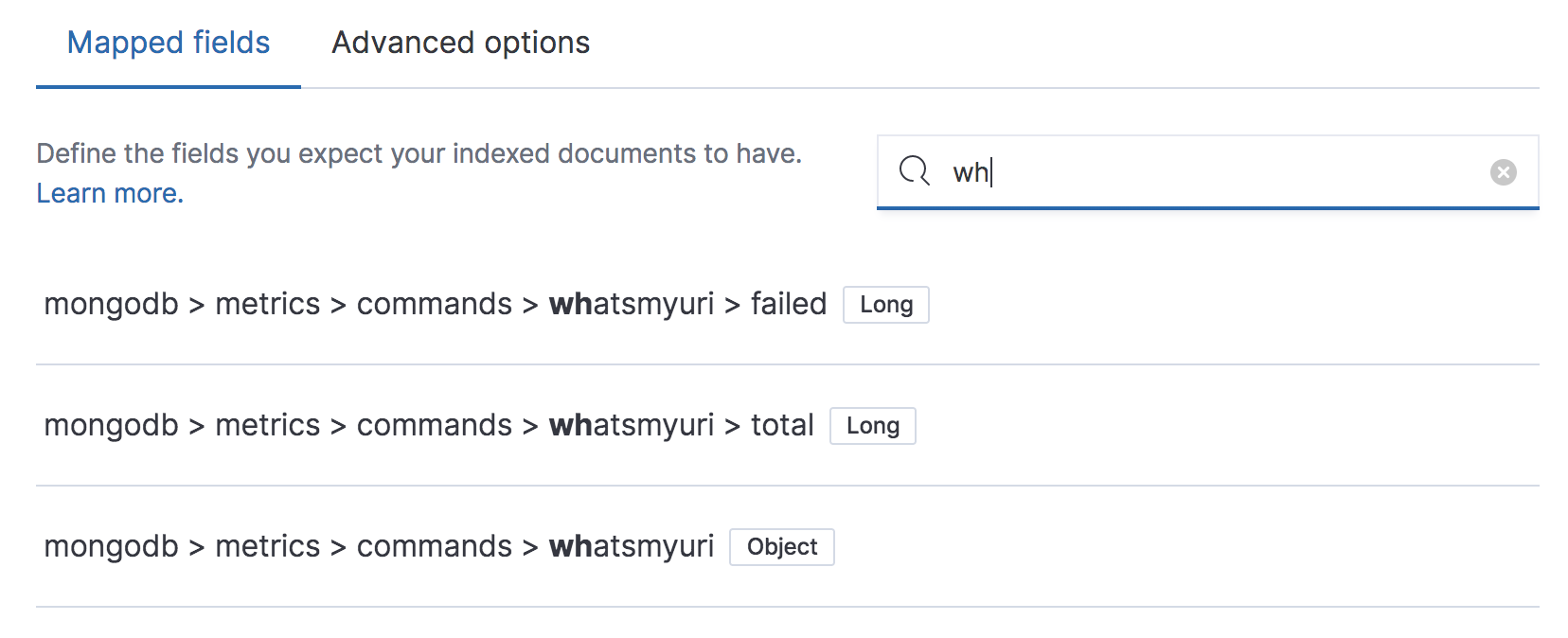
Welcome to Elasticsearch engineers problems! 😄
Like I mentioned in the PR description, I will try to improve the RegEx to get the best result possible. But we might hit a wall and if we need the precision of a VSCode, use a (tiny) library like flexsearch (especially to not re-invent the wheel).
I am not too worried about your "aerospiken" example as, if the user has written (not copy/paste) "aerospike" he will realize that adding the last "n" empties the results.
There was a problem hiding this comment.
Although this super fuzzy regex brings its own problems too 😊 as you can see here
I think once we sort results shortest to longest (in path length) we will get a UX very close to what VS Code has :) .
I'm not convinced we need a more sophisticated search tool here (like a library). I think we will very quickly see diminishing returns for more sophisticated tools for search. An imperative version of the algo I have in mind something like this:
...will realize that adding the last "n" empties the results
Hmm, I think this is probably true in the current implementation. I guess we need to decide which experience would be more/less effort for users to learn/intuit and how we present the search box. Because if they tried aerospiken and got no results we should not present this as fuzzy search IMO.

There was a problem hiding this comment.
Good work @sebelga! I left a few comment but nothing major. I think it's more important to refine the search behavior and UX (thoughts below).
Search behavior
Currently, matching a field with descendants returns the descendants as results. This feels strange to me, because I've found the field I was searching for, but it's obscured by all of its descendants and I have to hunt around for it.
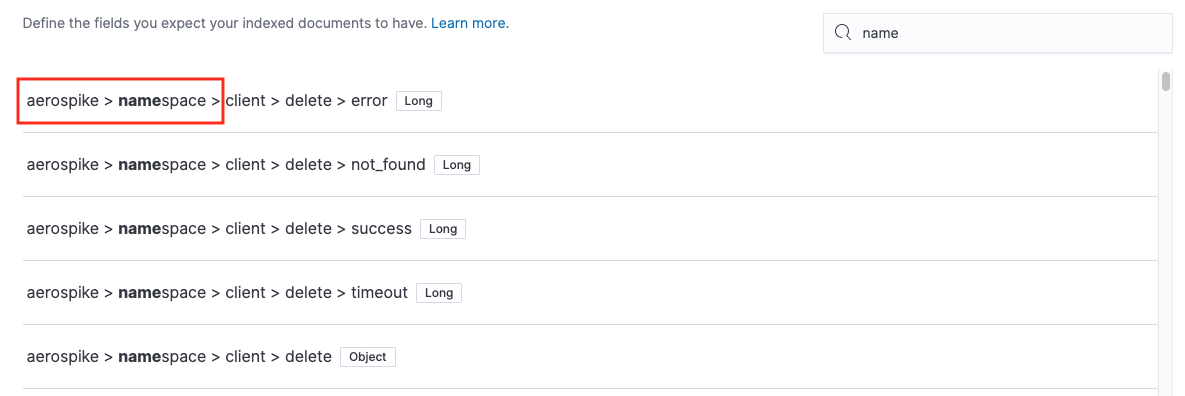
Tangentially, it looks like if I enter a greater-than, this is treated as a match, but it shouldn't be.
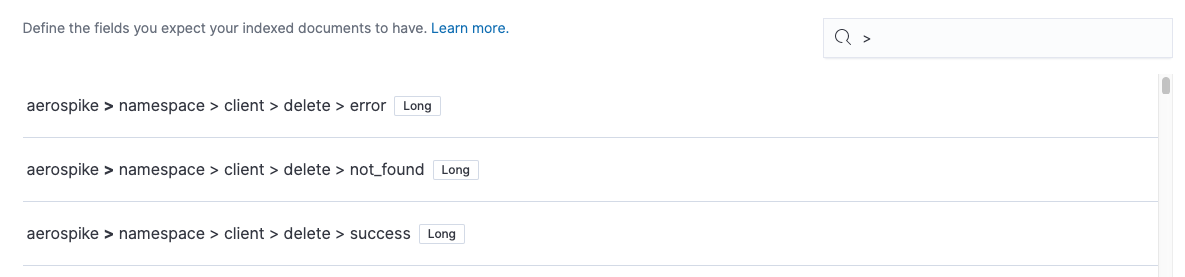
UX
I really like @jloleysens's suggestion:
Additionally, a different approach to the UX could be to render only the search paths in a special kind of "EuiComboBox" (does not have to be this component specifically) which we only render when the user starts typing. Once the user finds the key they were looking for we can take them to that item in the tree.
This mirrors the search behavior of SublimeText, where selecting a search result opens the file and highlights its position in the file navigator (expanding all its ancestors). I especially like this idea because it addresses all of my concerns from #53863 (comment). It will also complement the search behavior I propose above, because you can click on an object field that matches your search to see it in the tree, and then easily expand it to inspect and manipulate its descendants.
I think the actual presentation of the search results (e.g. inside a combo box or not) is less important than the interaction of clicking on a result and being taken to its position in the tree. I would be fine with leaving everything pretty much as it currently is in the search UI if we could implement this behavior.
| } | ||
|
|
||
| export const CodeBlock = ({ children, padding = 'normal' }: Props) => ( | ||
| <div className="euiCodeBlock euiCodeBlock--fontSmall euiCodeBlock--paddingLarge"> |
There was a problem hiding this comment.
Even though the CSS that EUI exports is technically a contract, we don't have a mechanism in place for detecting a breaking change except through vigilant observance of the EUI release notes, which is very prone to human error. Can we use the EuiCodeBlock component instead and request changes to the component for any new functionality we require?
There was a problem hiding this comment.
In its current state, the EuiCode throws an error if we pass anything different than a string. We indeed need to open a PR in EUI to add the functionality, but for the time constraint that we have, this is the temporary solution to get the PR working and merged (we also use it to display our fields Tree component when deleting a field with warning).
What do you think about tackling all those (TODOs in our code) during our last cycle week?
| isValid, | ||
| validate, | ||
| submitForm: form.submit, | ||
| }, |
There was a problem hiding this comment.
I appreciate the improved clarity of being explicit here!
| placeholder="Search fields" | ||
| value={searchValue} | ||
| onChange={e => onSearchChange(e.target.value)} | ||
| aria-label="Search mapped fields" |
| <EuiFlexItem grow={false}> | ||
| <EuiFieldSearch | ||
| style={{ minWidth: '350px' }} | ||
| placeholder="Search fields" |
| {field.path.map((path, i) => | ||
| i < field.path.length - 1 ? ( | ||
| <span key={i}> | ||
| {path} <EuiIcon type="sortRight" />{' '} |
There was a problem hiding this comment.
This change doesn't feel like it's within the scope of the search feature. Could we remove it and discuss it separately? I have similar concerns as JL.
EDIT: OK I see this is taken from #54146. Confusing!
There was a problem hiding this comment.
This is the complexity of working in parallel PR that depend on one another. I needed the changes of #54146 to continue my work here so I created 1 commit out of it and cherry-picked here.
This article https://jg.gg/2018/09/29/stacked-diffs-versus-pull-requests/ has been waiting for a year in my Chrome tabs that I get some time to give StackedDiff a try and maybe remove the confusion you had if it's too cool to be true 😊
| </p> | ||
| } | ||
| actions={ | ||
| <EuiButtonEmpty onClick={clearSearch}> |
There was a problem hiding this comment.
Nit: can we use a regular EuiButton here, to give it an outline and make it more like a button and less like a link?
| <EuiEmptyPrompt | ||
| iconType="search" | ||
| title={ | ||
| <h1> |
There was a problem hiding this comment.
I think this should be an h3 since it falls beneath the "Mappings (optional)" title in terms of hierarchy, and that's an h2.
|
|
||
| const loadJson = () => { | ||
| const isValidJson = jsonContent.current!.validate(); | ||
| if (jsonContent.current === undefined) { |
There was a problem hiding this comment.
What do the changes in this file do? Are they germane to search?
There was a problem hiding this comment.
No, but I discovered a bug (Clicking "Load" in the Json modal without making any changes) and fixed it here. Thanks for pointing it out though, we might need to port this change on a separate PR.
| validateIndexPattern: () => ({}), | ||
| })); | ||
|
|
||
| const unRelevantProps = { |
There was a problem hiding this comment.
Nit: irrelevantProps might be more accurate?
| ...state, | ||
| fields: updatedFields, | ||
| // If we have a search in progress, we reexecute the search to | ||
| // update or result array |
There was a problem hiding this comment.
Thanks for adding these comments! I did spot a typo here and below: or -> our
…mappings-editor/search-fields

|
Thanks for the updated review @cjcenizal I will look into them tomorrow, today I put all my energy in having the ability to "reveal in editor" and a "back to result" button. I also made the "Search field" sticky, which is a better UX if we work with very large mappings. For the algorithm, I agree that it could be improved (I made some changes between Friday and today and I don't know if your review is based before I made those changes let me know), but at this stage, I would not make big changes in it. I do agree it could be improved and should deserve some time. The fact that we can write "keyword" and have all the keyword field is a feature IMO and not a bug., I would call it "smart search" 😊 Write either a field name or a field type, we will find it. That's the idea behind it.
|
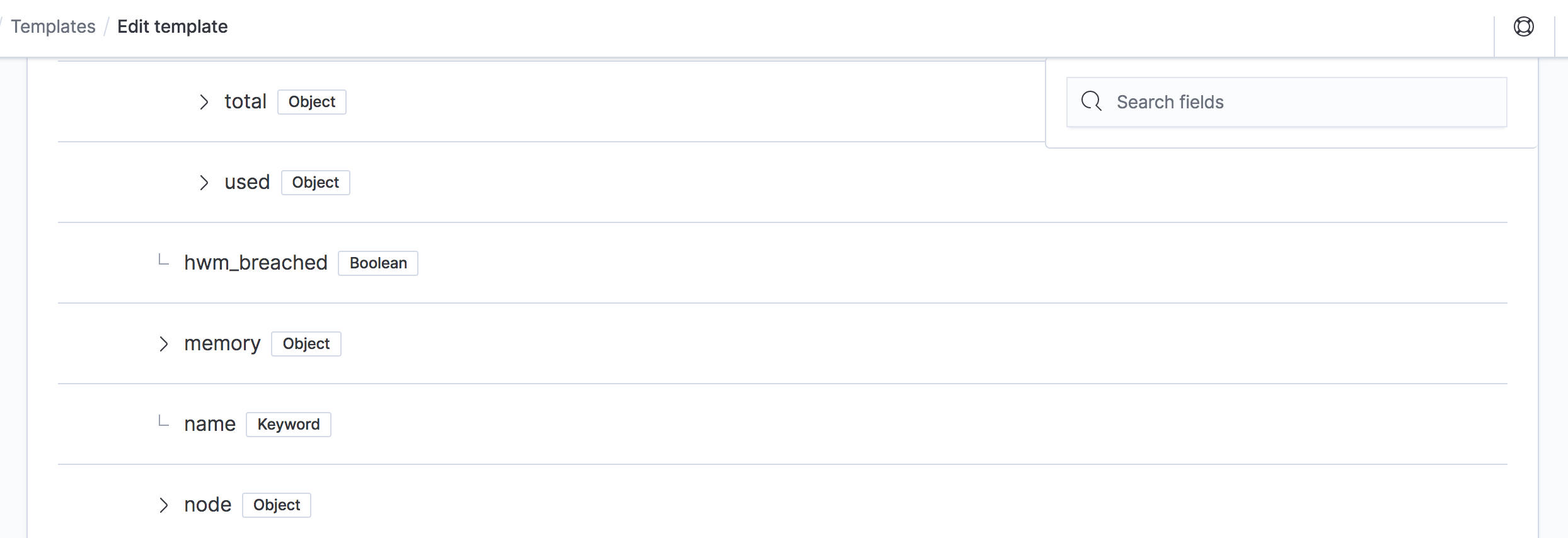
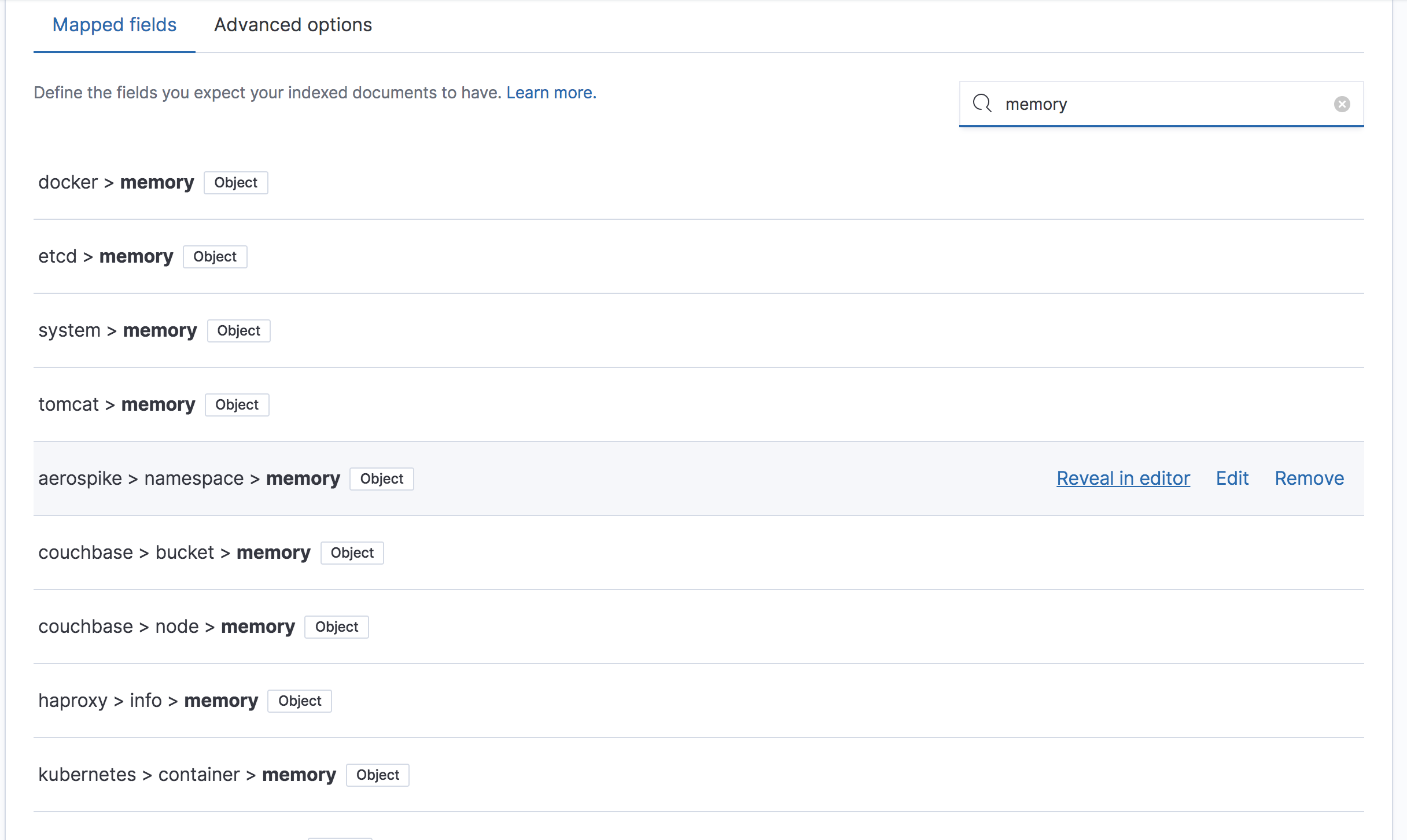
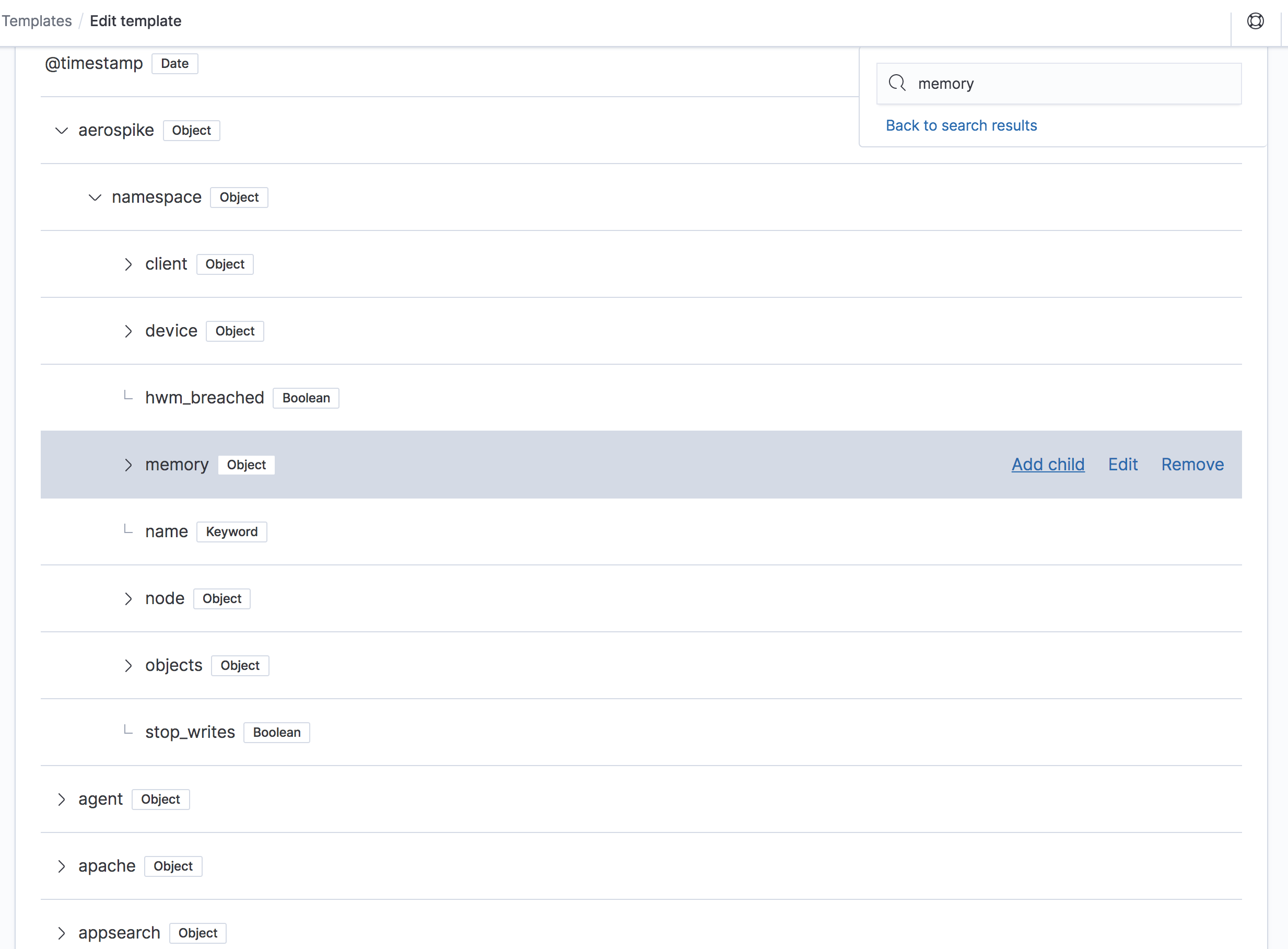
…mappings-editor/search-fields
I think we should keep it simple. Whenever we load the mappings we reset the search and its result.
It seems like a bug on the "Load JSON" functionality (not related to search). I will look into it tomorrow. You mean that if we only load a mappings "properties", the old advanced configuration are kept, is that it? |
jloleysens
left a comment
jloleysens
left a comment
There was a problem hiding this comment.
Re-tested and am happy to address feedback above at a later stage. There is one fix I think is worth doing here and that is the mappings editor currently breaks when entering a search term with regex groups/classes (e.g., aero[). I've opened this PR: sebelga#14 which should fix it.
| <h3> | ||
| <FormattedMessage | ||
| id="xpack.idxMgmt.mappingsEditor.searchResult.emptyPromptTitle" | ||
| defaultMessage="No fields found" |
There was a problem hiding this comment.
Gail suggested we change this to "No fields match your search" and remove the body prop.

| <EuiFlexItem grow={false}> | ||
| <EuiButtonEmpty onClick={revealInEditor} data-test-subj="revealInEditorButton"> | ||
| {i18n.translate('xpack.idxMgmt.mappingsEditor.searchResult.revealInEditorButtonLabel', { | ||
| defaultMessage: 'Reveal in editor', |
There was a problem hiding this comment.
Gail requested we change this to "Show in editor".
| } | ||
|
|
||
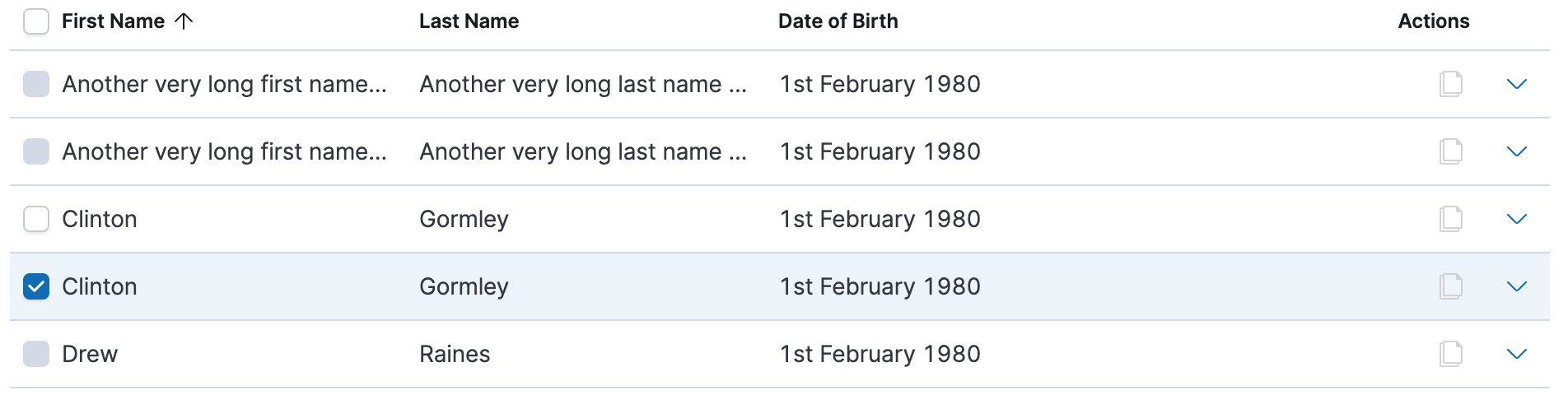
| .mappingsEditor__fieldsListItem__field--selected { | ||
| background-color: $euiColorLightShade; |
There was a problem hiding this comment.
Can we change this to tintOrShade($euiFocusBackgroundColor, 30%, 0%) to align with the table? This component uses the $euiTableSelectedColor, but that's not available so we'll have to use its implementation instead.


…bana into mappings-editor/search-fields
…mappings-editor/search-fields
Multiple search terms narrow the search, sorting shortest name match before long ones

💔 Build FailedHistory
To update your PR or re-run it, just comment with: |
|
@cjcenizal As discussed over Zoom these are the changes I made on the PR
I think those address most of your concerns. I will merge the PR once CI is green. If there is anything else we can look at it in a separate PR. |
|
Merging as the CI failure is not related to this PR. |

5 participants


This PR adds the "search field" capability to the mappings editor.
Goal
The search functionality goal is for a user to be able to find a field and either "Edit" it or "Remove" it.
It is not to add children or expand the field and see its children. Not that we could not add those features later, but this was not the goal of this first iteration.
Performance
I made some performance tests and rendering +500 results was very slow (for example searching for "long" in our huge metricbeat mappings) so I decided to use a VirtualList that only render a few elements in the DOM in the visible area. And the result is an extremely fast search result list.
It is not yet "perfect" but I think good enough (and also I wanted people's feedback as quickly as possible 😊) until I keep improving it with the following outstanding items:
Render the tree representation of a parent inside a tooltipI contemplated using an in-memory search engine (https://github.com/nextapps-de/flexsearch) instead of writing our own search algorithm. As a first version, I think we should be able to get around without it but I am curious to see what improvement we could get out of it.