[Mappings editor]: Addons and bug fixes#51018
[Mappings editor]: Addons and bug fixes#51018sebelga merged 35 commits intoelastic:feature/mappings-editorfrom
Conversation


 sebelga
added
Feature:Index Management
sebelga
added
Feature:Index Management

|
Pinging @elastic/es-ui (Team:Elasticsearch UI) |
💔 Build Failed |


There was a problem hiding this comment.
@sebelga thanks for these fixes!
I did a light code review, overall LGTM.
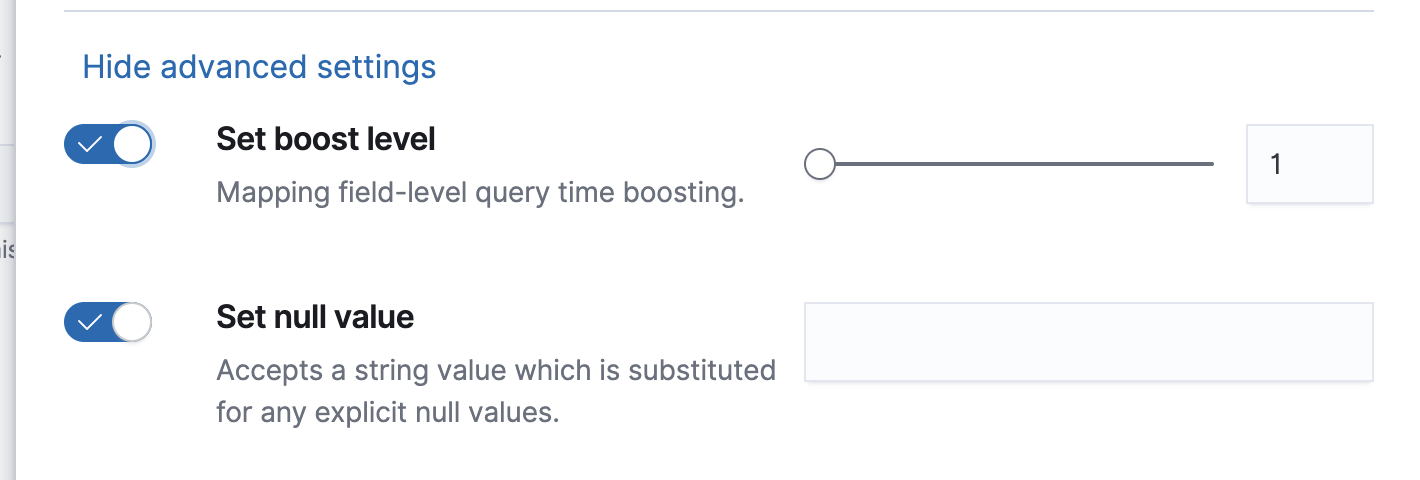
While testing, I did notice that when I enabled boost and null value, but didn't provide a value, there was no validation and the UI treated it as if I did not enable it when I saved. (This might have been a previous bug, but just happened to notice while testing that the "Advanced settings" were saved when opened/closed).
Also, I was seeing strange behavior with the error callout for Set position increment gap. I could only produce in edit mode, but the error callout would flash for a second and then disappear when toggling the switch. It seemed to be working as expected when creating a new template.
I like that the description text is now a part of the select options. However, it does make for a lot more scrolling for parameters that have a lot of options. It took me a few minutes to figure out why my custom analyzer wasn't showing. I was thrown off that there was still the "Add custom" link, but then realized there was also a "Custom analyzer" option at the very bottom of the list. Maybe we can get some feedback on this and revisit if there's time 😄
| formFieldPath === undefined ? ( | ||
| <EuiSwitch checked={isContentVisible} onChange={onToggle} data-test-subj="input" /> | ||
| // TODO: Ask EUI why the "label" is a required prop since last update | ||
| <EuiSwitch label="" checked={isContentVisible} onChange={onToggle} data-test-subj="input" /> |
There was a problem hiding this comment.
I think we should still define a label here, but set showLabel={false} for screen readers
There was a problem hiding this comment.
Good point, I will add it

|
Thanks for the review @alisonelizabeth !! I will merge this so you have time to merge master and resolve the conflicts (and hopefully get the feature branch PR turn green! 😊 ). I will address any upcoming feedback on my next branch.
It seems to be the expected behavior. If you don't specify anything in the field, the user probably bypassed the set null value. He can always come back and set it if he needs to, but it is not an error per se IMO.
I will try to reproduce it, I haven't noticed anything on my local but I'll check. Thanks 👍
Yeah, more scrolling but I guess we better educate the users on what option does what. Let's see what stakeholders think.
We need to figure out if there is still the need to add a custom analyzer that would come from a plugin for e.g. @jethr0null do you think you could find out? |
3 participants


This PR adds some improvement to the Mappings editor and fixes a few bugs.
Improvements
customanalyzer defined by the user under theSettingstab. If no custom analyzer has been defined, the "Custom analyzer" option in the dropdown will not appear.namemust be in lowercase. A new validation has been added for it on the field.Fixed bugs
Refactor
As recommended by @snide ([Mappings editor] Add UI/UX to mappings core #48876 (comment)) the styles have been updated to follow the guidelines (class name, use of eui vars and no use of naked selectors)
As suggested by @jasontedor (https://github.com/elastic/elasticsearch-team/issues/272#issuecomment-548632974), the previous "Reject malformed" has been inverted to "Ignore malformed" and align with the ES API.
As suggested by @alisonelizabeth , a shared
<ModalConfirmationDeleteFields />component has been added to display the fields that would be removed after a type update or a field being deleted.As suggested by @alisonelizabeth , there is now a warning Callout when trying to add an
aliasfield before any other field.