[IM] Index templates form wizard#42457
Conversation


 alisonelizabeth
added
enhancement
alisonelizabeth
added
enhancement

|
Pinging @elastic/es-ui |
alisonelizabeth
added
v7.4.0
v8.0.0
and removed
enhancement
💔 Build Failed |
💔 Build Failed |
alisonelizabeth
force-pushed
the
feature/index_templates
branch
from
2dbe11e to
4312645
Compare
💔 Build Failed |
alisonelizabeth
force-pushed
the
feature/index_templates
branch
from
4312645 to
2157e99
Compare
💔 Build Failed |
alisonelizabeth
force-pushed
the
feature/index_templates
branch
from
2157e99 to
fbc8602
Compare
💔 Build Failed |
alisonelizabeth
force-pushed
the
feature/index_templates
branch
from
fbc8602 to
508bf36
Compare
💚 Build Succeeded |
💔 Build Failed |
alisonelizabeth
force-pushed
the
feature/index_templates
branch
from
c796bd8 to
624c9f7
Compare
💔 Build Failed |
alisonelizabeth
force-pushed
the
feature/index_templates
branch
from
624c9f7 to
46e71c1
Compare
💚 Build Succeeded |
💔 Build Failed |
alisonelizabeth
force-pushed
the
feature/index_templates
branch
from
b42f89e to
9f2a26c
Compare
💔 Build Failed |
alisonelizabeth
force-pushed
the
feature/index_templates
branch
from
9f2a26c to
1696ca5
Compare
💔 Build Failed |
alisonelizabeth
force-pushed
the
feature/index_templates
branch
from
1696ca5 to
802cd75
Compare
💚 Build Succeeded |
💔 Build Failed |

 sebelga
left a comment
sebelga
left a comment
sebelga
left a comment
There was a problem hiding this comment.
Thanks for making the changes @alisonelizabeth . The flow looks much better now! There is still a small improvement / bug fix around step navigation, see my comment.
Another thing is: Once the validation displays the errors, those are not cleared until we try to navigate away from the form (clicking "next" or a different step). In order to update the validation errors, you would need to validate on each keystroke... the whole form, which would not be efficient. I would not bother with it now as by refactoring using the Hook form lib will take care of doing this in an optimized way (maintaining a local state for value and error on each field). cc @cjcenizal
x-pack/legacy/plugins/index_management/public/sections/template_clone/template_clone.tsx
Outdated
Show resolved
Hide resolved
| setTemplate(newTemplate); | ||
| }; | ||
|
|
||
| const handleStepChange = (newCurrentStep: number, newMaxCompletedStep: number) => { |
There was a problem hiding this comment.
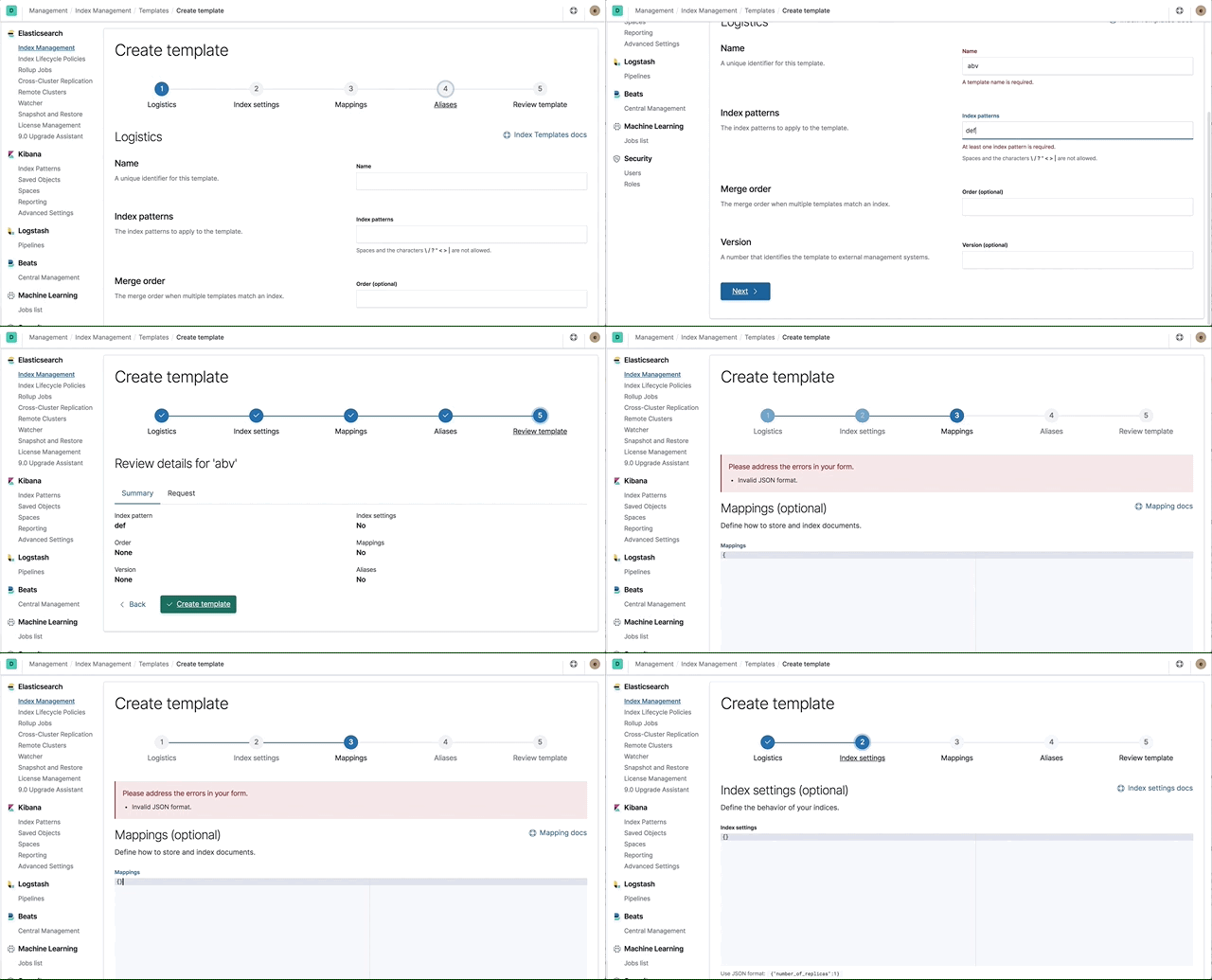
I still think the logic could still be simplified. Aside, there is a small bug. If we go to step 2, insert an invalid JSON then click "back". And then go the review step, the invalid JSON is sent over.
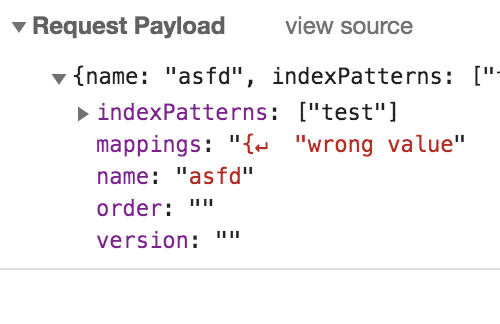
This simplified logic fixes this bug
const updateCurrentStep = (nextStep: number) => {
  // All the steps needs validation, except for the fifth
  const shouldValidate = currentStep !== 5;

  if (shouldValidate) {
    const stepValidation = validateStep(template);

    const { isValid: isCurrentStepValid } = stepValidation;

    const newValidation = {
      ...validation,
      ...{
        [currentStep]: stepValidation,
      },
    };

    setValidation(newValidation);

    // If step is invalid do not let user to proceed
    if (!isCurrentStepValid) {
      return;
    }
  }

  setCurrentStep(nextStep);
  setMaxCompletedStep(prev => Math.max(nextStep - 1, prev));
  clearSaveError();
};

const onBack = () => {
  updateCurrentStep(currentStep - 1);
};

const onNext = () => {
  updateCurrentStep(currentStep + 1);
};There was a problem hiding this comment.
good catch! the calculation for the max completed step differs for onBack vs onNext, so i tweaked this a little bit, but should be much cleaner now. thanks!
There was a problem hiding this comment.
Mmmm... why does it defer?
There was a problem hiding this comment.
Sorry, misspoke. The bug with the code above^ exists if you try to go back > 1 step via the steps component. For example, if I'm on the Aliases step and click back to Logistics, this is what I see:
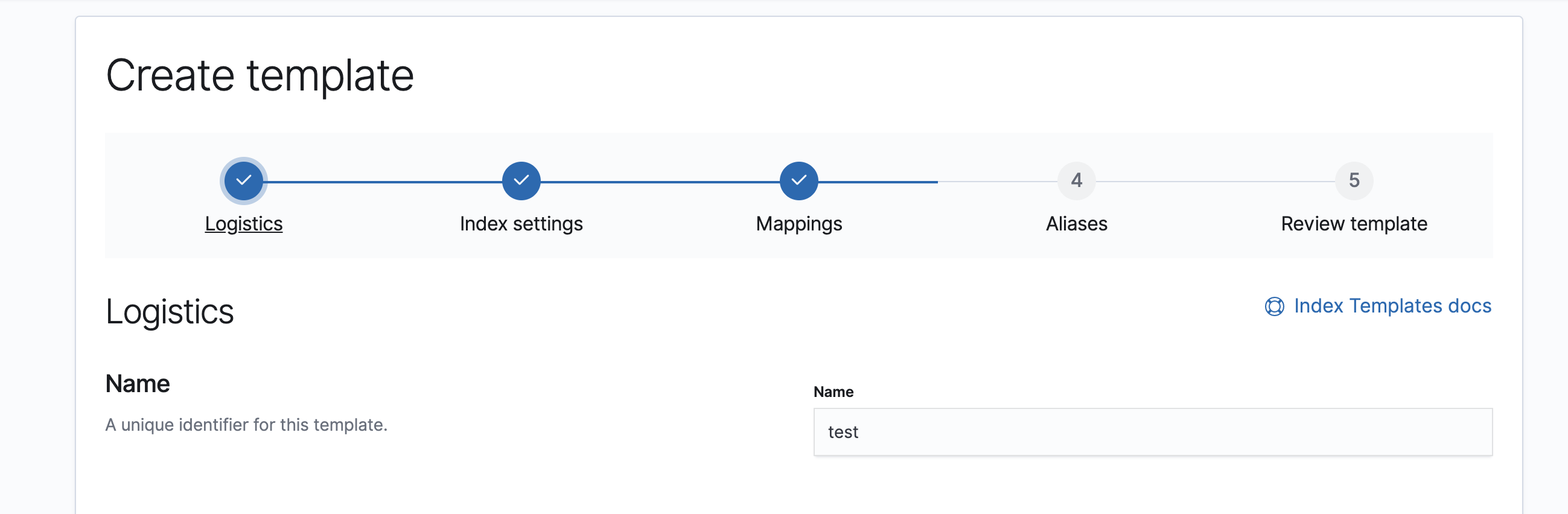
There was a problem hiding this comment.
Ah I see. Then we don't need this maxCompletedStep state. If we completely remove it, then the <TemplateSteps /> component would have this JSX (forwarding the isStepValid in the props.)
const steps = [1, 2, 3, 4, 5].map(step => {
    return {
      title: stepNamesMap[step],
      isComplete: currentStep > step,
      isSelected: currentStep === step,
      disabled: isStepValid ? false : step !== currentStep, // disable all step but the current one
      onClick: () => updateCurrentStep(step, step - 1),
    };
});| title: stepNamesMap[step], | ||
| isComplete: maxCompletedStep >= step, | ||
| isSelected: currentStep === step, | ||
| disabled: isStepValid ? false : step > currentStep + 1, |
There was a problem hiding this comment.
I think this shoul be
disabled: isStepValid ? false : step !== currentStep, // disable all step but the current one
onClick: () => updateCurrentStep(step), // no more "shouldValidate" needed from my previous commentThere was a problem hiding this comment.
i was thinking about this some more - not sure that we really need to disable any of the steps, since we're always validating. WDYT? I removed it for now and also updated the onClick.
There was a problem hiding this comment.
Yeah, both can work. The fact that they are disabled brings the focus to the form. We can ask another pair of eyes on it cc @cjcenizal
There was a problem hiding this comment.
I'm not sure this works. If the first step is in an invalid state then I feel like all of the subsequent steps should be disabled, right?
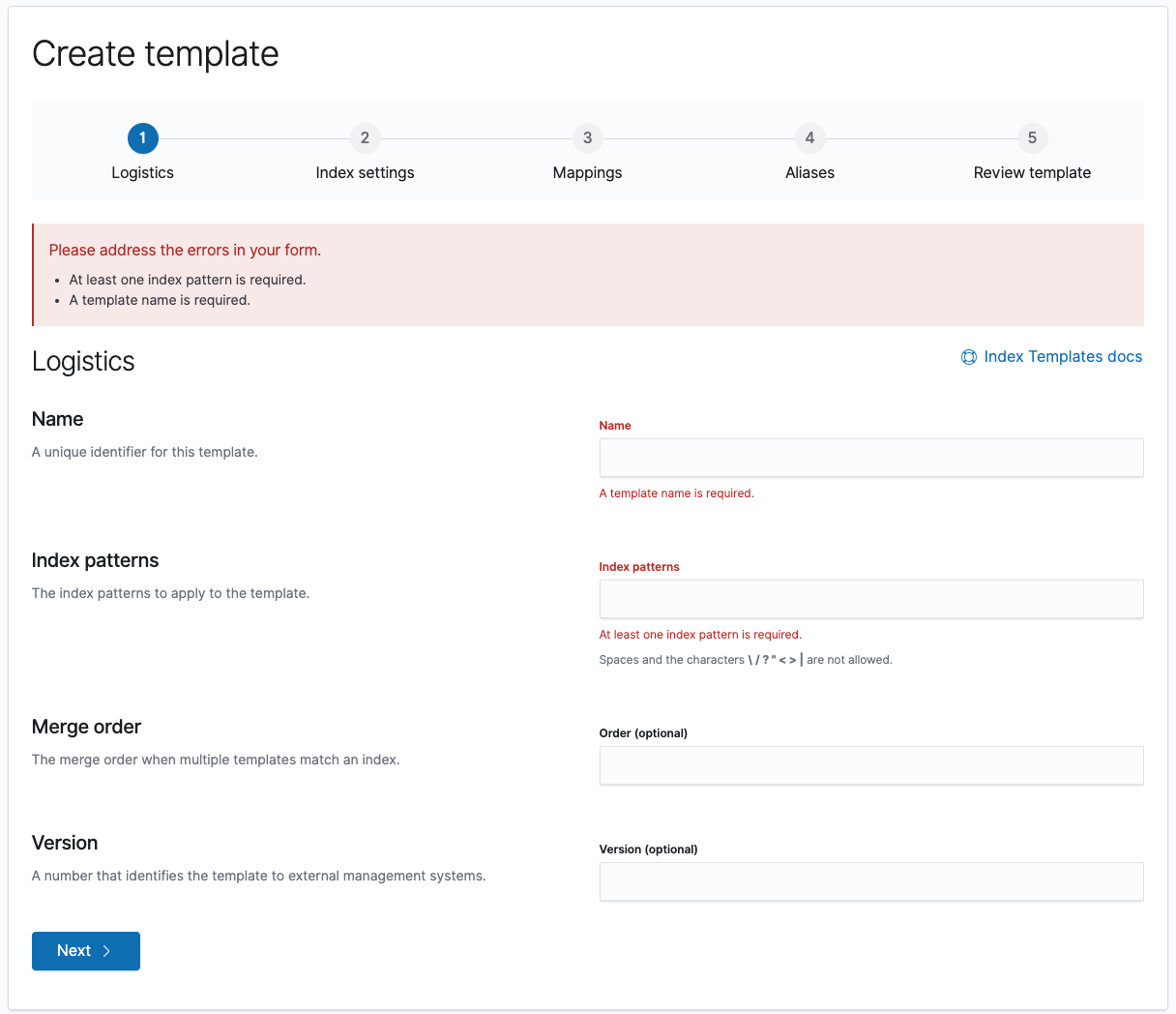
There was a problem hiding this comment.
@cjcenizal Yes, this is what
disabled: isStepValid ? false : step !== currentStep, // disable all step but the current onedoes. It disables all the steps once the currentStep is invalid.

The cancel button is great. I am not convinced by the design team decision. The user does not think in those terms (He does not ask: "does the breadcrumb link point to a page or a tab in a page?"). Aside, the cancel button might not be visible on all screen size. So as a user, this navigation is better (IMO):
than this one (cancel button is not visible)
This is not a blocker, but I think it would improve the UX. [EDIT]: Now that I am reviewing SR app, that's how Jen has it setup ("policies" is a tab):
I was referring to a client validation while giving a name to the template. Like we do in follower indices (https://github.com/elastic/kibana/blob/master/x-pack/legacy/plugins/cross_cluster_replication/public/app/components/follower_index_form/follower_index_form.js#L168). This can be done in a second phase, especially with the Form lib that can do this much more easily.
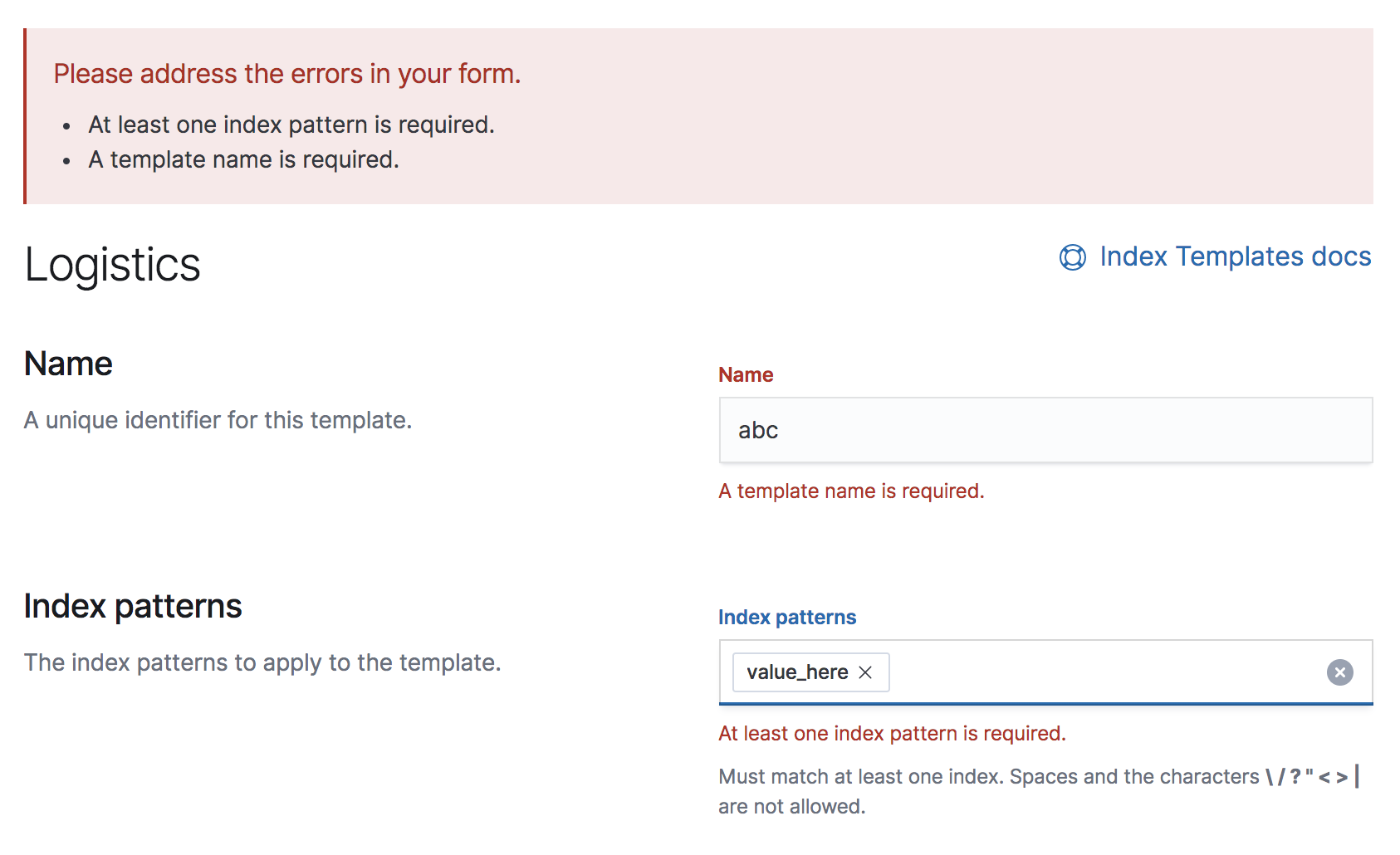
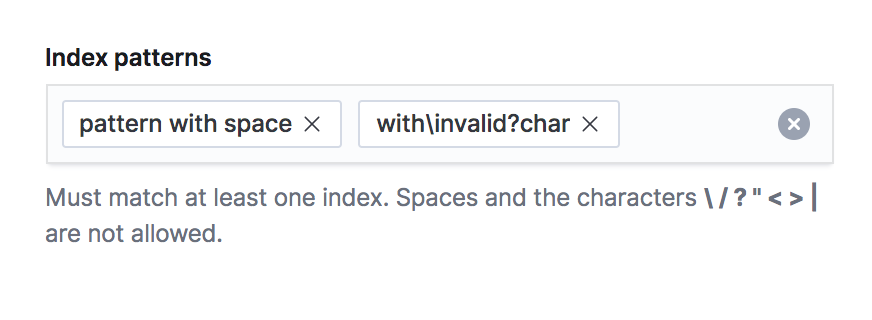
I played around with weird chars and got a few bugs. For example when using a
I can still add values to the combo box with those invalid chars.
Again, this will be very easily done with the Form hook goodies |



|
@sebelga thanks for the second round of testing! I think the steps behavior is in good shape now. Mind doing one last check? I also added additional validation for the template name. The combo box/index patterns validation is done on submit. As a second phase, I think this can be improved as you mentioned above and we can incorporate the form lib. Great point about the breadcrumb vs. cancel button. I chatted with CJ about this too and went ahead and added another layer as you suggested and removed the Cancel button. Still working on updating the tests... |
|
|
||
| const onBack = () => { | ||
| const prevStep = currentStep - 1; | ||
| updateCurrentStep(prevStep, prevStep - 1); |
There was a problem hiding this comment.
The maxCompletedStep should not go down (always up). What was not working about my previous example?
💔 Build Failed |
|
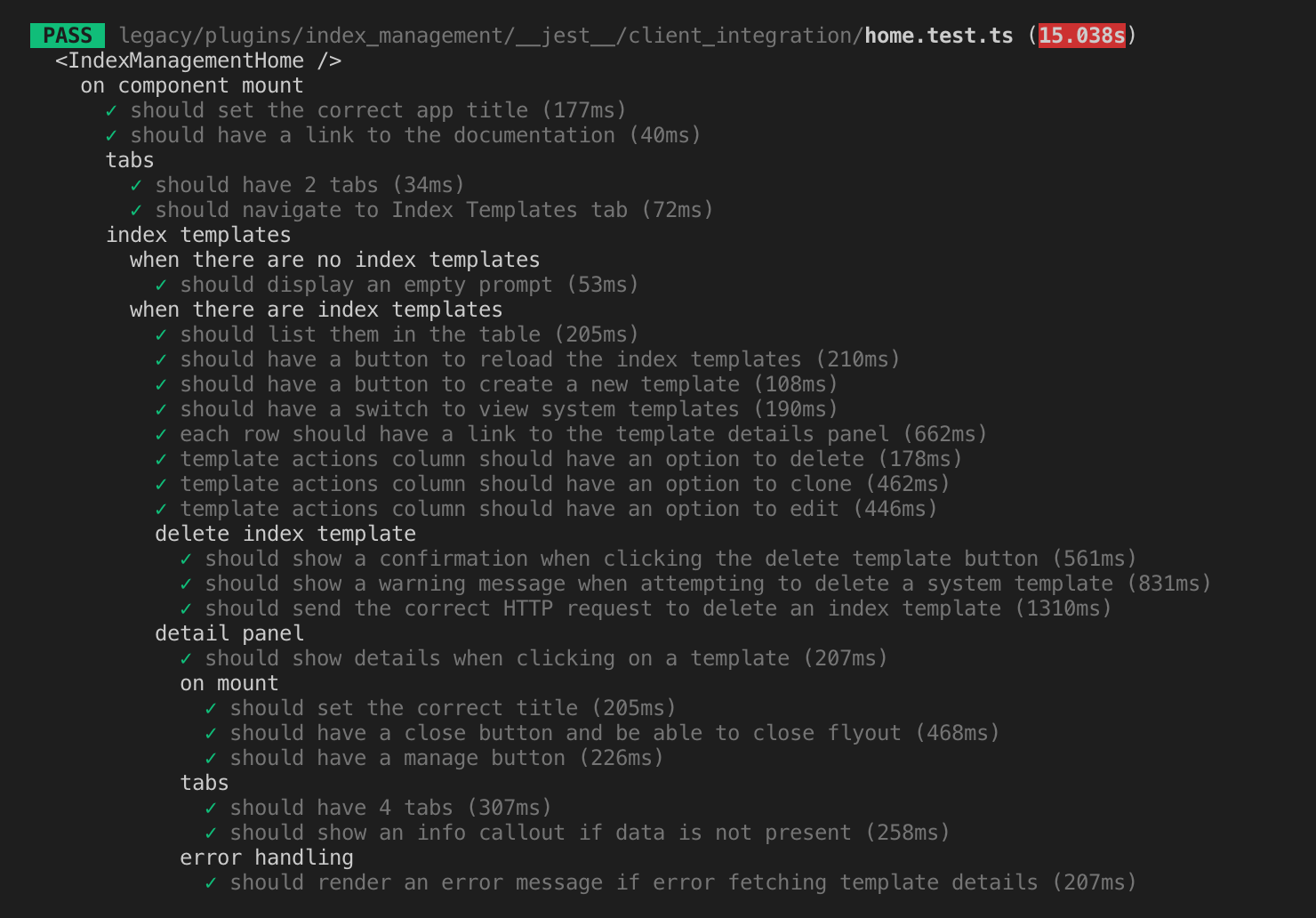
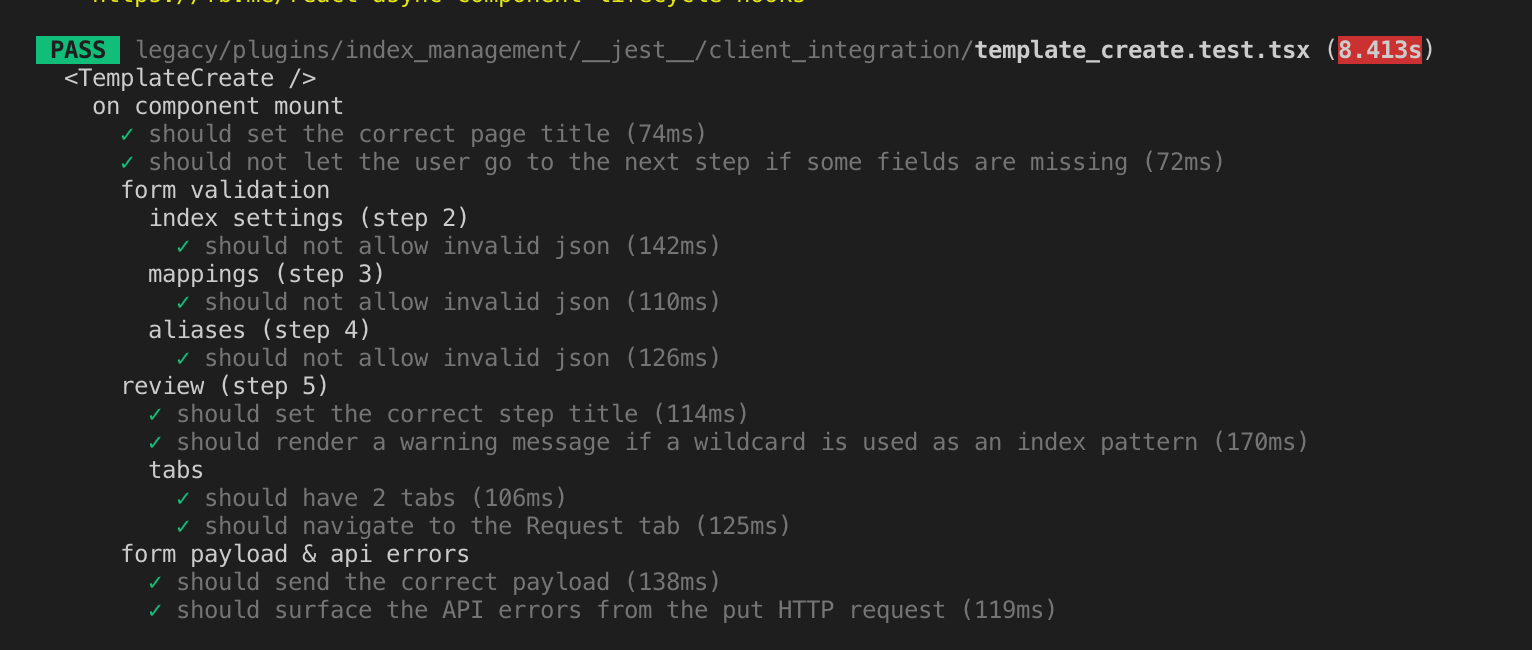
@sebelga tests has been updated! |



 cjcenizal
left a comment
cjcenizal
left a comment
cjcenizal
left a comment
There was a problem hiding this comment.
Code looks great! I tested locally and found a few areas we could improve but nothing blocking. I think the most important thing is to try to fix the bugs in the steps navigation.
Bugs
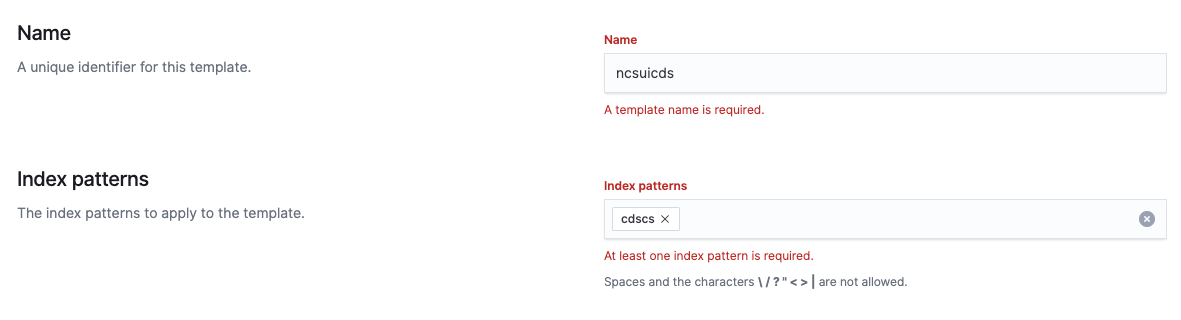
Validation
I think we should be validating as the user enters input. It seems weird to fix a validation error and require me to click the "Next" button to see if my input really is valid or not.
Steps navigation
If I enter invalid JSON on a later step and then try to go back to a previous step, I'm blocked.
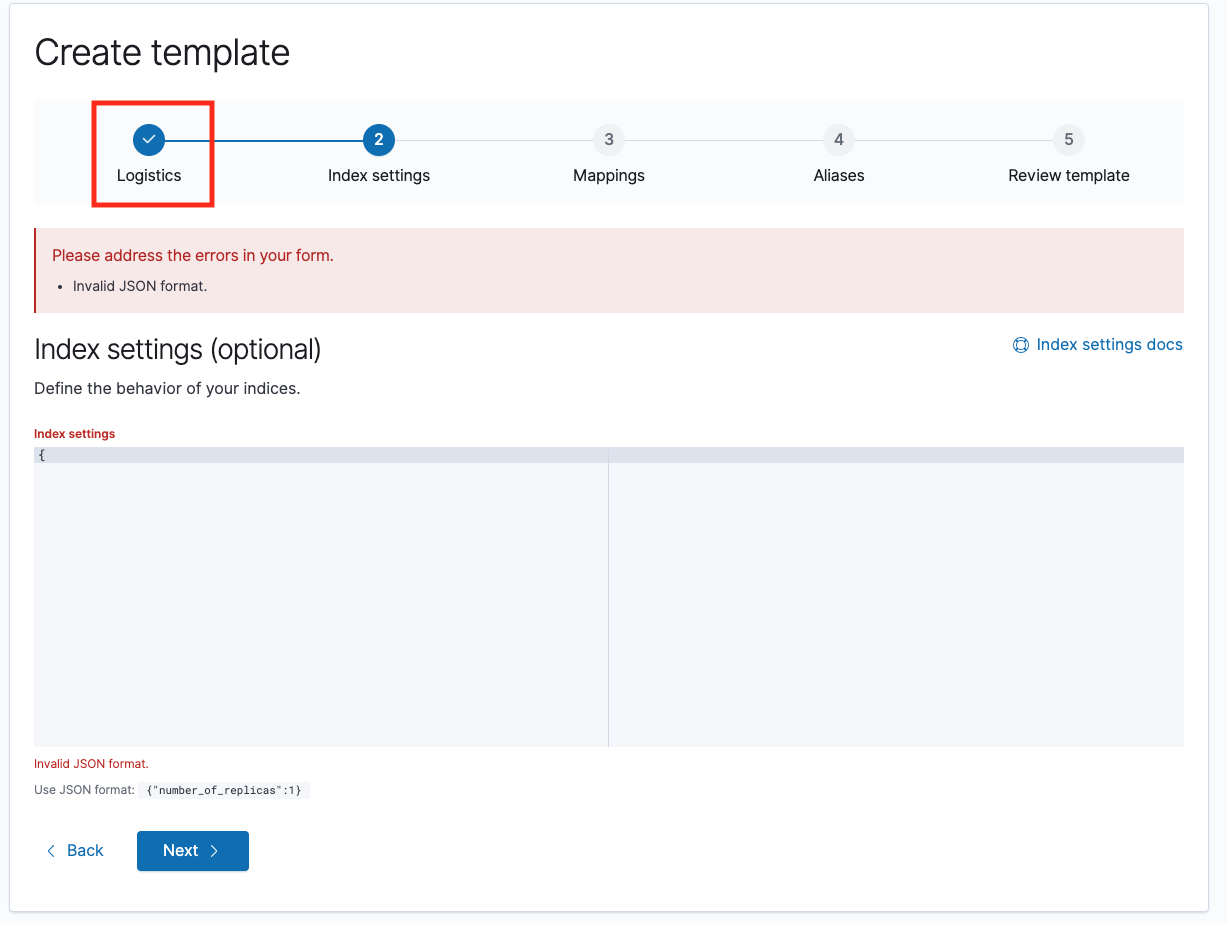
Based on the UX in the rollup job wizard, I think these are the rules the UX should follow:
- If the current step has not been validated, disable all subsequent steps.
- Once the current step has been validated and the user navigates to the next step, that becomes the max completed step.
- If the user navigates back to a previously completed step, enable steps up to the max completed step.
- If the user enters invalid input at this previously completed step, disable all subsequent steps.
- Once the input has been re-validated, re-enable steps up to the max completed step.
And when editing an existing index template, all of the steps should be initially enabled.
Suggestions related to this PR
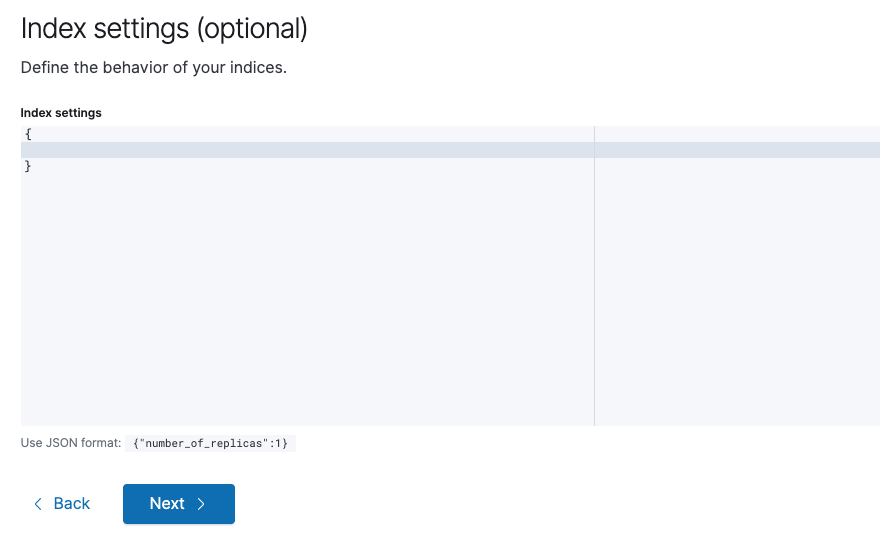
Increase code editor height
Even on a laptop screen, the code editor height feels cramped. I suggest doubling it.
Expanding the default object in the code editor
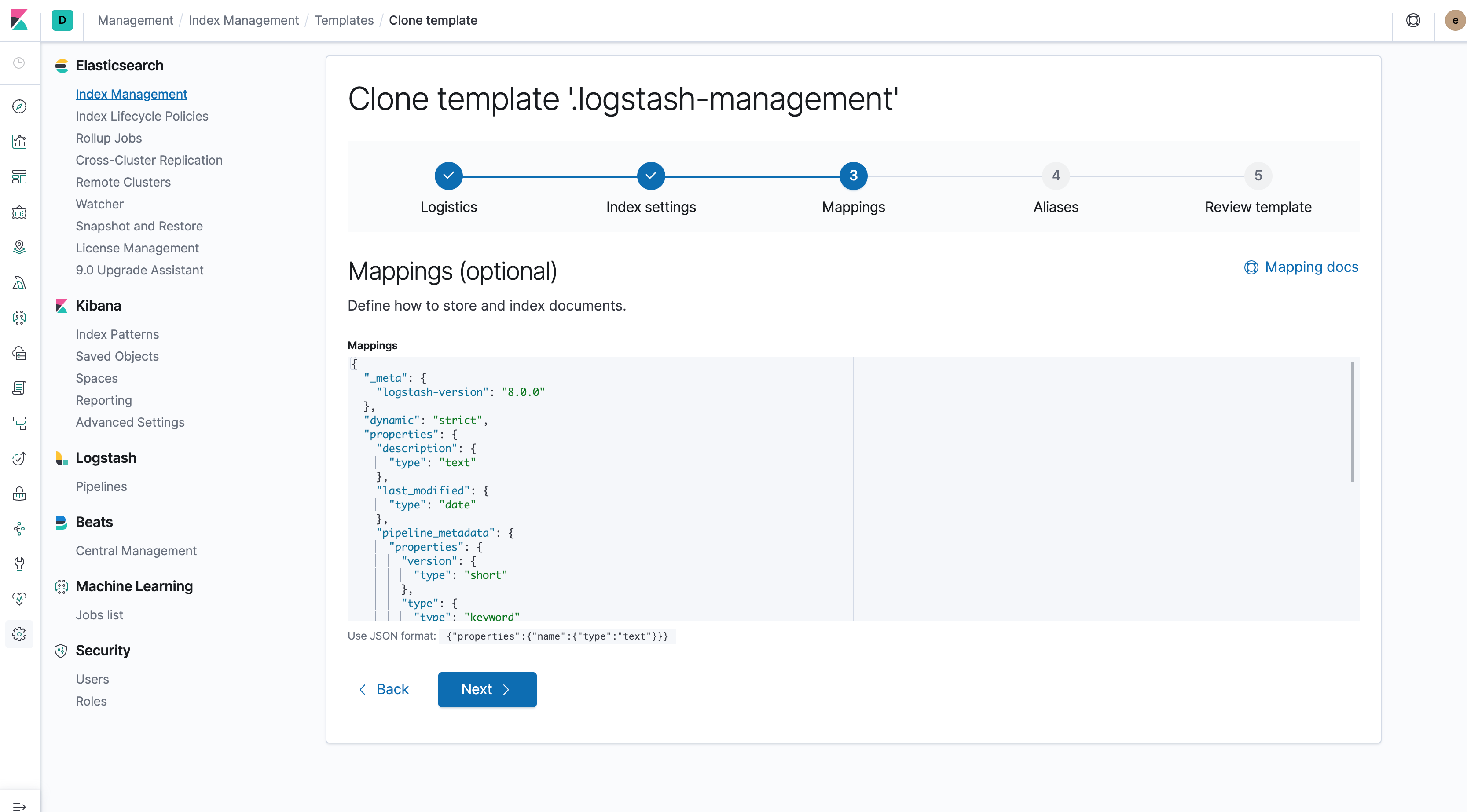
Can we insert some newlines into the default value so users don't need to do this every time they edit the object?
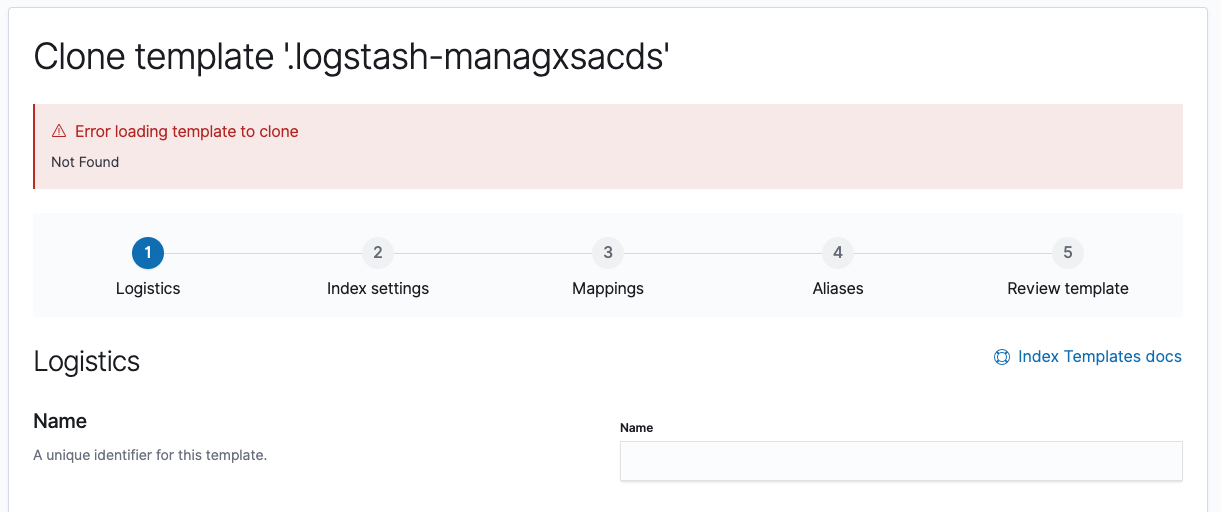
Hide wizard when cloning a nonexistent template
If I edit the URL to clone a template that doesn't exist, I still see the wizard. I think it would make more sense to hide it, similar to how it's hidden when you try to edit a nonexistent template.

Suggestions unrelated to this PR
Table column widths
I noticed that some of the columns could probably be made narrower to give more room to the name and index patterns columns.

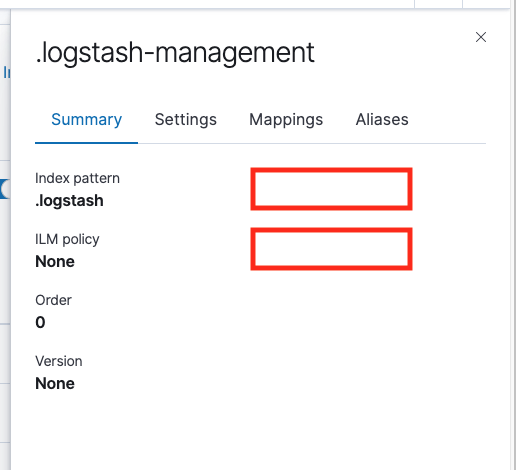
Detail panel summary layout
A two-column layout seems like it would use this space a little more efficiently.
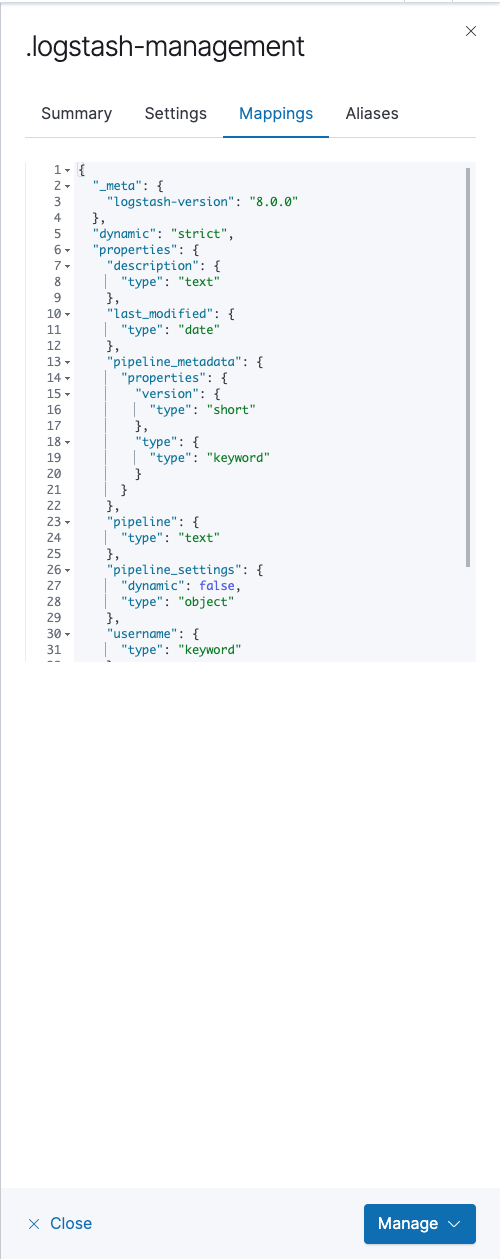
Code editor vs code block
It seems odd to make the code editor use a scroll bar when there's so much space in the detail panel. Is it possible to make it resize vertically based on its content? If not then have you considered using EuiCodeBlock instead, which supports this?
|
|
||
| const hasEntries = (data?: object) => { | ||
| return data ? Object.entries(data).length > 0 : false; | ||
| }; |
There was a problem hiding this comment.
Nit: would it make sense to use a default value to remove the need for the ternary?
const hasEntries = (data?: object = {}) => Object.entries(data).length > 0;| indexPatterns: indexPatterns.sort(), | ||
| settings: hasEntries(settings) ? JSON.stringify(settings, null, 2) : undefined, | ||
| aliases: hasEntries(aliases) ? JSON.stringify(aliases, null, 2) : undefined, | ||
| mappings: hasEntries(mappings) ? JSON.stringify(mappings, null, 2) : undefined, |
There was a problem hiding this comment.
Minor nit: a stringifyJson helper function would create nice symmetry with the parseJson helper that already exists.
| invalidChar = chars[i]; | ||
| break; | ||
| } | ||
| } |
There was a problem hiding this comment.
You could also use find here, i think:
const invalidChar = chars.find(char => string.includes(char)) || null;
const containsChar = invalidChar !== null;
|
Thanks for the review @cjcenizal! I'll work on refactoring the validation/steps logic on Friday. I believe I addressed all of your other comments though, with the exception of:
I originally had it this way, but design suggested I change it to one column - Caroline felt that it would make more use of the vertical space. I don't have a strong opinion either way.
I did have widths defined for the columns at one point, but noticed some alignment issues during IE testing. I'll have to go back and investigate some more, but likely will not be addressed in this PR. |
I like this UX. Why let the user navigate away from an invalid form? Each step should be valid before going back/next or jump to another. I think the rollup steps should not constrain other multi-step forms. In this concrete case, the only step that is required is the first one. A user needs to be able to jump from 2 to 4 or 5 if he wants IMO. When Alison will make the change to update the validation
|

sebelga
left a comment
sebelga
left a comment
There was a problem hiding this comment.
Awesome work @alisonelizabeth making all those changes!! I really like the breadcrumb update.
I approve the PR to not block it (I am on support dev ramp next week).
On my side, the thing left is the special chars in the name (/?*$%&). Look at the links I passed over to you in slack.
For the step navigation, as I commented in the code, in this form there isn't the need of the maxCompletedStep variable. I have the following in my local working great:
const updateCurrentStep = (nextStep: number) => {
  // All steps needs validation, except for the last step
  const shouldValidate = currentStep !== lastStep;

  if (shouldValidate) {
    const stepValidation = validateStep(template);

    const { isValid: isCurrentStepValid } = stepValidation;

    const newValidation = {
      ...validation,
      ...{
        [currentStep]: stepValidation,
      },
    };

    setValidation(newValidation);

    // If step is invalid do not let user proceed
    if (!isCurrentStepValid) {
      return;
    }
  }

  setCurrentStep(nextStep);
  clearSaveError();
};

const onBack = () => {
  updateCurrentStep(currentStep - 1);
};

const onNext = () => {
  updateCurrentStep(currentStep + 1);
};

// template_steps.tsx

export const TemplateSteps: React.FunctionComponent<Props> = ({
  currentStep,
  updateCurrentStep,
  isStepValid,
}) => {
  const steps = [1, 2, 3, 4, 5].map(step => {
    return {
      title: stepNamesMap[step],
      isComplete: currentStep > step,
      isSelected: currentStep === step,
      disabled: isStepValid ? false : step !== currentStep, // disable all step but the current one
      onClick: () => updateCurrentStep(step),
    };
  });

  return <EuiStepsHorizontal steps={steps} />;
};
Cheers!
|
I agree with @sebelga, I think all steps except the current step should be disabled if you have an invalid field on the current step.
|
 alisonelizabeth
force-pushed
the
feature/index_templates
branch
from
alisonelizabeth
force-pushed
the
feature/index_templates
branch
from
196d3cc to
8117bea
Compare
|
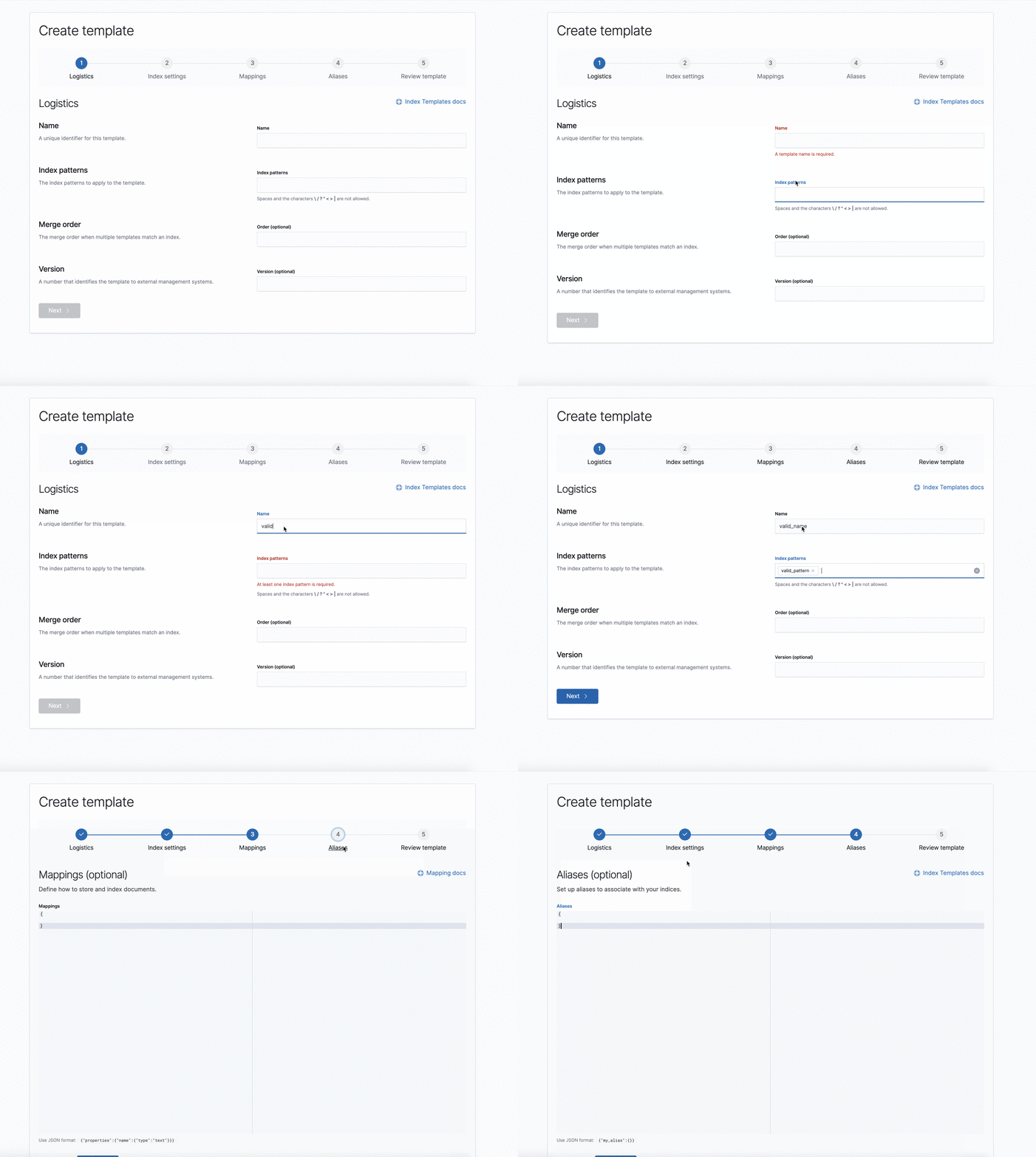
Added logic to handle encoding/decoding special characters. It feels a little hacky to me; definitely would be interested in looking into a better long-term solution since this seems to be an issue across our apps. |
💚 Build Succeeded |

|
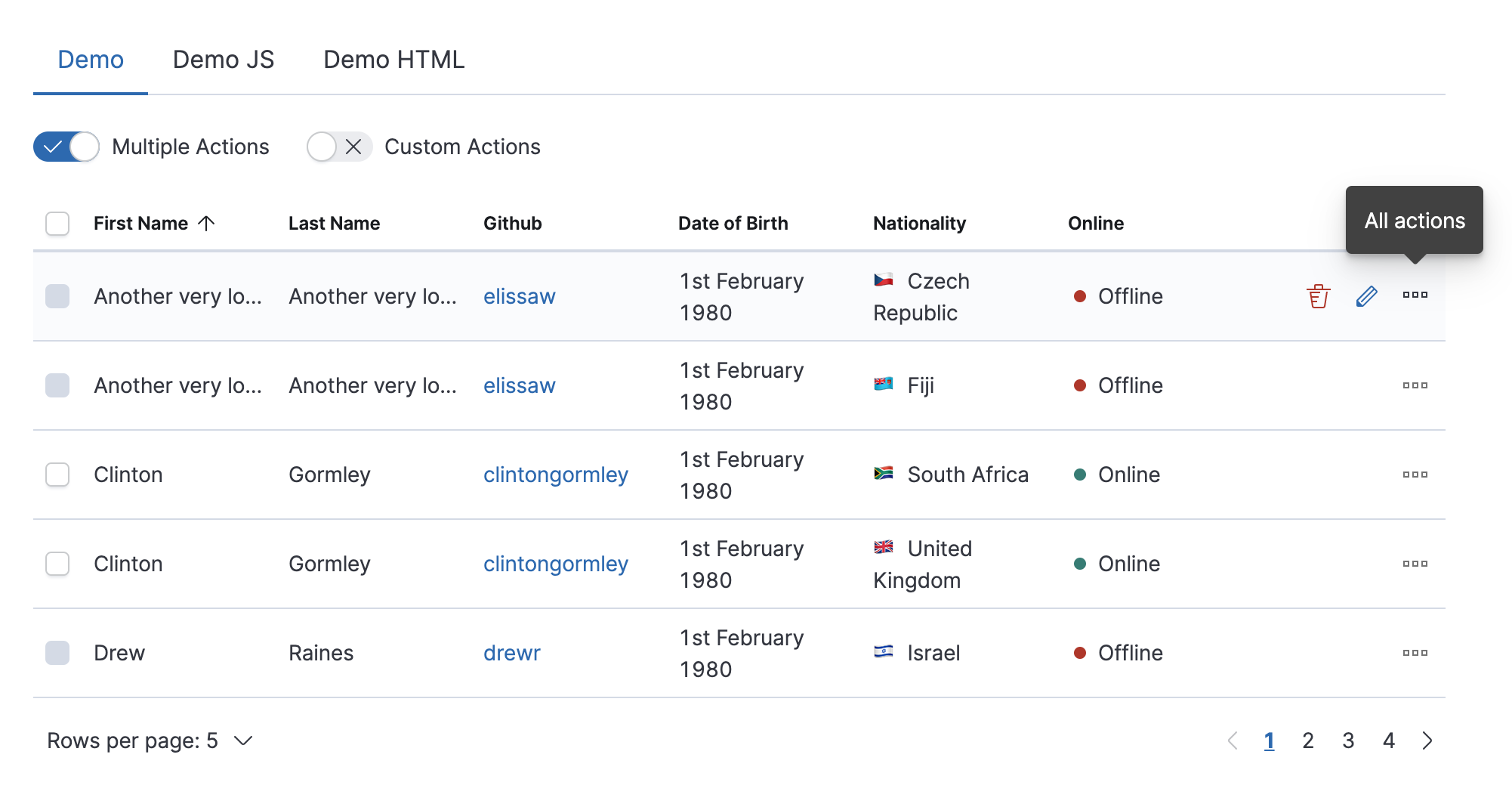
Did anyone test this in Internet Explorer? It seems completely broken in 7.4.0. UPDATE: Sorry, ignore that ^ I was confused by some of the UI functionality. For example, if you mouse-over a template row you get a delete trash can icon, but then if you select the checkbox that delete trashcan is gone and you have to instead use a |
|
@LeeDr No worries. I did test this against IE11, but please let me know if you see any issues. The table behavior is due to the fact that each row has >2 action types (edit, delete and clone). The EUI behavior is to show the Screenshot from EUI: As far as the checkboxes, this is a pattern we use in many of the management apps. Typically, we've only allowed actions that can be performed in bulk. Let me know if you have any other questions! |
6 participants


This PR adds the ability to create, edit and clone index templates. Includes API and component integration tests, as well as a simple smoke test to make sure the index templates tab loads.
Fixes #27965
Fixes #19947
Release notes
This feature adds the ability to create, edit and clone index templates within the Index Management app.
Note: This PR is continuation of #39922 and #41602.
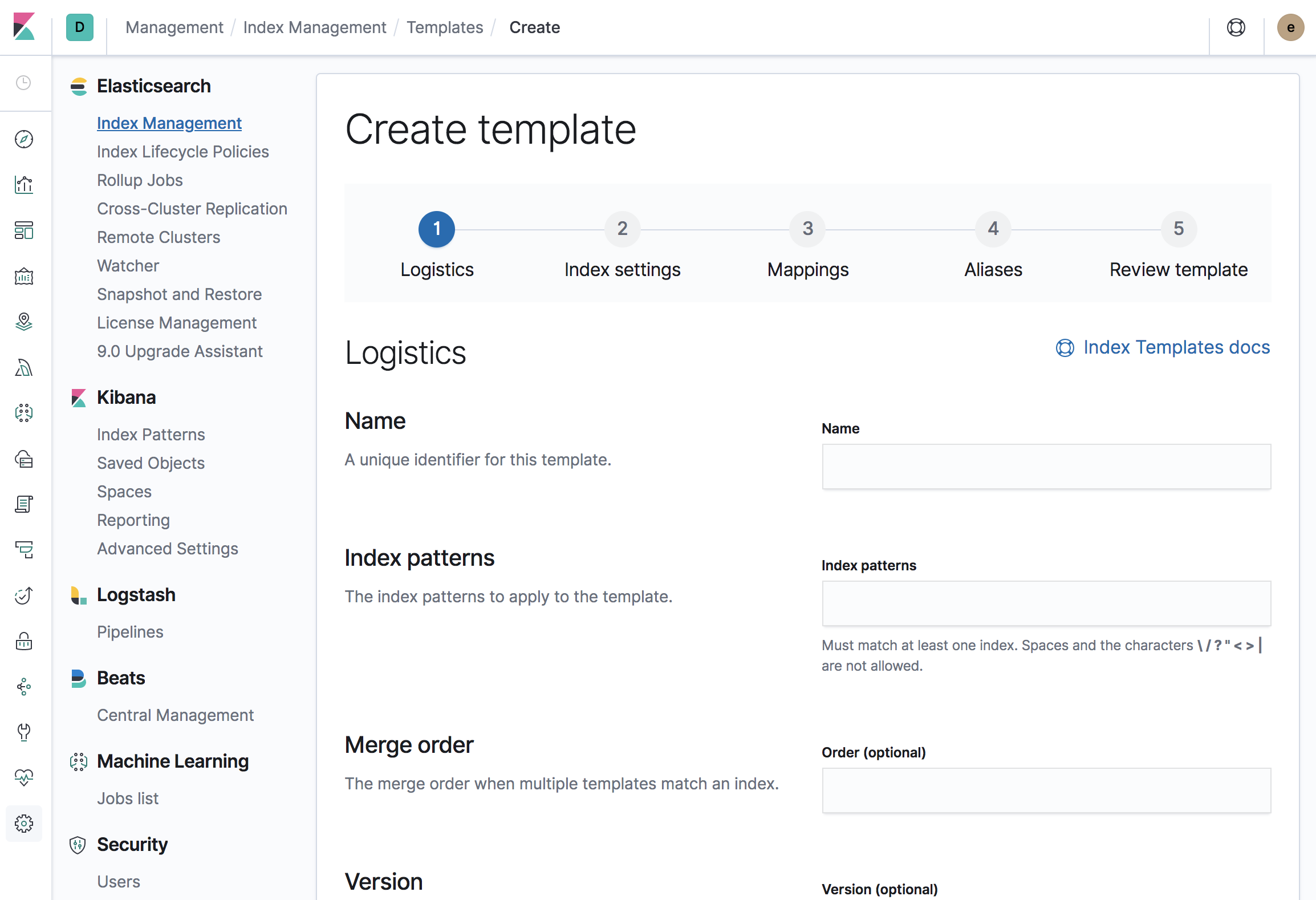
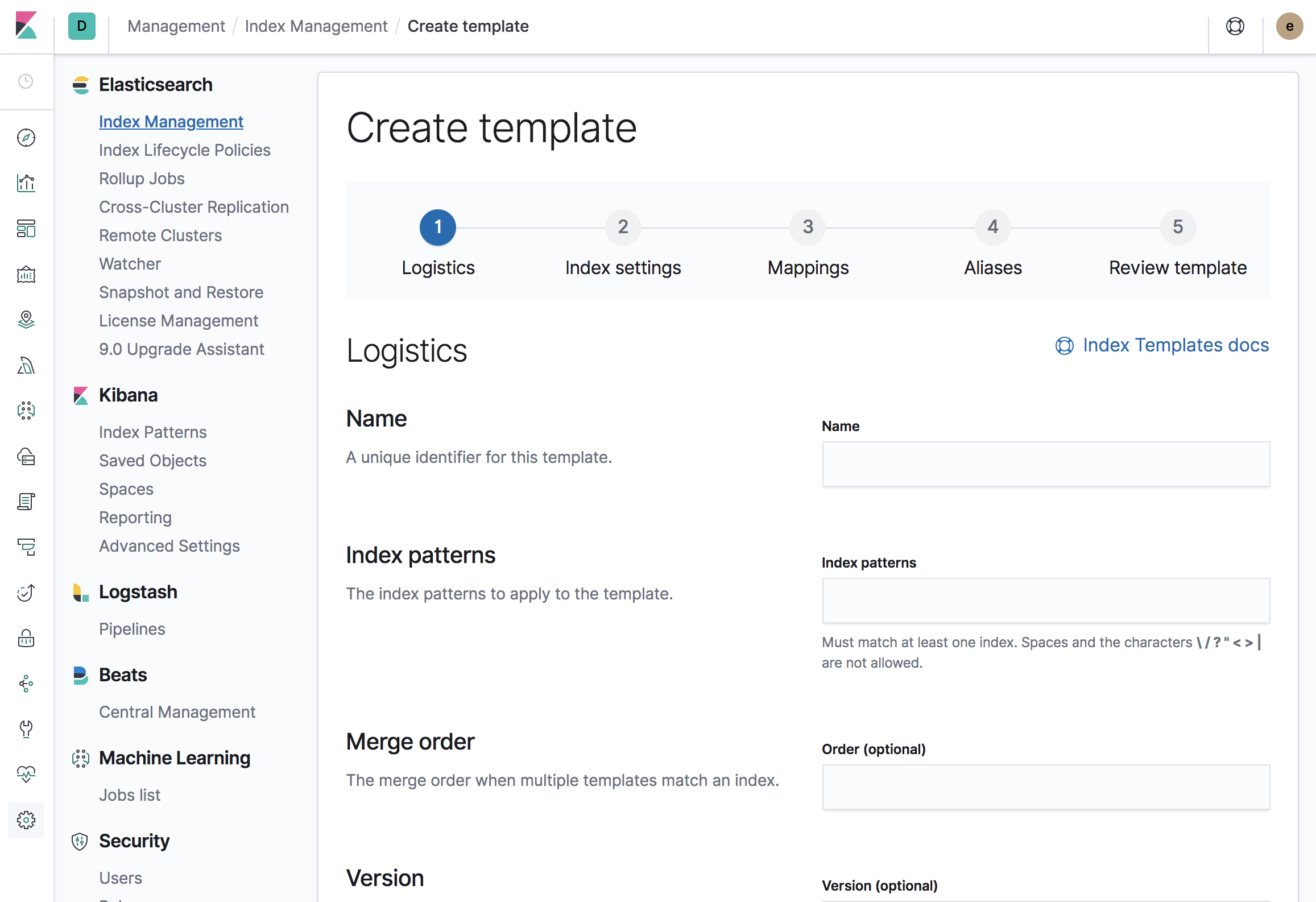
Screenshots
Template list and details with create, edit and clone actions added
Create wizard
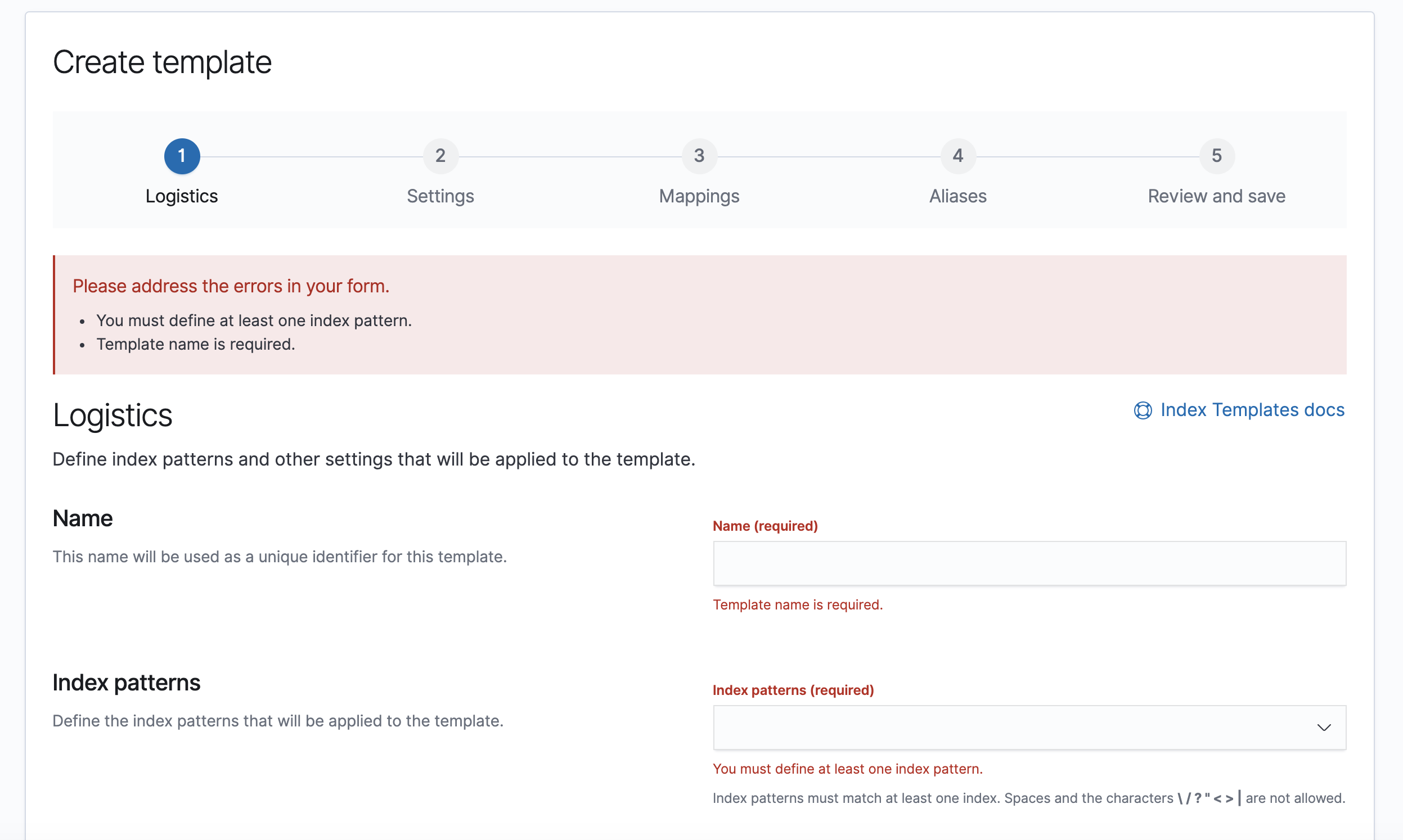
Step 1:
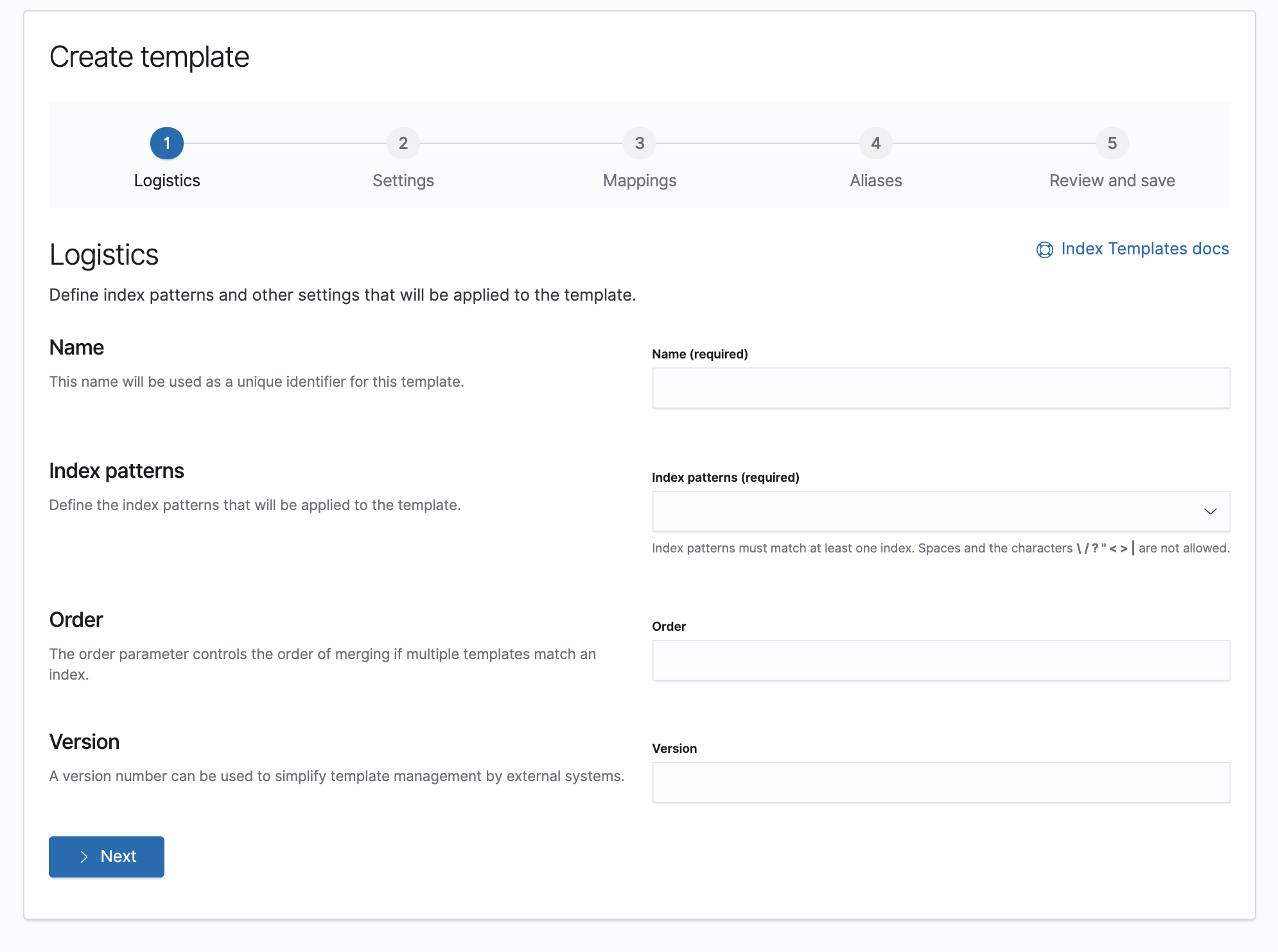
Step 1 with validation:
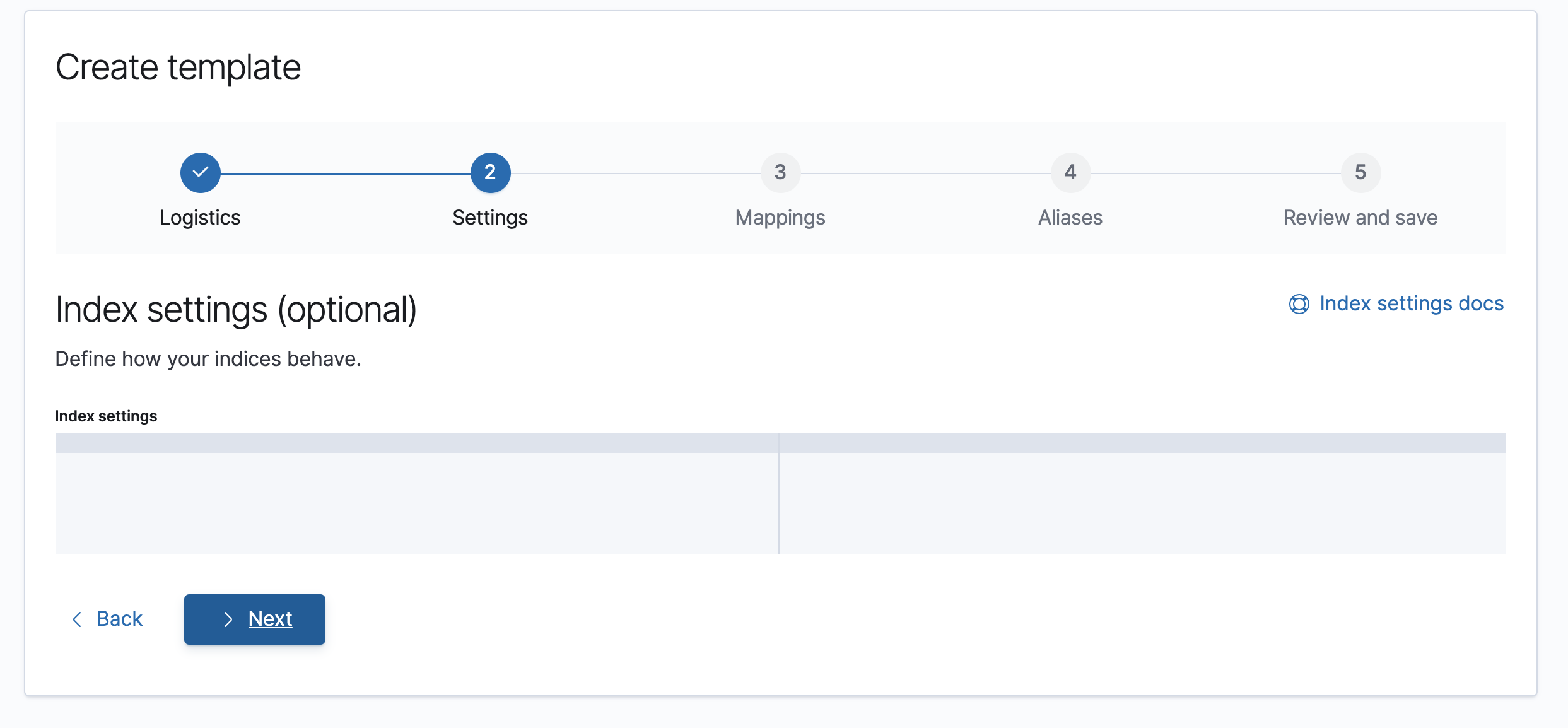
Step 2:
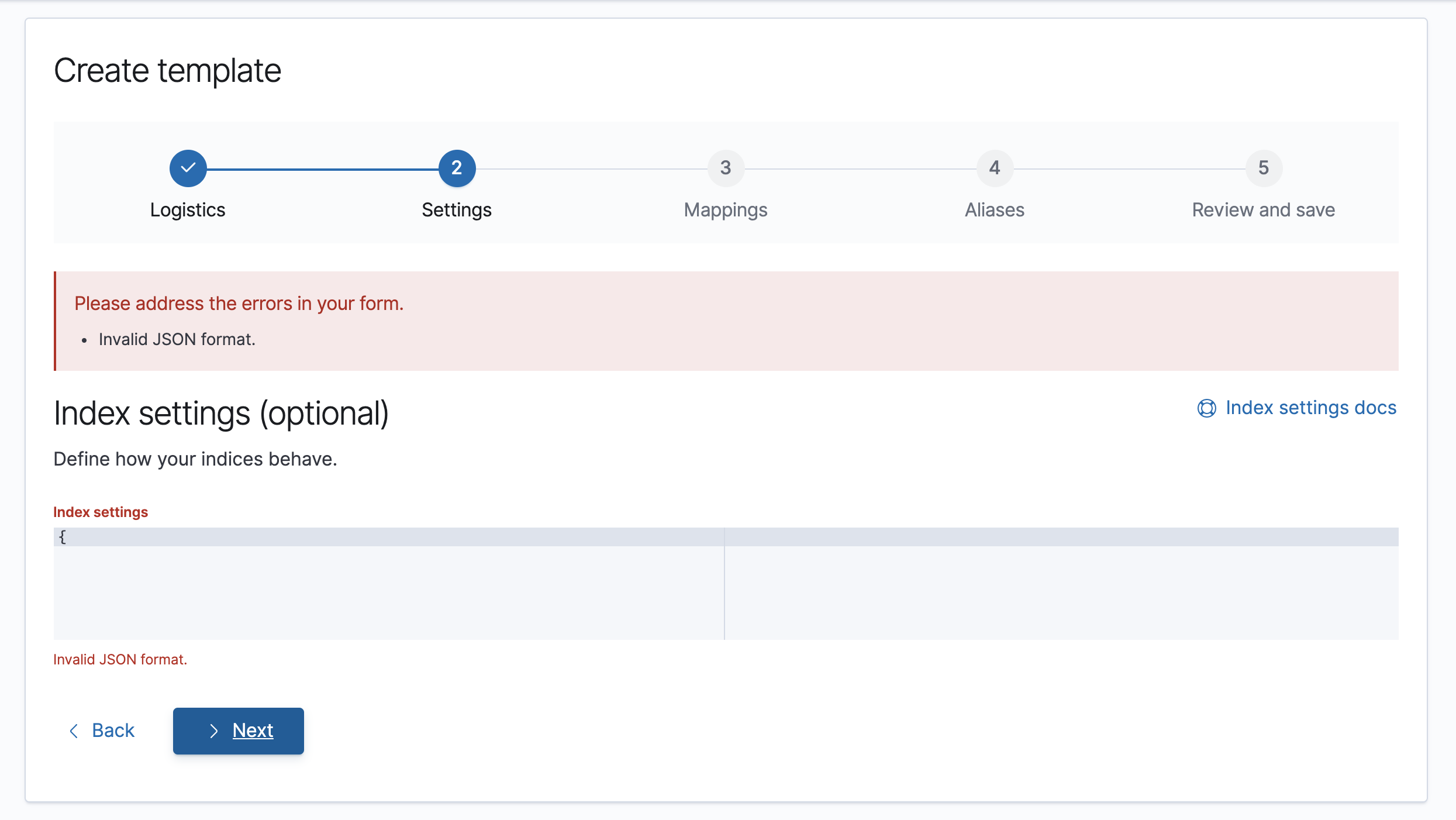
Step 2 with validation:
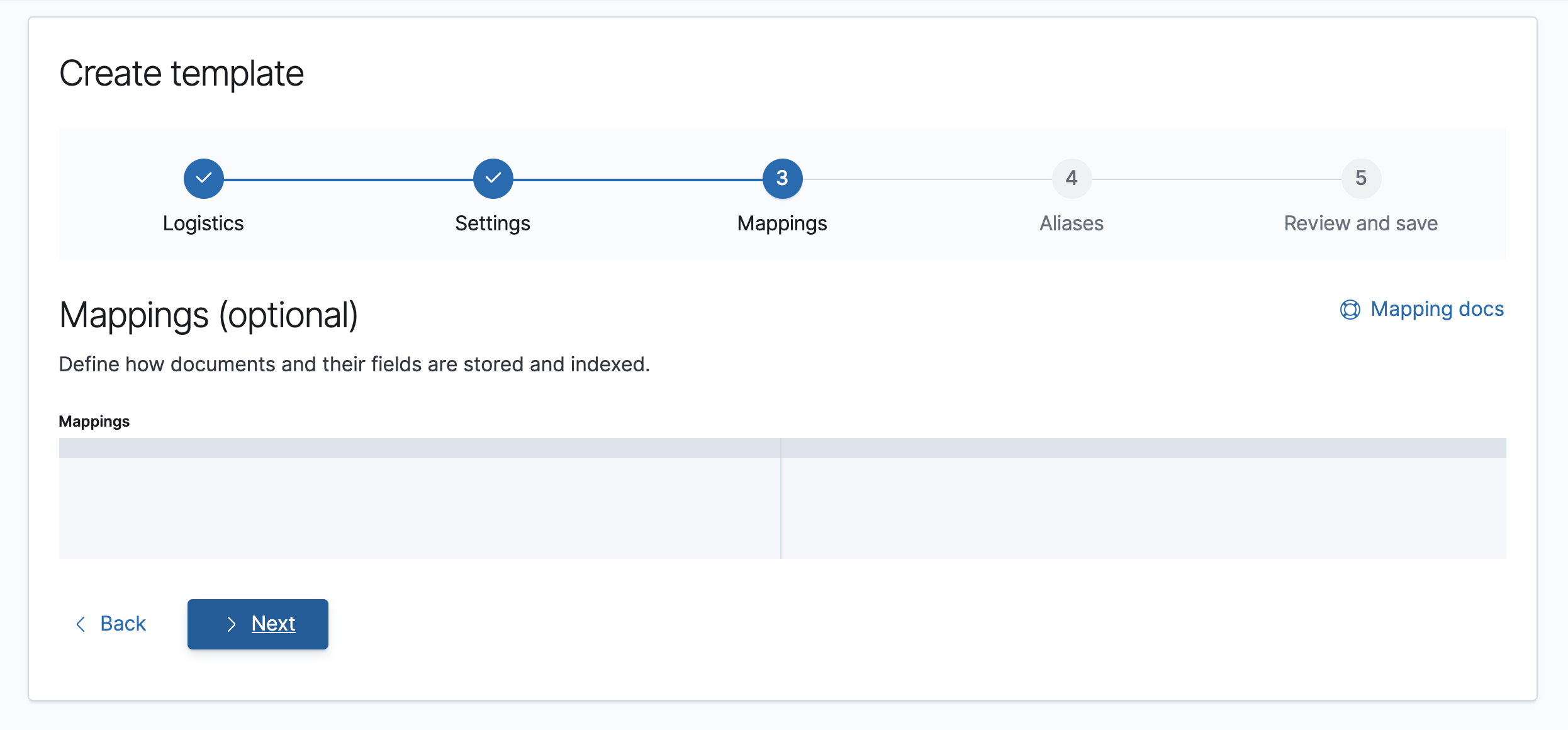
Step 3:
Step 4:
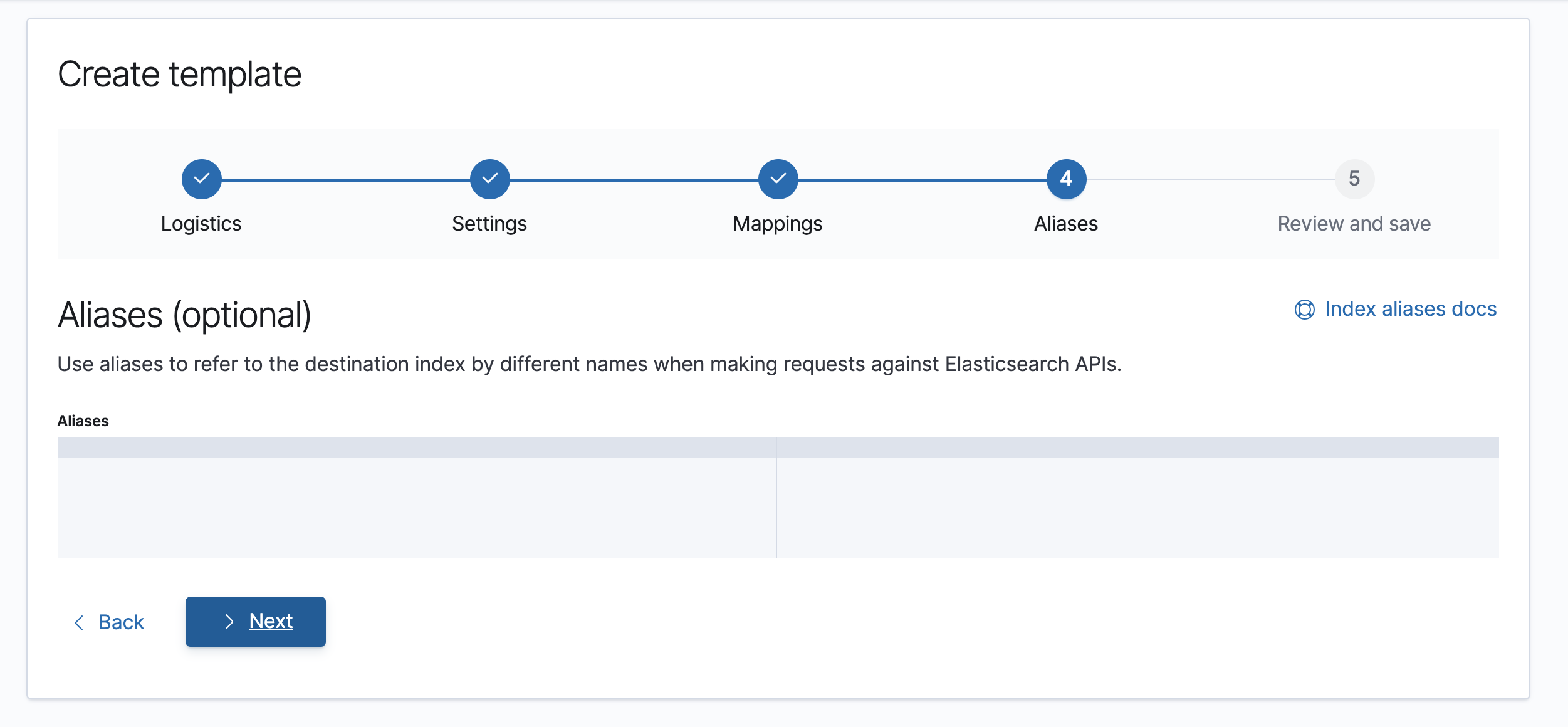
Step 5:
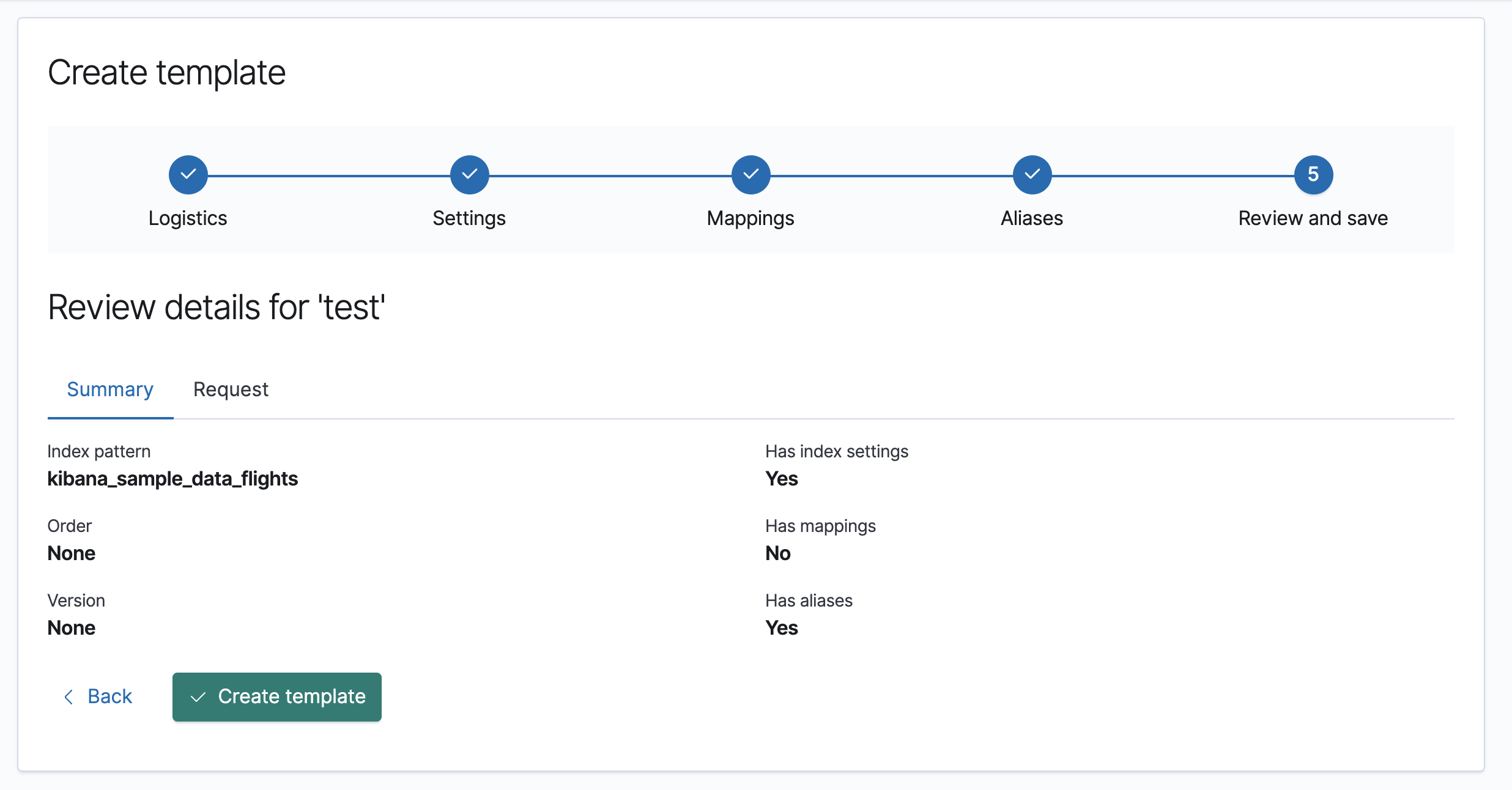
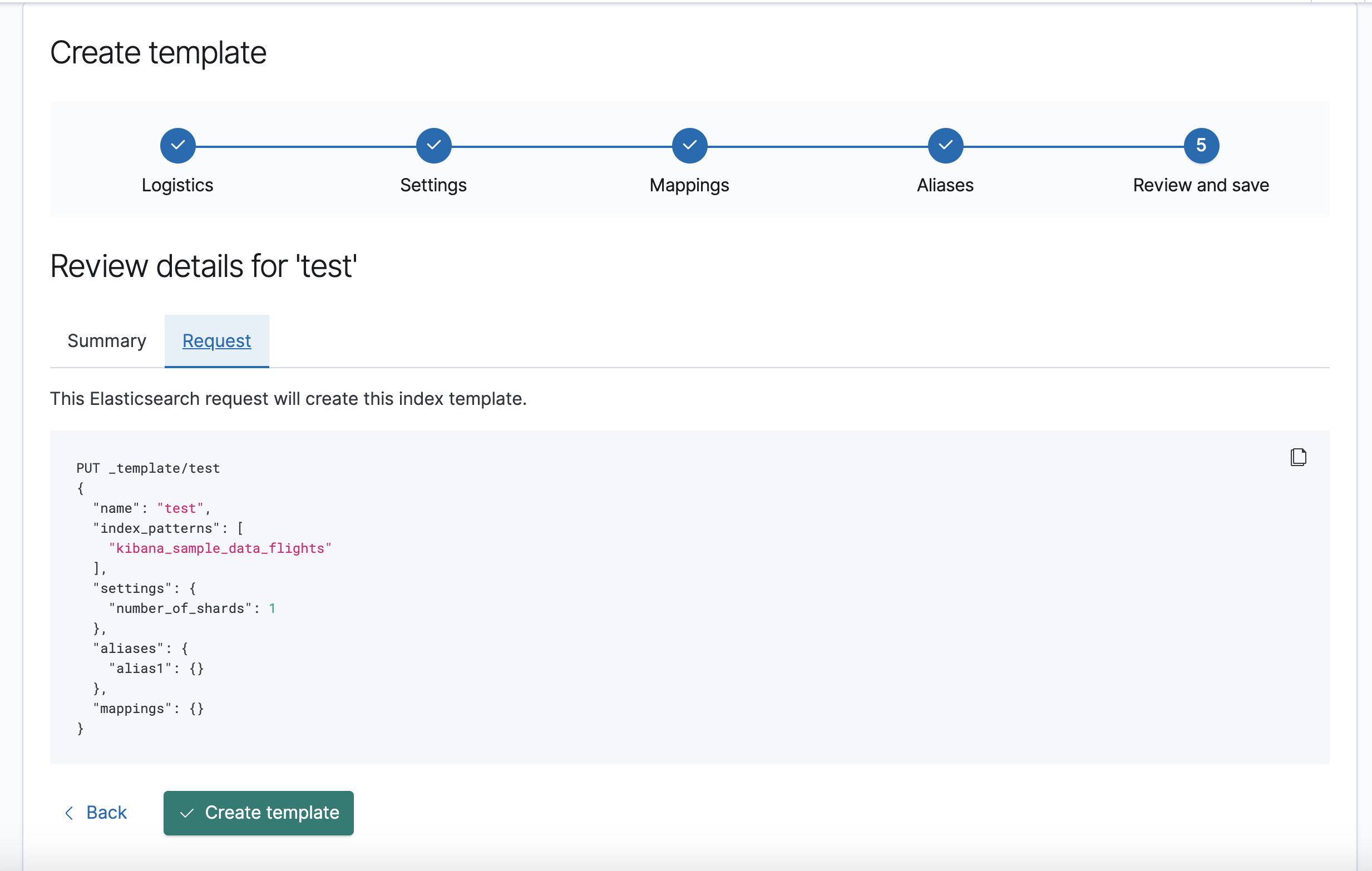
Summary tab
Request tab
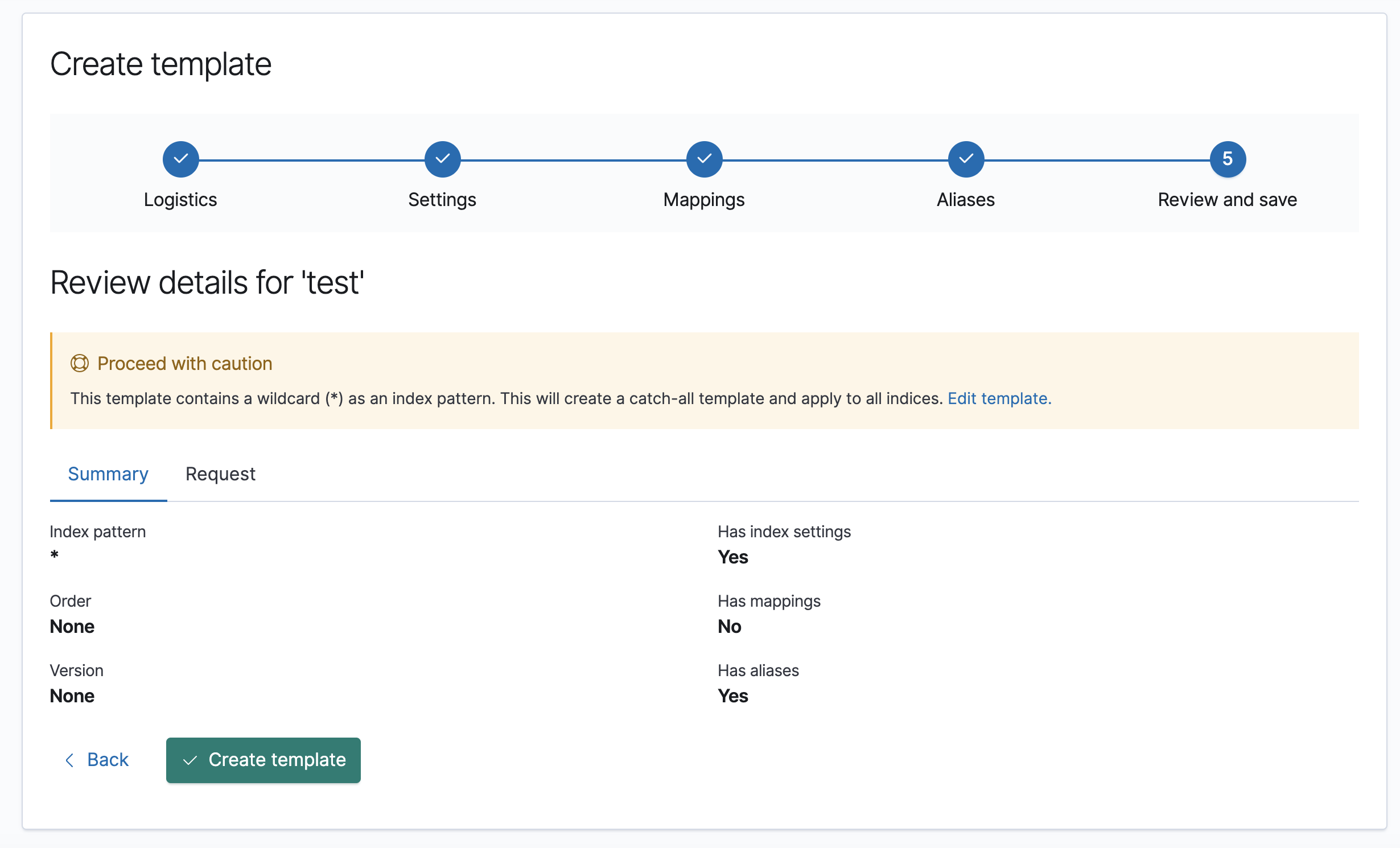
Wildcard warning
Edit template
Name is read-only, but otherwise flow will be same as create.
Clone template
Clone will duplicate values from the selected template, with the exception of index patterns and aliases as per discussion with Yaron. A new name will also be created in the form of
<select_template_to_clone>-copy. Otherwise, flow will be the same as create.