[OnWeek][Discover] Allow to change current sample size and save it with a saved search#157269
Conversation


 jughosta
changed the title
jughosta
added
release_note:enhancement
Feature:Discover
jughosta
changed the title
jughosta
added
release_note:enhancement
Feature:Discover
|
@andreadelrio What do you think about this UI/UX addition (settings icon + a slider)? What else could fit here to enable this functionality for users? |

@jughosta I think what you have works. However, if you wanted to have higher discoverability you could place this on the left side instead like so: 
|
|
@andreadelrio Thanks! I pushed the updates. What was the name of the icon you used? The closest one I could find is Discover page: Dashboard view: |


@jughosta the icon name is |
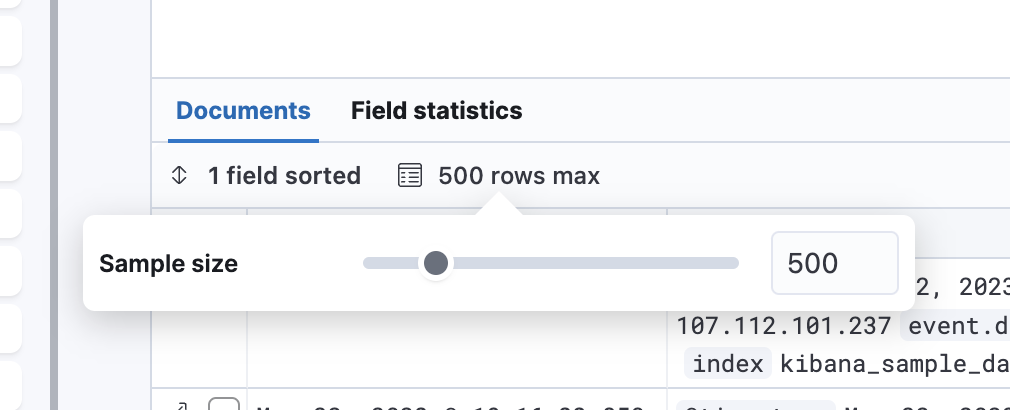
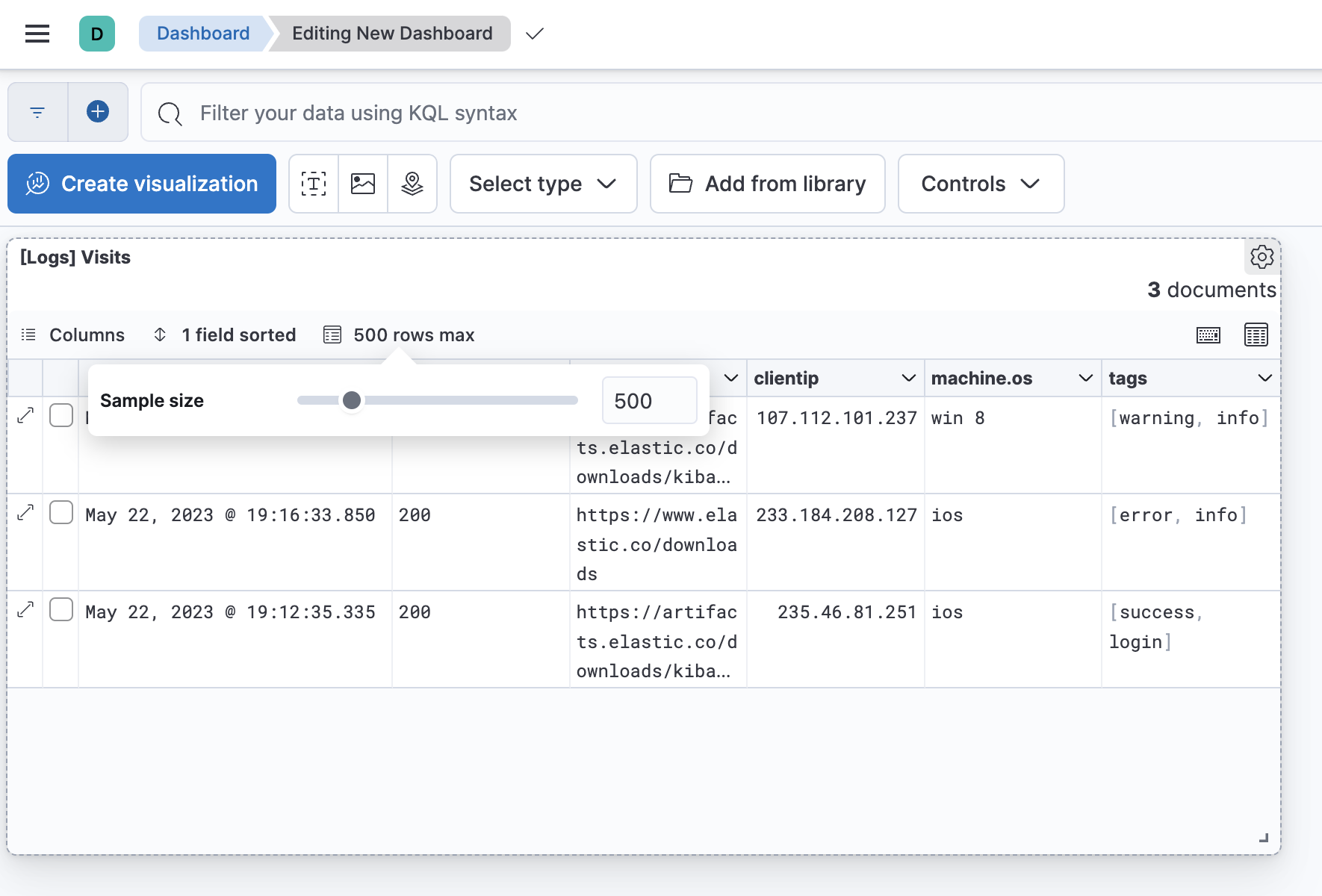
@gchaps can you let us know if this label is ok for a button? in particular shortening "maximum" to "max". Thanks |
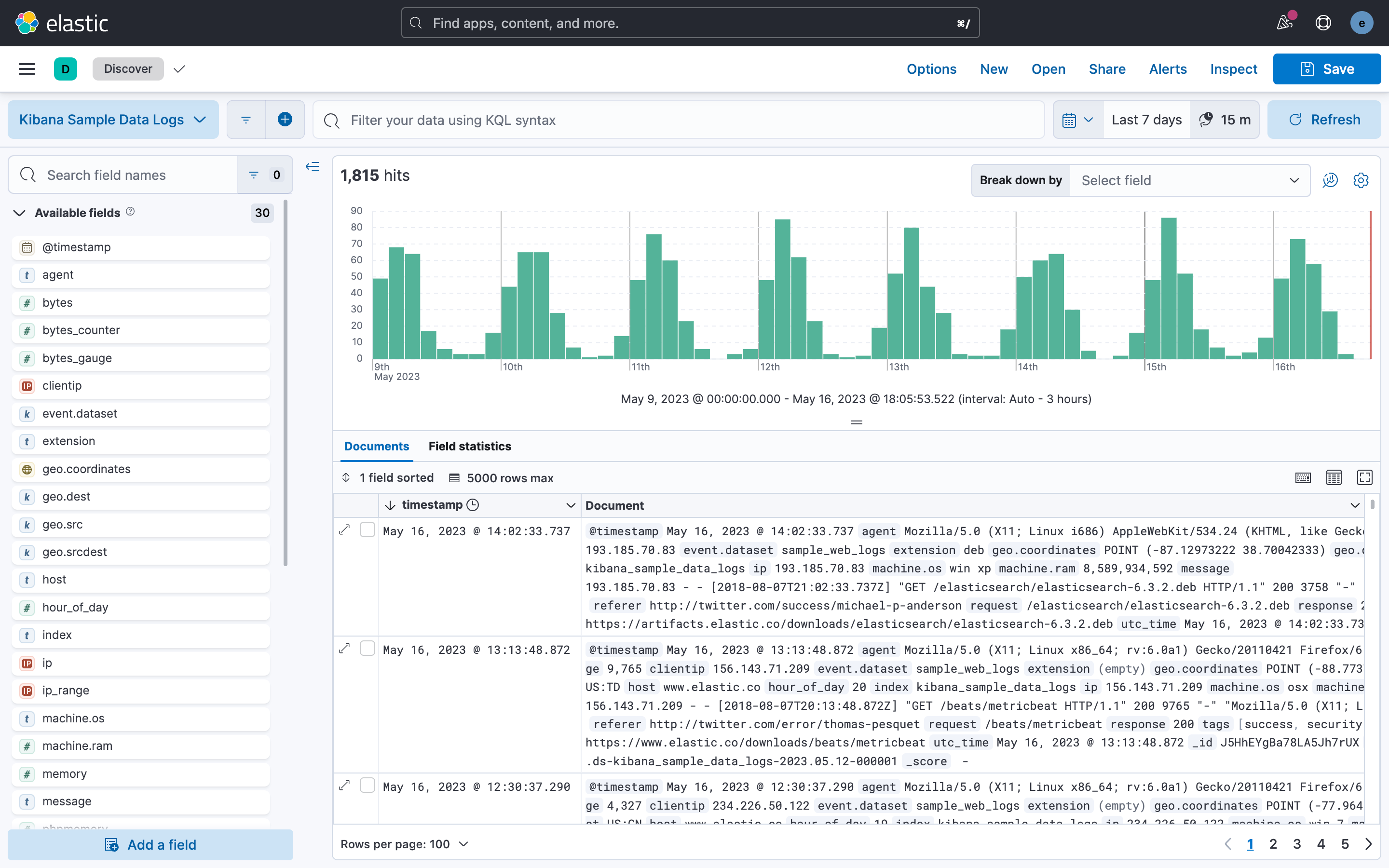

|
Yes, using 'max' works. |
…-sample-size

# Conflicts:
#	src/core/server/integration_tests/saved_objects/migrations/group2/check_registered_types.test.ts

|
Pinging @elastic/kibana-data-discovery (Team:DataDiscovery) |

| compressed | ||
| fullWidth | ||
| min={1} | ||
| max={MAX_ALLOWED_SAMPLE_SIZE} |
There was a problem hiding this comment.
Hey, I'm wondering if the current input might give the impression that it can accept really big numbers for sample size:

And since there is this limit, what about changing to EuiSlider as was previously suggested? Keeping the validations of the onChangeActiveSampleSize method, as EuiSlider doesn't handle that.


There was a problem hiding this comment.
LGTM 🚀
Thanks for updating it @jughosta ! I liked how it's visually clear now that it can go up to the max limit, and that the default selection is in between!
Agree on changing the steps, a step of 10 makes way more sense for this purpose and improves the usability!
 opauloh
left a comment
opauloh
left a comment
opauloh
left a comment
There was a problem hiding this comment.
CloudSecurityDataTable changes LGTM

 TinaHeiligers
left a comment
TinaHeiligers
left a comment
TinaHeiligers
left a comment
There was a problem hiding this comment.
LGTM regarding updates to the SO
| const hideAnnouncements = useMemo(() => uiSettings.get(HIDE_ANNOUNCEMENTS), [uiSettings]); | ||
| const isLegacy = useMemo(() => uiSettings.get(DOC_TABLE_LEGACY), [uiSettings]); | ||
| const sampleSize = useMemo(() => uiSettings.get(SAMPLE_SIZE_SETTING), [uiSettings]); | ||
| const defaultSampleSize = useMemo(() => uiSettings.get(SAMPLE_SIZE_SETTING), [uiSettings]); |
There was a problem hiding this comment.
-
Is there a max limit? If there isn't, we need to have one set. Users often don't know the effects of loading too many documents.
-
What's the default for sample size? One test uses 70, is that it?
There was a problem hiding this comment.
Hi @TinaHeiligers,
Is there a max limit? If there isn't, we need to have one set. Users often don't know the effects of loading too many documents.
Yes, currently it's between 10 and 1000. Users can now also press "Load more" for loading next pages (PR).
What's the default for sample size? One test uses 70, is that it?
It's 500 by default.
| import { MigrateFunctionsObject } from '@kbn/kibana-utils-plugin/common'; | ||
| import { VIEW_MODE } from '../../common'; | ||
| import { getAllMigrations } from './search_migrations'; | ||
| import { SCHEMA_SEARCH_V8_8_0, SCHEMA_SEARCH_V8_12_0 } from './schema'; |

 davismcphee
left a comment
davismcphee
left a comment
davismcphee
left a comment
There was a problem hiding this comment.
Awesome work! Code looks good, and it worked well during testing 👍
The only thing I feel could be improved is that when I set the default sample size to a value greater than 1000, then change the sample size to a custom one, I'm unable to get the default sample size back unless I click the "New" button:

A couple of options I think are worth considering:
- Make it so that clearing the sample size input resets it to the default.
- Dynamically set the max sample size based on the greater of the default value or 1000.
Wdyt?
| } | ||
|
|
||
| if (onUpdateSampleSize) { | ||
| options.allowResetButton = false; |
There was a problem hiding this comment.
Why do we set this to false?
There was a problem hiding this comment.
@davismcphee Since we have issues with the button #131130 and now we introduce additional settings which are not handled by eui code, we better hide the button. Originally suggested by @kertal

There was a problem hiding this comment.
yes, it did not work as expected, and introducing new settings, wouldn't make it better, so I suggested to remove it (not having a good way to handle it, at least back in the days)
There was a problem hiding this comment.
Ok, makes sense to remove it for now if it wasn't working as intended. Might be worth figuring out if we can fix it and add it back in later though. It would be convenient to be able to reset the sample size back to the saved search default after changing it on a dashboard and saving, which persists the updated value with the dashboard.
src/plugins/saved_search/common/content_management/v1/cm_services.ts
Outdated
Show resolved
Hide resolved

| import { i18n } from '@kbn/i18n'; | ||
| import { debounce } from 'lodash'; | ||
|
|
||
| export const MAX_ALLOWED_SAMPLE_SIZE = 1000; |
There was a problem hiding this comment.
Shouldn't we set to 500, which is the default in Advanced settings, and limit the max to discover:sampleSize? We now have the option to load more anyway. I've configured 2000 for this setting, still was was 1000. So I think taking discover:sampleSize into consideration makes sense, also it should be used e.g. when an admin decides to go back from 1000 to 500 , the user configured 990, it could make sense to limit the request to 500 in this case, wdyt?
This is what came to my mind while testing it. Apart from that: 🎉
There was a problem hiding this comment.
@kertal That's a good idea! The only issues is that if we base the max size on discover:sampleSize then we can't set it for the schema validation. Also users can even now update it in the URL and request more than the configured discover:sampleSize, would you limit that too?
There was a problem hiding this comment.
We could define 10_000 limit for the schema and in UI use min of 10_000 and discover:sampleSize as max limit.
There was a problem hiding this comment.
A hard limit of 10000 could be a good idea for the schema ... however we should make sure the number requested from ES should be limited by the sampleSize. Because in the end, this it was matters in terms of traffic and performance.
There was a problem hiding this comment.
Tested and it's exactly what I meant! Thx 🙏 !
When a too large number is entered, we show a validation error. It's not applied to the state. Closing the settings popover will take you back. Yes, we don't provide a way to go to a default value if user moves the slider after that, is it an issue? With the latest changes, the default value becomes the slider's max value. |

💛 Build succeeded, but was flaky
Failed CI StepsMetrics [docs]Module Count
Public APIs missing comments
Async chunks
Page load bundle
Unknown metric groupsAPI count
History
To update your PR or re-run it, just comment with: cc @jughosta |
davismcphee
left a comment
davismcphee
left a comment
There was a problem hiding this comment.
The latest changes look good, and I tested again and it's working great. Thanks for the work on this, another useful new feature! 🎉
Yes, we don't provide a way to go to a default value if user moves the slider after that, is it an issue? With the latest changes, the default value becomes the slider's max value.
I left a comment explaining why the reset functionality would be useful, but I think it's ok for now. Otherwise the change to make the default value the max addresses my concern 👍
| } | ||
|
|
||
| if (onUpdateSampleSize) { | ||
| options.allowResetButton = false; |
There was a problem hiding this comment.
Ok, makes sense to remove it for now if it wasn't working as intended. Might be worth figuring out if we can fix it and add it back in later though. It would be convenient to be able to reset the sample size back to the saved search default after changing it on a dashboard and saving, which persists the updated value with the dashboard.


10 participants


Summary
This PR allows to change current sample size right from Discover page, no need to modify the global default value.
Saved search panels on Dashboard will also use the saved value to fetch only the requested sample size. This customisation was requested by many customers as it will allow to load Dashboards faster.
Current range for the slider: from 10 to 1000 (with a step 10).
Checklist