[Feature Added] Restart Song From Start #2726
Conversation


 PeterHindes
changed the title
PeterHindes
changed the title
…notification""

This reverts commit 646e327.

|
Can you please provide a debug APK or some screenshots? Also, please edit make the issue title shorter and rather add something to the description. Thank you for the PR! :-) |
PeterHindes
changed the title
still need to find out why its null on the library
|
Buttons are too squished toghether on my phone. Could you please make sure buttons never overlap? As you can see in the second image the bounds of the "repeat" button overlap the bounds of the newly-added button. (I used the "Show layout bounds" option in Developer options)
|
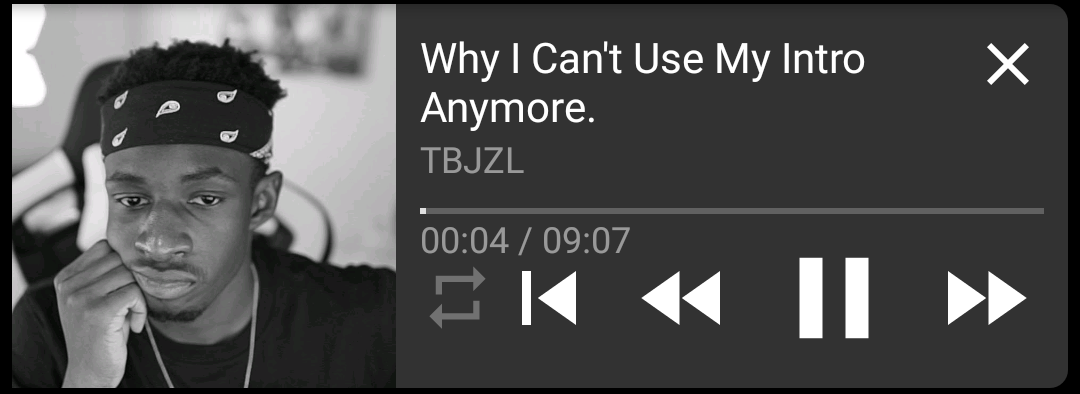
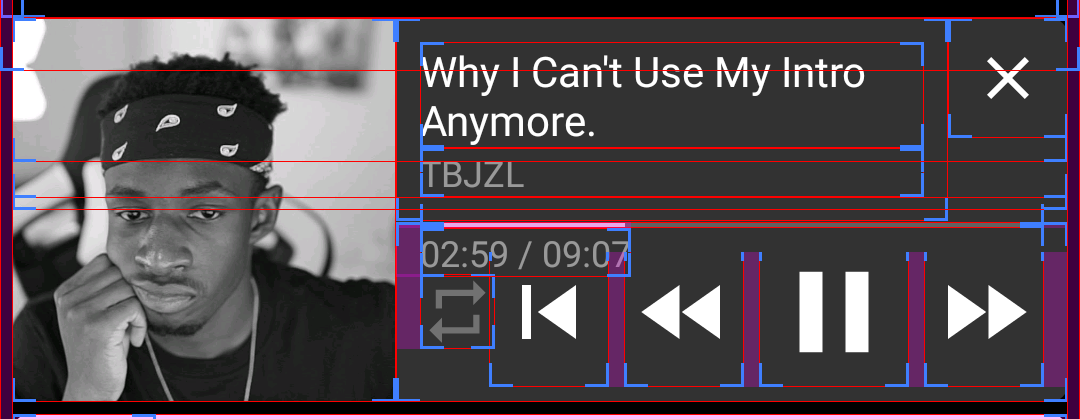

|
Ok, Ill work on that |
|
It looks like the timer on the video also overlaps buttons (including the regular rewind) on exceptionally small screens |
|
On screens that are extremely small, the thumbnail should gray out and the notification should take the whole width (displaying over the thumbnail) Currently |

|
what code can I use to check if the elements are overlaping? |
|
You can probably check whether the X coordinate of the left side of the newly added button is smaller than the X coordinate of the right side of the repeat button. Also, I don't know if it is ok to hide thumbnail on small screens. @TobiGr what do you think? |
|
I was thinking more of a grayed out thumbnail with the text on-top |
|
That's ok, I think |
preferably they can both be the same file and modified at runtime
Download playlist
This reverts commit b12c929.
…terHindes/NewPipe into dev-notification-enhancements


|
What's up with the 54(!) commits including those of others? Also imho we shouldn't touch notifications until #3178 has been merged. |
|
I don't know how those got there lol, this commit is kinda dead tbh, I'm probably gonna close it since no one seems interested in the feature, and it will likely be default behavior with the new notification. |
|
I am going to close this issue&pull request as it doesn't make as much sense as I had originally intended, and it is out of date. I better fix might be to have a tap&hold on the rewind button (which shows when only one song is qued) jump to the start of the song instead of a second button. |
5 participants


When playing a single background track, the expanded notification now also offers the ability to restart track, rather than only the ability to rewind
With a single song we have the option to restart the track.
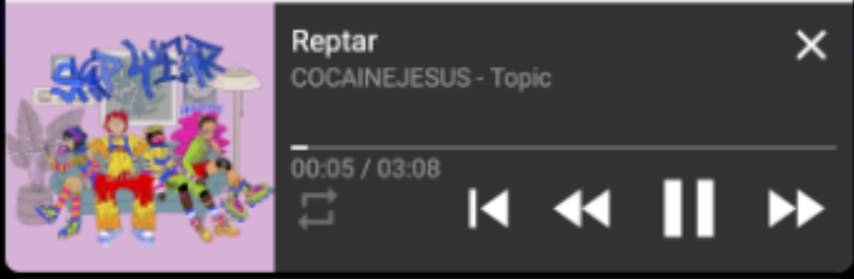
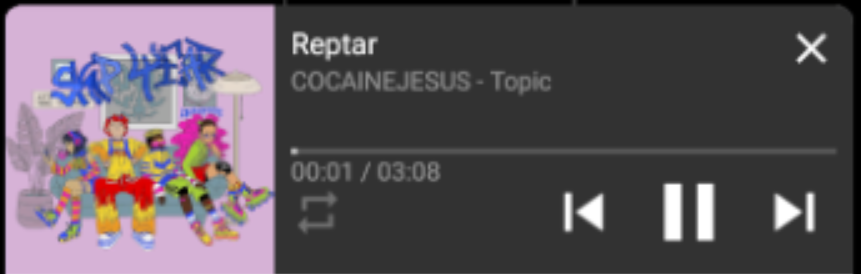
With A playlist we already have the option.
app-debug.apk.zip