[NEW] Setting to dismiss desktop notification only after interaction #14807
Conversation


…r interaction setting of desktop notifications
|
@tassoevan it would be great if you could review this. Thank you. |


|
@tassoevan do you have any other recommendations on this PR, because I believe this setting could improve usage for users depending on browser clients and therefor would like it to see it progressing. |


 sampaiodiego
added
the
documentation: needed
sampaiodiego
changed the title
sampaiodiego
added
the
documentation: needed
sampaiodiego
changed the title


|
@mpdbl @tassoevan @sampaiodiego is there a way to implement this to the desktop (electron) clients too? |
@danel1 I took a closer look at the electron client when implementing this. As far as I understod the code the desktop client uses only standard functions of the electron framework which implement the OS interface. It would have to be implemented to support all kinds of OS. This was a bit far out of my scope so I concentrated on the setting for the browser client. |
6 participants


Introduce setting to enable infinite desktop notification duration until user interacts
These changes implement this feature request
These changes allow for the desktop notifications on browser clients to stay visible indefinitly until the user acknowledges the notification by closing the widget or clicking on the notification to get to the message.
Therefore the parameter
Notification.requireInteractionis used, which is available for Google Chrome Version > 50 or other browsersBenefits
If needed the site administrator can use this setting to enable their users to reduce the count of missed messages due to the user not beeing present in front of the client at any moment.
Using this settings the notification ...
... stays on top of other opened windows despite the fact that the message duration is set to the browsers default settings (approximately 20s) until the user interacts with it (close or click at the message)
Changes and additions in detail
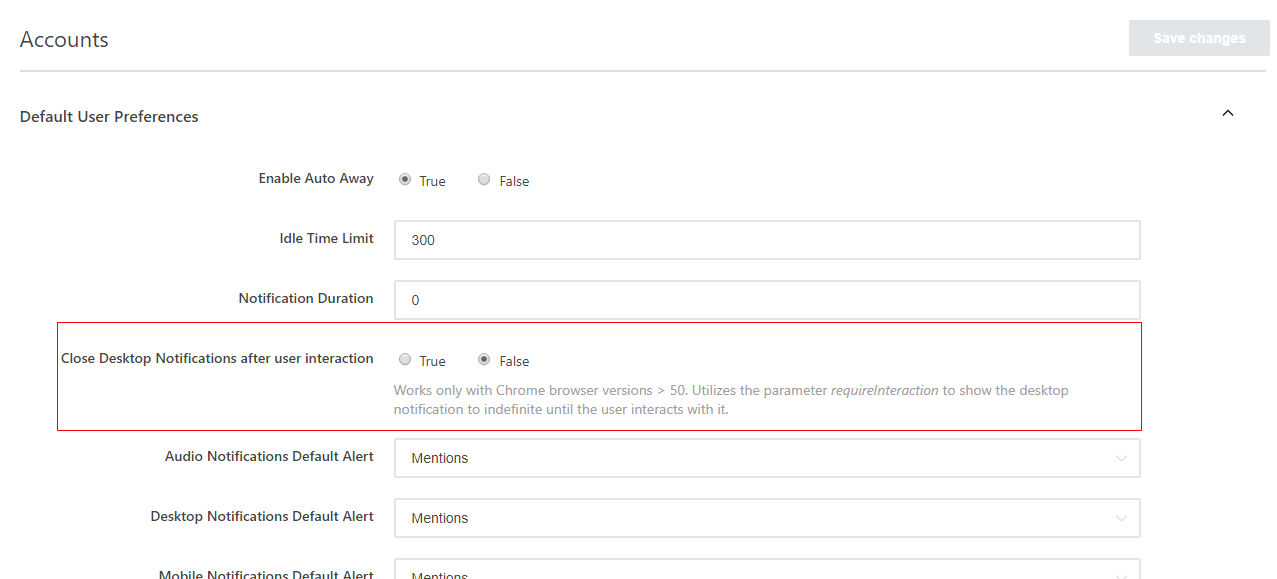
Accounts - Default User Preferences
The global default preference. Default value is false.
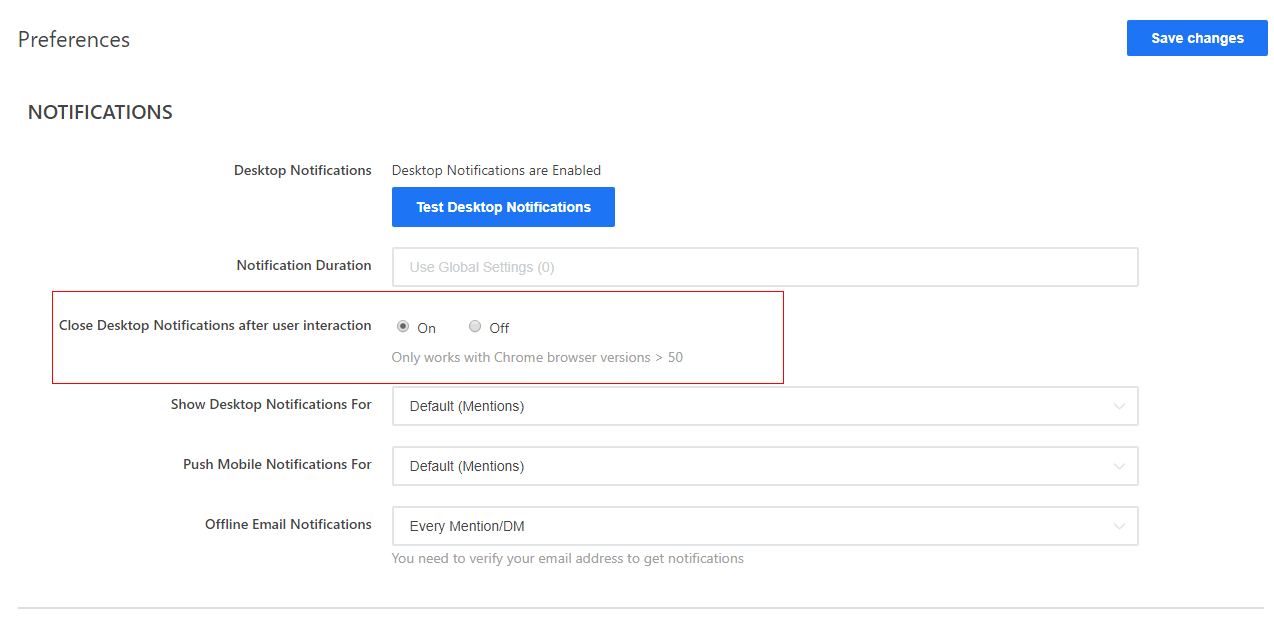
User - Preferences - Notifications
The users preference defaults to the value of the global preference or the otherwise selected value.
REST API: Endpoint users.setPreferences
Added the parameter
desktopNotificationRequireInteractionto change the setting for a specific user.Results in:
{
    "user": {
        "_id": "xyz",
        "settings": {
            "preferences": {
                "desktopNotificationRequireInteraction": true,
                "language": "en"
            }
        }
    },
    "success": true
}