Use native DomParser instead of opml-to-json dependency #2769
Conversation


 absidue
requested review from
ChunkyProgrammer,
PikachuEXE and
efb4f5ff-1298-471a-8973-3d47447115dc
absidue
requested review from
ChunkyProgrammer,
PikachuEXE and
efb4f5ff-1298-471a-8973-3d47447115dc

 github-actions
bot
added
PR: dependencies
github-actions
bot
added
PR: dependencies


|
importing is not working with my subscription list as one of the channels that I am subscribed to has a When using the library, it just ignored this error and was still able to parse it. |
| channelInfo = await this.getChannelInfoLocal(channelId) | ||
| } | ||
| feedData.forEach(async (channel) => { | ||
| const channelId = channel.getAttribute('xmlUrl').replace('https://www.youtube.com/feeds/videos.xml?channel_id=', '') |

There was a problem hiding this comment.
Invidious can also export the subscriptions like this: https://yewtu.be/feed/channel/{CHANNELID} (for yewtu.be as the instance) so it might be worth doing a replace for everything before 'channel/' as well to support the invidious one. This could be done in a different PR if you'd prefer
There was a problem hiding this comment.
This should be fixed now.

|
@ChunkyProgrammer You should now be able to import your subscriptions. XML is very strict but as HTML isn't, I've made it fallback to the HTML parser. That will allow you to import subscriptions that are invalid XML but still valid HTML. |

| return | ||
| } | ||
| xmlDom = htmlDom | ||
| } catch { |
There was a problem hiding this comment.
Would you need to throw another errorNode to get to this catch block?
There was a problem hiding this comment.
Not sure, the docs don't mention what happens if it fails to parse HTML https://developer.mozilla.org/en-US/docs/Web/API/DOMParser/parseFromString#error_handling
The HTML parser is too lenient, for the broken file it produced this:
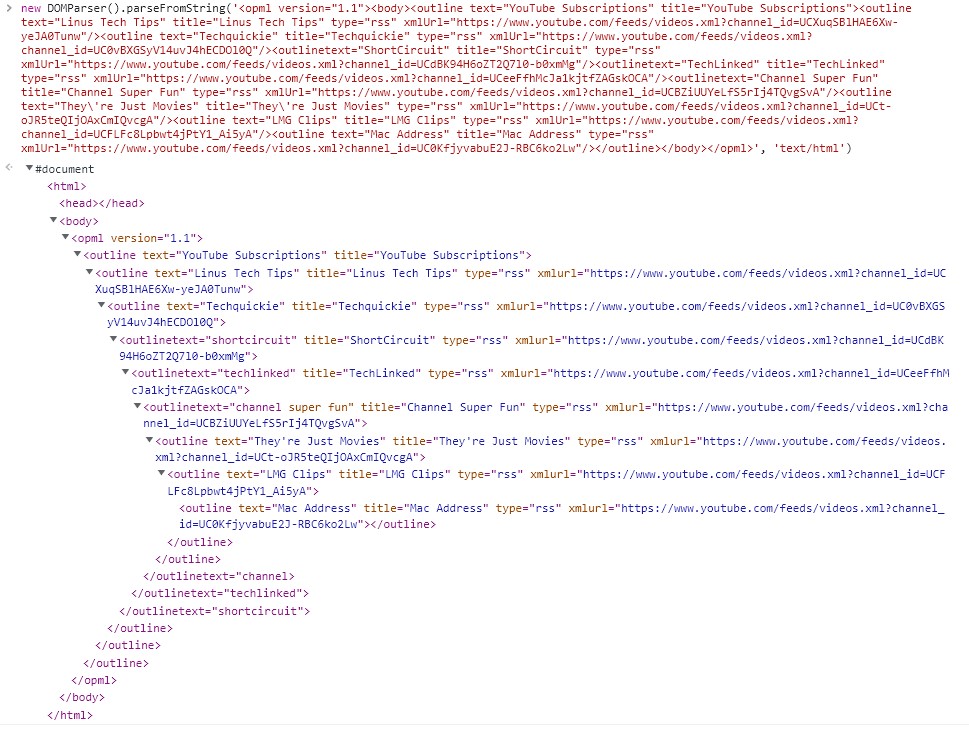
Maybe I should check the error message and only fall back to the HTML parser if the HTML entity error occurs?
There was a problem hiding this comment.
Okay, only doing it for a specific error won't work, as Firefox always outputs the same error if the XML is problematic. So checking the error, wouldn't work for the web build.
There was a problem hiding this comment.
Might be good to log the error with the xml and then try to do it with the html dom parser
There was a problem hiding this comment.
It'll log the error now before trying to parse it with the HTML parser.

|
This pull request has conflicts, please resolve those before we can evaluate the pull request. |
github-actions
bot
added
PR: merge conflicts / rebase needed
and removed
PR: waiting for review
 absidue
force-pushed
the
native-domparser-opml
branch
from
absidue
force-pushed
the
native-domparser-opml
branch
from
54a7e85 to
a152b2b
Compare
|
Conflicts have been resolved. A maintainer will review the pull request shortly. |
absidue
added
the
PR: waiting for review

 github-actions
bot
removed
the
PR: waiting for review
github-actions
bot
removed
the
PR: waiting for review
5 participants


Use native DomParser instead of opml-to-json dependency
Pull Request Type
Description
This pull request replaces the opml-to-json dependency with the native DomParser. I did a similar thing for parsing the RSS feeds, which went down well, so I thought I would do it for the OPML import too.
Screenshots
before:
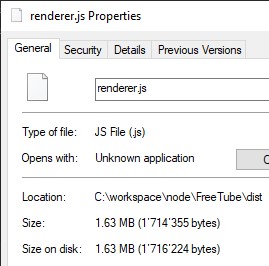
after:
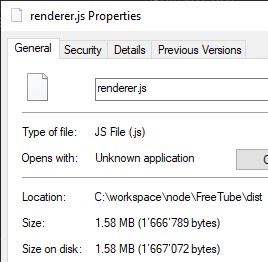
Testing
yarn devopml-testfiles.zip
Desktop