[AGM-2402] Update AdGuard for Linux #673
There are no files selected for viewing
This file contains hidden or bidirectional Unicode text that may be interpreted or compiled differently than what appears below. To review, open the file in an editor that reveals hidden Unicode characters.
Learn more about bidirectional Unicode characters

This file contains hidden or bidirectional Unicode text that may be interpreted or compiled differently than what appears below. To review, open the file in an editor that reveals hidden Unicode characters.
Learn more about bidirectional Unicode characters
| Original file line number | Diff line number | Diff line change |
|---|---|---|
|
|
@@ -3,43 +3,82 @@ title: Settings and protection management | |
| sidebar_position: 3 | ||
| --- | ||
|
|
||
| ## Available commands | ||
|
|
||
| To get a list of all available AdGuard commands, enter: | ||
|
|
||
| ```sh | ||
| adguard-cli --help-all | ||
| ``` | ||
|
|
||
| ## Enable and disable protection | ||
|
|
||
| ### Enable protection | ||
|
|
||
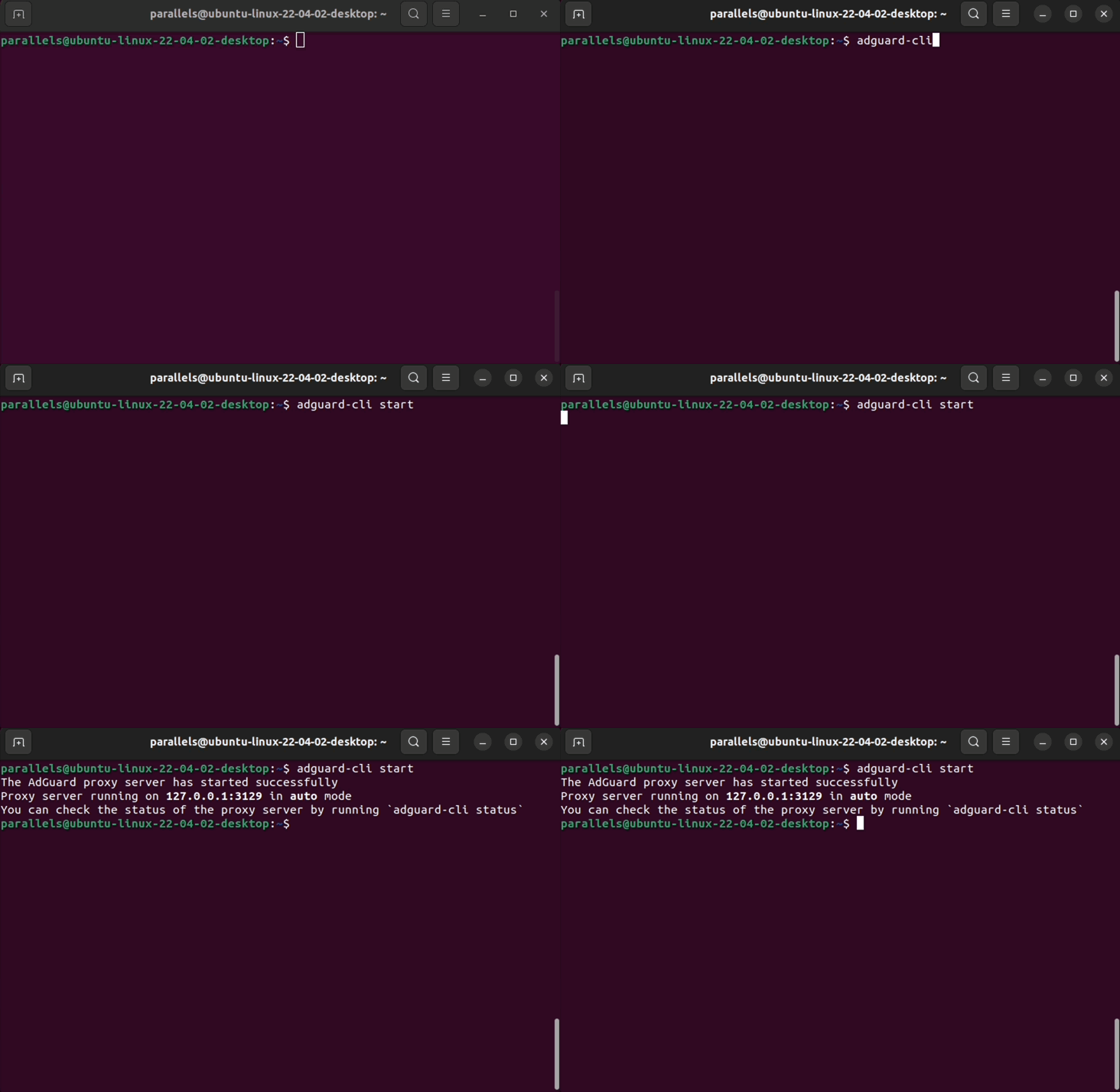
| To enable protection, enter: | ||
|
|
||
| ```sh | ||
| adguard-cli start | ||
| ``` | ||
|
|
||
| This command attempts to configure a redirection to the proxy. | ||
|
|
||
|  | ||
|
|
||
| ### Disable protection | ||
|
|
||
| To disable protection, enter: | ||
|
|
||
| ```sh | ||
| adguard-cli stop | ||
| ``` | ||
|
|
||
| This command not only stops the proxy but also stops the trafic from redirecting to it. | ||
|
|
||
| ### Check protection status | ||
|
|
||
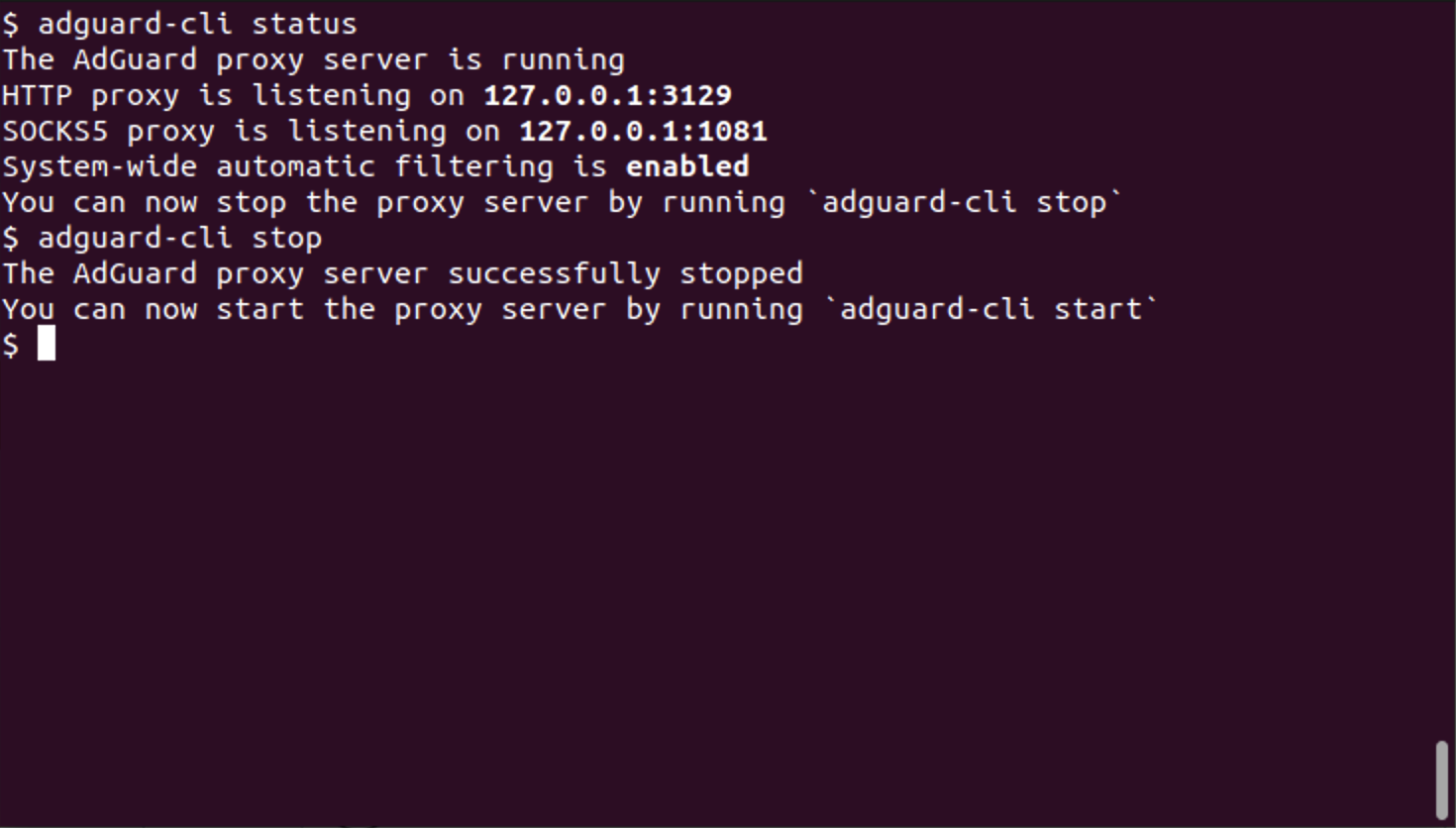
| To view the protection status, enter: | ||
|
|
||
| ```sh | ||
| adguard-cli status | ||
| ``` | ||
|
|
||
|  | ||
|
|
||
| ## Updates | ||
|
|
||
| ### Check for updates | ||
|
|
||
| To check for updates, enter: | ||
|
|
||
| ```sh | ||
| adguard-cli check-update | ||
| ``` | ||
|
|
||
| ### Update AdGuard for Linux | ||
|
|
||
| To update AdGuard for Linux, enter: | ||
|
|
||
| ```sh | ||
| adguard-cli update | ||
| ``` | ||
|
|
||
| ### Update script output | ||
|
|
||
| To view the update script output, enter: | ||
|
|
||
| ```sh | ||
| adguard-cli update -v | ||
| ``` | ||
|
|
||
| ## Configure AdGuard for Linux | ||
|
|
||
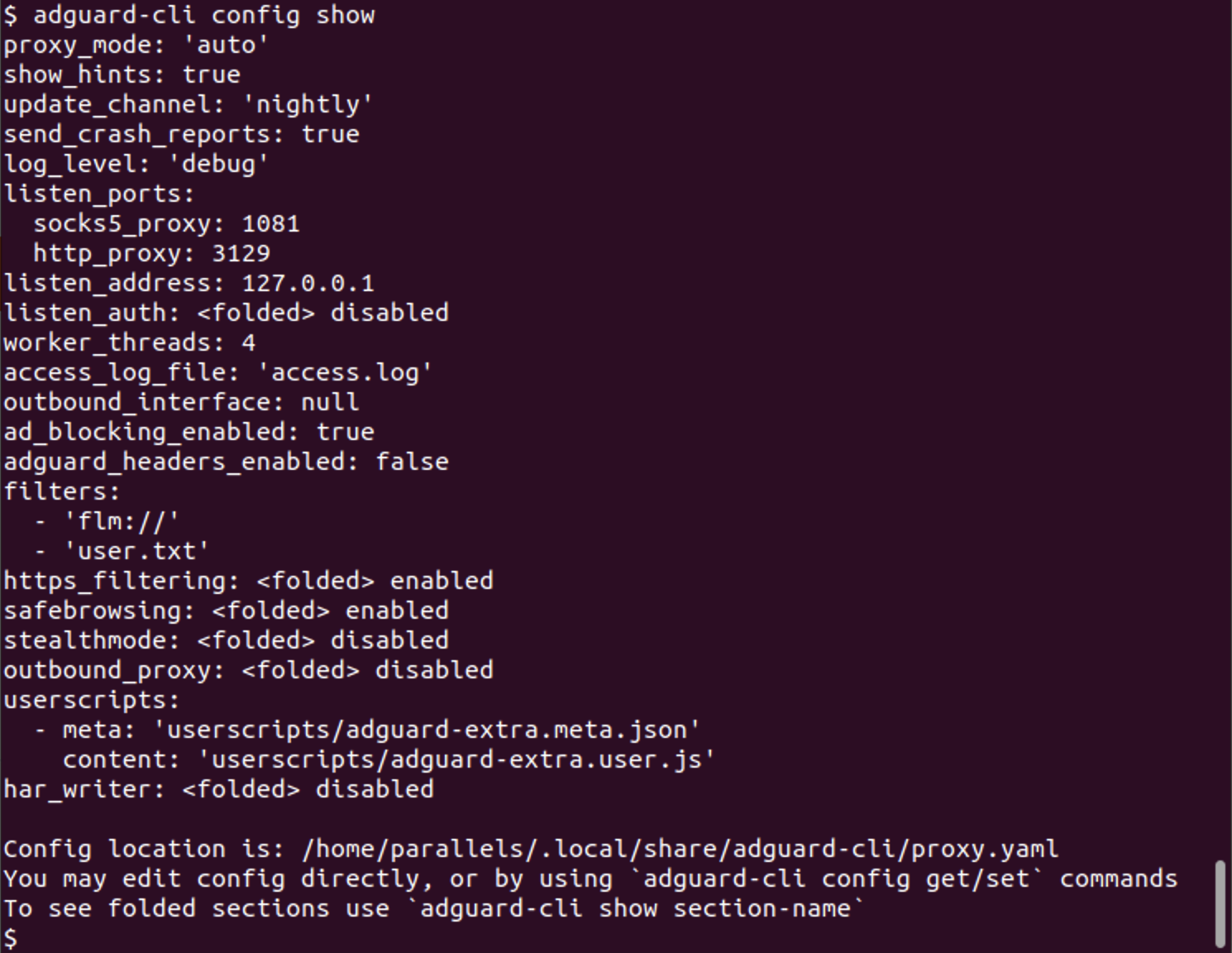
| Use the `config` command to configure AdGuard for Linux. Subcommands: | ||
|
|
||
| - `show`: Show the current configuration in `proxy.yaml` | ||
|
|
||
|  | ||
|
|
||
| - `set`: Configure an option in `proxy.yaml` | ||
| - `listen_ports.http_proxy`: HTTP listening port | ||
| - `proxy_mode`: Proxy mode (`manual` or `auto`) | ||
|
|
@@ -51,7 +90,28 @@ Use the `filters` command to configure AdGuard for Linux. Subcommands: | |
|
|
||
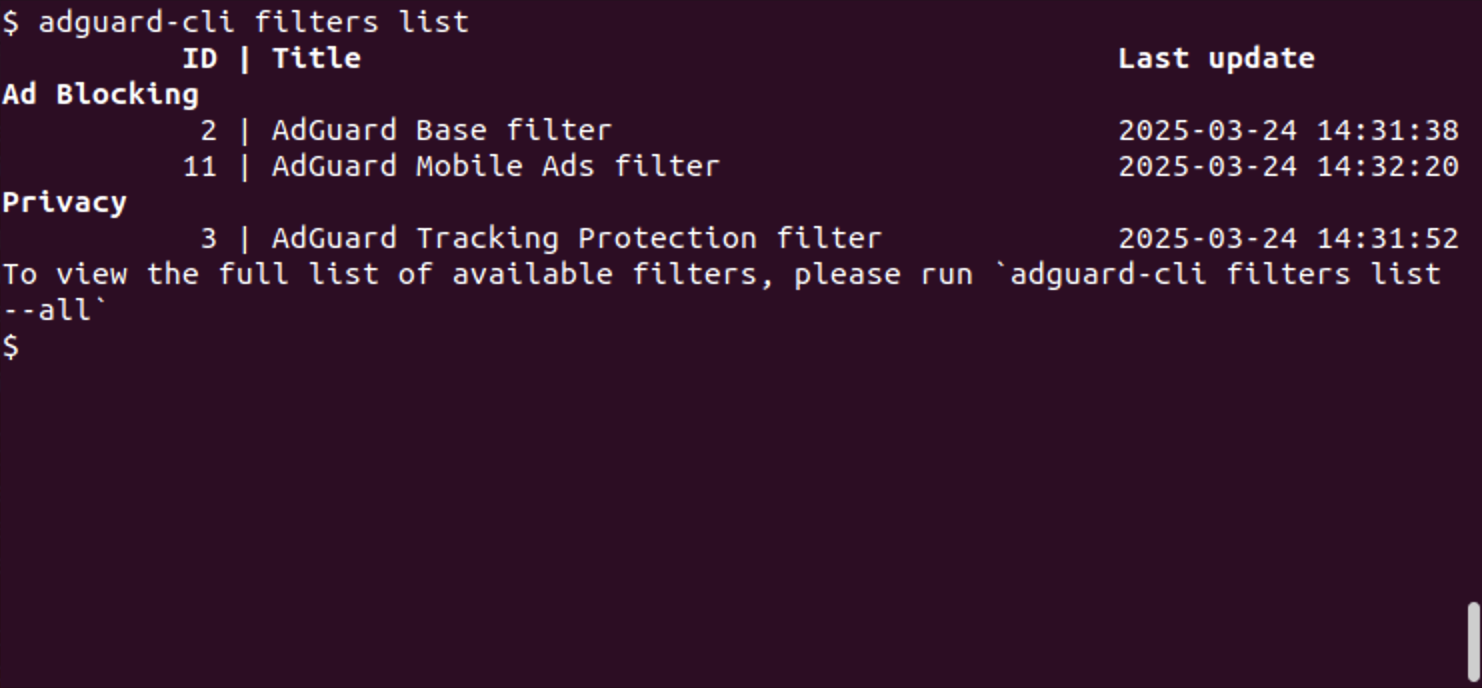
| - `list`: List installed filters | ||
| - `--all`: View all filters | ||
|
|
||
|  | ||
|
|
||
| - `install`: Install a filter. Enter the URL of the filter you want to install | ||
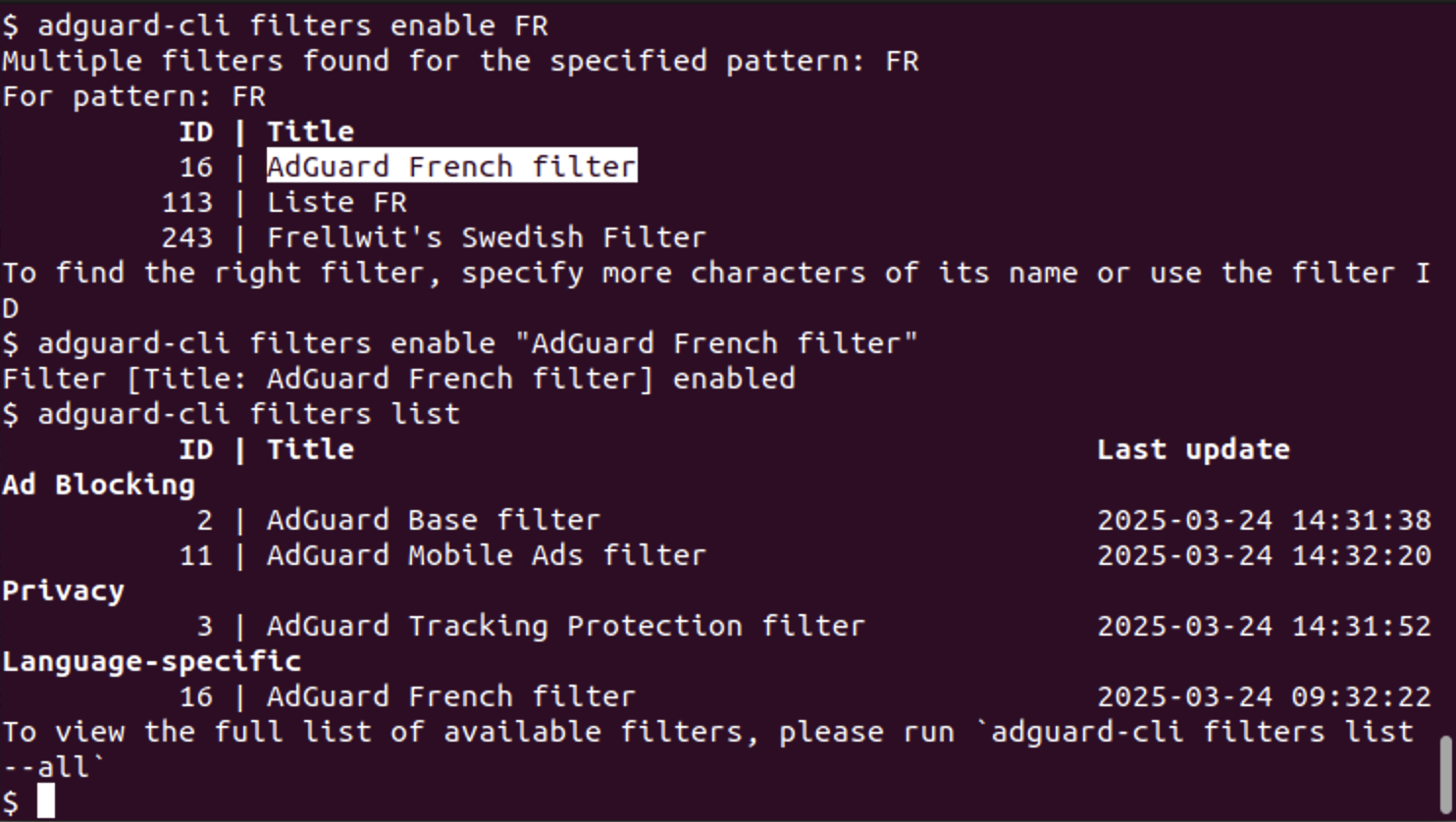
| - `enable`: Enable a filter. Enter the name or ID of the filter | ||
|
|
||
|  | ||
|
|
||
| - `disable`: Disable a filter. Enter the name or ID of the filter | ||
| - `update`: Update filters | ||
|
|
||
| ## Changing the proxy server listen address in manual proxy mode | ||
|
|
||
| By default, the proxy server listens on `127.0.0.1` — the address of the loopback network interface. | ||
| There are two ways to make the proxy server listen on a different interface: | ||
|
|
||
| 1. Run `adguard-cli config set listen_address <address>` where `<address>` is the address to listen on. | ||
puglieri marked this conversation as resolved.
Show resolved
Hide resolved
|
||
| 2. Edit the config file directly: | ||
| - To determine the location of the config file, run `adguard-cli config show | grep "Config location"`. | ||
| - Look for the `listen_address` key and set its value accordingly. To listen on all available network interfaces, set the listen address to `0.0.0.0` or `::`. | ||
|
|
||
| If the listen address is set to anything other than `127.0.0.1`, then proxy client authentication is required. AdGuard CLI will not start unless proxy authentication is configured: | ||
|
|
||
| - When running `adguard-cli config set listen_address <address>` where `<address>` is not `127.0.0.1`, AdGuard CLI will prompt for a username and password if proxy authentication is not already configured. | ||
| - When editing the config file directly, look for the `listen_auth`key. Set the `enabled` sub-key to `true`, and `username` and `password` to non-empty values. | ||
This file contains hidden or bidirectional Unicode text that may be interpreted or compiled differently than what appears below. To review, open the file in an editor that reveals hidden Unicode characters.
Learn more about bidirectional Unicode characters
| Original file line number | Diff line number | Diff line change |
|---|---|---|
| @@ -0,0 +1,16 @@ | ||
| --- | ||
| title: AdGuard VPN CLI interaction | ||
| sidebar_position: 5 | ||
| --- | ||
|
|
||
| ## AdGuard VPN CLI interaction | ||
|
|
||
| Using AdGuard CLI in **automatic proxy mode** together with AdGuard VPN CLI in **tunnel mode** is impossible due to a routing loop: AdGuard VPN CLI's traffic currently can not be excluded from being transparently proxied by AdGuard CLI, and AdGuard CLI's traffic must go through the AdGuard VPN CLI's tunnel. | ||
|
|
||
| These are the two possible solutions: | ||
|
|
||
| - Switch AdGuard CLI to **manual proxy mode**. | ||
| - In this case, AdGuard VPN CLI can be used in **tunnel mode**, but apps for which ad blocking is desired must be manually configured to use the AdGuard CLI's proxy. | ||
| - Switch AdGuard VPN CLI to **SOCKS5 mode**, and configure AdGuard CLI with an outbound proxy pointing to the SOCKS5 interface of AdGuard VPN CLI. In this case, it's important to keep in mind that: | ||
| - For an app's traffic to go through the VPN tunnel it must either have its traffic transparently proxied by AdGuard CLI (which is the case for all apps by default), or manually configured to use AdGuard VPN CLI's SOCKS5 interface. | ||
| - In order to avoid a routing loop, the `skip_outbound_proxy` option must be enabled for AdGuard VPN CLI in AdGuard CLI's apps configuration section. By default, `skip_outbound_proxy` is enabled for all apps with `vpn` in their name, including AdGuard VPN CLI. |
Add this suggestion to a batch that can be applied as a single commit.
This suggestion is invalid because no changes were made to the code.
Suggestions cannot be applied while the pull request is closed.
Suggestions cannot be applied while viewing a subset of changes.
Only one suggestion per line can be applied in a batch.
Add this suggestion to a batch that can be applied as a single commit.
Applying suggestions on deleted lines is not supported.
You must change the existing code in this line in order to create a valid suggestion.
Outdated suggestions cannot be applied.
This suggestion has been applied or marked resolved.
Suggestions cannot be applied from pending reviews.
Suggestions cannot be applied on multi-line comments.
Suggestions cannot be applied while the pull request is queued to merge.
Suggestion cannot be applied right now. Please check back later.
There was a problem hiding this comment.
Choose a reason for hiding this comment
The reason will be displayed to describe this comment to others. Learn more.
думаю, команды для терминала стоит выделять ``