LG-6785: Upgrade Acuant SDK to 11.7.0#6649
Conversation


There was a problem hiding this comment.
Instead of these two inline comment syntaxes, I might suggest using the multi-line docblock syntax, because it's the only one which is picked up by VSCode (and possibly others) for Intellisense descriptions.
| Before | After |
|---|---|
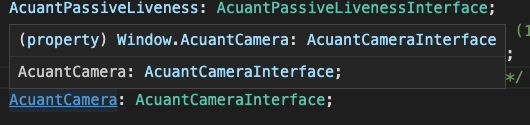 |
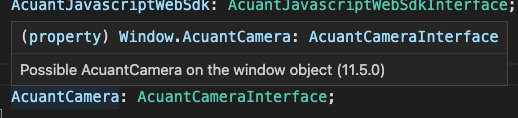 |
| /* Possible AcuantCamera on the window object (11.5.0) */ | |
| AcuantCamera: AcuantCameraInterface; | |
| } | |
| } | |
| interface AcuantContextProviderProps { | |
| sdkSrc: string; // SDK source URL. | |
| /** | |
| * Possible AcuantCamera on the window object (11.5.0) | |
| */ | |
| AcuantCamera: AcuantCameraInterface; | |
| } | |
| } | |
| interface AcuantContextProviderProps { | |
| /** | |
| * SDK source URL. | |
| */ | |
| sdkSrc: string; | |
There was a problem hiding this comment.
Would it also be helpful to convert other kinds of one-liner comment blocks that are describing reasoning in the code, or do you only want docblock for attribute and function comments? Here is an example of what I mean by the former.
(Am not a VSCode user, so I don't see it)
There was a problem hiding this comment.
I'm not as concerned about those, and in fact may prefer to keep it as-is, since that's more describing the general flow of logic than any one single thing.
There was a problem hiding this comment.
Updated in b563c26
There was a problem hiding this comment.
This generic isn't working the way you might be expecting in assigning types of the arguments.
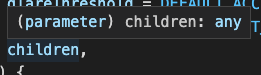
| function AcuantContextProvider<AcuantContextProviderProps>({ | |
| sdkSrc = '/acuant/11.7.0/AcuantJavascriptWebSdk.min.js', | |
| cameraSrc = '/acuant/11.7.0/AcuantCamera.min.js', | |
| credentials = null, | |
| endpoint = null, | |
| glareThreshold = DEFAULT_ACCEPTABLE_GLARE_SCORE, | |
| sharpnessThreshold = DEFAULT_ACCEPTABLE_SHARPNESS_SCORE, | |
| children, | |
| }) { | |
| function AcuantContextProvider({ | |
| sdkSrc = '/acuant/11.7.0/AcuantJavascriptWebSdk.min.js', | |
| cameraSrc = '/acuant/11.7.0/AcuantCamera.min.js', | |
| credentials = null, | |
| endpoint = null, | |
| glareThreshold = DEFAULT_ACCEPTABLE_GLARE_SCORE, | |
| sharpnessThreshold = DEFAULT_ACCEPTABLE_SHARPNESS_SCORE, | |
| children, | |
| }: AcuantContextProviderProps) { |
There was a problem hiding this comment.
Updated in b563c26
There was a problem hiding this comment.
If the scripts failed to load for some reason, trying to access the global this way could throw an error. I'm not sure if that's too much of a problem if we're likely already throwing errors anyways in this circumstance, but it might be good to add a guard to be safe.

| return AcuantJavascriptWebSdk; | |
| if (typeof AcuantJavascriptWebSdk !== 'undefined') { | |
| return AcuantJavascriptWebSdk; | |
| } |
There was a problem hiding this comment.
Updated in b563c26
There was a problem hiding this comment.
These /** @type */ annotations behave like a type-cast, but they don't work in .tsx files.
The equivalent is...
| isCameraSupported: /** @type {boolean?} */ null, | |
| isActive: false, | |
| setIsActive: () => {}, | |
| credentials: null, | |
| glareThreshold: DEFAULT_ACCEPTABLE_GLARE_SCORE, | |
| sharpnessThreshold: DEFAULT_ACCEPTABLE_SHARPNESS_SCORE, | |
| endpoint: /** @type {string?} */ null, | |
| isCameraSupported: null as boolean | null, | |
| isActive: false, | |
| setIsActive: () => {}, | |
| credentials: null, | |
| glareThreshold: DEFAULT_ACCEPTABLE_GLARE_SCORE, | |
| sharpnessThreshold: DEFAULT_ACCEPTABLE_SHARPNESS_SCORE, | |
| endpoint: null as string | null, |
There was a problem hiding this comment.
Updated in b563c26
app/javascript/packages/document-capture/components/acuant-camera.jsx
Outdated
Show resolved
Hide resolved
There was a problem hiding this comment.
Could you explain what this after block is used for?
There was a problem hiding this comment.
I had planned to add a subsequent test block for the 11.5.0 cases (for which the DOM would need to be reset). However, it became unclear as to whether or not we would persist the 11.5.0 sdk in the repository going forward. What do you think, should I add the cases or just remove this?
There was a problem hiding this comment.
I could see some minimal value in making sure that it works for the 2 versions we'll have at the initial launch, but I think we'll want to plan to follow-up this pull request with an immediate removal of v11.5.0, to be merged for the production launch following this one. With that in mind, I don't think it's too important to have specs for the version we'll be removing.
Edit: tl;dr Remove it
There was a problem hiding this comment.
Can we remove the commented code.
| //scriptEl.textContent = scriptContent; |
There was a problem hiding this comment.
I could see some minimal value in making sure that it works for the 2 versions we'll have at the initial launch, but I think we'll want to plan to follow-up this pull request with an immediate removal of v11.5.0, to be merged for the production launch following this one. With that in mind, I don't think it's too important to have specs for the version we'll be removing.
Edit: tl;dr Remove it

-- What
The new 11.7.0 sdk adds a property to the AcuantDocumentState called
`BIG_DOCUMENT`, which is an indication that the image is too close to
the document.

Note also that the enum values have changed as a result.

This is described in the migration doc:
https://github.com/Acuant/JavascriptWebSDKV11/blob/master/docs/MigrationDetails.md

changelog: Improvement, SDK, Updating Acuant SDK to 11.7.0 (LG-6785)
-- What
There appears to be some difference in how the 11.7 and 11.5 SDKs load
the AcuantJavascriptWebSdk object into the browser's global namespace
once the script tag has been loaded and `loadAcuantSdk` has been
called.

I wrote a s few tests that confirm the behavior I was seeing in my
personal browser interactions and debugging sessions.

changelog: Improvement, SDK, Updating Acuant SDK to 11.7.0 (LG-6785)
-- What
In a previous (11.5.0) version of the SDK, objects like
AcuantJavascriptWebSdk and AcuantCamera were placed onto the browser's
global window object. But in the new (11.7.0) SDK, they are no longer
present on window -- instead, they reside alone in the global
namespace via `let` declarations at the highest scope.

This commit represents elementary changes to two files that reference
these objects in the global namspace, rather than on window where they
don't exist anymore (and were therefore erroring).

The type annotations still need to be dealt with
appropriately. However, the acuant sdk now loads and appears to work
properly in the local manual testing environment.

changelog: Improvements, SDK update, Updating the Acuant SDK
-- What
The new Acuant SDK image warning BIG_DOCUMENT, which specifies that
the camera is "too close" to the document, has messages that have now
been localized into French and Spanish, as well as the original English.
-- What
Because of the discrepancy between the 11.5.x and 11.7.x SDKs in how
they declare globals like AcuantJavascriptWebSdk and AcuantCameraUI, I
have now included a check in the acuant.jsx context file that will try
to find those objects on the global window object and, if not present,
simply return the result of using those variables at the global
scope (which is how 11.7.x defines them).

The benefit of this approach is that we don't have to rewrite or edit
a bunch of the frontend tests.

changelog: Improvements, Acuant SDK upgrade, dealing with variable declarations
-- What
We were checking for the AcuantCamera and AcuantCameraUI objects at
the wrong moment in the flow, which was causing errors when attempting
to load the actual camera. This is now resolved.

changelog: Improvements, SDK upgrade, fixing remaining global variable issues
-- What
 - Switching property and function description comments to use
   docblock format, which is better for VSCode users;
 - Adding guards to global Acuant SDK variable getter methods
 - Removing leftover type annotations from acuant.tsx file

changelog: Improvements, Formatting, Acuant SDK upgrade comment
formatting and guards


…era.jsx

Co-authored-by: Andrew Duthie <andrew.duthie@gsa.gov>
 eric-gade
force-pushed
the
eric-acuant-sdk-update
branch
from
eric-gade
force-pushed
the
eric-acuant-sdk-update
branch
from
bd2df89 to
e559ebd
Compare
eric-gade
force-pushed
the
eric-acuant-sdk-update
branch
from
7637e91 to
6a67618
Compare

|
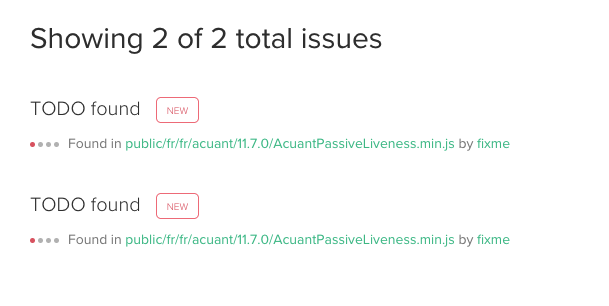
There appears to be a symlink of
|

|
Hm, I thought those symlinks weren't necessary anymore since #5578 🤔 |
|
Maybe it just got left in there by accident? I'll take it out and see what shakes |
-- Notes
I have included an ignore line in acuant-camera.jsx where we refer to
the global AcuantCameraUI without first declaring it. This is due to
the new behavior Acuant introduced in the 11.7.0 SDK, where they are
declaring variables in the global scope (but not in the window)
-- What
Several problems swirled together in the type system that necessitated
refactoring the acuant-camera component to be a tsx/typescript file.

First, the typechecker could not handle an undefined global
AcuantCameraUI reference, and the JSDoc type annotations seem to not
have a way to deal with this while plain typescript does.

Second, the change to using a guard clause for trying to reason about
the presence of the global variable also threw off the typechecker. In
this commit we've opted for a different approach, which is to simply
log the condition where neither the window nor the global namespace
has a reference to the importan Acuant globals when they are
needed (AcuantJavascriptWebSdk, AcuantCamera, etc). This might not be
the ideal choice, but for the moment it beats fighting with the
typechecker.
|
There are some migration details in the 11.6.0 release regarding a |
| export type { | ||
| AcuantSuccessResponse, | ||
| AcuantDocumentType, | ||
| AcuantGlobal, // fill this in |
There was a problem hiding this comment.
Should this comment still be here?
There was a problem hiding this comment.
What do you think about exporting these named exports where they're defined? I don't have a strong feeling one way or the other, but conventionally only the default exports are exported toward the bottom of the file (and even those could be exported inline if we wanted).
e.g.
export type AcuantSuccessCallback = (response: AcuantSuccessResponse) => void;There was a problem hiding this comment.
In the past I've put them all at the bottom just to see what gets exported all in one place, but I too don't have strong opinion. It seems the method you've recommended is already used elsewhere so let's stick to that.
There was a problem hiding this comment.
Yeah, I can see how that's a reasonable approach to help identify the exports. Personally, I've probably come to rely on VSCode's import autocomplete to surface the exports at the time I'm trying to import them.
I think there's a case to be made about grouping them, though I agree it should be done consistently, and this seems like a good change for now in favor of "consistency for consistency's sake".
app/javascript/packages/document-capture/components/acuant-camera.tsx
Outdated
Show resolved
Hide resolved
…era.tsx

Co-authored-by: Andrew Duthie <andrew.duthie@gsa.gov>
I, too, thought their suggestion was draconian, so I decided to wait and see if the problem they sort of describe even shows up. It didn't seem to on my test iPhone but I will double check my Android as well. @aduth It does look like there might be something odd going on with Android, but it's not quite what they are describing. Rather than the scaling getting wonky after returning from the acuant camera, the acuant camera itself does not fill up the screen (space on the bottom):
For reference, here is what the iPhone version looks like (white space on top and bottom, camera view in center): I'm not sure if these are relevant to the change they are requesting. It's worth noting that even when I update the meta tag as they specify in the migration doc, the frames still appear as they do above anyway. This is most likely because newer browsers don't even honor |
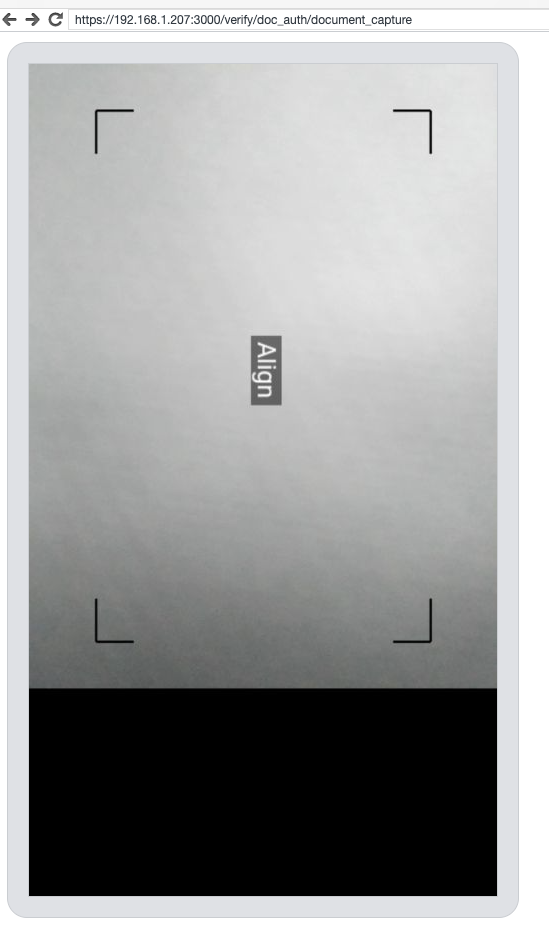
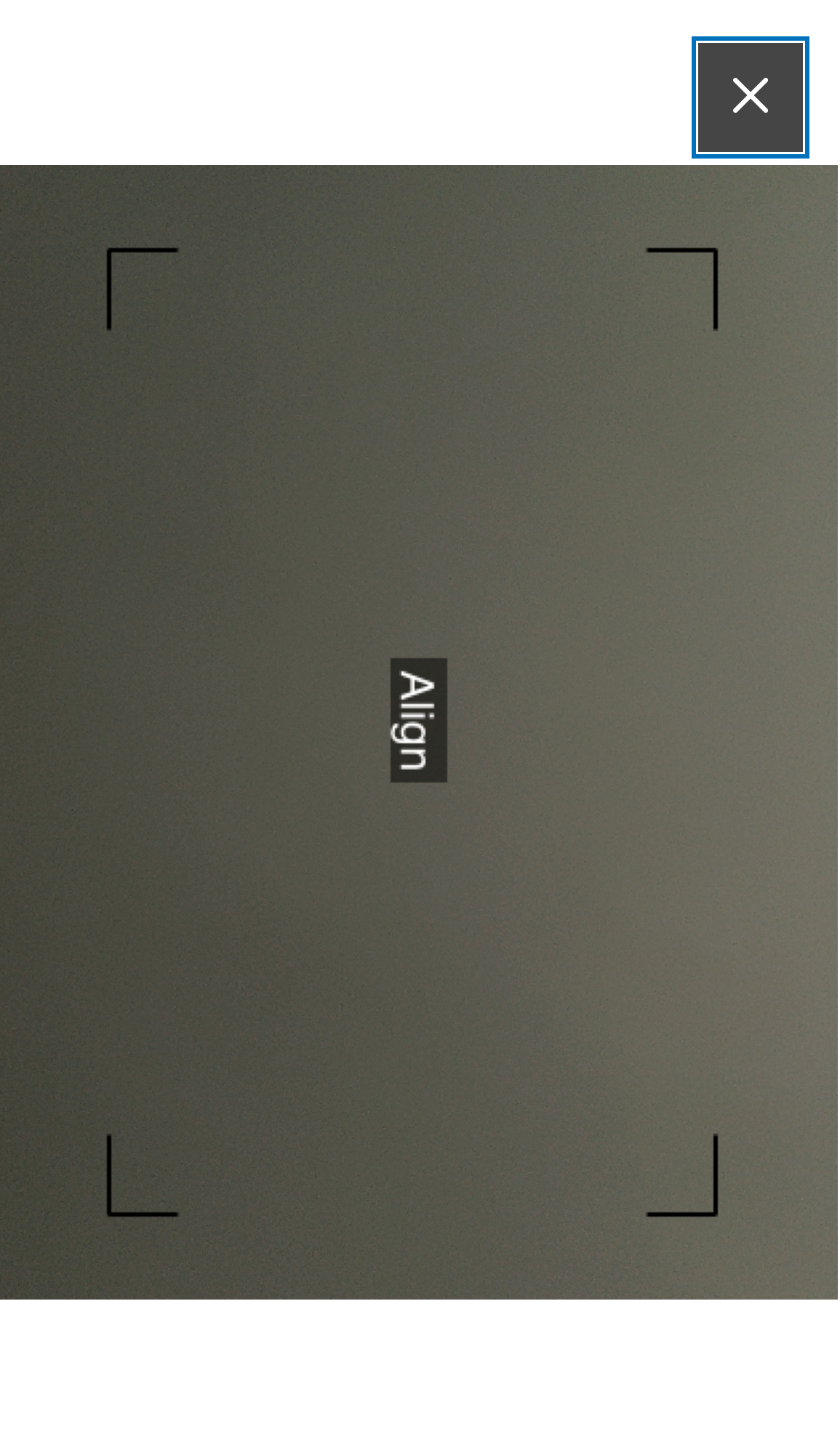
On Android, Acuant uses the Fullscreen API, so it's possible that our styling to try to center the canvas won't apply in the fullscreen mode. This differs from iOS where it's just painted on a full-screen DOM element, and I would expect CSS centering styles to apply normally. It could be worth recording it somewhere to investigate further, though it seems like something which probably hasn't changed in this release, so I don't know if you'd want to let it block you from merging. You could also try testing on the older/current version to see if it behaves any differently. |
Yes. I tested this earlier and it appears that nothing has changed. I'm going to merge. |


* Initial commit of files/settings for acuant 11.7.0 sdk

* Updating AcuantDocumentState to reflect new sdk changes

-- What
The new 11.7.0 sdk adds a property to the AcuantDocumentState called
`BIG_DOCUMENT`, which is an indication that the image is too close to
the document.

Note also that the enum values have changed as a result.

This is described in the migration doc:
https://github.com/Acuant/JavascriptWebSDKV11/blob/master/docs/MigrationDetails.md

changelog: Improvement, SDK, Updating Acuant SDK to 11.7.0 (LG-6785)

* Adding Acuant SDK DOM Loading Tests

-- What
There appears to be some difference in how the 11.7 and 11.5 SDKs load
the AcuantJavascriptWebSdk object into the browser's global namespace
once the script tag has been loaded and `loadAcuantSdk` has been
called.

I wrote a s few tests that confirm the behavior I was seeing in my
personal browser interactions and debugging sessions.

changelog: Improvement, SDK, Updating Acuant SDK to 11.7.0 (LG-6785)

* Updating Acuant components to use new globals

-- What
In a previous (11.5.0) version of the SDK, objects like
AcuantJavascriptWebSdk and AcuantCamera were placed onto the browser's
global window object. But in the new (11.7.0) SDK, they are no longer
present on window -- instead, they reside alone in the global
namespace via `let` declarations at the highest scope.

This commit represents elementary changes to two files that reference
these objects in the global namspace, rather than on window where they
don't exist anymore (and were therefore erroring).

The type annotations still need to be dealt with
appropriately. However, the acuant sdk now loads and appears to work
properly in the local manual testing environment.

changelog: Improvements, SDK update, Updating the Acuant SDK

* Switching acuant context file to typescript

* Adding French and Spanish localizations for BIG_DOCUMENT

-- What
The new Acuant SDK image warning BIG_DOCUMENT, which specifies that
the camera is "too close" to the document, has messages that have now
been localized into French and Spanish, as well as the original English.

* Updating window object checking and fixing tests

-- What
Because of the discrepancy between the 11.5.x and 11.7.x SDKs in how
they declare globals like AcuantJavascriptWebSdk and AcuantCameraUI, I
have now included a check in the acuant.jsx context file that will try
to find those objects on the global window object and, if not present,
simply return the result of using those variables at the global
scope (which is how 11.7.x defines them).

The benefit of this approach is that we don't have to rewrite or edit
a bunch of the frontend tests.

changelog: Improvements, Acuant SDK upgrade, dealing with variable declarations

* Fixing AcuantCamera and AcuantCameraUI global checks

-- What
We were checking for the AcuantCamera and AcuantCameraUI objects at
the wrong moment in the flow, which was causing errors when attempting
to load the actual camera. This is now resolved.

changelog: Improvements, SDK upgrade, fixing remaining global variable issues

* Updating comment formatting and adding guards for globals

-- What
 - Switching property and function description comments to use
   docblock format, which is better for VSCode users;
 - Adding guards to global Acuant SDK variable getter methods
 - Removing leftover type annotations from acuant.tsx file

changelog: Improvements, Formatting, Acuant SDK upgrade comment
formatting and guards

* Fixing typo in localization yaml config

* Update app/javascript/packages/document-capture/components/acuant-camera.jsx

Co-authored-by: Andrew Duthie <andrew.duthie@gsa.gov>

* Removing tests for 11.5.0 Acuant SDK loading

* Excluding acuant sdk directories from code-climate checks

* Removing symlinked fr dir in public folder

* Fixing caught eslint errors

-- Notes
I have included an ignore line in acuant-camera.jsx where we refer to
the global AcuantCameraUI without first declaring it. This is due to
the new behavior Acuant introduced in the 11.7.0 SDK, where they are
declaring variables in the global scope (but not in the window)

* Updating acuant-camera to tsx and associated typescript changes

-- What
Several problems swirled together in the type system that necessitated
refactoring the acuant-camera component to be a tsx/typescript file.

First, the typechecker could not handle an undefined global
AcuantCameraUI reference, and the JSDoc type annotations seem to not
have a way to deal with this while plain typescript does.

Second, the change to using a guard clause for trying to reason about
the presence of the global variable also threw off the typechecker. In
this commit we've opted for a different approach, which is to simply
log the condition where neither the window nor the global namespace
has a reference to the importan Acuant globals when they are
needed (AcuantJavascriptWebSdk, AcuantCamera, etc). This might not be
the ideal choice, but for the moment it beats fighting with the
typechecker.

* Adding normalized yaml localization files

* Update app/javascript/packages/document-capture/components/acuant-camera.tsx

Co-authored-by: Andrew Duthie <andrew.duthie@gsa.gov>

* Updating definition of exports in tsx files

Co-authored-by: Andrew Duthie <andrew.duthie@gsa.gov>
Co-authored-by: Eric Gade <ecgade@macbook-m1.lan>


3 participants


What
This PR implements an upgrade from Acuant SDK 11.5.0 to 11.7.0, per LG-6785.
Implementation
Because we host the sdk files ourselves, upgrading was simply a matter of creating a new version directory, copying the release files to that location, and updating two internal URLs to point to the new resources.
Most of this PR deals with adjusting our own code in order to accommodate breaking changes introduced.
Important Notes and Breaking Changes
windowand globally scoped objectsIn previous versions of the SDK, key objects like
AcuantJavascriptWebSdk,AcuantCamera, andAcuantCameraUIwere all attached to the browser's globalwindowobject whenever they were respectively loaded.In 11.7.0, this is no longer the case -- these objects are injected into the browser's global scope, but not added to the
windowobject. This introduced three breaking difficulties: where to "find" the correct resources; the assumptions of our frontend test suite; and the assumptions of our type annotations.Instead of heavily rewriting all of our tests -- or manually editing the SDK files ourselves (an option which I threw out but am still open to) -- we instead use helper functions to determine which version of the object is available (ie,
window.AcuantCameraor justAcuantCamera) in scope, and then intentionally setwindow.AcuantCamerato the resulting value. This protects our test suite most of all, and keeps many of the assumptions in place.I am open to alternative suggestions if anyone has any.
Introduction of
BIG_DOCUMENTstateFollowing the Acuant SDK Migration Guide, 11.7.0 introduces a new live document state called
BIG_DOCUMENT, which simply means that the document image in the frame is "Too close".This has been added and also localized.
changelog: Improvements, Upgrade, Acuant Javascript SDK Upgrade to 11.7.0