LG-1330 generate backup codes on post#3044
Conversation


 achapm
changed the title
achapm
changed the title


There was a problem hiding this comment.
Looks solid to me.
Just realized that the actual link to continue with backup doesn't match what the above copy text said: 'click the continue button below to proceed...`
The 'continue button' isn't really a button to click on, and users may be confused that they would click on the 'choose other option' button, thinking that's the continue button if they read too fast

|
For scenario #2, would it make sense on that page to also use that as an opportunity to encourage them to select a more secure method? (also ok to say that that would be another story) |

|
@achapm (and others) Concept that may clarify and simplify the reading flow
|
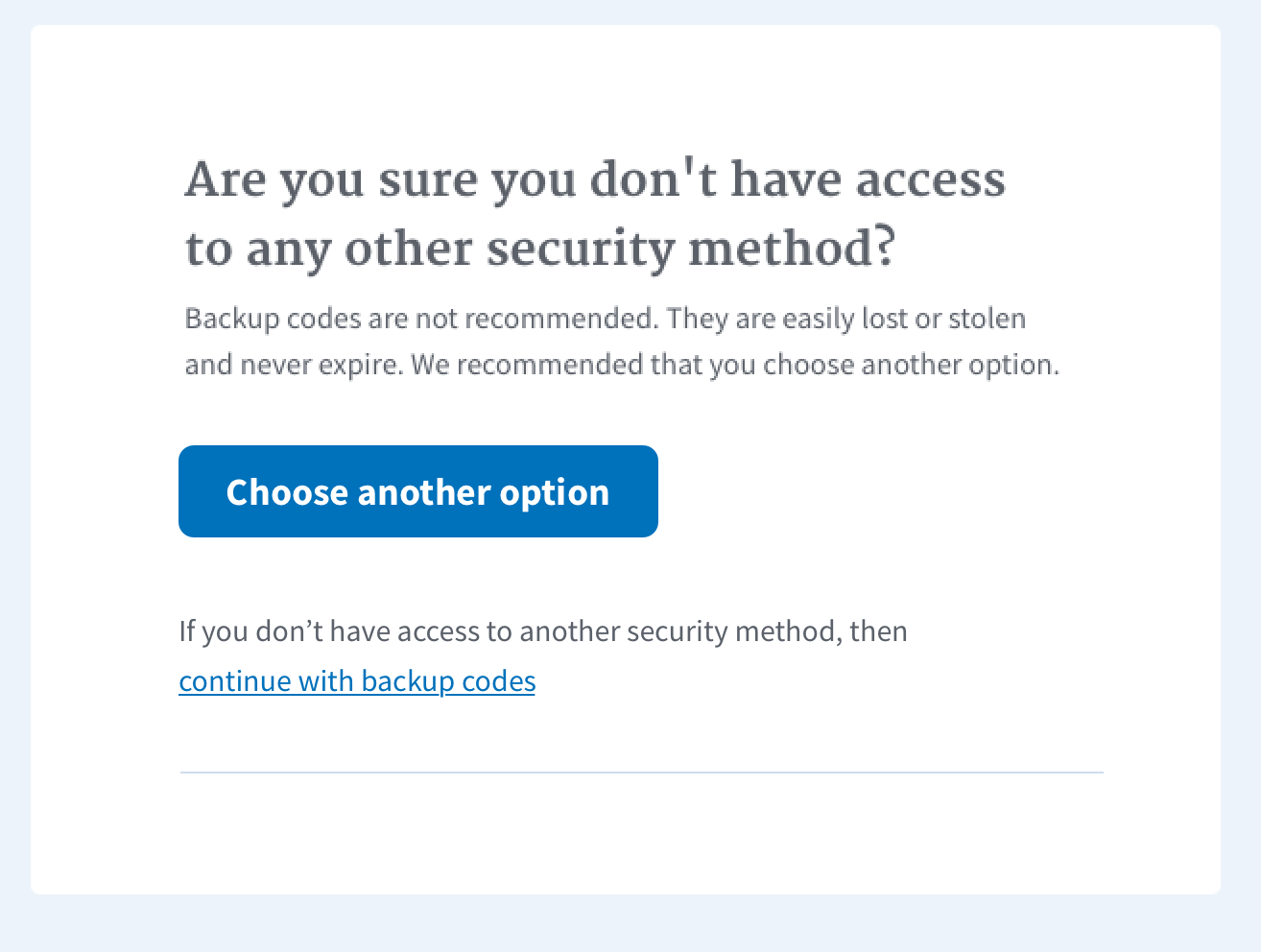

|
@achapm it's a lot of text so here's a suggestion to shorten it. Also, general rule, we should use the term "authentication methods" not "security options". "Are you sure this is your only option? "Create new backup codes I suggest removing the the second piece on create new backup codes because users have no way or instruction on setting up a second MFA from this screen. If we want to include this, then we at least need to add a link at the bottom. |

|
@lauraGgit @nickttng |
|
@achapm New screenshot flows much better. 👍 |
|
@mguzman-gov Question... |


 mguzman-gov
left a comment
mguzman-gov
left a comment
mguzman-gov
left a comment
There was a problem hiding this comment.
Content looks good. Spanish and French are good to go too.


| include Rails.application.routes.url_helpers | ||
| include ActionView::Helpers::TranslationHelper | ||
|
|
||
| def initialize(view) |

There was a problem hiding this comment.
Why are you saving the view context here? It looks like it isn't used in the presenter?


5 participants


WHY: As a user, I want to know that my backup codes are functional when I see them, so that I am not confused about why the backup codes I saved aren't working
UX REVIEW:
SCENARIO #1 - When I sign up for a new account and choose backup codes:
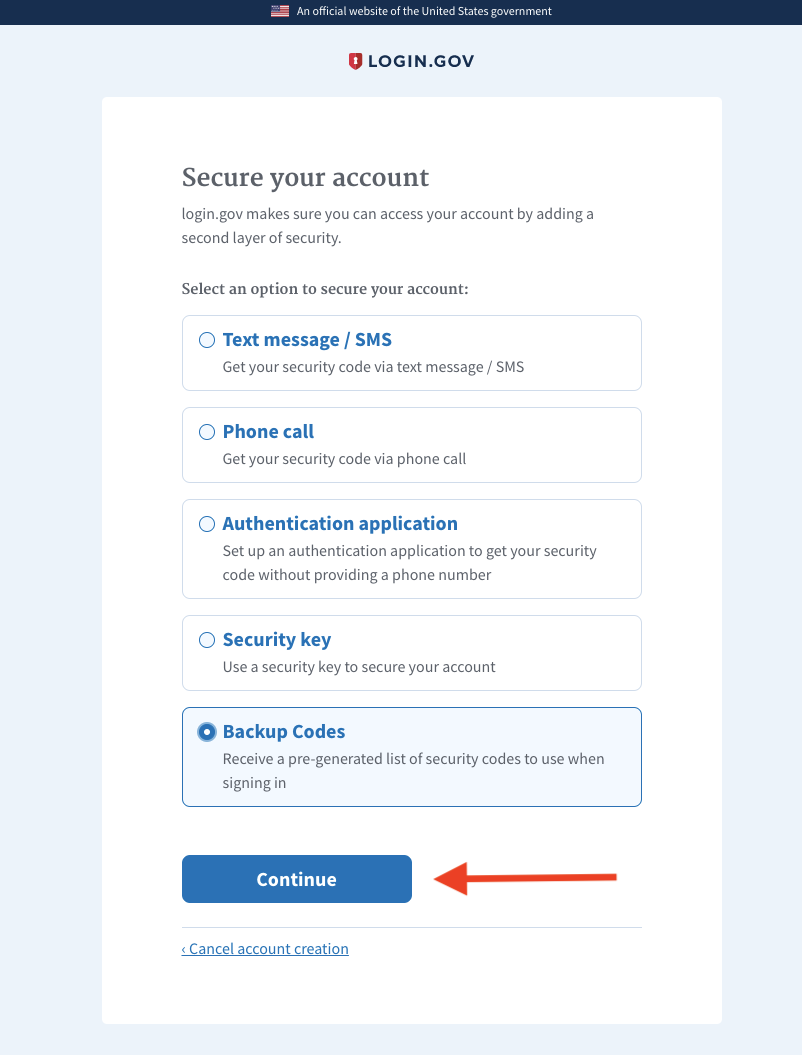
[New Page]
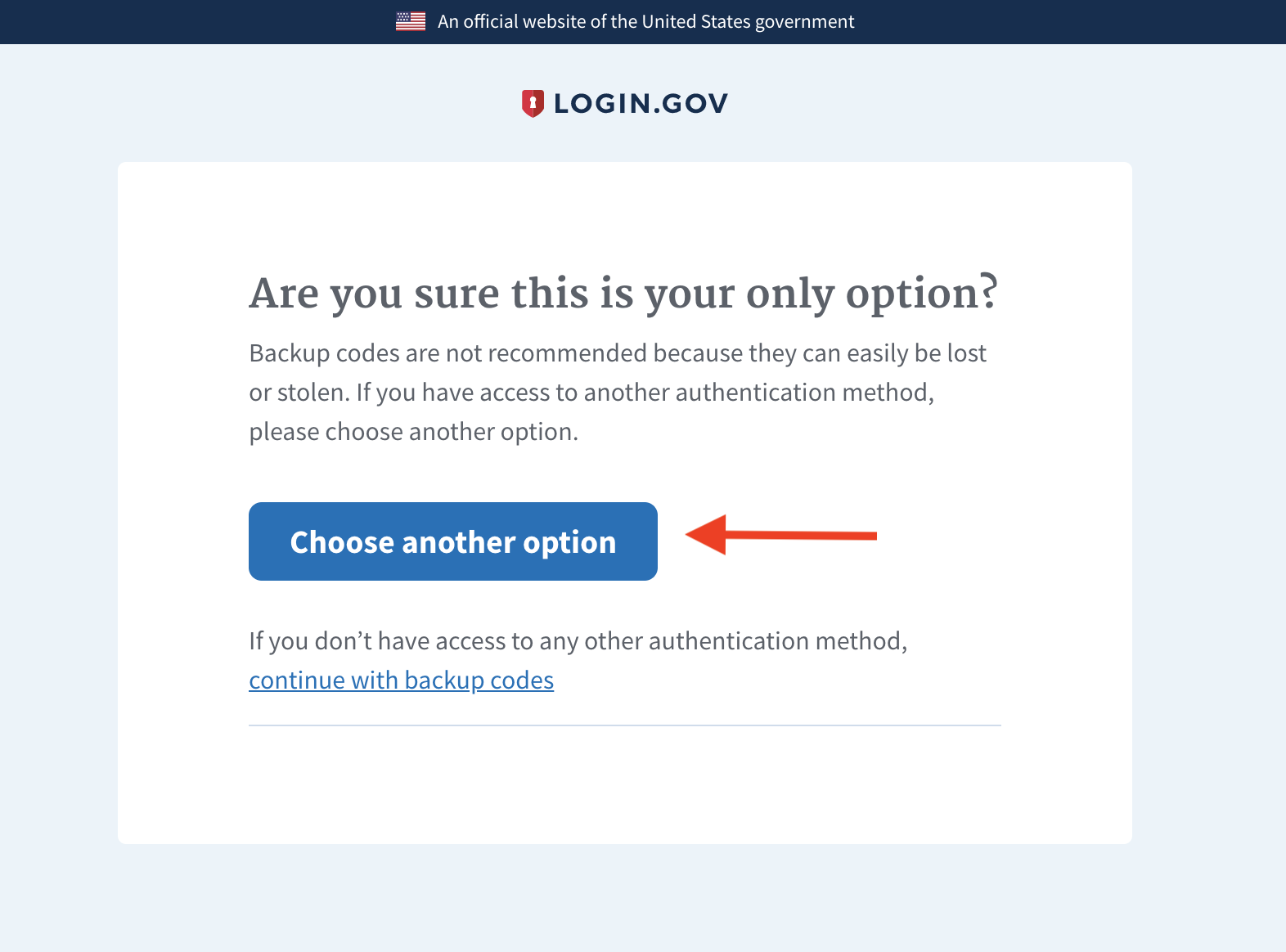
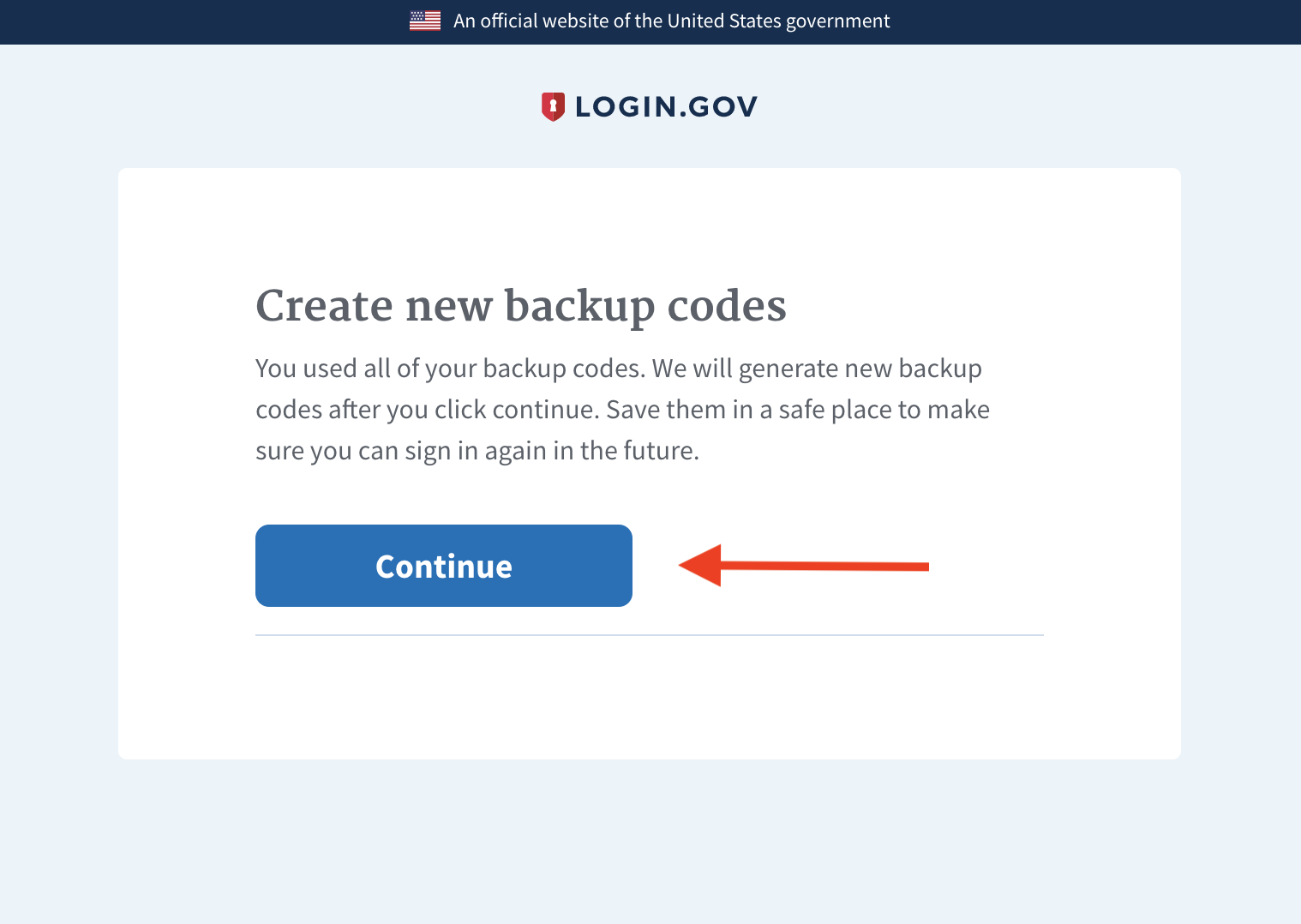
SCENARIO #2 - When I have used my last backup code to sign in:
[New Page]