[EuiPopover] Unpredictable behavior with buffer #4232

Description

Note: There is a workaround for this, so it's not urgent, but I figure it's worth documenting in case others run into it.
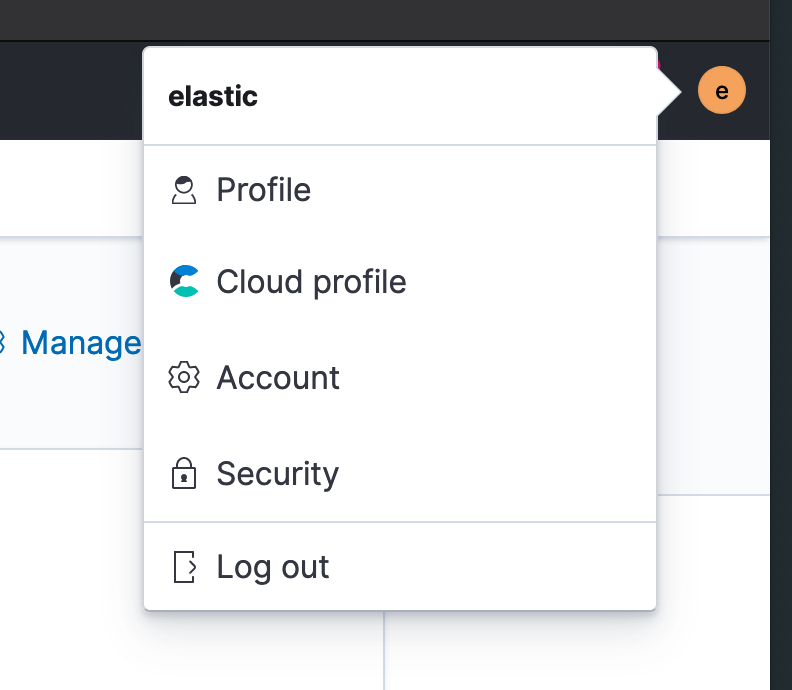
While updating the profile menu, we noticed that the positioning of the popover menu can be somewhat unpredictable (it's worth noting that it is positioned along the right edge of the screen). When we have only two links, the popover opens downRight as expected. When additional links are added, the menu suddenly opens to the left of the button.
The workaround was to add buffer={0} to the EuiPopover. I started going down the rabbit hole of what exactly is happening but got sorta lost in the math within popover_positioning.ts.
To reproduce this (once the PR is merged), you can add the following to your kibana.dev.yml file:
# Enable cloud plugin
xpack.cloud.id: 'eastus2.azure.elastic-cloud.com:9243$59ef636c6917463db140321484d63cfa$a8b109c08adc43279ef48f29af1a3911'
xpack.cloud.resetPasswordUrl: 'https://cloud.elastic.co/user/settings' # Cloud profile link
xpack.cloud.accountUrl: 'https://cloud.elastic.co/account/activity' # Account link
With two links
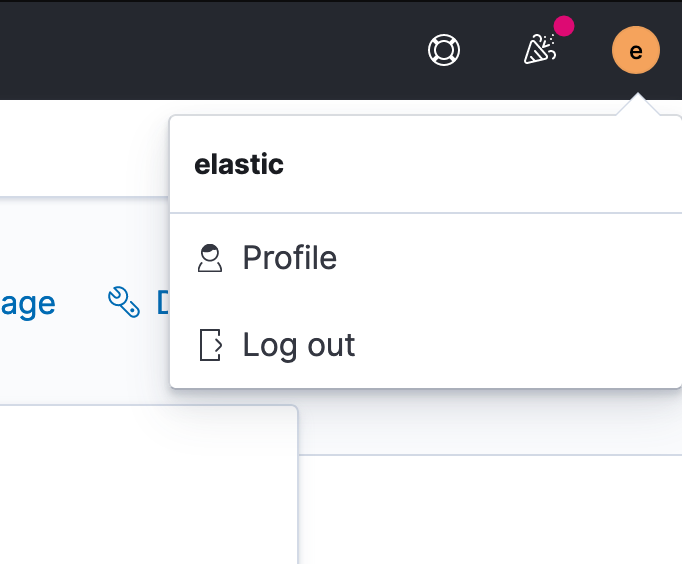
With more than two links