


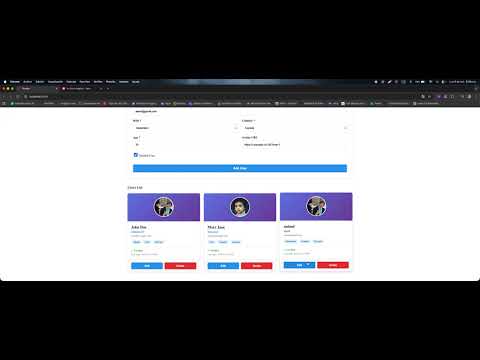
Watch how CC Form Engine simplifies Angular form development:
Transform this 50+ line nightmare:
// Traditional Angular Forms - SO MUCH CODE!
this.userForm = this.fb.group({
  firstName: ['', [Validators.required, Validators.minLength(2)]],
  lastName: ['', [Validators.required, Validators.minLength(2)]],
  email: ['', [Validators.required, Validators.email]],
  password: ['', [Validators.required, Validators.minLength(8)]],
  confirmPassword: ['', Validators.required],
  birthDate: ['', Validators.required],
  acceptTerms: [false, Validators.requiredTrue]
});

// Add custom validators manually
this.userForm.get('confirmPassword')?.addValidators(...);
// Handle change tracking manually
this.userForm.valueChanges.subscribe(...);
// Create custom error handling
this.getErrorMessage = (field) => { /* complex logic */ };
Into this ONE LINE of pure magic:
// CC Form Engine - ONE LINE CREATES EVERYTHING!
this.userForm = this.formGenerator.generateFormGroup(USER_CONFIG);
// Validation? Done! Error messages? Done! Change tracking? Done!Don't even write the config! Let the schematic do it for you:
ng generate cc-form-engine:form Employee --component=employeeThis command will:
- Find your
Employeeinterface anywhere in your project (any language!) - Read all properties and automatically detect types
- Generate the complete
FormConfig<Employee>with validators - Integrate it into your component with all imports
- Done! Your form is ready to use
Works with models in any language: English, Spanish, French, Chinese, etc!
// Your model can be in ANY language:
interface Empleado {         // Spanish
  nombre: string;
  salario: number;
  fechaIngreso: Date;
}

interface Employee {         // English
  name: string;
  salary: number;
  hireDate: Date;
}

interface Employé {          // French
  nom: string;
  salaire: number;
  dateEmbauche: Date;
}

// The generator reads them ALL correctly!
Result: Complete, type-safe FormConfig in seconds!
Create fully validated forms with change tracking, error messages, and type safety in just one line!
Your model interface IS your form validation. TypeScript errors if your config doesn't match your model perfectly!
The hasChanges() signal knows the difference between "user typed something" vs "actually changed from original". No more false positives!
Works perfectly in Colombia, USA, Canada, Mexico, Brazil, and more - with proper currency formatting and translated messages!
Drop it into any Angular project. No breaking changes. Your existing forms still work!
npm install cc-form-engineThat's it! No complex setup, no breaking changes to your existing code!
// Define your model (you probably already have this!)
interface User {
  firstName: string;
  lastName: string;
  email: string;
  password: string;
}

// Create config that matches your model EXACTLY
const USER_CONFIG: FormConfig<User> = {
  firstName: { type: 'string', defaultValue: '', validators: [Validators.required] },
  lastName: { type: 'string', defaultValue: '', validators: [Validators.required] },
  email: { type: 'string', defaultValue: '', validators: [Validators.required, Validators.email] },
  password: { type: 'string', defaultValue: '', validators: [Validators.required, FormValidators.strongPassword()] }
};

@Component({
  template: `
    <form [formGroup]="userForm" (ngSubmit)="onSubmit()">
      <input formControlName="firstName" placeholder="First Name">
      <input formControlName="lastName" placeholder="Last Name">
      <input formControlName="email" placeholder="Email">
      <input formControlName="password" type="password" placeholder="Password">

      <!-- This button is SMART - only enables when there are real changes! -->
      <button [disabled]="userForm.invalid || !hasChanges()">Save User</button>

      <!-- Shows only when user actually changed something -->
      @if (hasChanges()) {
        <div class="warning">You have unsaved changes!</div>
      }
    </form>
  `
})
export class UserComponent implements OnInit {
  private formGenerator = inject(FormGeneratorService);

  userForm!: FormGroup;
  hasChanges!: WritableSignal<boolean>;

  ngOnInit() {
    // THE MAGIC LINE - Creates everything!
    this.userForm = this.formGenerator.generateFormGroup(USER_CONFIG);
    this.hasChanges = this.formGenerator.getHasChanges(this.userForm);
  }

  onSubmit() {
    if (this.userForm.valid) {
      // Get perfectly typed data! TypeScript knows this is User interface!
      const userData: User = this.formGenerator.getTypedFormValues(this.userForm, USER_CONFIG);

      console.log(userData); // { firstName: "John", lastName: "Doe", email: "john@test.com", password: "SecurePass123!" }

      // Reset baseline after save - hasChanges() becomes false
      this.formGenerator.resetFormState(this.userForm);
    }
  }
}
That's it! You just created a fully functional form with validation, change tracking, type safety, and error handling in 10 lines of code!
// No type safety - runtime errors waiting to happen!
const userData = this.userForm.value; // any type
userData.firstName = 123; // No error! This will break your API!
userData.randomField = "oops"; // No error! Typo in field name!// Bulletproof type safety!
const userData: User = this.formGenerator.getTypedFormValues(this.userForm, USER_CONFIG);
userData.firstName = 123; // TypeScript ERROR! Must be string!
userData.randomField = "oops"; // TypeScript ERROR! Field doesn't exist!Your model IS your validation! If your config doesn't match your interface, TypeScript will scream at you during development, not in production!
<!-- Traditional: Button always enabled when valid -->
<button [disabled]="userForm.invalid">Save</button>
<!-- Problems: User clicks "Save" even when nothing changed! Unnecessary API calls! --><!-- Smart: Only enabled when there are REAL changes -->
<button [disabled]="userForm.invalid || !hasChanges()">Save Changes</button>
<!-- Benefits: Perfect UX! No unnecessary API calls! Clear user feedback! -->- Form loads with data →
hasChanges()=false→ Save button DISABLED - User types →
hasChanges()=true→ Save button ENABLED - User reverts to original →
hasChanges()=false→ Save button DISABLED - User saves →
resetFormState()called →hasChanges()=false→ Save button DISABLED
It's intelligent! It knows the difference between "user typed something" vs "actually different from the original data"!
const existingUser: User = await this.userService.getUser(id);

// ONE LINE creates form with data loaded!
this.userForm = this.formGenerator.generateFormGroupFromData(USER_CONFIG, existingUser);
// hasChanges() = false (existing data becomes baseline)// Create empty form first
this.userForm = this.formGenerator.generateFormGroup(USER_CONFIG);
// Load data later
const userData = await this.api.getUser(123);
this.formGenerator.setFormValues(this.userForm, userData, USER_CONFIG);
// hasChanges() = false (loaded data becomes new baseline)const partialUser = { firstName: "John" }; // lastName, email, password will use defaults
this.formGenerator.setFormValues(this.userForm, partialUser, USER_CONFIG);const USER_CONFIG: FormConfig<User> = {
email: {
type: 'string',
defaultValue: '',
validators: [Validators.required, FormValidators.strictEmail()],
label: 'Email Address',
errorMessages: {
required: 'Email is required for your account',
strictEmail: 'Please enter a valid email like [email protected]'
}
},
password: {
type: 'string',
defaultValue: '',
validators: [Validators.required, FormValidators.strongPassword()],
label: 'Password',
errorMessages: {
required: 'Password is required',
strongPassword: 'Password must contain uppercase, lowercase, numbers, and special characters'
}
}
};
// In template - shows your custom messages!
@if (userForm.get('email')?.invalid && userForm.get('email')?.touched) {
<span class="error">{{ getFieldError('email') }}</span>
}// Automatically formats: $1.234.567 COP, "El correo es requerido"
provideFormEngineForColombia()// Automatically formats: $1,234,567.00 USD, "Email is required"
provideFormEngineForUS()// Automatically formats: $1,234,567.00 CAD, "Email is required"
provideFormEngineForCanada()// Detects user's browser locale automatically!
provideFormEngineWithAutoLocale()import { FormValidators } from 'cc-form-engine';
// Email validation that actually works
FormValidators.strictEmail() // Rejects fake emails
// Password security
FormValidators.strongPassword() // Enforces strong passwords
// Money & numbers
FormValidators.numericOnly() // Numbers only, no letters
FormValidators.minMoney(100) // Minimum currency amount
FormValidators.maxMoney(999999) // Maximum currency amount
FormValidators.percentage(0, 100) // Percentage range validation
// Text validation
FormValidators.noWhitespace() // No spaces allowed| Type | What it does | Example Value |
|---|---|---|
string |
Text inputs | "John Doe" |
number |
Numeric inputs | 42 |
boolean |
Checkboxes | true/false |
date |
Date pickers | new Date() |
money |
Currency with locale formatting | 1234.56 → $1,234.56 |
percentage |
Percentage inputs | 15.5 → 15.5% |
import { FormFactory } from 'cc-form-engine';

const factory = inject(FormFactory);

// Pre-built forms for rapid prototyping
const loginForm = factory.createLoginForm();           // Email + password
const userForm = factory.createUserForm();            // Full user registration
const productForm = factory.createProductForm();      // E-commerce product form

// Dynamic forms from configuration
const dynamicForm = factory.createDynamicForm([
  { name: 'firstName', type: 'string', required: true },
  { name: 'age', type: 'number', required: true },
  { name: 'active', type: 'boolean' }
]);The easiest way to create forms is using our Angular Schematic that automatically generates everything for you:
# Generate a form for any model
ng generate cc-form-engine:form ModelName --component=component-name

# Short alias
ng g cc-form-engine:f ModelName --component=component-nameThe schematic will:
- Search your entire project for the model/interface (supports any folder structure)
- Parse all properties from your TypeScript interface
- Detect types automatically:
string→'string'number→'number'or'money'(if property contains 'salary', 'price', etc.)Date→'date'boolean→'boolean'- Arrays →
'array'
- Generate validators: Required for non-optional fields
- Create the FormConfig file at
src/app/forms/model-form.config.ts - Update your component with necessary imports and form instance
Step 1: You have a model anywhere in your project:
// src/app/models/product.model.ts
export interface Product {
  id: number;
  name: string;
  description?: string;
  price: number;
  inStock: boolean;
  releaseDate: Date;
}
Step 2: Run the generator:
ng g cc-form-engine:form Product --component=product-formStep 3: Output:
🔍 Searching for model "Product" in project...
✅ Found model "Product" at src/app/models/product.model.ts
📋 Properties found: id, name, description, price, inStock, releaseDate
✅ Found component at src/app/components/product-form.component.ts
📝 Created src/app/forms/product-form.config.ts
✅ Updated component
✅ Form generation completed successfully!
Generated FormConfig:
import { Validators } from '@angular/forms';
import { FormConfig } from 'cc-form-engine';
import { Product } from '../models/product.model';

export const PRODUCT_FORM_CONFIG: FormConfig<Product> = {
  id: {
    type: 'number',
    defaultValue: null,
    validators: [Validators.required],
    label: 'Id',
    placeholder: 'Enter id'
  },
  name: {
    type: 'string',
    defaultValue: '',
    validators: [Validators.required],
    label: 'Name',
    placeholder: 'Enter name'
  },
  description: {
    type: 'string',
    defaultValue: '',
    label: 'Description',
    placeholder: 'Enter description'
  },
  price: {
    type: 'money',
    defaultValue: null,
    validators: [Validators.required],
    label: 'Price',
    placeholder: 'Enter price'
  },
  inStock: {
    type: 'boolean',
    defaultValue: false,
    validators: [Validators.required],
    label: 'InStock',
    placeholder: 'Enter inStock'
  },
  releaseDate: {
    type: 'date',
    defaultValue: null,
    validators: [Validators.required],
    label: 'ReleaseDate',
    placeholder: 'Enter releaseDate'
  }
};
Updated Component:
import { Component, inject } from '@angular/core';
import { FormGroup } from '@angular/forms';
import { FormGeneratorService } from 'cc-form-engine';
import { PRODUCT_FORM_CONFIG } from '../../forms/product-form.config';

@Component({
  selector: 'app-product-form',
  // ... your template
})
export class ProductFormComponent {
  private formGenerator = inject(FormGeneratorService);
  productForm!: FormGroup;

  ngOnInit() {
    this.productForm = this.formGenerator.generateFormGroup(PRODUCT_FORM_CONFIG);
  }
}The schematic works with models in any language:
// Spanish
interface Cliente {
  nombre: string;
  apellido: string;
  fechaNacimiento: Date;
}

// French
interface Client {
  nom: string;
  prénom: string;
  dateNaissance: Date;
}

// German
interface Kunde {
  vorname: string;
  nachname: string;
  geburtsdatum: Date;
}

// All work perfectly with: ng g cc-form-engine:form ModelName --component=...| Option | Description | Default |
|---|---|---|
model |
Name of the interface/model to generate form for | (required) |
--component |
Name of the component to integrate the form | (required) |
--path |
Base path to search for model and component | src/app |
--configPath |
Where to generate the form config file | src/app/forms |
After the schematic runs, you should:
- Review the generated FormConfig - customize labels, placeholders, and error messages
- Add custom validators if needed (e.g., email validation, custom business rules)
- Use the form in your component template with reactive forms directives
- Turn 50+ lines into 1 line
- No more repetitive validation setup
- Built-in change tracking and error handling
- Your TypeScript interface IS your validation
- Compile-time errors prevent runtime bugs
- IntelliSense support for all form values
- Drop into any Angular 19+ project
- No breaking changes to your current forms
- Gradual migration possible
- Built-in support for 5+ countries/currencies
- Automatic locale detection
- Professional error messages in multiple languages
- Intuitive API design
- Comprehensive documentation with examples
- Built with modern Angular patterns (signals, inject, standalone)
-
Install:
npm install cc-form-engine
-
Add to main.ts:
import { provideFormEngineForUS } from 'cc-form-engine'; // or your country

bootstrapApplication(AppComponent, {
  providers: [provideFormEngineForUS()]
});
-
Create a form:
// Define your model
interface User { name: string; email: string; }

// Define config
const CONFIG: FormConfig<User> = {
  name: { type: 'string', defaultValue: '', validators: [Validators.required] },
  email: { type: 'string', defaultValue: '', validators: [Validators.required, Validators.email] }
};

// ONE LINE creates your form!
this.form = this.formGenerator.generateFormGroup(CONFIG);
-
That's it! You now have a fully functional form with validation, change tracking, and type safety!
Contributions welcome! Please check our GitHub repository for issues and pull requests.
MIT License - feel free to use in commercial projects!
Christian Alexis Cruz Arango
- GitHub: @ChristianCruzArango
- Email: [email protected]
Stop wasting time on repetitive form code. Start building amazing user experiences with CC Form Engine!